N7201A617E00_0317.pdf - 第487页
NPM-W 2 EJM7DE-MB-13 M-00 Production preparation 2 (preparati on for verification material 2) 1 Prepare a syringe and a screw unit ( → See [Operating procedure] P.3-4) ● Set the nozzle for calibration on the screw unit. …
NPM-W2 EJM7DE-MB-13M-00
Production preparation 1 (Loading MCDATA: Production program)
Maintenance
13-21-2
13-21-2-17
Accuracy
verifica-
tion
Detailed process 9
(dispensing head)
2
1
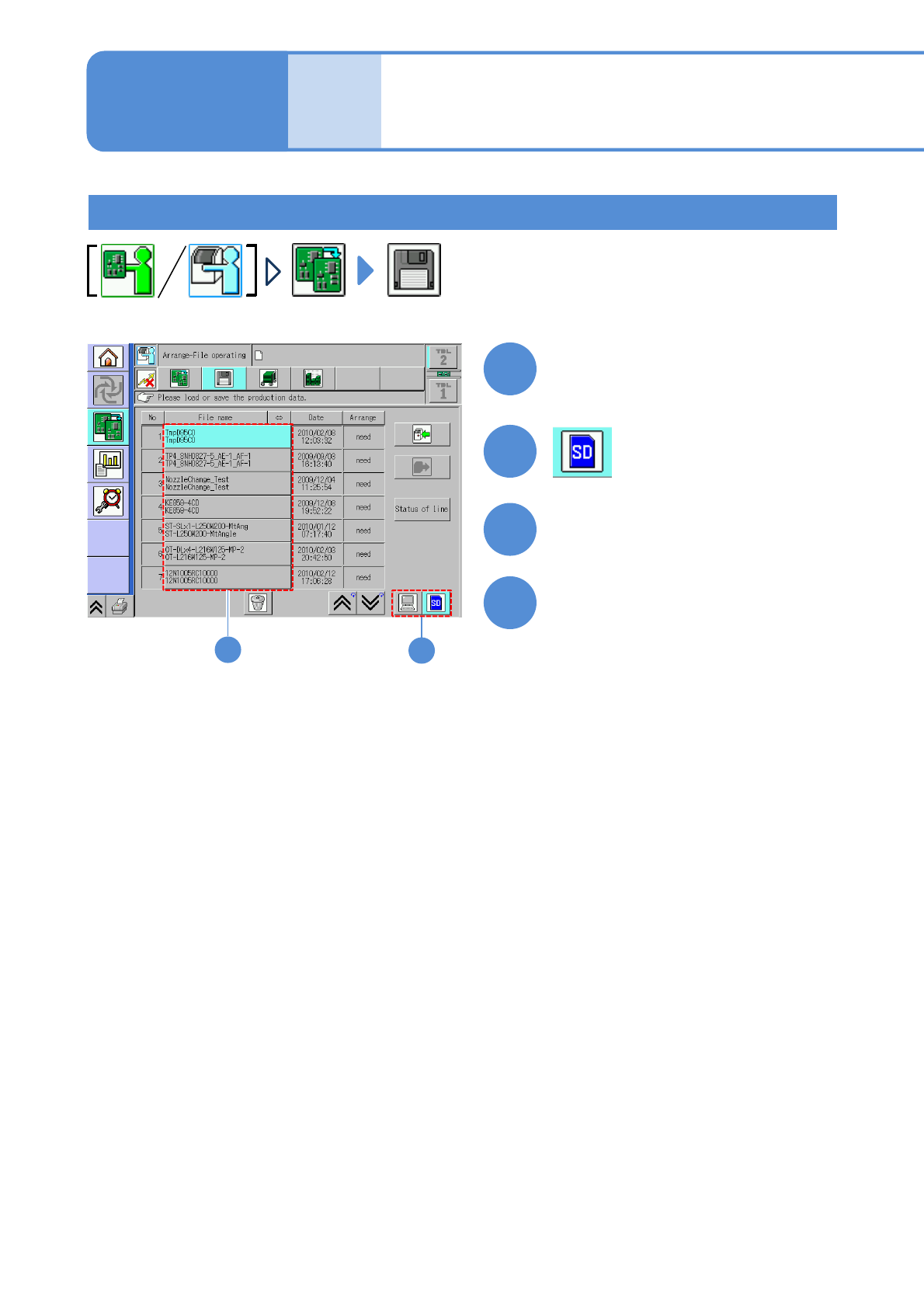
Set the SD card which MCDATA
has been copied
3
●Load the data as same way as the
normal production data.
4
Choose MCDATA
Load MCDATA
2
3
(→ P.13-21-1-10 ‘■MCDATA type’)
NPM-W2 EJM7DE-MB-13M-00
Production preparation 2 (preparation for verification material 2)
1
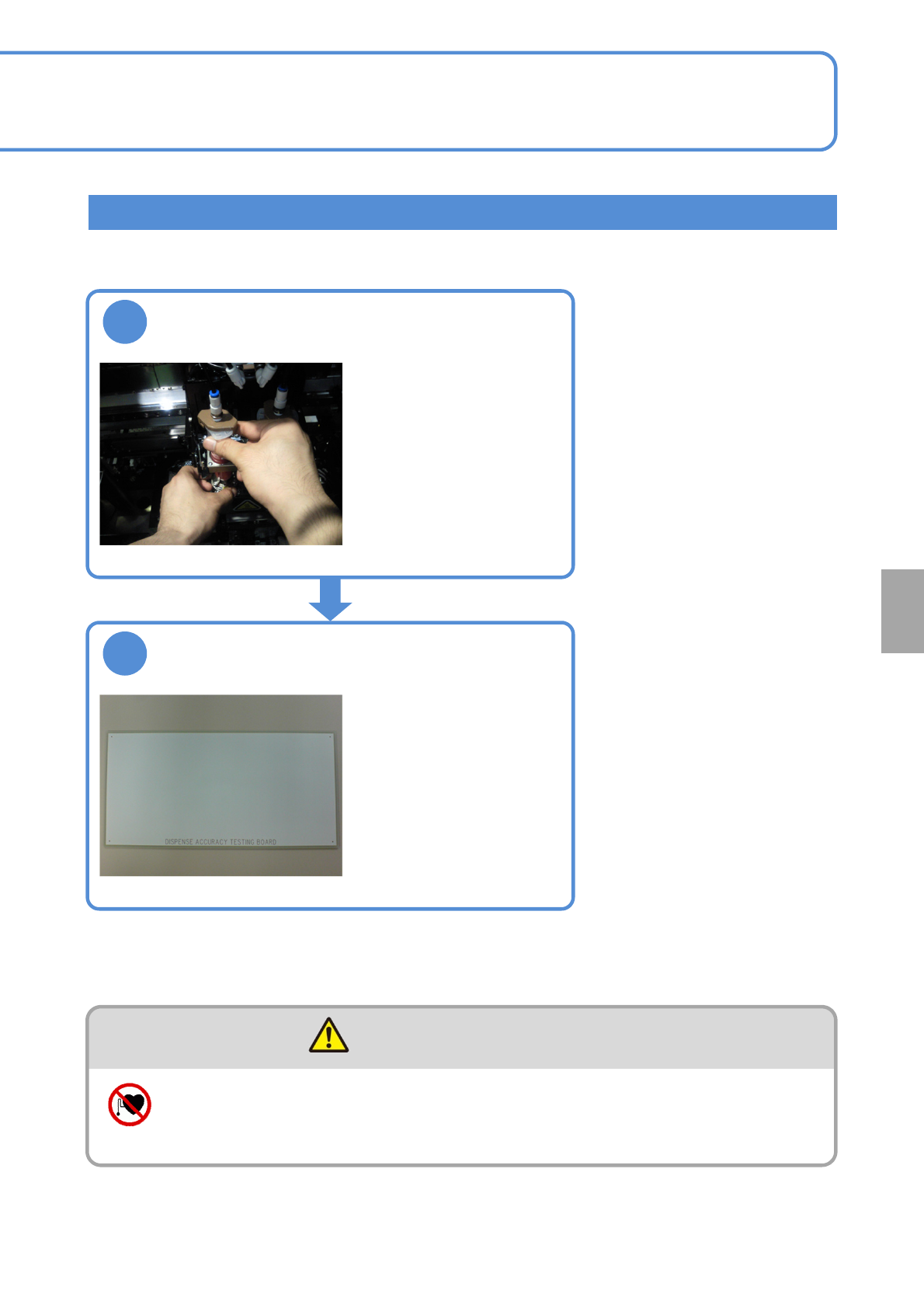
Prepare a syringe and a screw unit
(→See [Operating
procedure] P.3-4)
●Set the nozzle for
calibration on the screw
unit.
2
Prepare the dispensing accuracy
check board (N610114660AA)
●Wipe the board surface
using a cloth soaked in
ethanol, and spray the
anti-static agent.
WARNING
Individuals with pacemakers, etc. should keep away from the linear motor
(Risk of accidents caused by errors in operation due to magnetic force)
13-21-2-18
Calibration
NPM-W2 EJM7DE-MB-13M-00
Accuracy
verifica-
tion
Dispending check and reflection (dispending)
ENABLING
321
(First layer)
(Second layer)
13-21-2-19
Detailed process 10
(dispensing head)
Maintenance
13-21-2
6
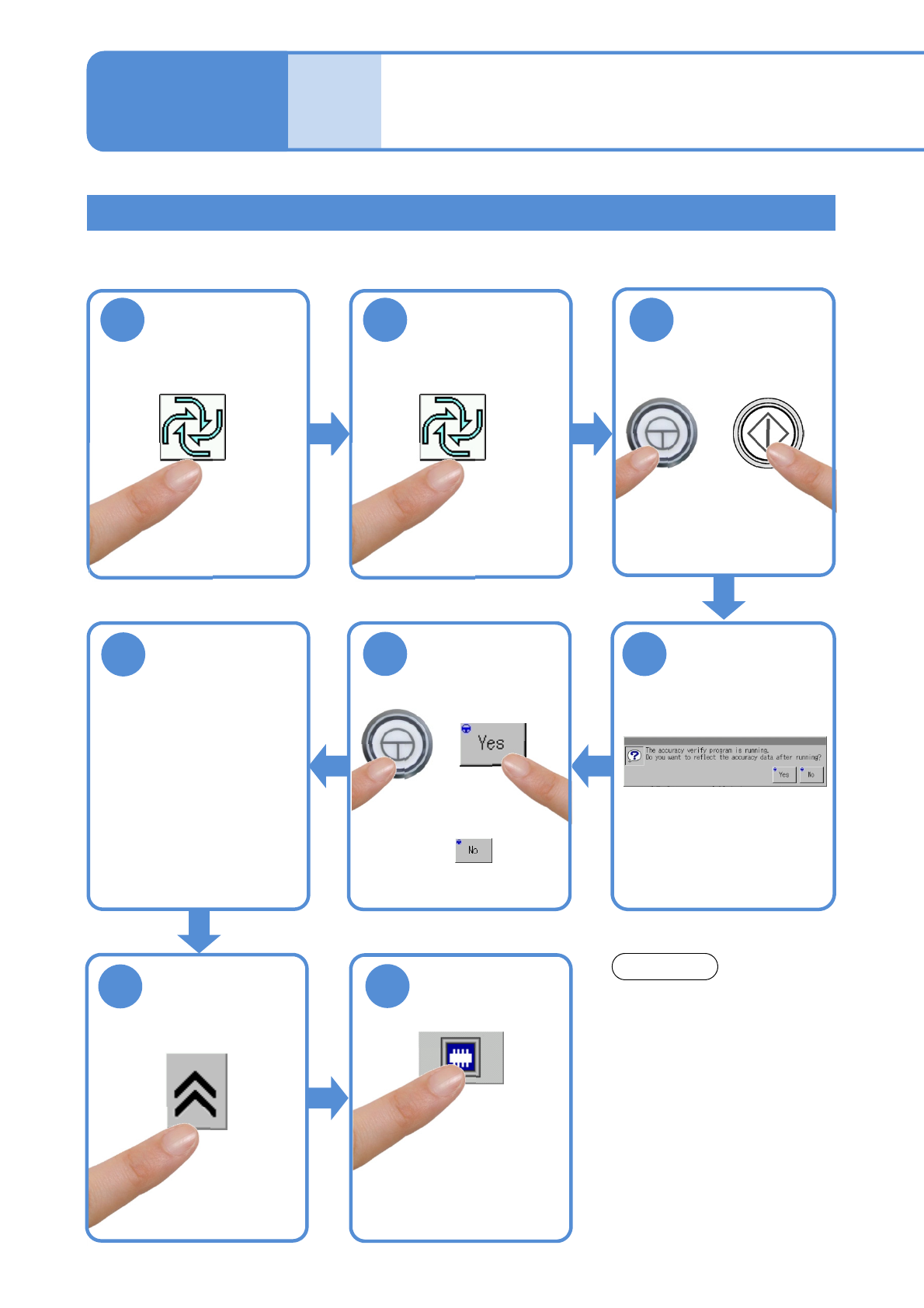
Load a PCB
●Production starts after the
PCB is loaded upon
completion of production
preparation.
4
8
7
Do not press the STOP button
while accuracy verification is
carried out.
You cannot restart operation in
the middle of accuracy
verification.
NOTICE
Confirm the
message
ENABLING
5
●To use accuracy verification
MCDATA:
(→ P.13-21-1
-1 ‘■Reflection
of verification data’)
●The screen for head
camera appears and you
can see a dispensing
shape.