N7201A617E00_0317.pdf - 第489页
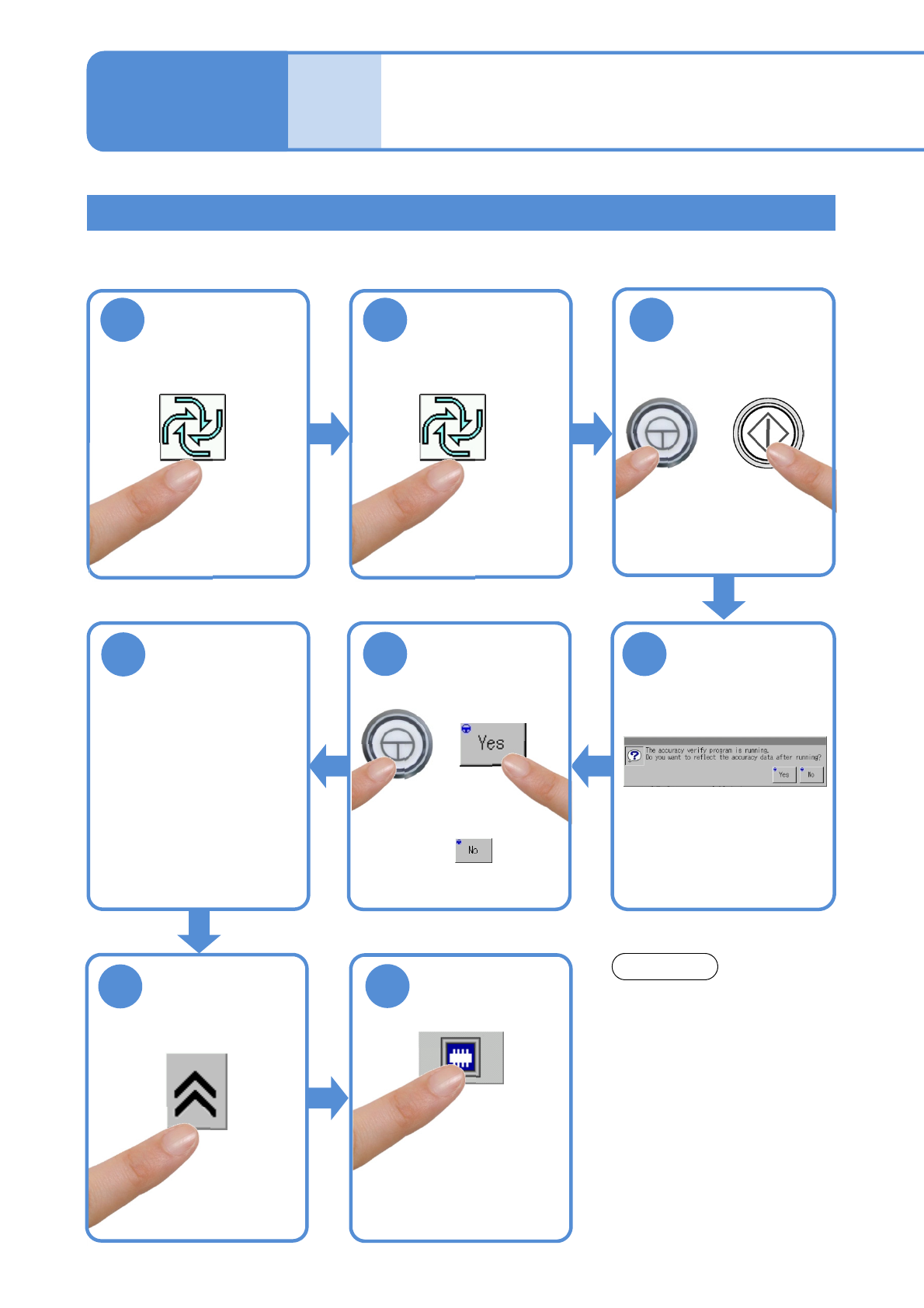
NPM-W 2 EJM7DE-MB-13 M-00 13-21-2 -20 Calibration Checking and reflection of dispensi ng (checking dispensing results) 1 After dispensing completion 2 (Automatic operat ion is complete) + 3 4 5 2 3 4 5 Choose a table (Fr…
NPM-W2 EJM7DE-MB-13M-00
Accuracy
verifica-
tion
Dispending check and reflection (dispending)
ENABLING
321
(First layer)
(Second layer)
13-21-2-19
Detailed process 10
(dispensing head)
Maintenance
13-21-2
6
Load a PCB
●Production starts after the
PCB is loaded upon
completion of production
preparation.
4
8
7
Do not press the STOP button
while accuracy verification is
carried out.
You cannot restart operation in
the middle of accuracy
verification.
NOTICE
Confirm the
message
ENABLING
5
●To use accuracy verification
MCDATA:
(→ P.13-21-1
-1 ‘■Reflection
of verification data’)
●The screen for head
camera appears and you
can see a dispensing
shape.
NPM-W2 EJM7DE-MB-13M-00
13-21-2-20
Calibration
Checking and reflection of dispensing (checking dispensing results)
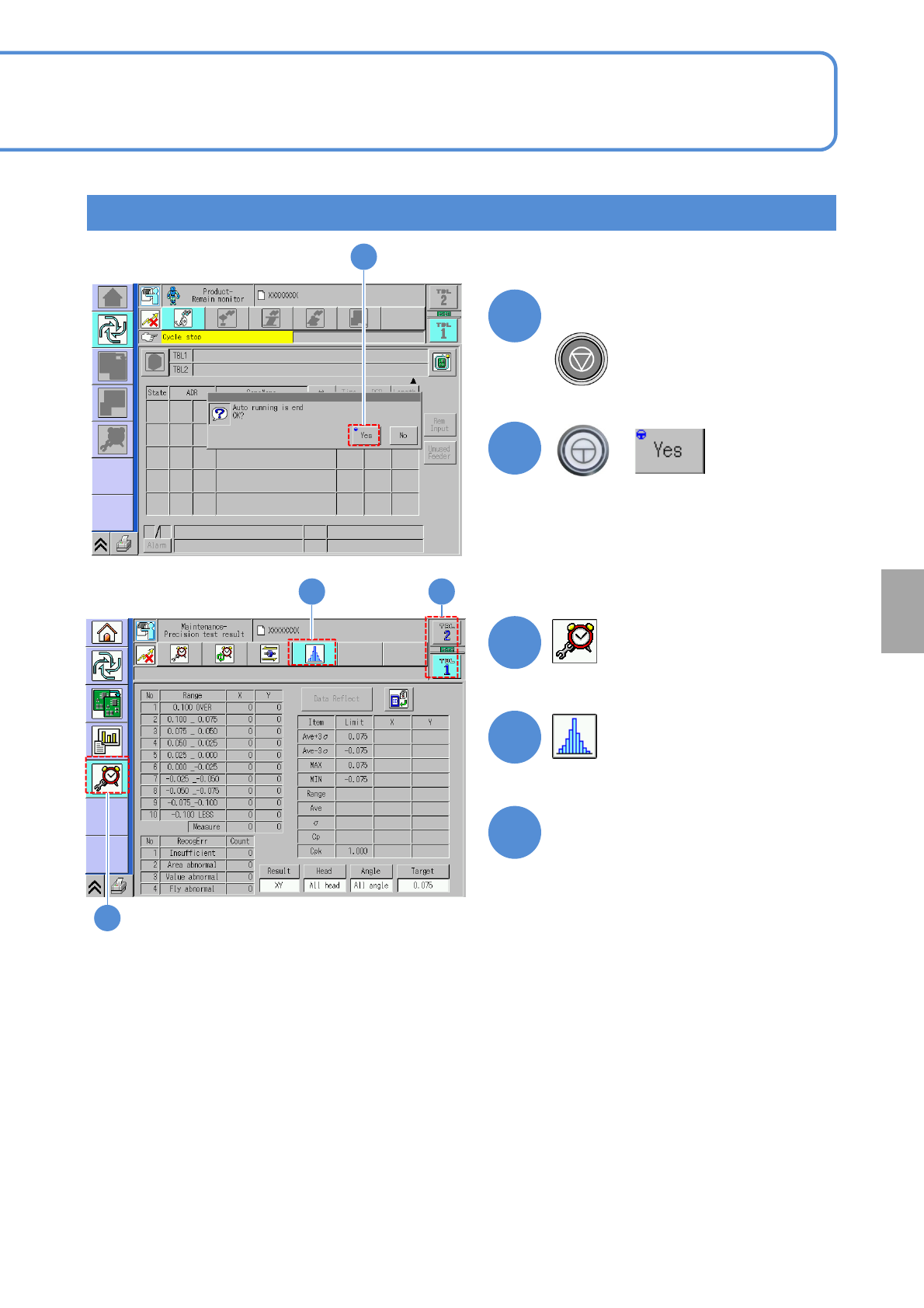
1
After dispensing completion
2
(Automatic operation is complete)
+
3
4
5
2
3
4 5
Choose a table
(Front or rear (individual) or total
accuracy is displayed.)
NPM-W2 EJM7DE-MB-13M-00
Accuracy
verifica-
tion
13-21-2-21
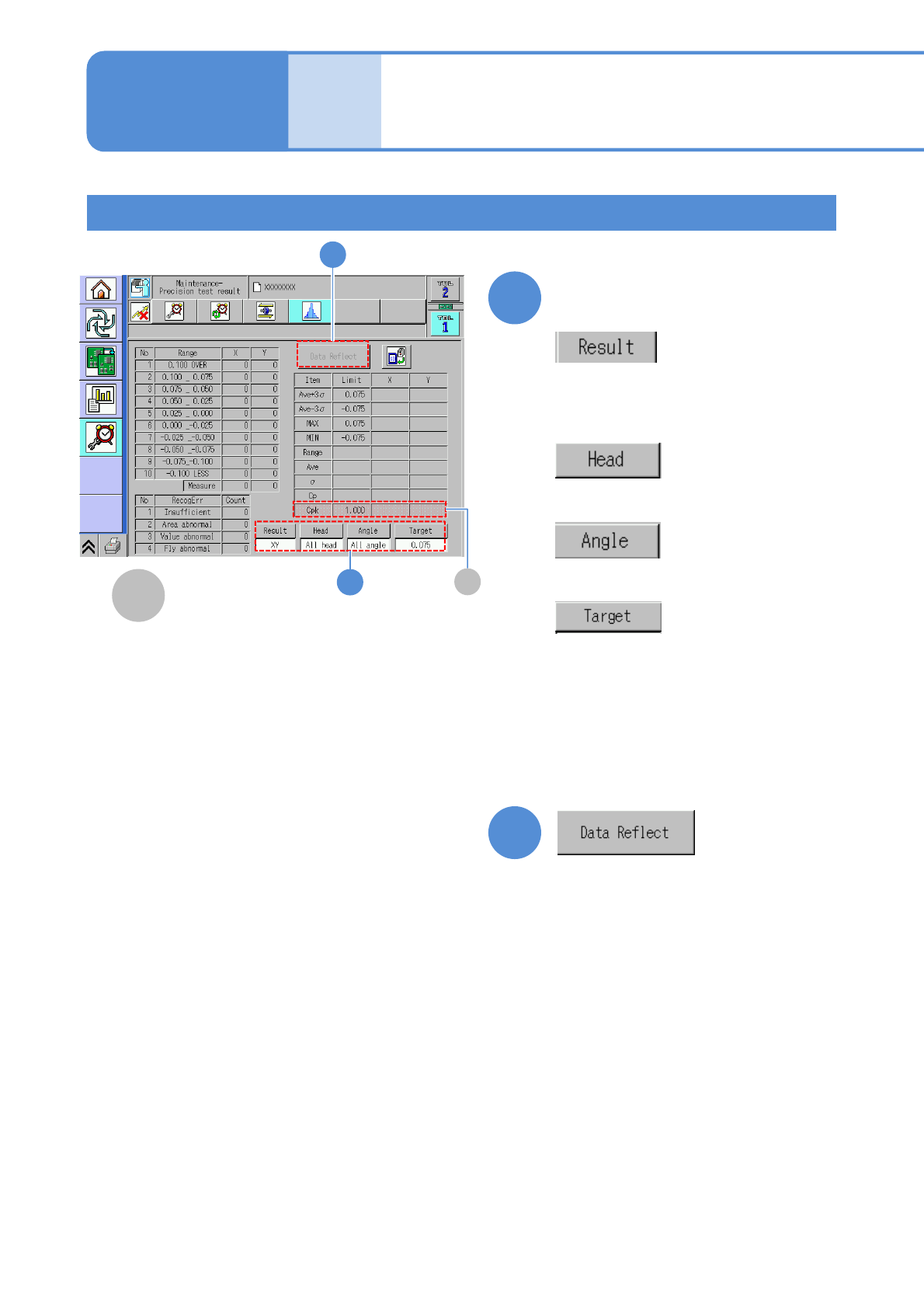
6
●If the measurement result Cpk is lower
than the defined value, the verification
data is reflected to the placement
position offset (dispensing).
6
Dispensing accuracy is
displayed
Switches a display between XY (the
dispensing position accuracy) and
dispensing area (variations in
dispensing)
Switches the display for accuracy among
pos1, pos2, and all heads.
Displays accuracy according to
dispensing angles.
Switches a target of XY (the
dispensing position accuracy).
A
A
Cpk
7
7
●Cpk prescribed value per component
(→ P.9-1-1 ‘Basic performance’ in
[Operating procedure] )
Detailed process 11
(dispensing head)
Maintenance
13-21-2
Checking and reflection of dispensing (checking dispensing results)