N7201A617E00_0317.pdf - 第529页
NPM-W 2 EJM7DE-MB-14 M-00 14-10 -2 How to detach Loosen four bolts on the safety cover front side Remove the safety cover (option) Bolt Installation OFF ON 1 2 4 5 3 6
NPM-W2 EJM7DE-MB-14M-00
14-10-1
Attaching and detaching
the safety cover
(option)
Maintenance
14-10
How to attach
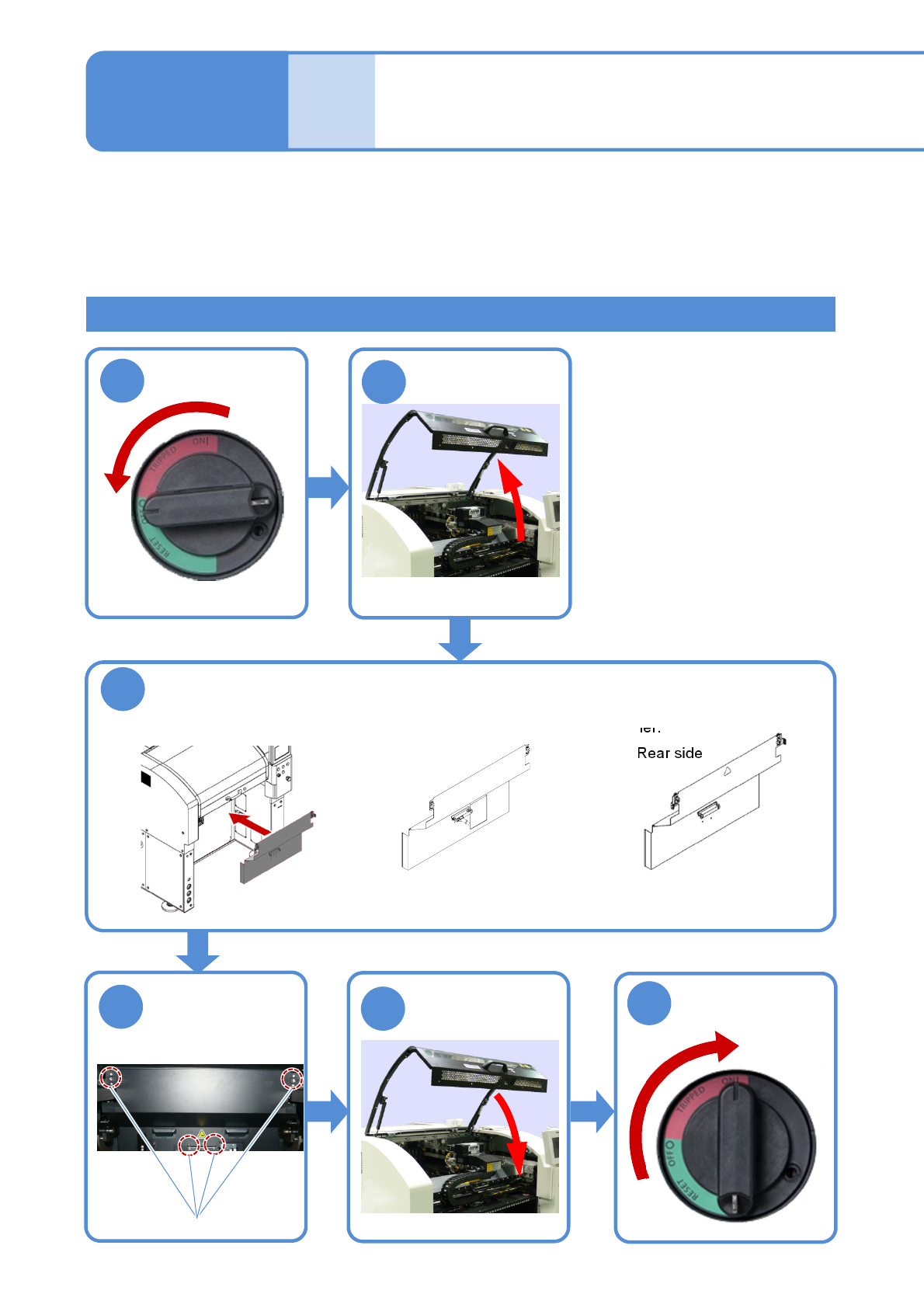
Attach the safety cover (option)
●Attach the safety cover to the main body while ensuring the main-body drawer connector and the
connector on the safety cover reverse side are engaged with each other.
Tighten four bolts
on the safety
cover front side
Bolt
1
2
3
4
5
6
ON
OFF
■Front side
■Rear side
This safety cover covers the machine opening section when the feeder cart or tray feeder is not necessary to
ensure your safety.
How to attach and detach the safety cover is described as an example of working from the front side.
●Detach the feeder cart (option) and the tray feeder before work.
(For how to detach the feeder cart→P.3-2, and for how to detach the tray feeder→P.14-8)
●The safety cover for NPM-W cannot be used.
●The safety cover cannot attach to /detach from the machine with independent changeover support unit installed.
(Dispensing head specification,
2D inspection head specification,
Non-head specification)
(Dispensing head specification,
Non-head specification)
NPM-W2 EJM7DE-MB-14M-00
14-10-2
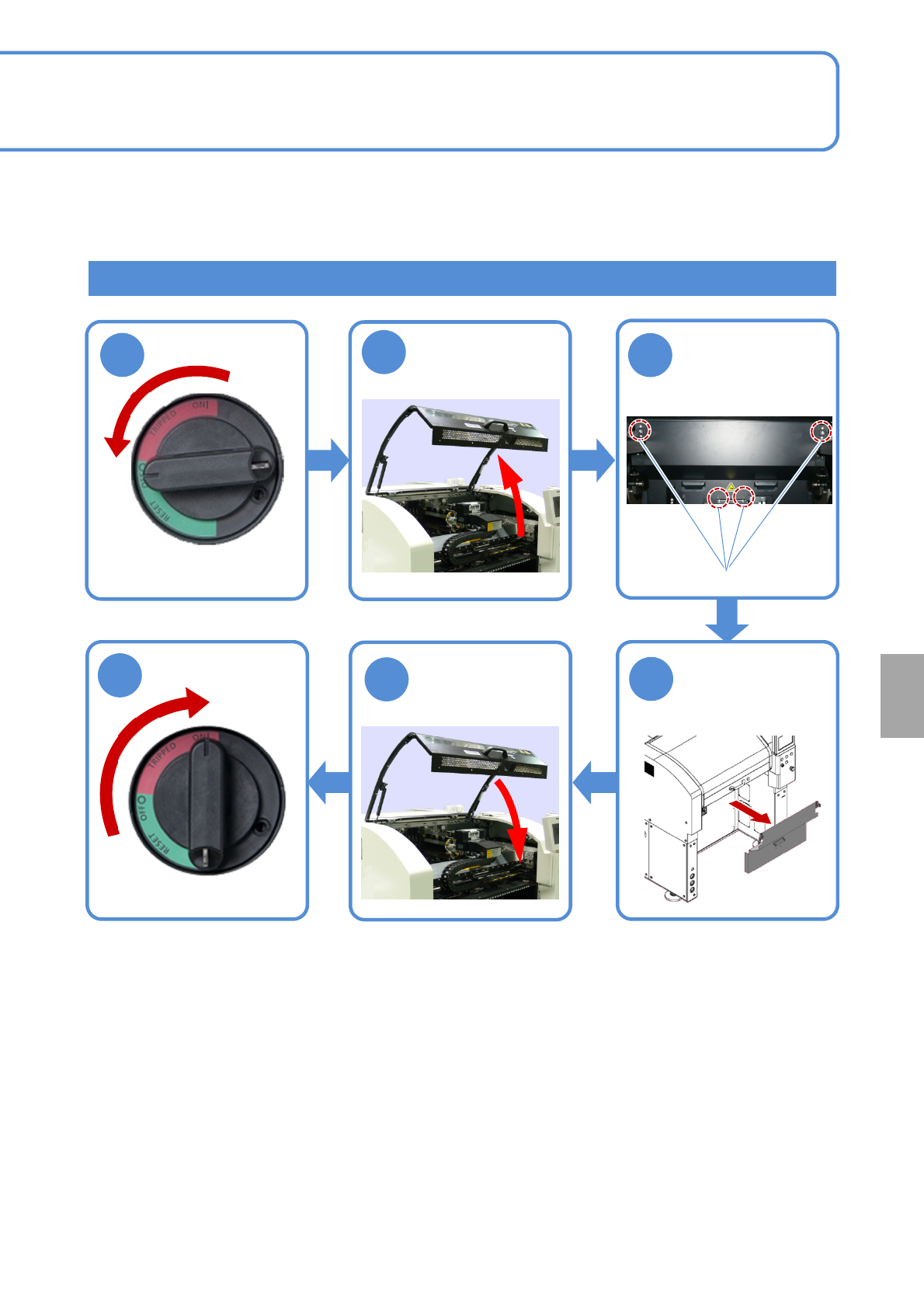
How to detach
Loosen four bolts
on the safety
cover front side
Remove the
safety cover
(option)
Bolt
Installation
OFF
ON
1
2
4
5
3
6

NPM-W2 EJM7DE-MB-14M-00
14-10-3