N7201A617E00_0317.pdf - 第534页
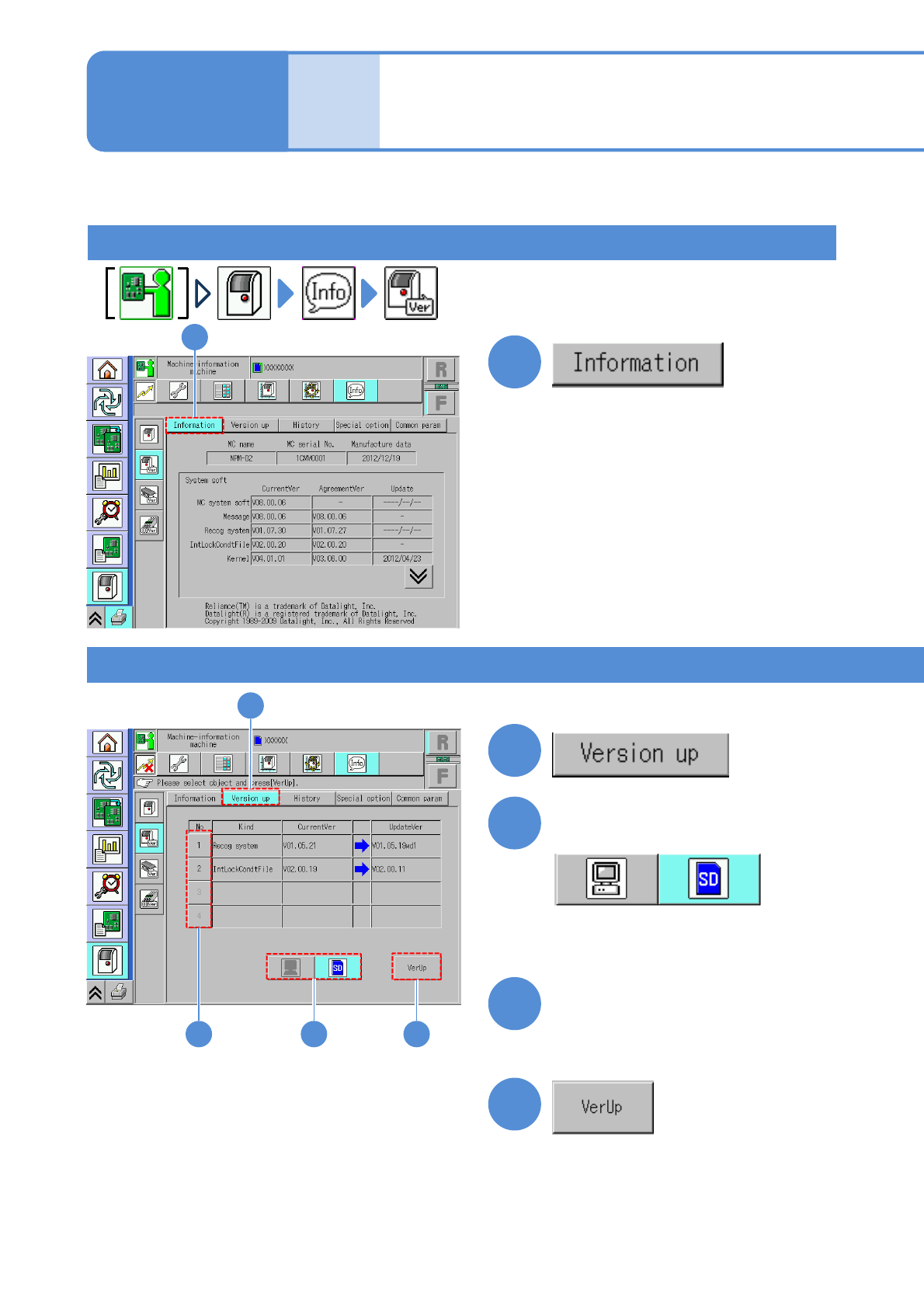
NPM-W 2 EJM7DE-MB-15 M-00 Update Upda ting the mach ine system 15-2-1 -1 Maintenance 15-2-1 (The machine’s name, serial number and manufacture dat e, and the version and updat ed time of each system software program are …

NPM-W2 EJM7DE-MB-15M-00
15-1-2
Others
NPM-W2 EJM7DE-MB-15M-00
Update
Updating the machine
system
15-2-1-1
Maintenance
15-2-1
(The machine’s name, serial number
and manufacture date, and the
version and updated time of each
system software program are
displayed)
2
Select the source of system
software to be updated
3
Select the system software to
be updated
2
●You cannot select any button if there
is no applicable software.
3
4
4
(Version up begins)
●If Version up has completed successfully,
a message appears notifying you of
successful completion of Version up,
then allowing you to select a system
software program.
Version information
Version update
1
1
1
Describes how to update machine software
1
●The machine with the inspection
head mounted can be updated only
from LNB.
NPM-W2 EJM7DE-MB-15M-00
1
15-2-1-2
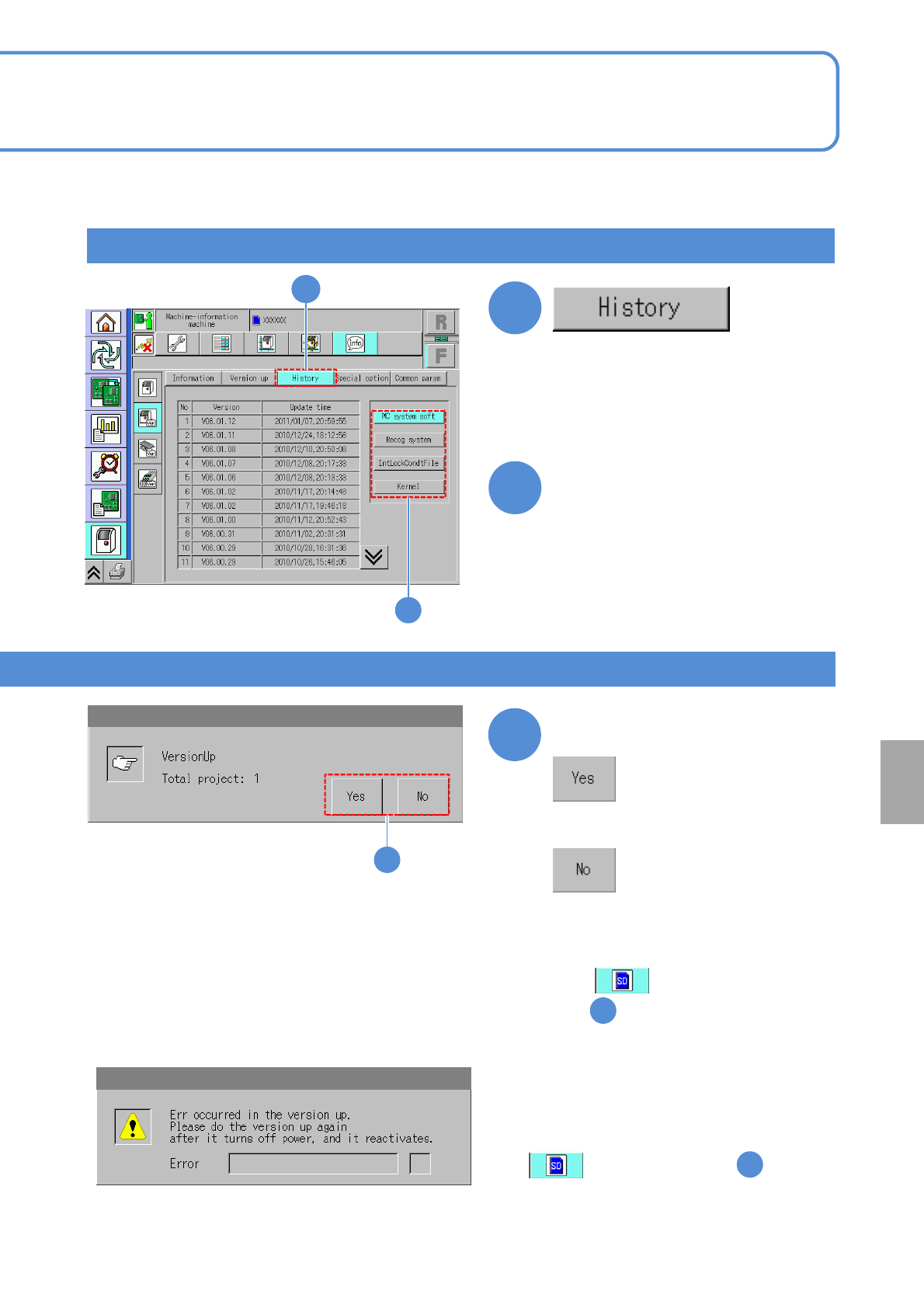
Version history
2
●If Version up is interrupted, a message appears
prompting you to restart the machine. Try again
after turning off the power and turning it on
again.
●If has been selected in , retrieve
the SD card from the machine and then turn on
the power.
■If an update has failed
■If you do not upgrade
Confirm the message
5
5
(The names and update dates of versions
upgraded in the past are displayed)
●A message appears prompting you
to restart the machine. Turn off
power once and turn it on again.
●If has been selected
in , retrieve the SD card from the
machine and then turn on the power.
2
■To change the type of system software
Select a system software type
2
2
1
Others