N7201A617E00_0317.pdf - 第539页
NPM-W 2 EJM7DE-MB-15 M-00 ● Keep the option s heet included with the mac hine in a safe pl ace. Option number 15-3 -2 NOTICE 5 5 The registered option appears Others
NPM-W2 EJM7DE-MB-15M-00
Option license 1
15-3-1
Maintenance
15-3
A
Item
1
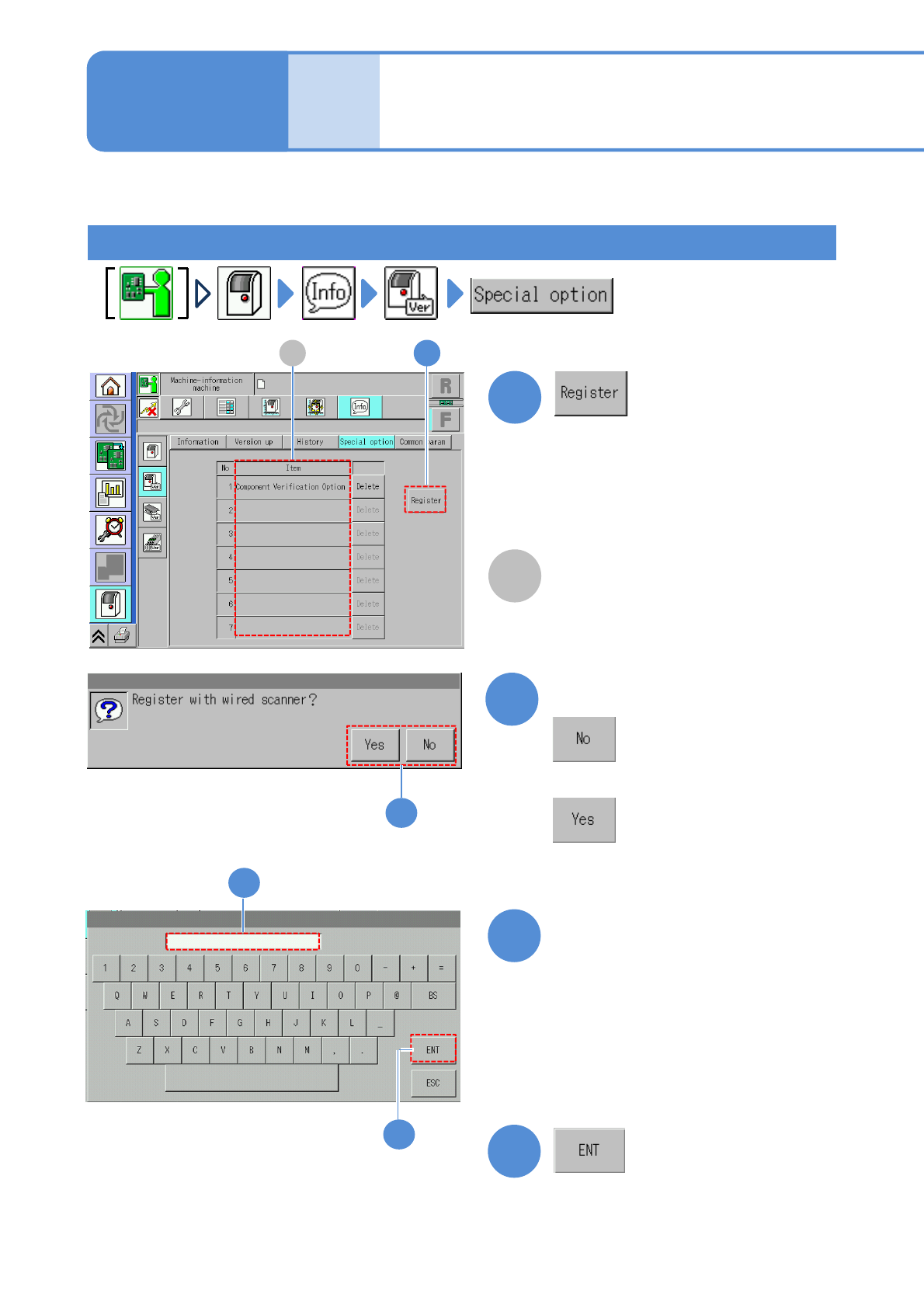
How to register the option license
Describes how to register and delete the option license.
Any option licenses registered in the
machine are displayed.
A 1
Confirm the message
2
4
(The registered option is displayed)
A confirmation message appears, asking
whether to be registered with the wired
scanner or not.
●With the wired scanner:
●Without the wired scanner:
2
■With the wired scanner
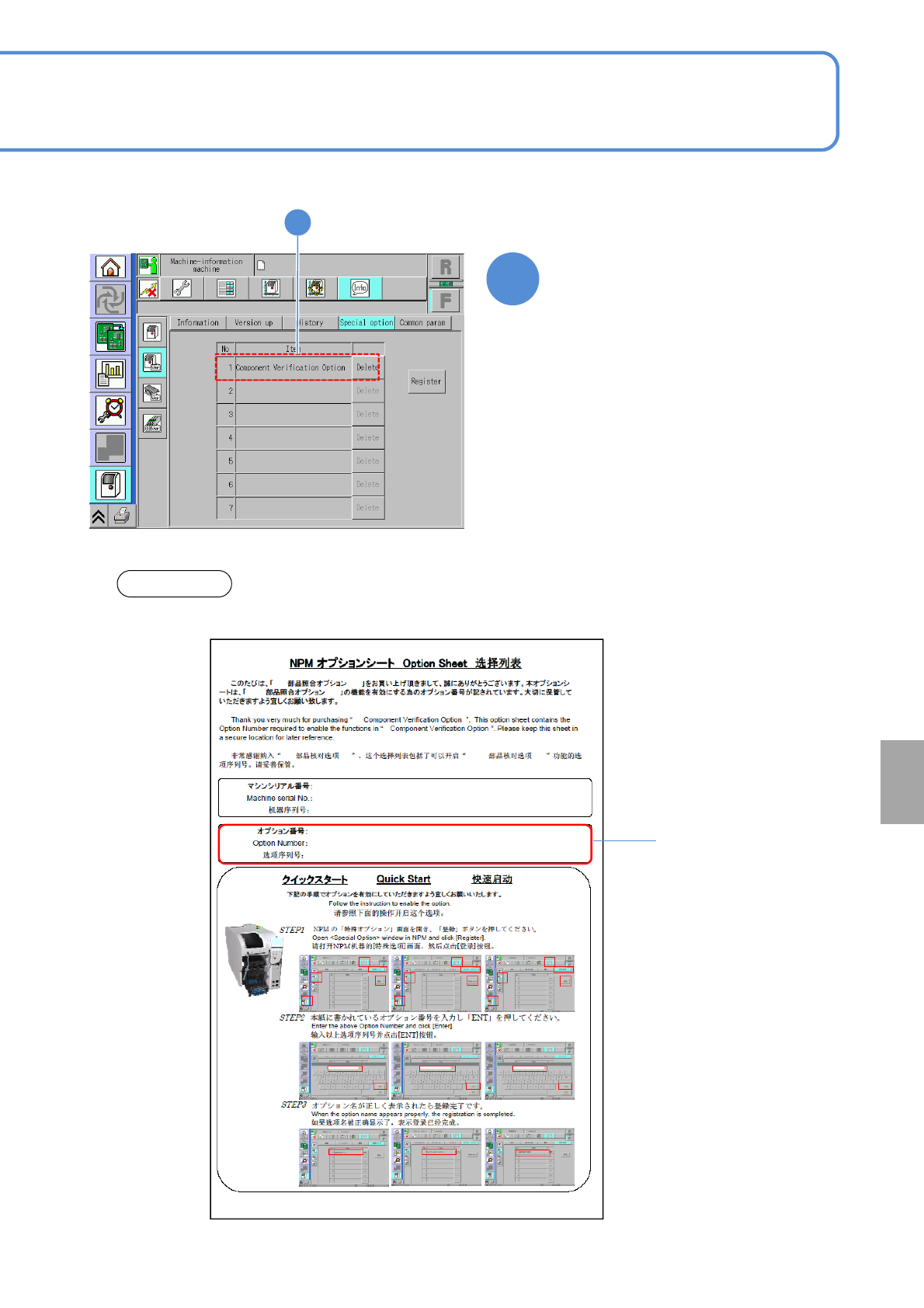
●Enter the "Option Number" written on
the option sheet.
●An option number cannot be
registered if the serial number written
on the option sheet is not the same as
that on the product nameplate affixed
to the machine.
Enter the option number
3
3
4
NPM-W2 EJM7DE-MB-15M-00
●Keep the option sheet included with the machine in a safe place.
Option number
15-3-2
NOTICE
5
5
The registered option appears
Others
NPM-W2 EJM7DE-MB-15M-00
Option license 2
1
2
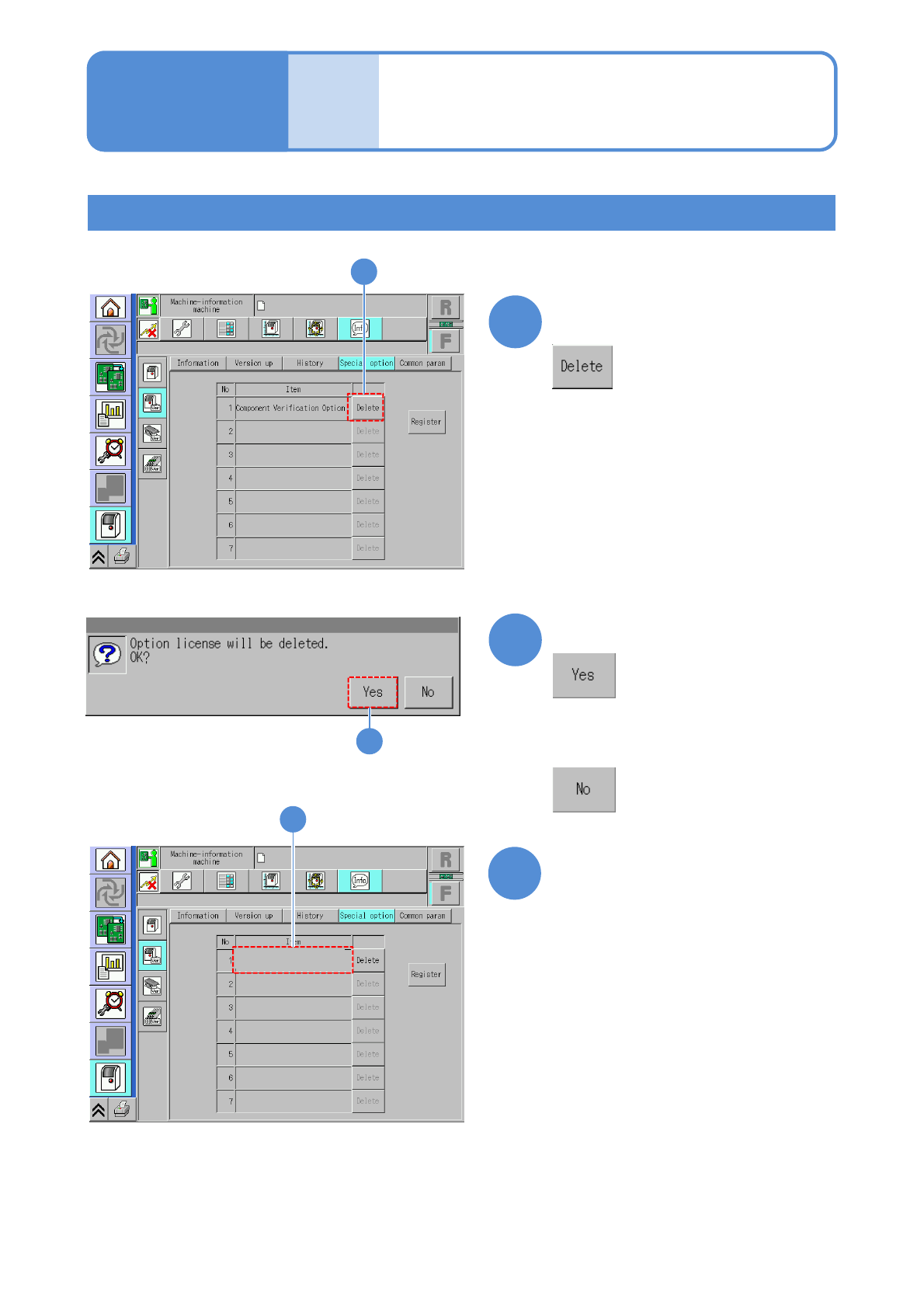
Confirm that the item has
been deleted
1
3
■Registration of the data creation system (NPM-DGS)
How to delete the option license
15-3-3
2
Confirm the message
■If you do not delete any option
license registered
3
Maintenance
15-3
Choose the item you want to
delete
●To use the data creation system (NPM-DGS) being connected to the machine, you need to register
the license on the NPM-DGS side.
For details, refer to the Instruction manual for NPM-DGS.