N7201A617E00_0317.pdf - 第543页
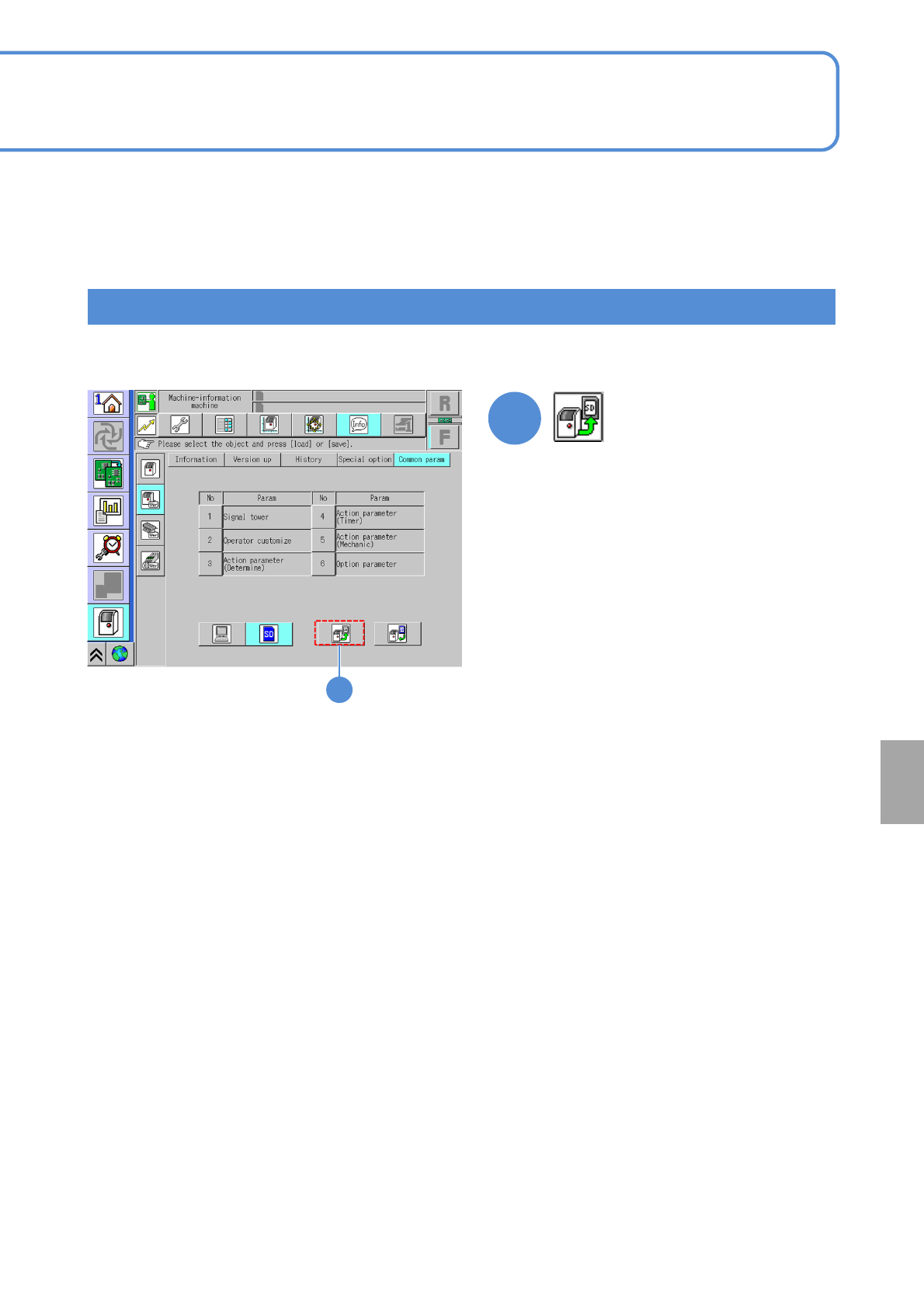
NPM-W 2 EJM7DE-MB-15 M-00 15-4 -2 Others 1 ● All parameters are saved in the SD card. How to save all parameters in an SD card 1
NPM-W2 EJM7DE-MB-15M-00
15-4-1
Common parameters
Maintenance
15-4
A
Parameter
Press [NO]
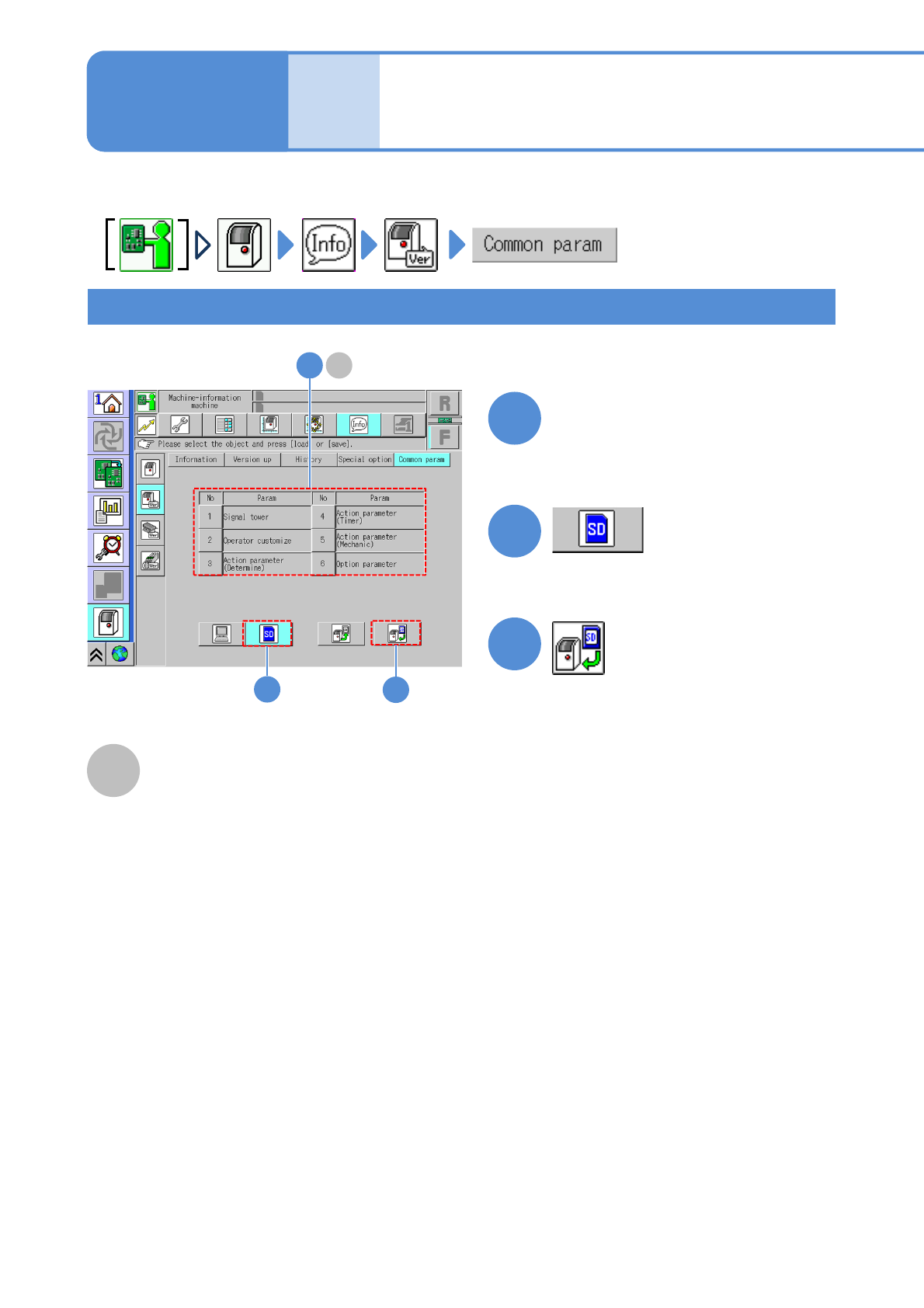
●Select a desired parameter.
Selected parameters can be loaded from an SD card and all parameters can be saved in an SD card.
How to select and load a parameter from an SD card
A
3
2
1
Signal tower, Operator customize, Action
parameter (Determine), Action parameter
(Timer), Action parameter (Mechanical) or
Option parameter can be loaded or
saved.
3
●Load the selected parameter from the SD
card.
2
1
NPM-W2 EJM7DE-MB-15M-00
15-4-2
Others
1
●All parameters are saved in the SD card.
How to save all parameters in an SD card
1

NPM-W2 EJM7DE-MB-15M-00
15-4-3