N7201A617E00_0317.pdf - 第55页
NPM-W 2 EJM7DE-SF-01N-0 0 1-4 -4 Confirmation Handling of the scanner (option) ■ Do not peer into the alignm ent beam from the scan window . ● The eyes may be damaged by the alignment beam (laser beam). ● When there a re…

NPM-W2 EJM7DE-SF-01N-00
■Keep magnetic bodies such as iron (e.g. tools, jigs, and bolts),
watches, cellular phones, and magnetic cards 40 mm away from the
linear motors.
●Depending on the shapes of magnetic bodies, they may not be able to be detached from each
other. Such as small parts can be removed by hand. (There is no problem if you touch the
permanent magnets with bare hands.)
●Due to extreme powerful magnetic force, watches and cellular phones may be broken and data of
magnetic cards may be corrupted.
Handling of linear motors
Precautions 2
1-4
1-4-3
NPM-W2 EJM7DE-SF-01N-00
1-4-4
Confirmation
Handling of the scanner (option)
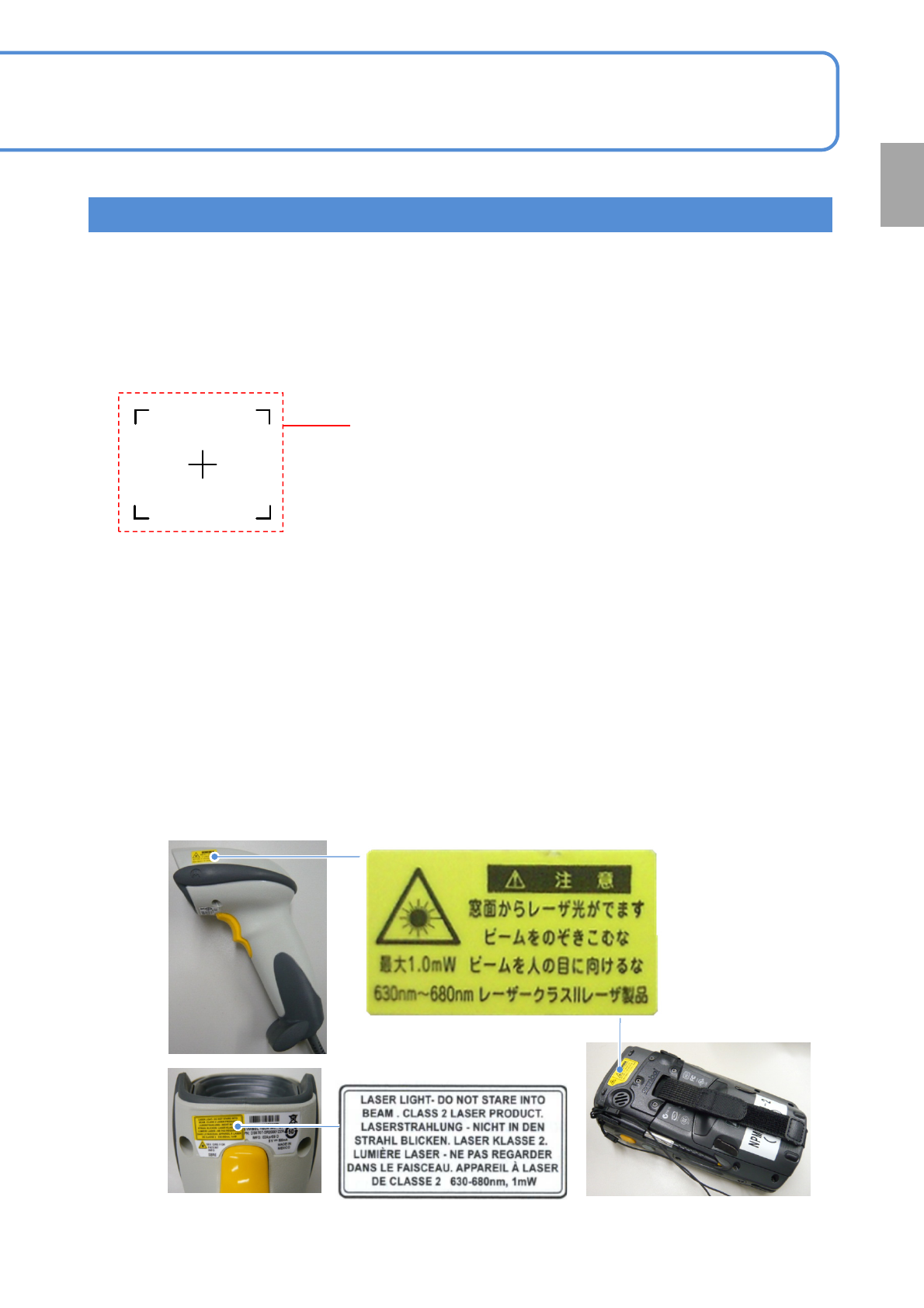
■Do not peer into the alignment beam from the scan window.
●The eyes may be damaged by the alignment beam (laser beam).
●When there are changes in subject, the alignment beam is emitted automatically.
And then, when there are no change in it for two seconds, the alignment beam stop emission.
The wired and wireless scanners comply with IEC60825-1 Class2 laser product.
Alignment beam
(Shape of irradiated subject)
■Keep the connector on the NPM-W2 main unit connected as possible
except when necessary.
●If you frequently mate/unmate the connector on the NPM-D3 main body, communication trouble may occur.
●If you connect/disconnect the connector by necessity, be sure to turn OFF the machine power.
Wired scanner Wireless scanner
■Do not emit the alignment beam toward other peoples’ eyes.
●The eyes may be damaged by the alignment beam (laser beam).
■Do not disassemble the scanner.
●The alignment beam is emitted to your eyes when it is disassembled. The eyes may be damaged.
NPM-W2 EJM7DE-SF-01N-00
Precautions 3
1-4-5
1-4
Front side
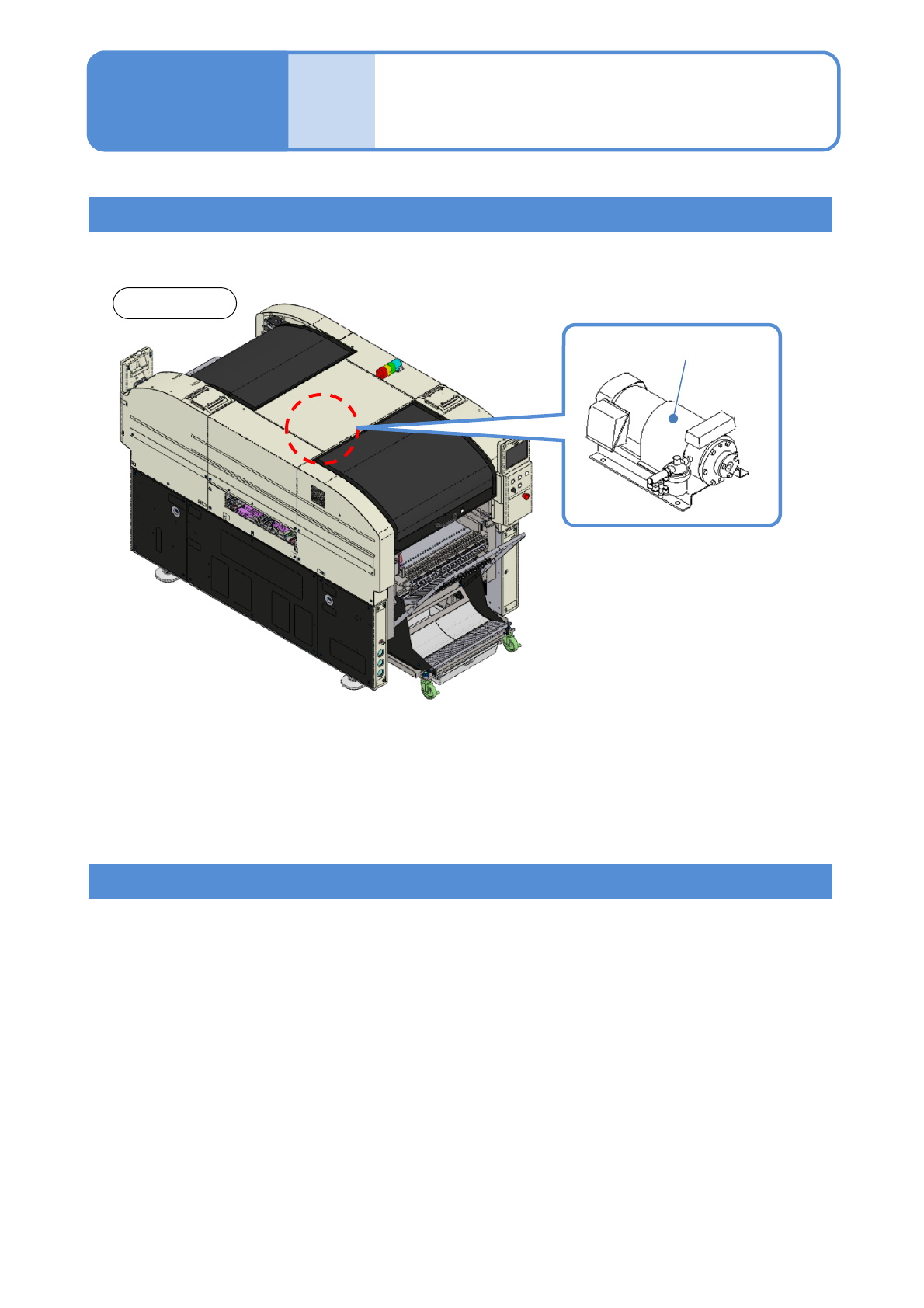
●In order to prevent the components being picked up from falling, the vacuum pump motor is designed
not to stop even if the emergency stop switch is pressed.
Handling of motors
Handling of connectors
●When the emergency stop switch is pushed, the following motors are stop.
・X-axis and Y-axis motors
・Head Z-axis and θ-axis motors
・Conveyor motor
・Width adjustment motor
●The following connectors do not cut off the power.
・Power connector for the CPU BOX
・Power connector for trays
・Power connector for the Inspection BOX
(Inside of the machine)
Vacuum pump