N7201A617E00_0317.pdf - 第63页
NPM-W 2 EJM7DE-SF-01N-0 0 Product nameplate T ype of SD cards ■ Key disk (Engineer) Used when a password on each mode is change d. ● Key disk is required to set a password. Kee p it in a safe place so you cannot lose it.…
NPM-W2 EJM7DE-SF-01N-00
Handling of the SD card
and the Product nameplate
Handling of SD card
■SD memory card available in the machine (Recommended)
Capacity Product number (Panasonic brand)
SD memory card 2GB RP-SDL02GJ1K (As of November 2014)
・The product number is subject to change without notice.
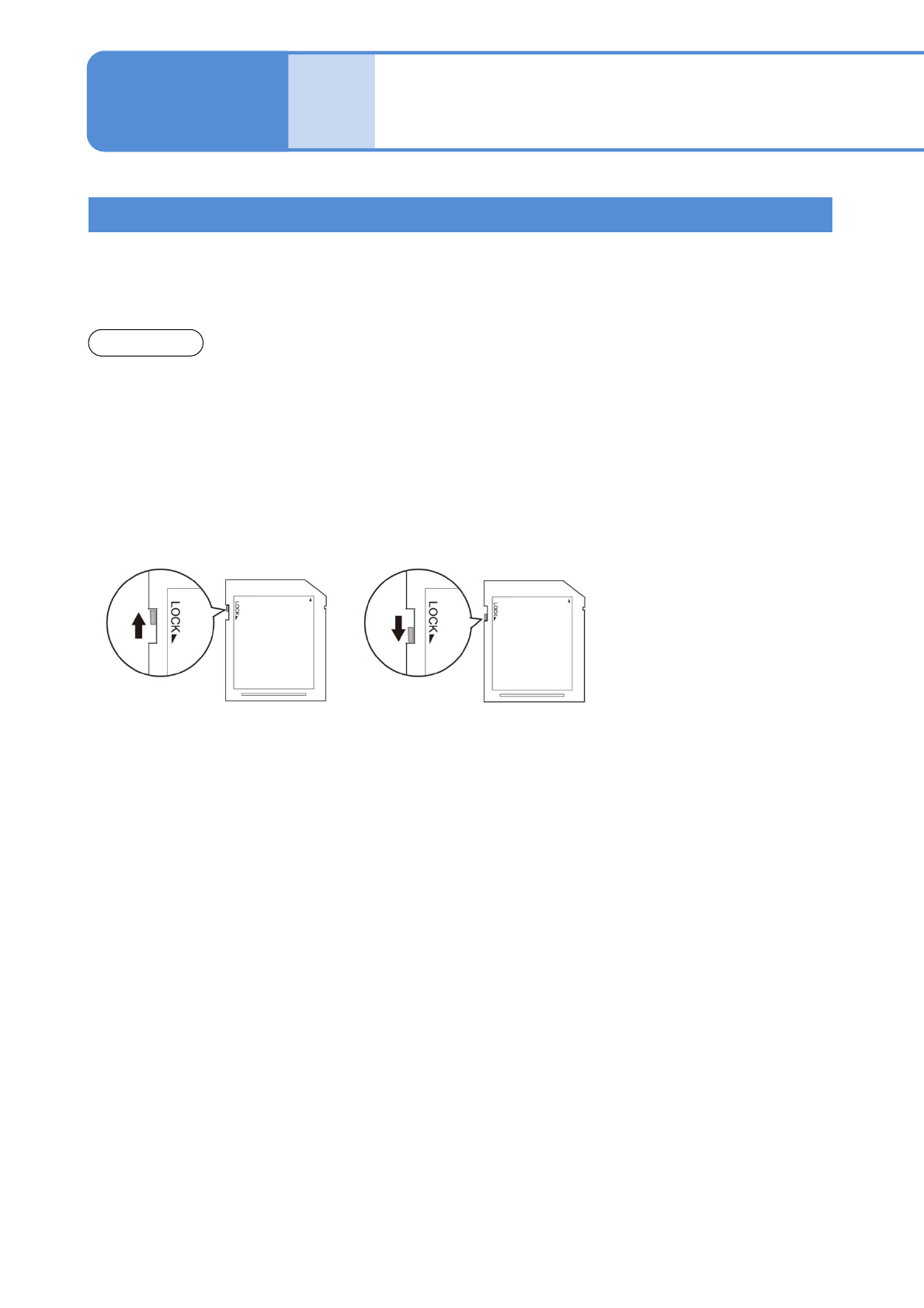
■Write protection
It is possible to mechanically protect the stored data from an accidental deletion or overwrite.
■Handling precautions
●Avoid severe shock, bending, dropping or exposure to water.
●Avoid placing heavy objects on the disk.
●Avoid applying excessive force to the disk.
●Do not touch metal terminals by hand or metal objects.
●Do not remove affixed labels.
●Do not affix seals or labels overlapped.
●Avoid storing or leaving in areas exposed to the following conditions.
・High or low temperature
・High humidity
・Dusty
・Direct sunlight
・Corrosive gas
●Avoid using cases not specifically provided for storage and carrying.
●While the drive access lamp (→ P.1-9-1
-2) is flashing, avoid ejecting SD card or turning off the power
supply.
●To prevent your PC from being infected by illegal software, conduct a virus check on your PC before
inserting and removing SD cards.
●SD cards may heat up after long hours of use, which does not cause failures.
●You may not be able to write to, and erase data from, SD cards that, if used for long periods, reach the end
of their life.
●We accept no responsibility for any damage caused by erasing data.
1-5-1
●SDHC and SDXC memory cards are not supported.
●SD cards can save a maximum of 512 items, regardless of memory capacity.
●The available card capacity is from 64MB to 2GB.
●Defect SD cards may contribute to malfunction. In case of malfunction, insert and remove
cards again.
NOTICE
“Released” position
Enables deleting and saving.
“Protected” position
Disables deleting and saving.
1-5
NPM-W2 EJM7DE-SF-01N-00
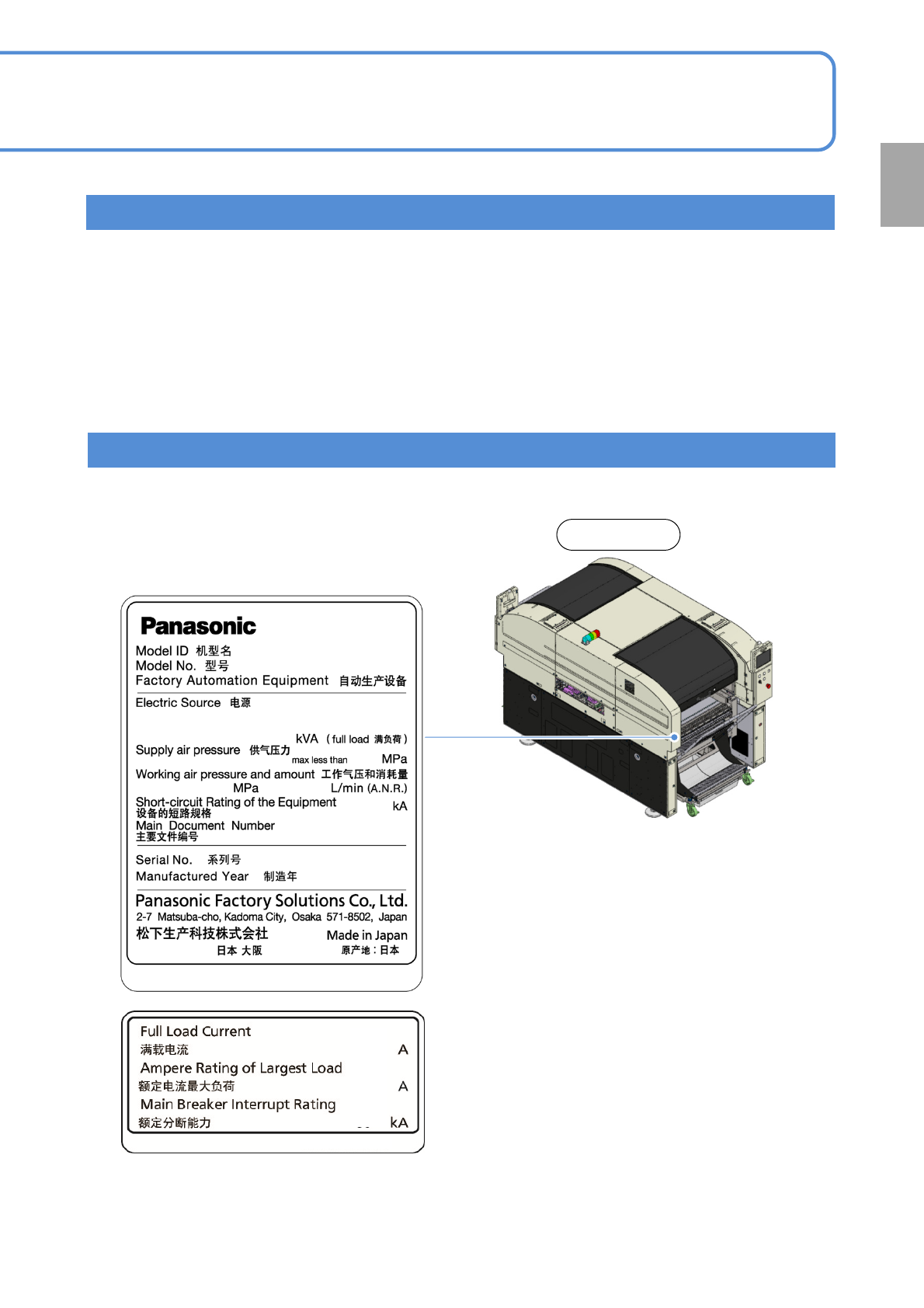
Product nameplate
Type of SD cards
■Key disk (Engineer)
Used when a password on each mode is changed.
●Key disk is required to set a password. Keep it in a safe place so you cannot lose it.
●Please contact us in case of loss.
■Installation disk
Used when software is stored and upgraded.
■Parameter disk
Used in saving production data and machine parameters as examples.
1-5-2
Rear side
Confirmation
The Product nameplate indicating the product name (Model ID) and serial number of the machine is affixed at
the following location.
is replaced with a numeric
value.
NPM-W2
NM-EJM7D
NPM-W2 EJM7DE-SF-01N-00
1-6
Disposing the gas
spring
The gas spring is used to open/close covers. It is very dangerous to dispose of it as it is, because high-
pressure air is sealed into it. When disposing a gas spring, be sure to degas before disposed.
To remove or dispose, please send a request to the gas spring manufacturer.
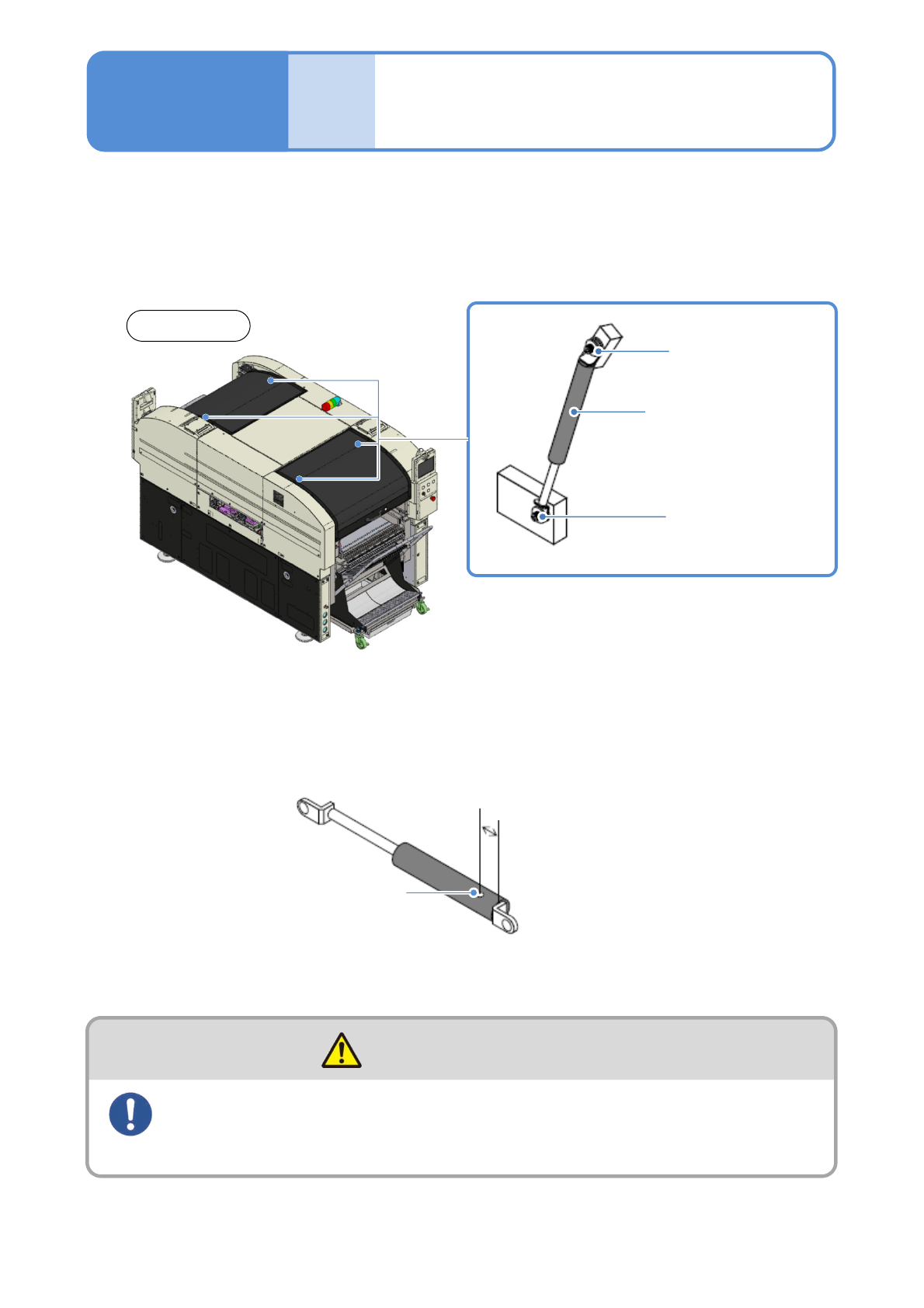
■Locations where the gas spring is used
■Removing gas spring
Turn the hexagon socket head cap screws counterclockwise and remove the spring.
●Two men should work as a team. The unintentional closing of the cover could cause injury.
■Disposing gas spring
Make a hole with the drill and degas completely inside the gas spring.
Front side
(4 locations)
Hexagon socket
head cap screw
Gas spring
Hexagon socket
head cap screw
1-6
Drilled hole
15 to 20 mm
Wear a hard hat and protective goggles
during maintenance work
(Risk of injury)
CAUTION