N7201A617E00_0317.pdf - 第78页
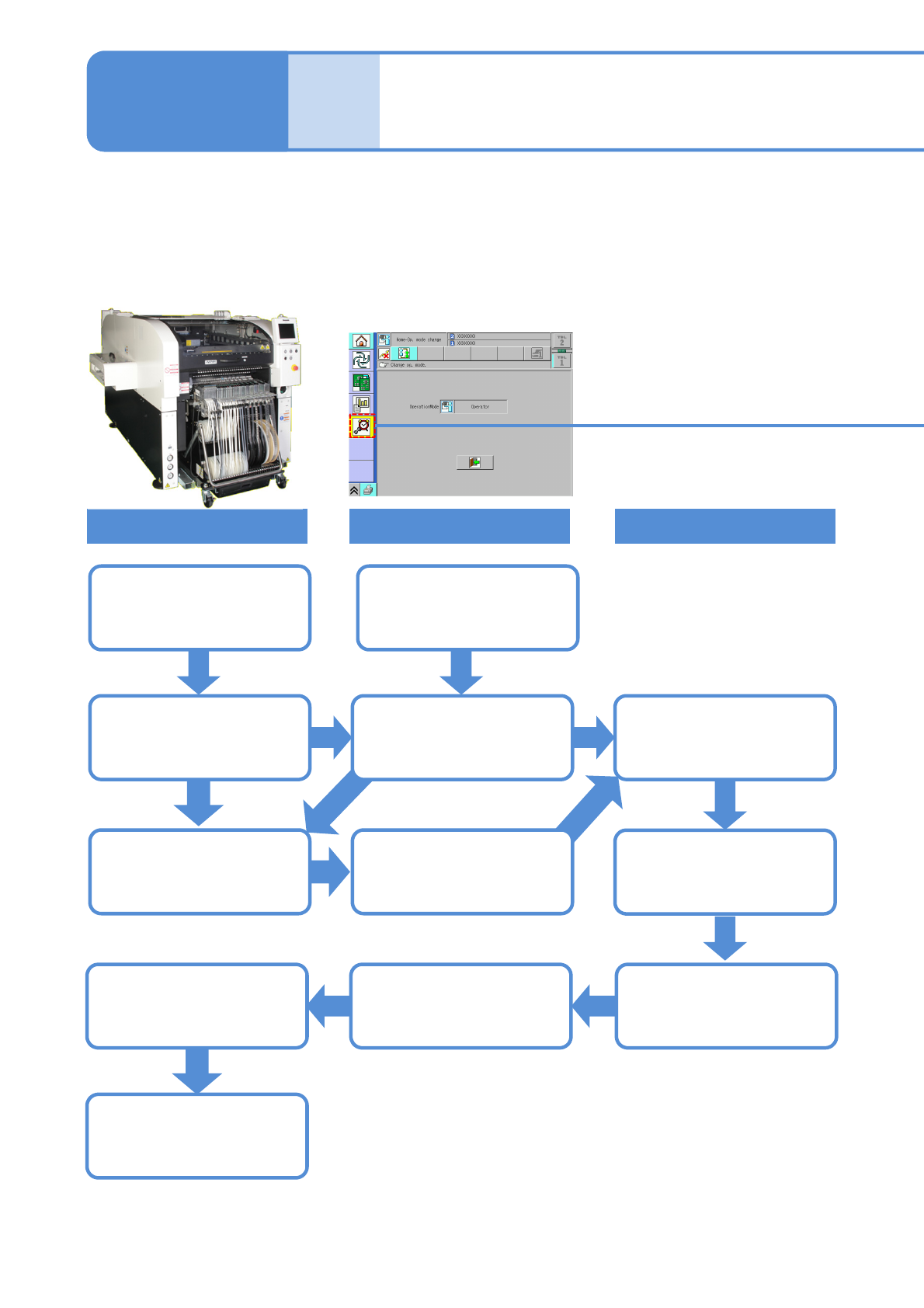
NPM-W 2 EJM7DE-MB-02 M-00 Over- view Maintenance o v er view 2-1-1 -1 Maintenance 2-1-1 Operating time is accumulated Screen (Alarm) Wo r k Operating time since the last maintenance is accumulated Normal display 80 % of …

2 Overview
NPM-W2 EJM7DE-MB-02M-00
Over-
view
Maintenance overview
2-1-1-1
Maintenance
2-1-1
Operating time is
accumulated
Screen (Alarm)
Work
Operating time since
the last maintenance is
accumulated
Normal display
80 % of the
maintenance
cycle has elapsed…
A flashing yellow
colored message is
displayed
Confirmation of task
details
A flashing red colored
message is displayed
Full maintenance cycle
has elapsed and
maintenance is due
Update historyNormal display
The next maintenance
timing is automatically
calculated
Perform maintenance
●This equipment notifies you of the time for periodic maintenance, automatically calculating it from operating
time.
●When you notify the machine that a particular maintenance task is complete, the task completion is saved in
the history. (This information serves as the new reference to calculate the next maintenance timing.)
Equipment
NPM-W2 EJM7DE-MB-02M-00
Confirming a cycle and details of work, history information
2-1-1-2
Overview
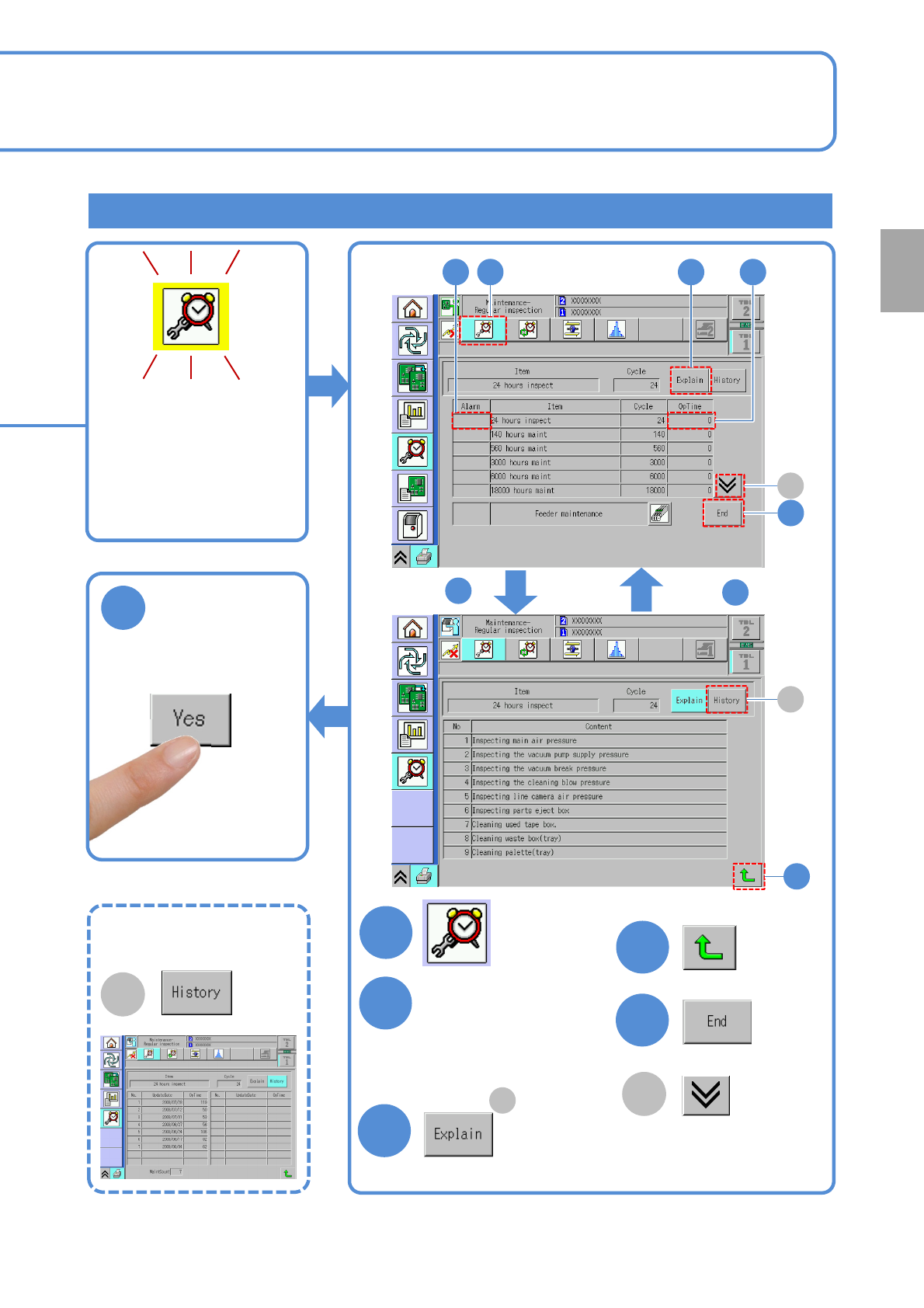
When 80 % of the
maintenance cycle is
reached, a flashing
yellow-colored message
is displayed on the
[Maintenance menu]
screen.
1
4
3
4
5
2
Choose an item that
warning is shown in
the Alarm field.
(Press the ‘OpTime’)
Confirm task details
After maintenance
6
Confirm the message
■To view
maintenance history
B
After
After
3
4
3
5
2 1 2
A
B
A
●Change to another
screen
A
Change to the limited-life
parts screen