Mr. JF Sun ALL syringe_IPS.pdf - 第153页
Edition 2.0 NXT/NXT2 R epair Training T ext H12HS(Q) Head FK-9F98-61-0E 14-5 FUJI MACHINE MFG . CO., L TD. 14.4 Con figuration settings 1. Firstly , check that the “IPS TYPE” and “HARD TYPE” are set to 2 on the LCD scree…
Edition 2.0 NXT/NXT2 Repair Training Text
H12HS(Q) Head
FK-9F98-61-0E
14-4
FUJI MACHINE MFG. CO., LTD.
14.3 Component names and explanation of the adjustment modes
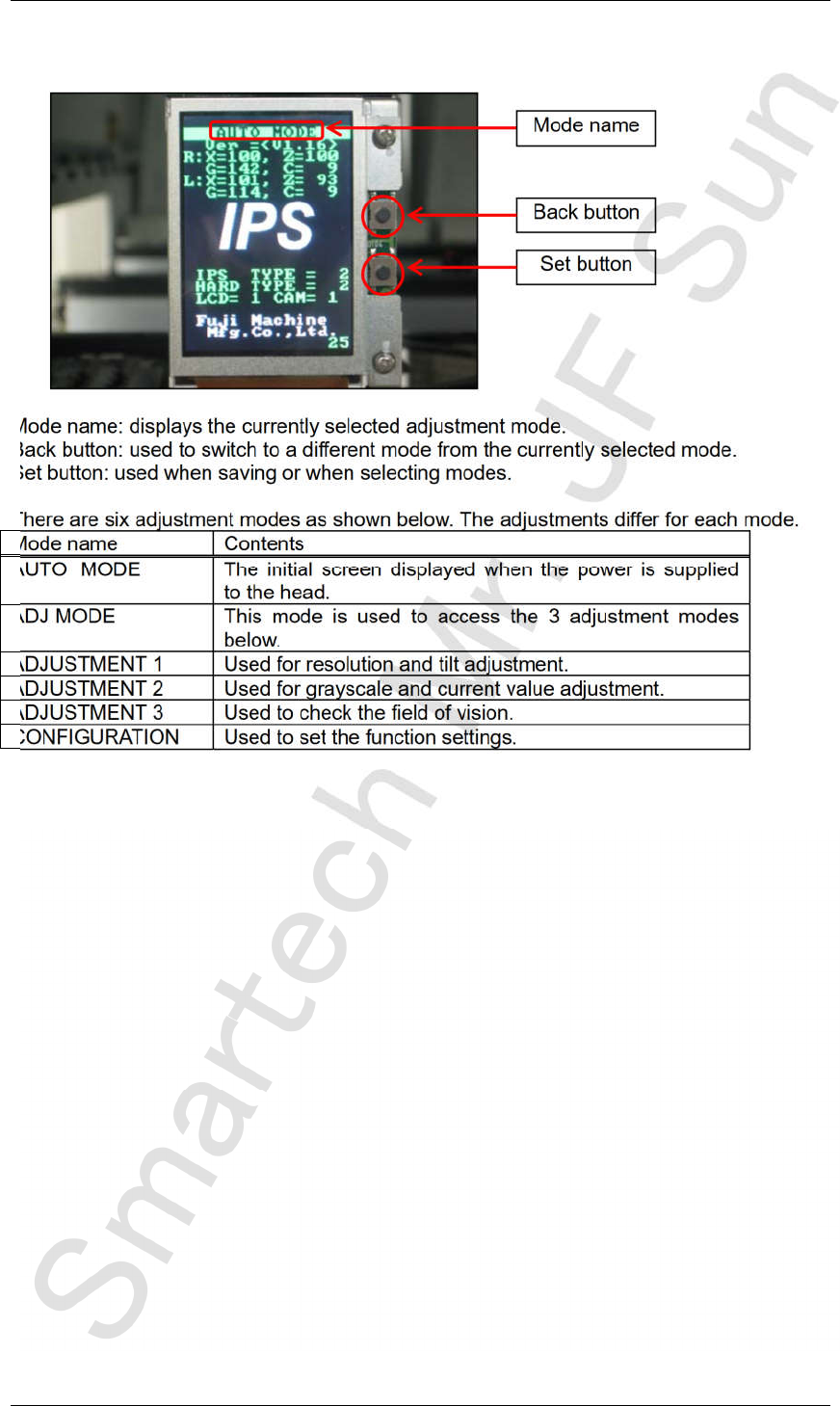
Mode name: displays the currently selected adjustment mode.
Back button: used to switch to a different mode from the currently selected mode.
Set button: used when saving or when selecting modes.
There are six adjustment modes as shown below. The adjustments differ for each mode.
Mode name Contents
AUTO MODE The initial screen displayed when the power is supplied
to the head.
ADJ MODE This mode is used to access the 3 adjustment modes
below.
ADJUSTMENT 1 Used for resolution and tilt adjustment.
ADJUSTMENT 2 Used for grayscale and current value adjustment.
ADJUSTMENT 3 Used to check the field of vision.
CONFIGURATION Used to set the function settings.
Back button
Set button
Mode name
CONFIDENTIAL
Edition 2.0 NXT/NXT2 Repair Training Text
H12HS(Q) Head
FK-9F98-61-0E
14-5
FUJI MACHINE MFG. CO., LTD.
14.4 Configuration settings
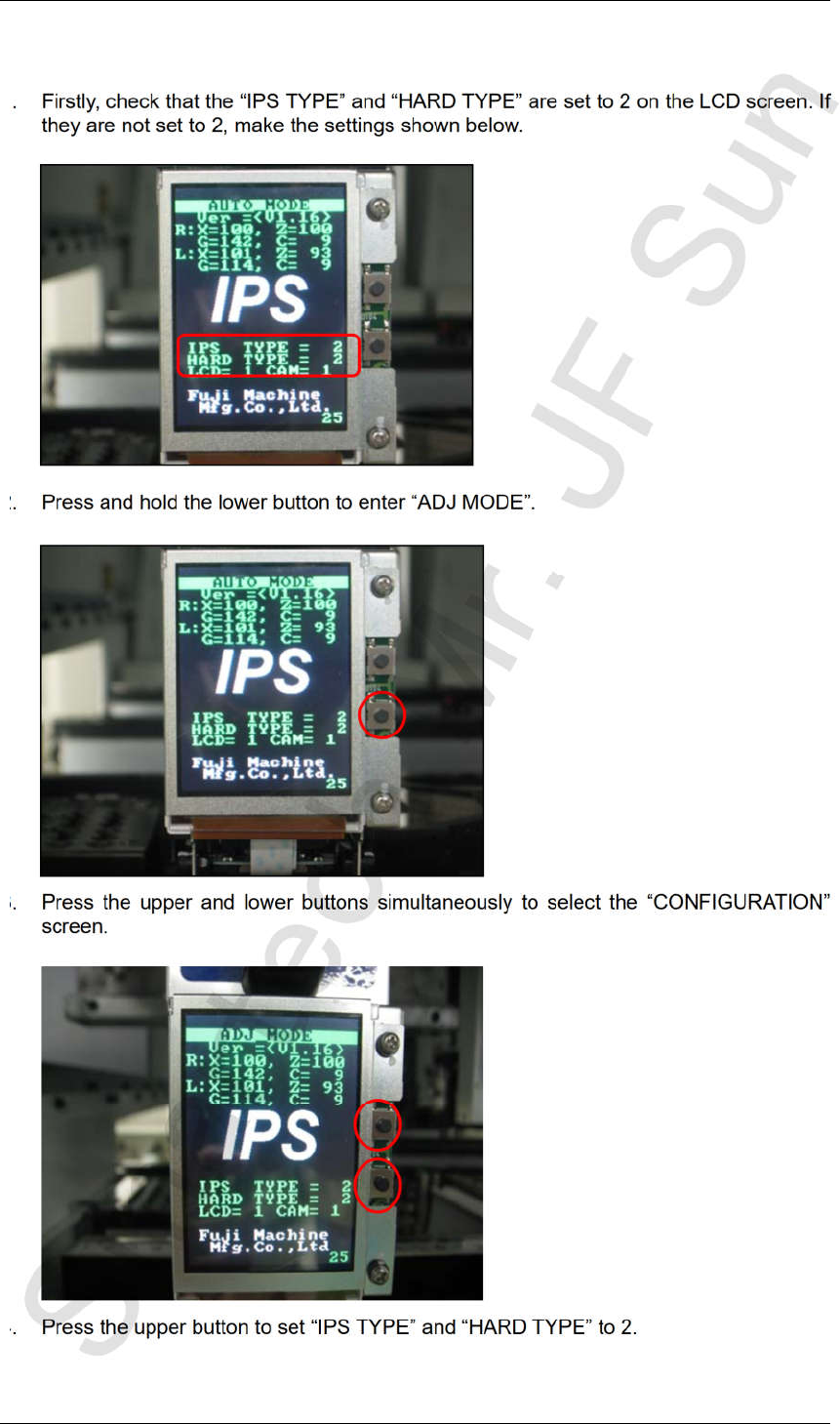
1. Firstly, check that the “IPS TYPE” and “HARD TYPE” are set to 2 on the LCD screen. If
they are not set to 2, make the settings shown below.
2. Press and hold the lower button to enter “ADJ MODE”.
3. Press the upper and lower buttons simultaneously to select the “CONFIGURATION”
screen.
4. Press the upper button to set “IPS TYPE” and “HARD TYPE” to 2.
CONFIDENTIAL
Edition 2.0 NXT/NXT2 Repair Training Text
H12HS(Q) Head
FK-9F98-61-0E
14-6
FUJI MACHINE MFG. CO., LTD.
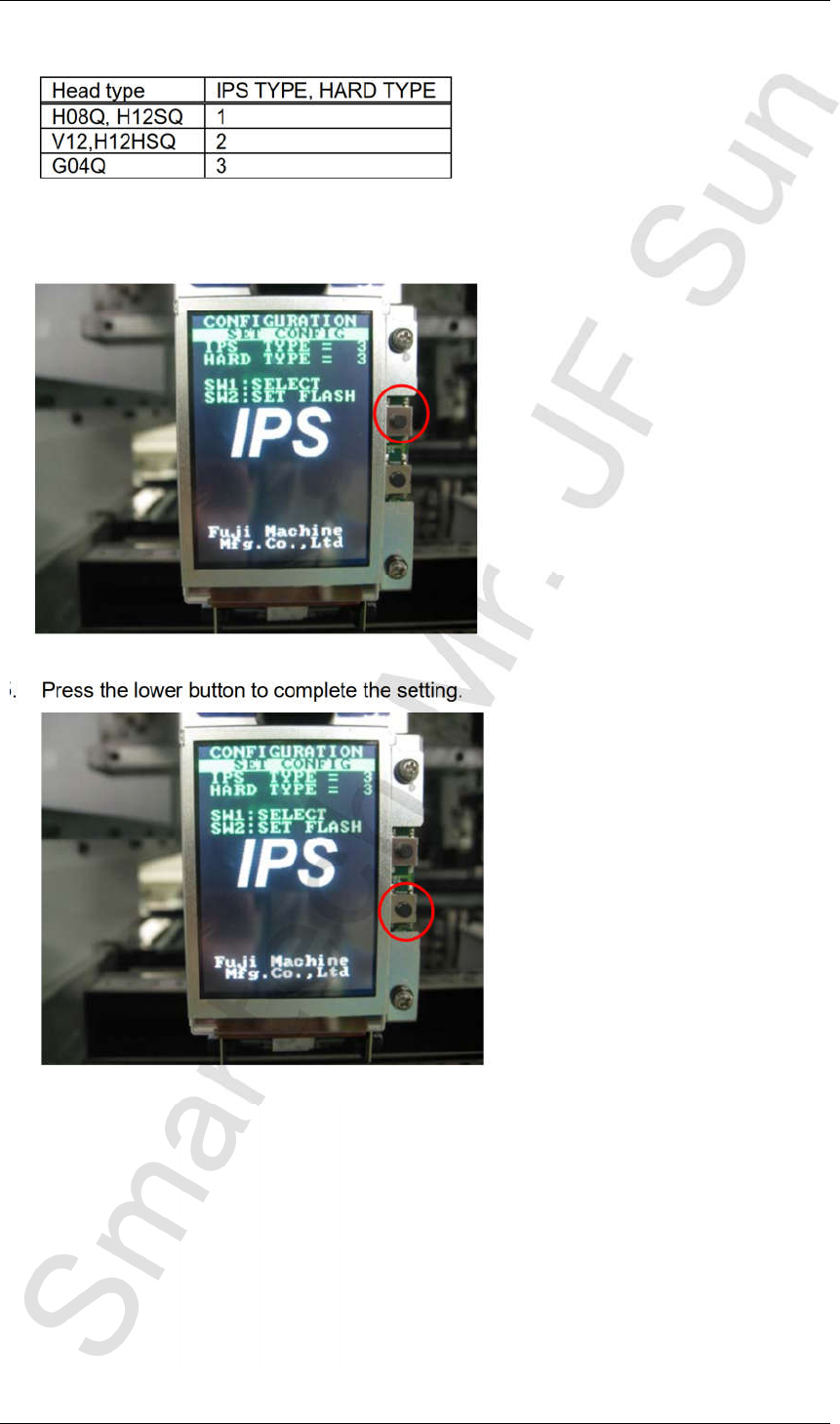
Note: the IPS and Hard Type settings vary according to the head type.
5. Press the lower button to complete the setting.
Head type IPS TYPE, HARD TYPE
H08Q, H12SQ 1
V12,H12HSQ 2
G04Q 3
CONFIDENTIAL