Mr. JF Sun ALL syringe_IPS.pdf - 第154页
Edition 2.0 NXT/NXT2 R epair Training T ext H12HS(Q) Head FK-9F98-61-0E 14-6 FUJI MACHINE MFG . CO., L TD. Note: the IPS and Hard T ype settings vary according to the head type. 5. Press the lower button to complete the …
Edition 2.0 NXT/NXT2 Repair Training Text
H12HS(Q) Head
FK-9F98-61-0E
14-5
FUJI MACHINE MFG. CO., LTD.
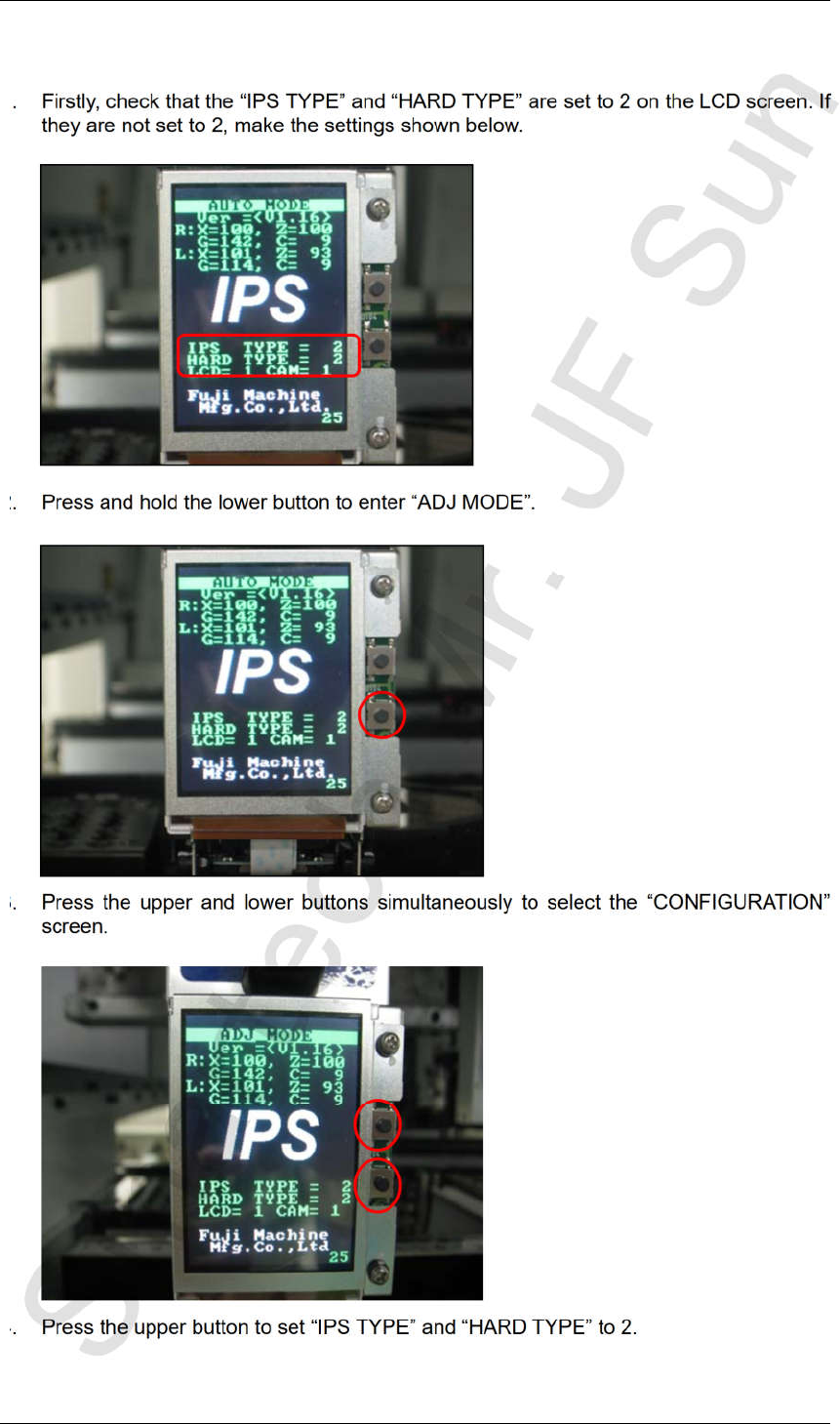
14.4 Configuration settings
1. Firstly, check that the “IPS TYPE” and “HARD TYPE” are set to 2 on the LCD screen. If
they are not set to 2, make the settings shown below.
2. Press and hold the lower button to enter “ADJ MODE”.
3. Press the upper and lower buttons simultaneously to select the “CONFIGURATION”
screen.
4. Press the upper button to set “IPS TYPE” and “HARD TYPE” to 2.
CONFIDENTIAL
Edition 2.0 NXT/NXT2 Repair Training Text
H12HS(Q) Head
FK-9F98-61-0E
14-6
FUJI MACHINE MFG. CO., LTD.
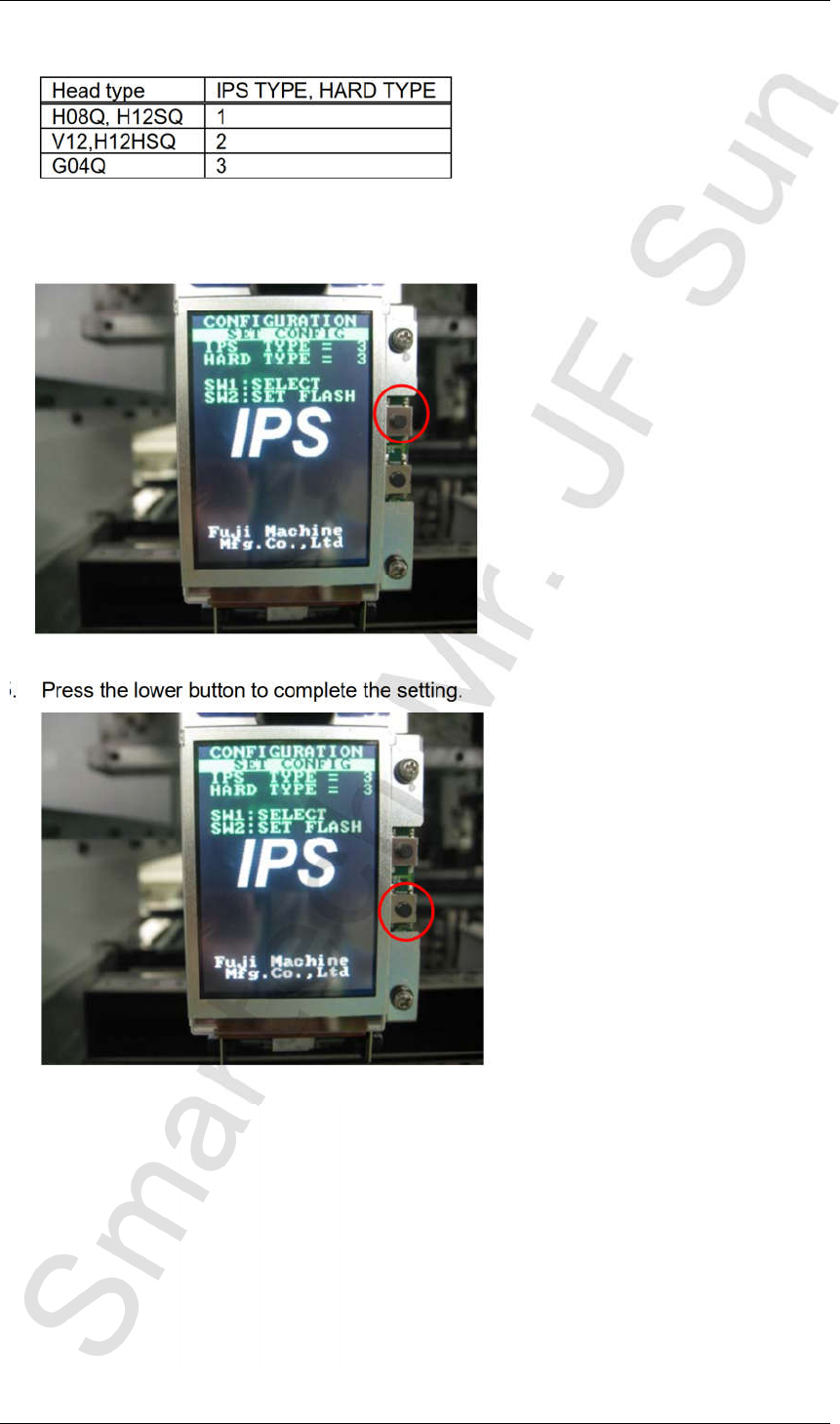
Note: the IPS and Hard Type settings vary according to the head type.
5. Press the lower button to complete the setting.
Head type IPS TYPE, HARD TYPE
H08Q, H12SQ 1
V12,H12HSQ 2
G04Q 3
CONFIDENTIAL
Edition 2.0 NXT/NXT2 Repair Training Text
H12HS(Q) Head
FK-9F98-61-0E
14-7
FUJI MACHINE MFG. CO., LTD.
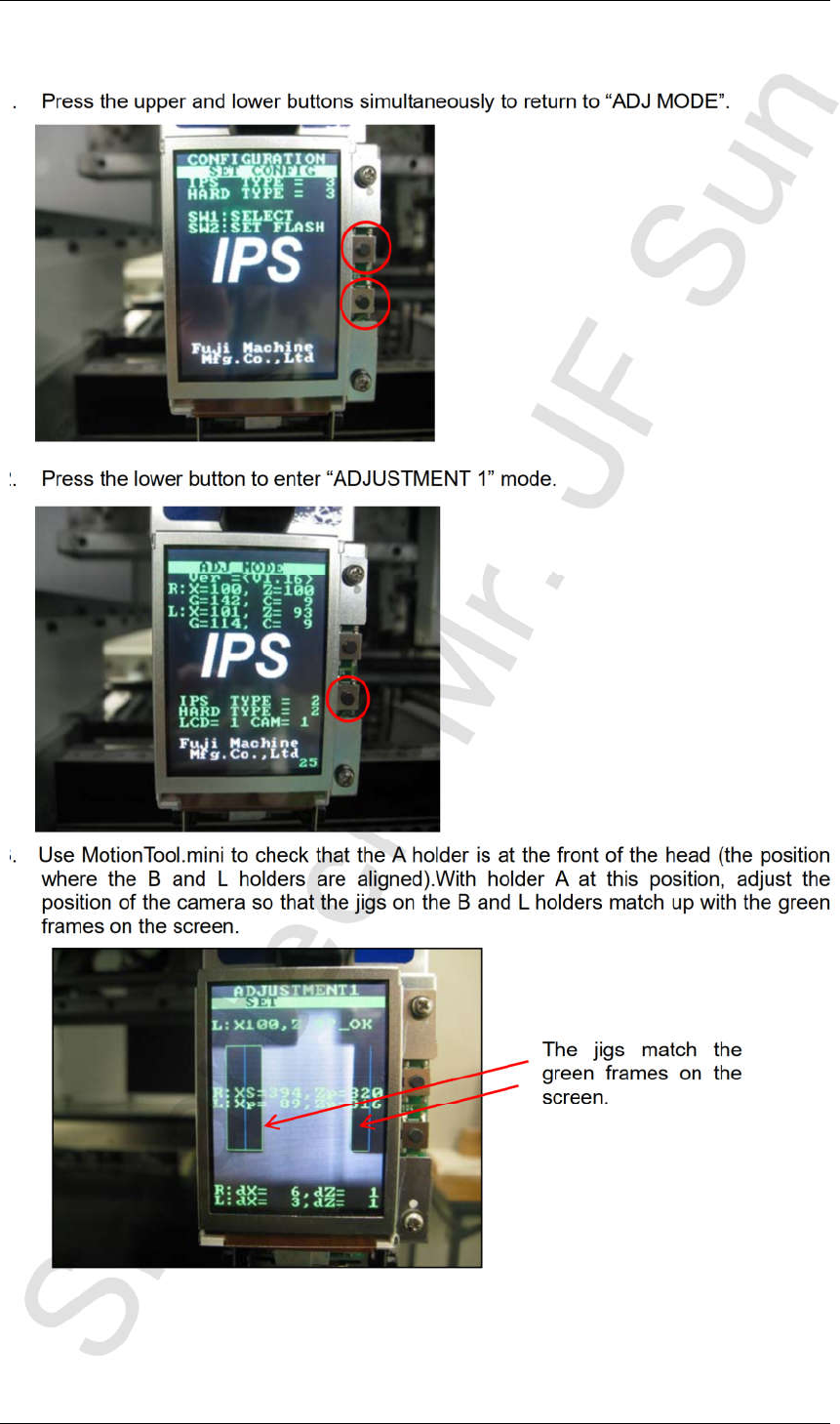
14.5 Adjusting the camera installation position
1. Press the upper and lower buttons simultaneously to return to “ADJ MODE”.
2. Press the lower button to enter “ADJUSTMENT 1” mode.
3. Use MotionTool.mini to check that the A holder is at the front of the head (the position
where the B and L holders are aligned).With holder A at this position, adjust the
position of the camera so that the jigs on the B and L holders match up with the green
frames on the screen.
The jigs match the
green frames on the
screen.
CONFIDENTIAL