Mr. JF Sun ALL syringe_IPS.pdf - 第177页
Edition 4.0 H08M(Q) Head Repair T raining T ext FK-9F98-86-0E 5-13 FUJI M ACHINE MFG . CO., L TD . 5.7 Checking the field of visi on External light can affect t he results, so be sure to perform the procedure in a shaded…
Edition 4.0 H08M(Q) Head Repair Training Text
FK-9F98-86-0E 5-12 FUJI MACHINE MFG. CO., LTD.
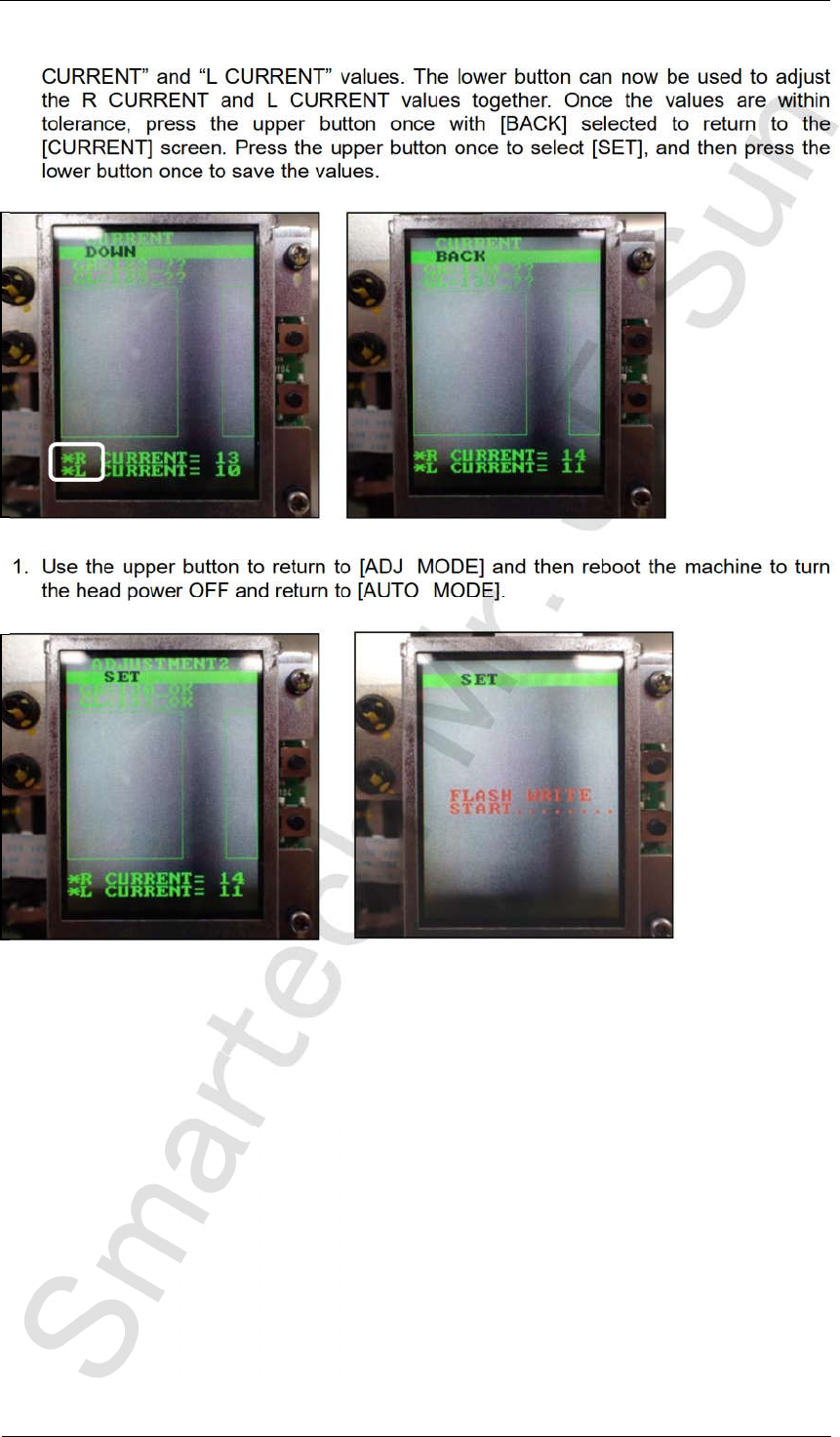
10. Press and hold the lower button to display an asterisk mark next to both the “R
CURRENT” and “L CURRENT” values. The lower button can now be used to adjust
the R CURRENT and L CURRENT values together. Once the values are within
tolerance, press the upper button once with [BACK] selected to return to the
[CURRENT] screen. Press the upper button once to select [SET], and then press the
lower button once to save the values.
11. Use the upper button to return to [ADJ MODE] and then reboot the machine to turn
the head power OFF and return to [AUTO MODE].
CONFIDENTIAL
Edition 4.0 H08M(Q) Head Repair Training Text
FK-9F98-86-0E 5-13 FUJI MACHINE MFG. CO., LTD.
5.7 Checking the field of vision
External light can affect the results, so be sure to perform the procedure in a shaded area.
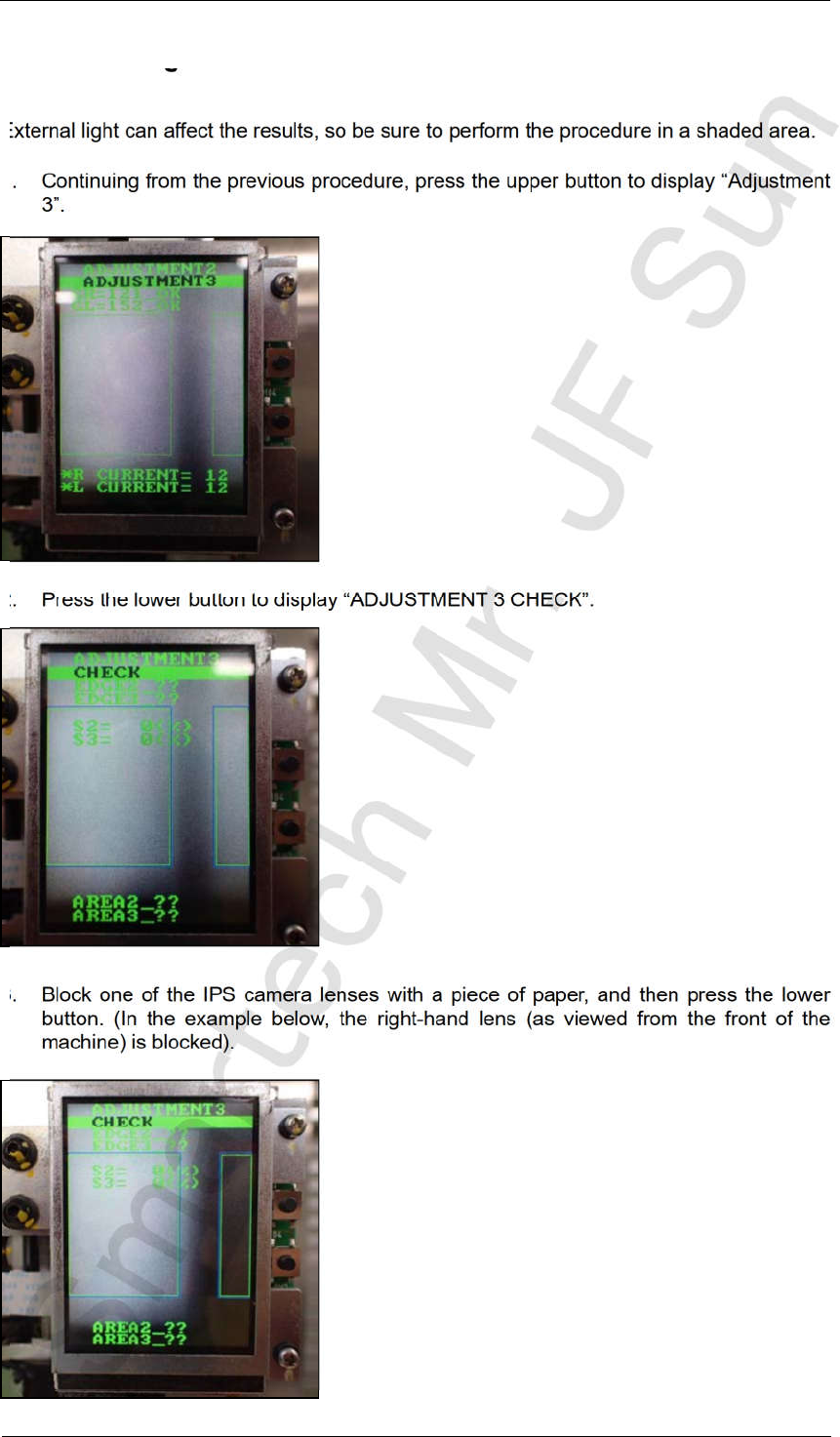
1. Continuing from the previous procedure, press the upper button to display “Adjustment
3”.
2. Press the lower button to display “ADJUSTMENT 3 CHECK”.
3. Block one of the IPS camera lenses with a piece of paper, and then press the lower
button. (In the example below, the right-hand lens (as viewed from the front of the
machine) is blocked).
CONFIDENTIAL
Edition 4.0 H08M(Q) Head Repair Training Text
FK-9F98-86-0E 5-14 FUJI MACHINE MFG. CO., LTD.
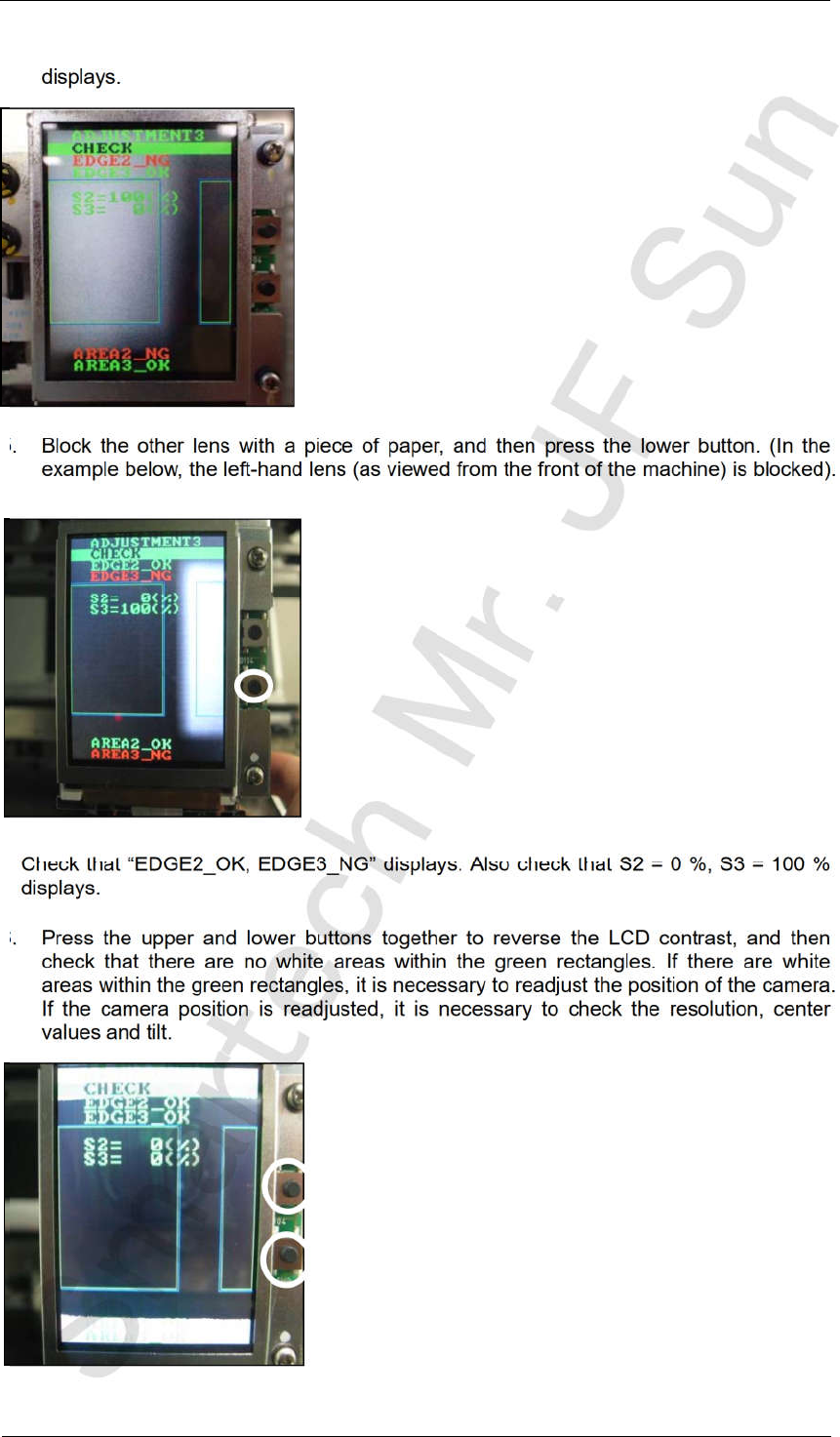
4. Check that “EDGE2_NG, EDGE3_OK” displays. Also check that S2 = 100 %, S3 = 0 %
displays.
5. Block the other lens with a piece of paper, and then press the lower button. (In the
example below, the left-hand lens (as viewed from the front of the machine) is blocked).
Check that “EDGE2_OK, EDGE3_NG” displays. Also check that S2 = 0 %, S3 = 100 %
displays.
6. Press the upper and lower buttons together to reverse the LCD contrast, and then
check that there are no white areas within the green rectangles. If there are white
areas within the green rectangles, it is necessary to readjust the position of the camera.
If the camera position is readjusted, it is necessary to check the resolution, center
values and tilt.
CONFIDENTIAL