YS12调整.pdf - 第47页
Service Engineer Service I nformati on SI080 4004 E-000 = YS12 , YG12: Procedure for adjustmen t after installa tion of the mach ine 47/60 Figure 64 2. Recognition ch eck of the Glass QFP68 pin. Perform recognition of th…
Service Engineer
Service Information
SI0804004E-000 = YS12, YG12: Procedure for adjustment after installation of the machine
46/60
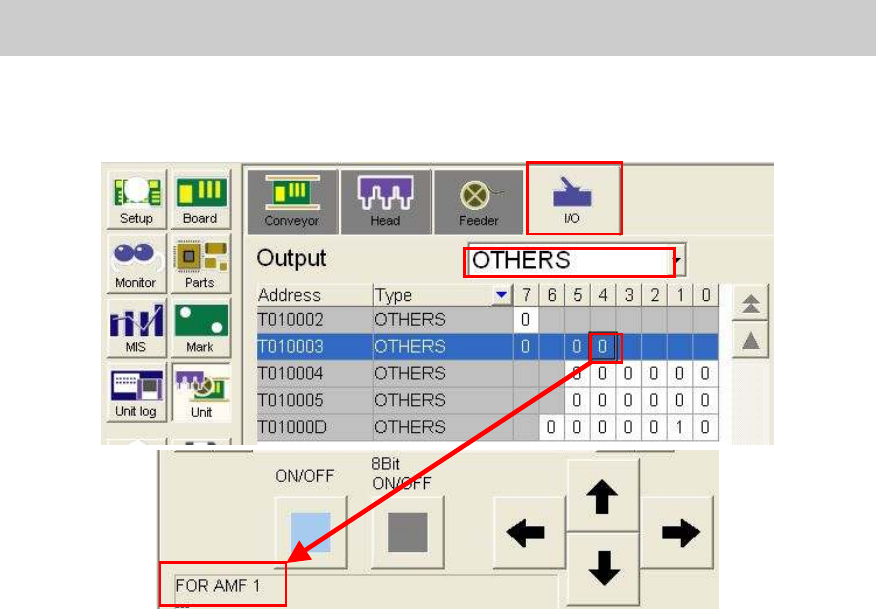
5. Check the operation of the ejector on the I/O screen
Open the “Unit” screen and select “Others” from the dropdown list on the “Output” side on the
“I/O” tab.
Figure 63
When the ejector is connected to “AMF 1” connector, please select [T0100034].
6. Check the operation of the ejector.
Check the operation of the ejector by selecting “T0100034” and clicking on the [ON/OFF]
button.
7.3.3. Read the FAMF board data
Read the board data for FAMF adjustment.
Board data: FAMF_QFP68_ST_H48.ygx
The FAMF adjustment for the multi camera is performed by mounting the Glass QFP68 pin with
the 304A (315A) nozzle.
The nozzle does not come with the machine as standard equipment; please prepare it before
adjustment if the customer does not have it.
The heads to be used are “Head 4” and “Head 8”.
7.3.4. Recognition of the mark and the component
In FAMF adjustment, Glass QFP68 pin is picked up from the station, recognized and mounted on
the station. Then after the camera recognizes the mounting state of the component, the
component is picked up again for recognition repeatedly.
Please make sure to perform recognition check in advance so that no error occurs during the
sequence of the operation.
1. Recognize the fiducial marks on the FAMF station.
TheΦ1.0mm holes at the lower left and at the upper right on the station board are recognized
as the marks.
Mark No.: No.2 Hall_1.0_Circle
Move the camera to the fiducial coordinate and perform recognition check on the “Mark
adjust” screen.
Service Engineer
Service Information
SI0804004E-000 = YS12, YG12: Procedure for adjustment after installation of the machine
47/60
Figure 64
2. Recognition check of the Glass QFP68 pin.
Perform recognition of the Glass QFP68 pin with the Head 4 or the Head 8.
Part No.: NO.71 QFP68_P0.65_t=1.0
Please perform recognition check on the “Parts adjust” screen.
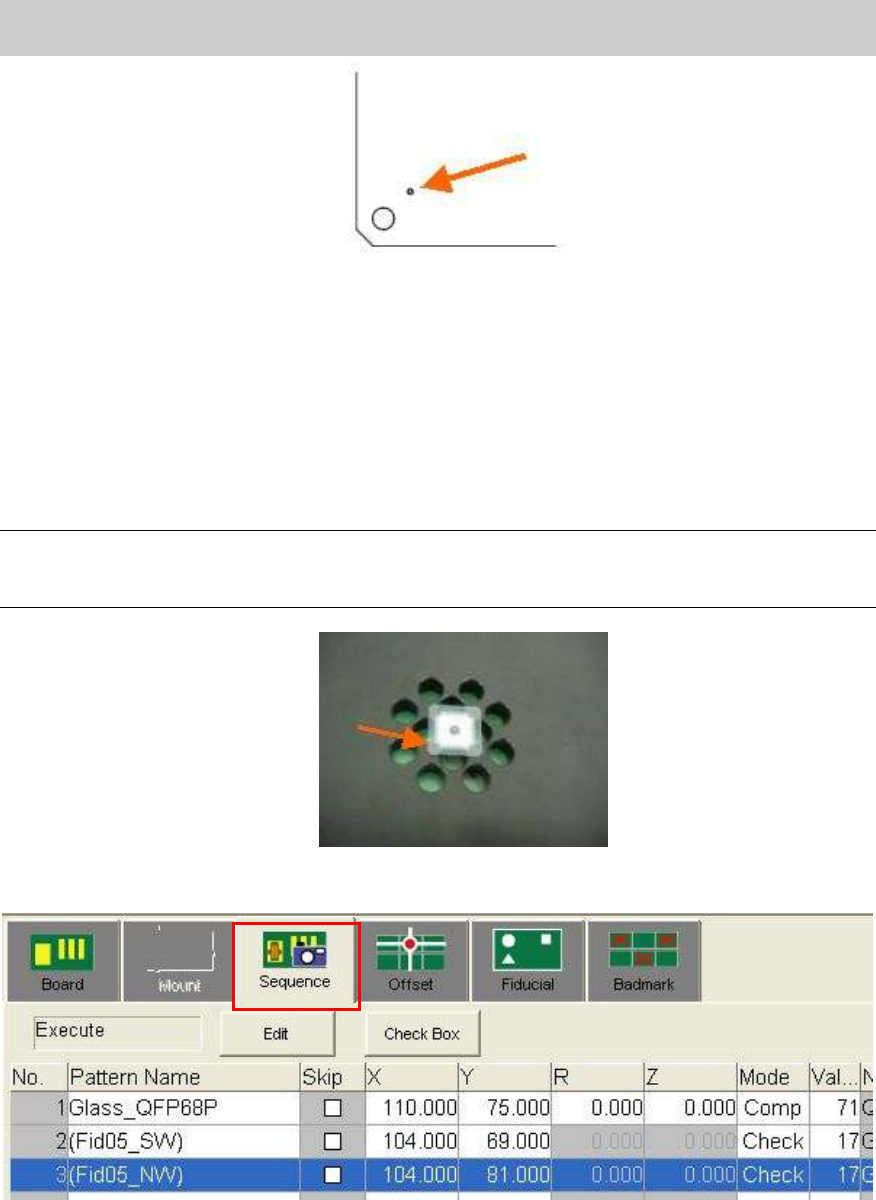
3. Recognition of the mark on the Glass QFP.
Place the Glass QFP68 pin in the center of the FAMF station board, and recognize one of the
marks at the four corners of the Glass QFP.
Note:
- Please clean the surface of the glass QFP.
- Please set the glass QFP with the printed side facing down..
Figure 65
[How to perform “Mark trace” (Moving the camera to the mark)]
Figure 66
Select “Sequence” tab on the “Board” screen and select “Check” from the “Mode” column.
Click on the [Teach] button to display the “Sequence” screen.
Click on the [Trace] button to move the camera to the mark on the board.
Mark No.: NO.17 GlassQFP_0.5_Circle
Please perform recognition check on the “Mark adjust” screen.
Service Engineer
Service Information
SI0804004E-000 = YS12, YG12: Procedure for adjustment after installation of the machine
48/60
7.3.5. Perform “Teaching” for the components pickup position
In FAMF adjustment, the component (Glass QFP) is picked up from the mounting position on the
station, then recognized and mounted on the station again.
Please perform teaching for the coordinate of the mounting position as the component pickup
position.
1. Check the parts information
Basically the settings do not need to be changed.
(Check if “Fix.TF” is selected as “Feeder Type”)
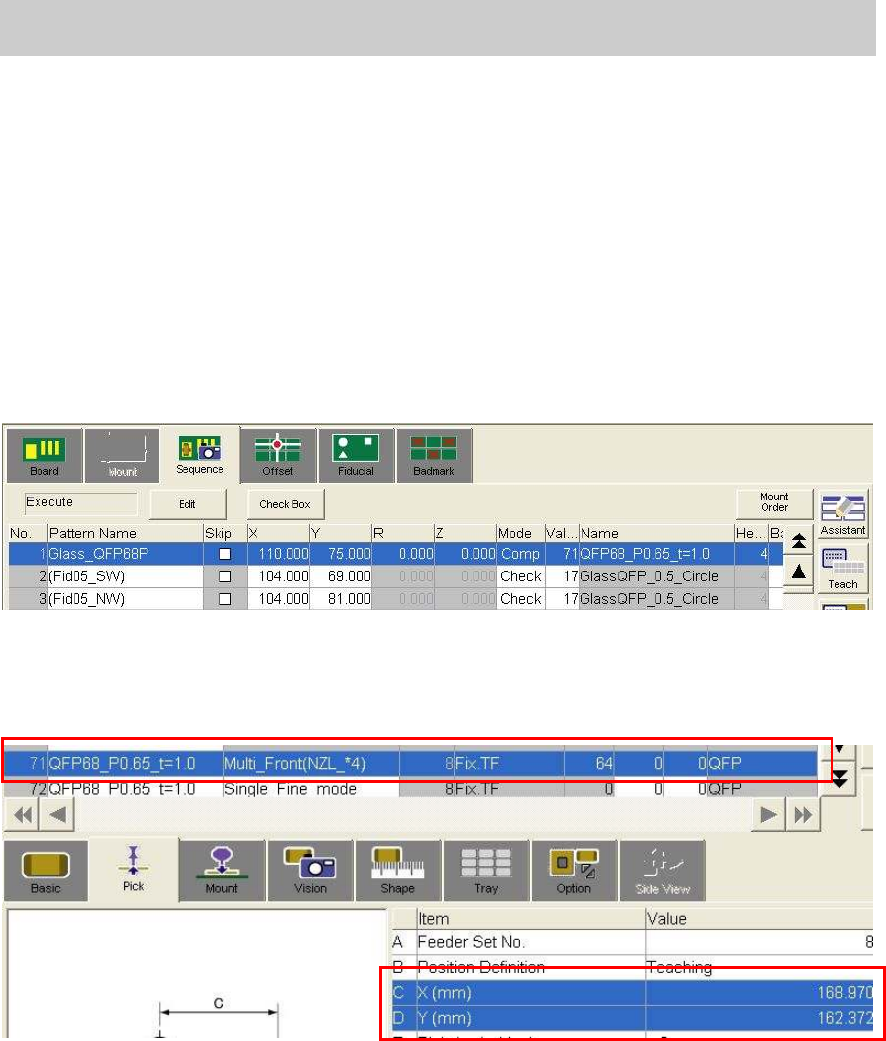
2. Move the camera to the coordinate of the component mounting position by trace.
Select No.1 from the table on the “Sequence” tab on the “Board” screen.
Figure 67
3. Perform teaching for the coordinate of the component pickup position.
Perform teaching for the X, Y coordinates of the Parts information No.71 on the “Pick” tab on
the “Parts” screen with the camera at the mounting position.
Figure 68