LmrXP142机械手册.pdf - 第41页
2. Changing the Position of the Back-up Pins Point Change the position of the back-up pins (vacuum or solid) to support a panel during production. For panels where upward warping is a problem, vacuum back-up pins should …

Notes:
Part 2 Chapter 1 Changing the Conveyor Width
Edition 3.0 2-1-2 XP-142E Mechanical Reference
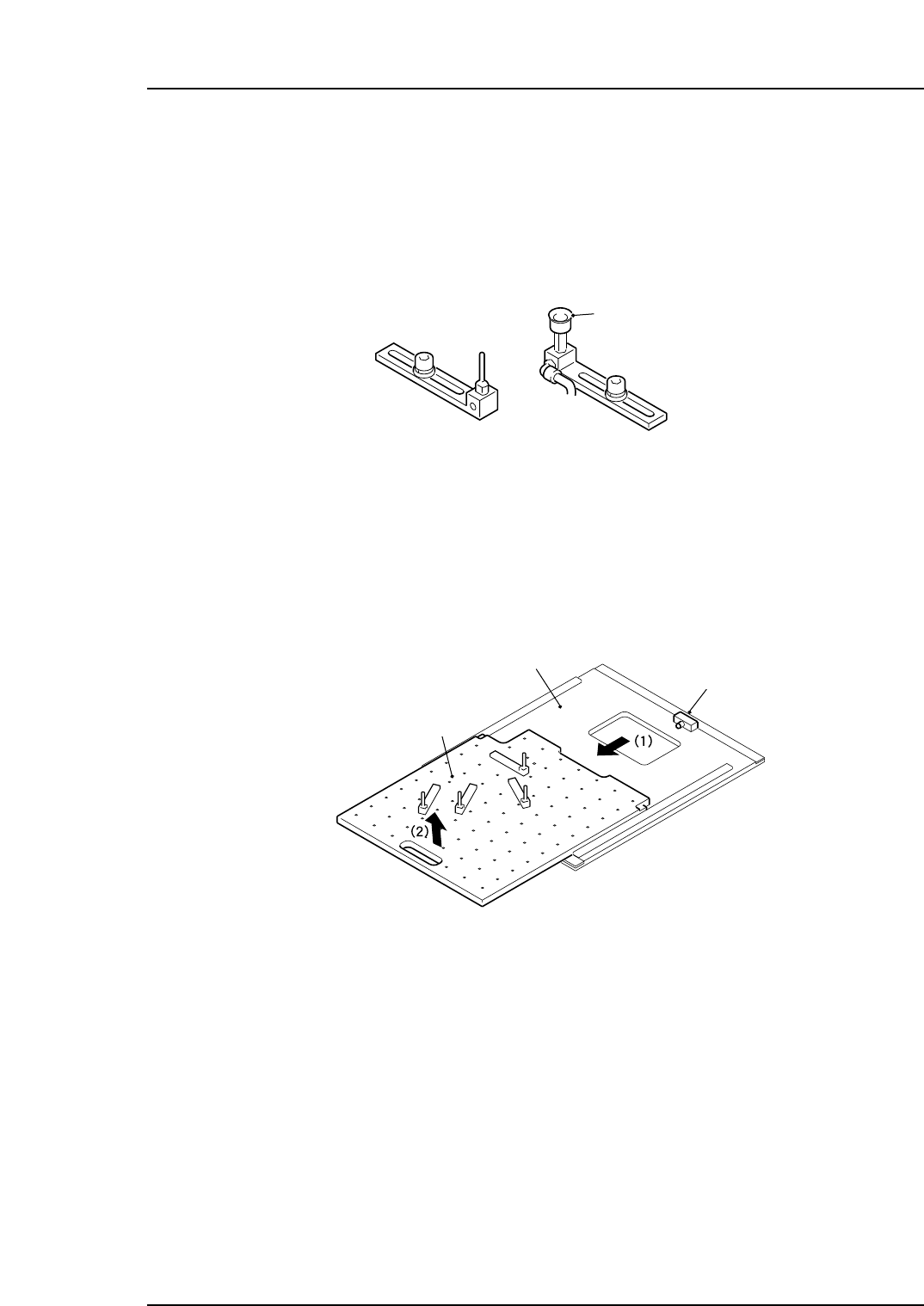
2. Changing the Position of the Back-up Pins
Point
Change the position of the back-up pins (vacuum or solid) to support a panel during
production. For panels where upward warping is a problem, vacuum back-up pins
should be used to maintain the flatness of the mounting surface.
Procedure
1. Lower the panel lifter if it is raised.
2. Adjust the conveyor width to the maximum width.
3. Remove the MFU from the machine.
4. Pull the back-up plate sideways slightly, then lift it up to remove it.
Precautions when mounting/demounting the back-up plate:
• Use care to avoid interference between the plate and the sensor. Such interference
could break the sensor.
• Because the procedure is performed from the MFU side, use care to avoid
interference with the camera.
5. Detach the back-up pins by loosening their fastening bolt, and reposition them as
necessary.
6. When the back-up pins are in place, slide the back-up plate back onto the lifter. Be
sure to push it into the back-up plate until it contacts the block (refer to the
diagram above).
7. Before raising the lifter, make sure that the back-up pins do not interfere with the
adjustable side of the conveyor. If there is interference, reposition the back-up
pins.
XP1MC004E
Back-up plate
Panel lifter
Block
XP1MC003E
Vacuum pad
Back-up pin
Part 2 Chapter 2 Changing the Position of the Back-up Pins
Edition 3.0 2-2-1 XP-142E Mechanical Reference

Notes:
Part 2 Chapter 2 Changing the Position of the Back-up Pins
Edition 3.0 2-2-2 XP-142E Mechanical Reference