LmrXP142机械手册.pdf - 第52页
5. Loosen the ring, remove the ring and filter cover and take out the filter. 6. Clean the filter element with compressed air, or replace the filter element. Filter cover O-ring O-ring Filter element XP1MC208E Ring Filte…
1.5 Cleaning the Vacuum Pump Filter
(Every 3,000 Hours)
Point
The vacuum pump is equipped with a dust filter. This filter should be cleaned/replaced
regularly to ensure stable part pick-ups.
Procedure
1. Remove the MFU from the rear of the machine (side 2).
2. Turn the machine power off.
WARNING
Cut power to the machine at the main switch before
attempting this procedure.
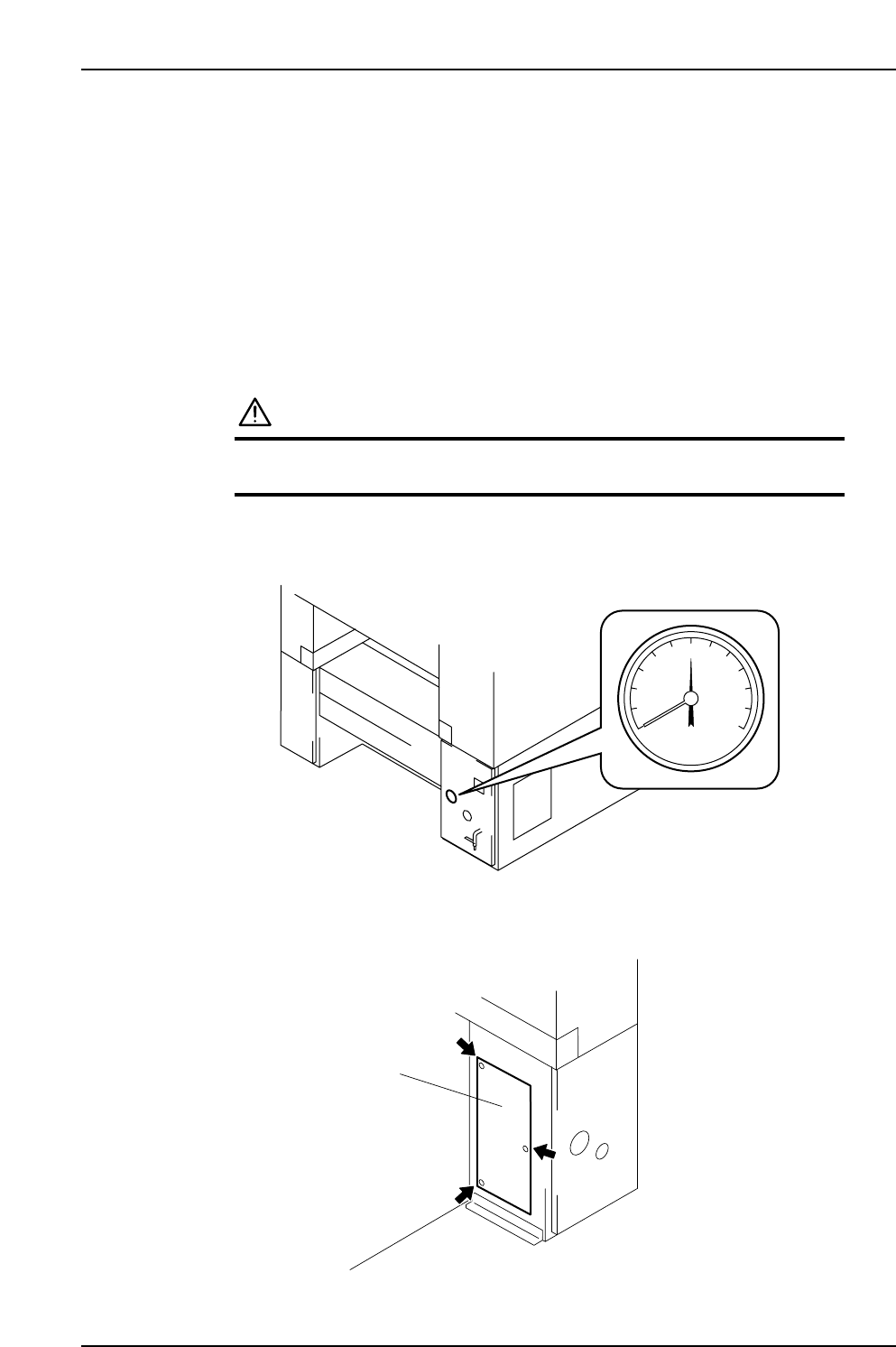
3. Disconnect the air supply, and confirm that the pressure is 0.
4. Remove the cover on the rear of the machine (side 2), as shown in this diagram.
Cover
XP1MC206E
XP1MC205
0
Part 3 Chapter 1 Cleaning
Edition 3.1 3-1-6 XP-142E Mechanical Reference
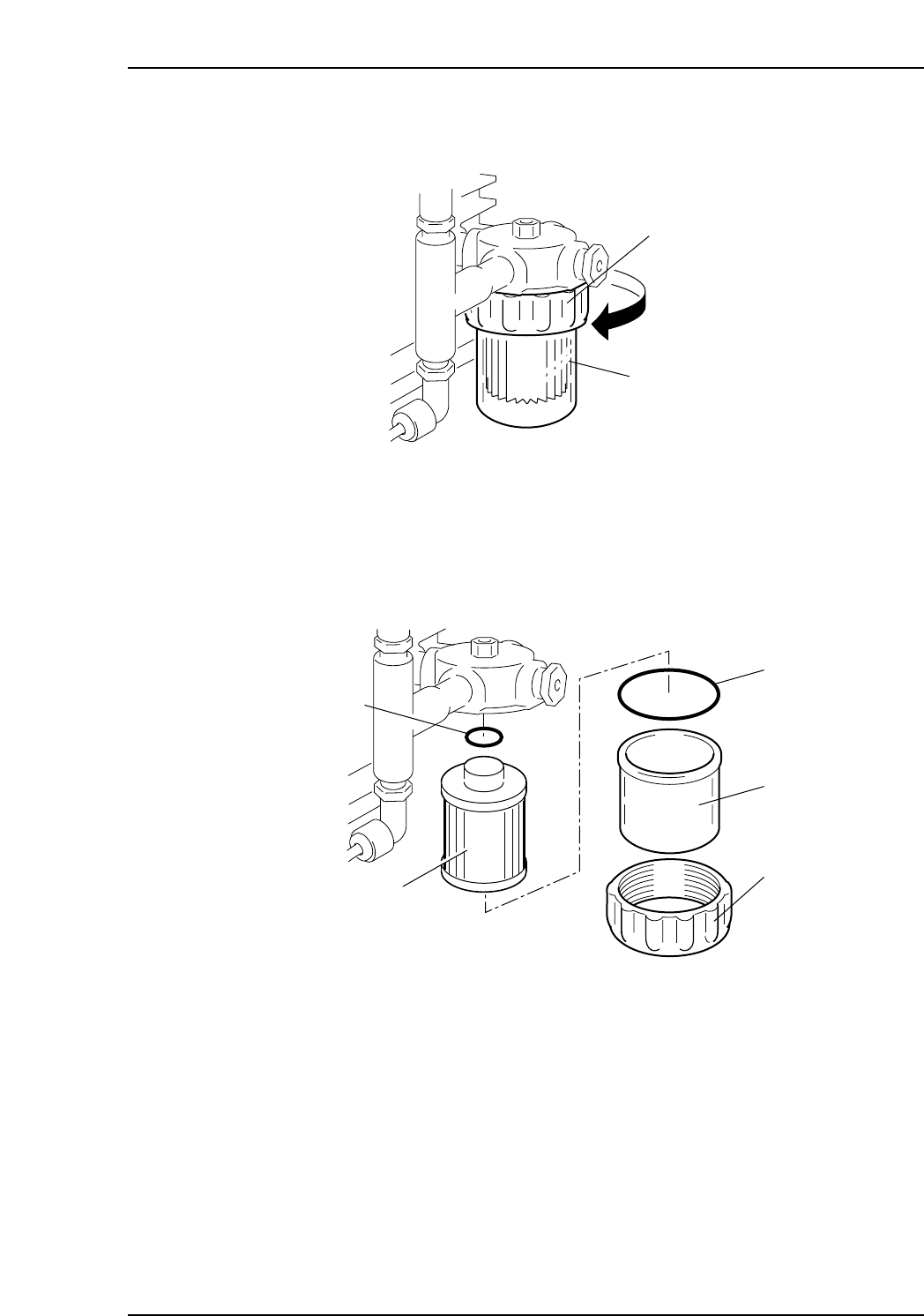
5. Loosen the ring, remove the ring and filter cover and take out the filter.
6. Clean the filter element with compressed air, or replace the filter element.
Filter cover
O-ring
O-ring
Filter element
XP1MC208E
Ring
Filter cover
Ring
Loosen
XP1MC207E
Part 3 Chapter 1 Cleaning
Edition 3.1 3-1-7 XP-142E Mechanical Reference

1.6 Cleaning the Machine Interior (Weekly)
Point
Chip parts and other foreign objects will accumulate in the machine during the course of
operation. Such objects should be removed from the machine periodically to keep the
machine in good working order.
Procedure
WARNING
Cut power to the machine at the main switch before
attempting this procedure.
1. Use a brush to remove the foreign objects from the machine interior.
Caution: Do not use a compressed air blower to clean the machine interior, because this
can blow small parts and other foreign matter deeper into the machine where
they may impede operation.
2. Use a dry cloth to wipe grease off of all areas not specified as lubrication points.
Part 3 Chapter 1 Cleaning
Edition 3.1 3-1-8 XP-142E Mechanical Reference