LmrXP142机械手册.pdf - 第68页
Lubrication Checklist Every 3 months Every 3 months Every 3 months Every 3 months Every month Every month Every 3 months Every month Every month Every month Every month Every year Every year Every 6 months Every month Ev…
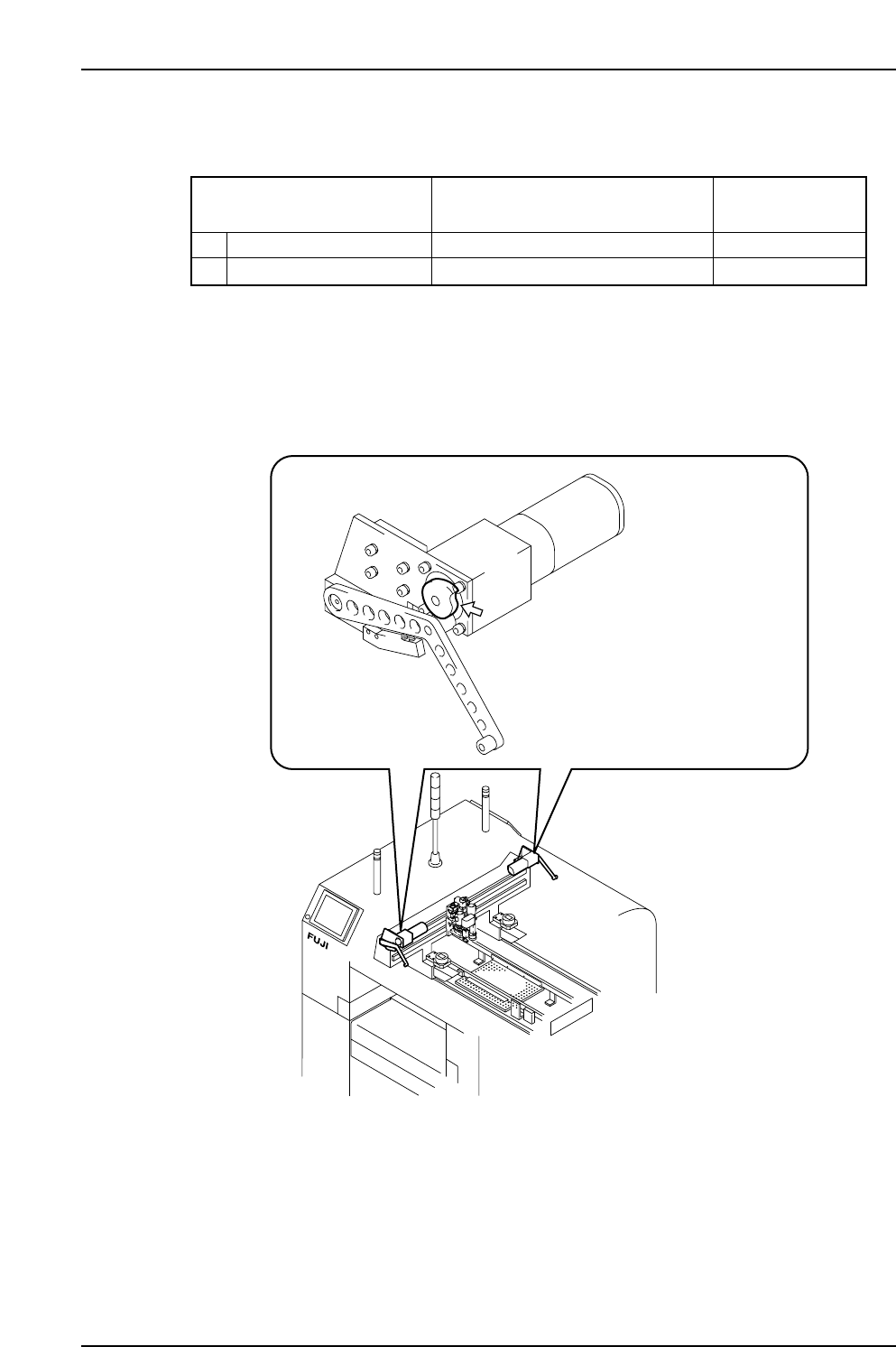
2.5 Lubricating the F, G-Axis
Arrow marks in the illustration indicate lubrication points.
XP1ML203Ea
This exploded diagram shows
the F-axis (side 1).
(17)
(17)
(18)
Daphne Eponex No.2
✔
T007Eb
Lubrication points
Schedule
18
Every month
✔ : Lubricate
G-axis cam unit
✔
17
Every monthF-axis cam unit
Part 3 Chapter 2 Lubrication
Edition 3.0 3-2-8 XP-142E Mechanical Reference
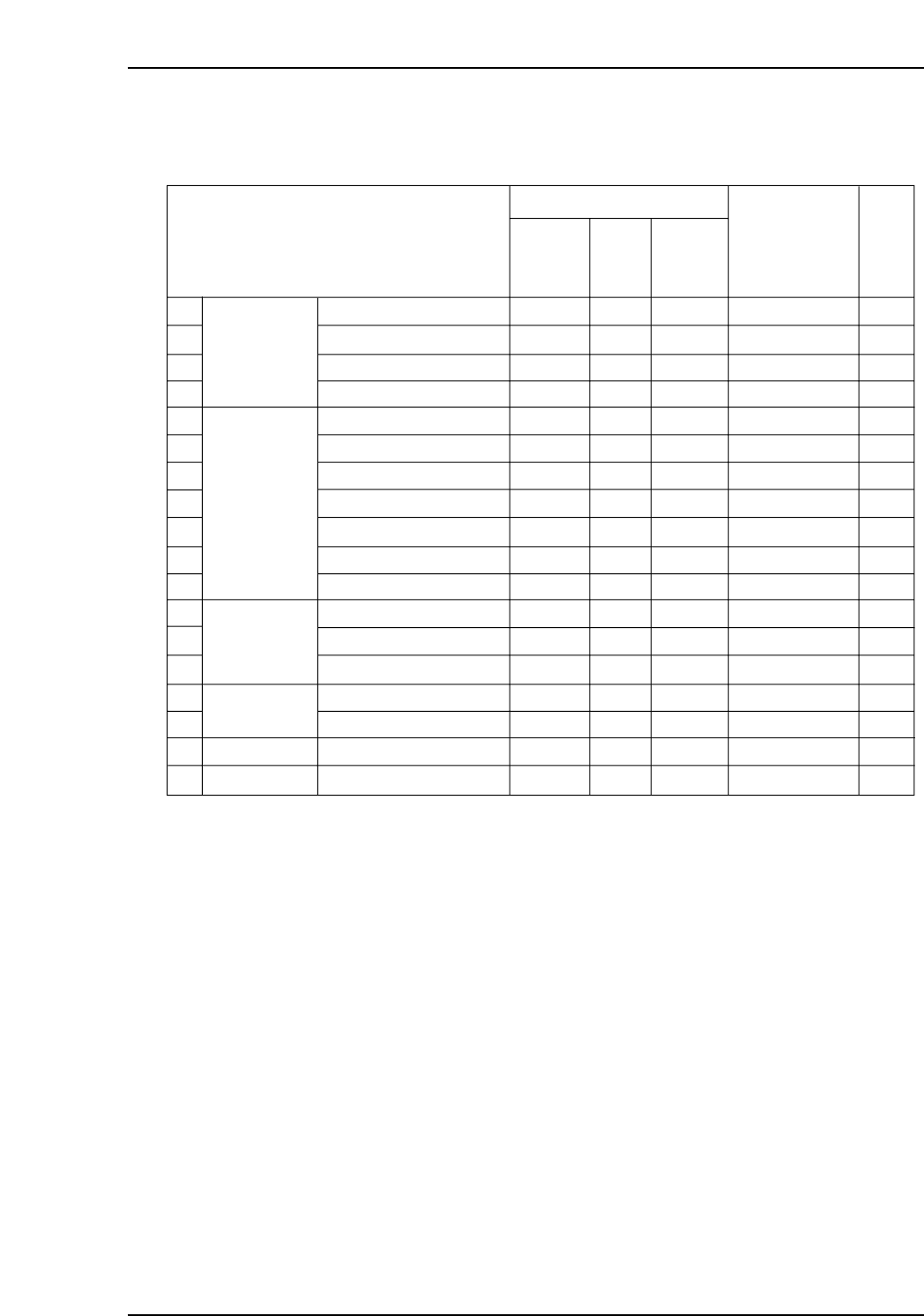
Lubrication Checklist
Every 3 months
Every 3 months
Every 3 months
Every 3 months
Every month
Every month
Every 3 months
Every month
Every month
Every month
Every month
Every year
Every year
Every 6 months
Every month
Every month
Every month
Every month
T010Ec
1
2
3
4
5
6
7
8
9
10
11
12
13
14
15
16
17
18
✔
✔
✔
✔
✔
✔
✔
N/A
N/A
N/A
N/A
✔
✔
N/A
✔
✔
✔
✔
XY-robot
Placing head
Conveyor
Tape cutter
F-axis
G-axis
Y-axis ball screw
X-axis ball screw
Y-axis LM
rails
X-axis LM
rails
Z-axis ball screw
Spline shaft
Gears
Nozzle up/down guide
Piston pin
Vacuum pin
Vacuum cut pin
Ball screws
LM rails
Conveyor chain
Sliding parts of link arm
LM rails
Cam unit
Cam unit
✔ : Lubricate N/A : Do not lubricate
Lubrication points
N/A
N/A
N/A
N/A
N/A
N/A
N/A
✔
✔
✔
✔
N/A
N/A
N/A
N/A
N/A
N/A
N/A
AFC
grease
N/A
N/A
N/A
N/A
N/A
N/A
N/A
N/A
N/A
N/A
N/A
N/A
N/A
✔
N/A
N/A
N/A
N/A
Biral
T&D
Daphne
Eponex
No.2
Schedule
Check
Types of lubricant
Part 3 Chapter 2 Lubrication
Edition 3.0 3-2-9 XP-142E Mechanical Reference
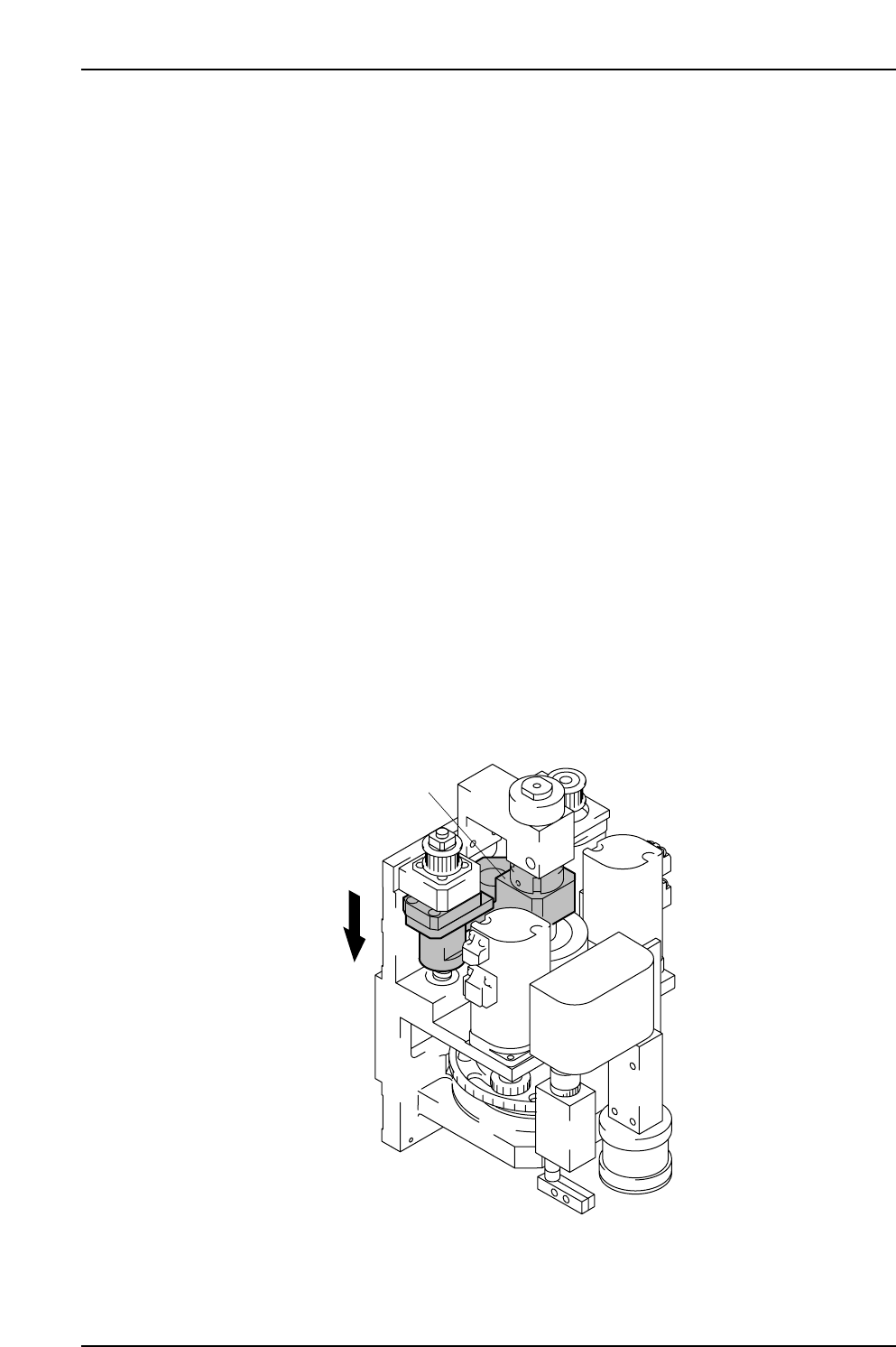
Lubricating the Placing Head (Piston Pin, Vacuum Pin and
Vacuum Cut Pin)
Required Equipment
• Fine brush for applying the lubricant
• Flat brush for cleaning
• Lighting (a lamp or flashlight)
• Cloth
Procedure
1. Remove one or both of the MFUs to access the inside of the machine.
a. From the [Main] screen select [Manual Operation] - [Stage * MFU Unclamp],
and then press the START button.
b. Open the safety door and gently pull the MFU out.
c. Lock the casters of the removed MFU.
2. Pull the acrylic cover inside the machine diagonally up and out to remove it.
3. Push the placement head to the center of the machine to make lubricating the parts
easier.
Caution: Ensure that the placement head is pushed by the frame, and in particular do
not push the unit by the camera parts.
4. Before lubrication, check the movement of, and clean each piston.
a. Push the pusher to lower any one piston.
Note: After one piston is lowered, the other pistons can be pushed down by hand.
XP1ML205E
Pusher
Part 3 Chapter 2 Lubrication
Edition 3.0 3-2-10 XP-142E Mechanical Reference