LmrXP142机械手册.pdf - 第80页
3.4 Replacing the Mark Camera Lamp Point The mark camera lamp should be replaced when it burns out, or when its brightness dims. Procedure 1. Detach the MFU if so equipped. 2. Press the EMERGENCY STOP button to turn the …
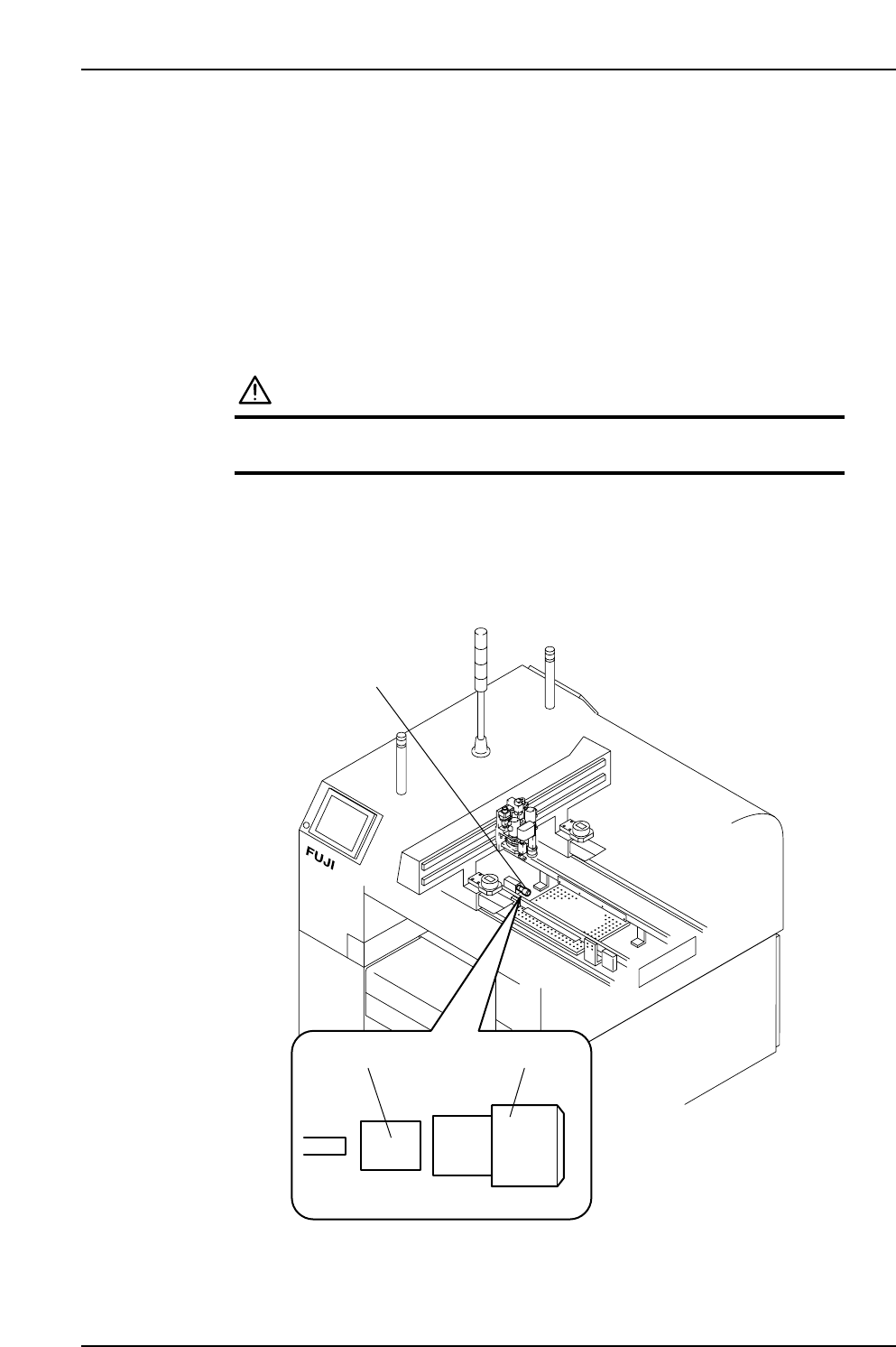
3.3 Replacing the Filter of the Vacuum Generator
Used for Gauge Chip Part Pick-up (Every Year)
Point
The vacuum generator used for gauge chip part pick-up is equipped with a dust filter.
This filter should be replaced regularly to ensure stable part holding.
Procedure
WARNING
Cut power to the machine at the main switch before
attempting this procedure.
1. Turn the filter counterclockwise to remove.
2. Replace the old filter element with a new one.
XP1MR205E
Filter element
Filter of vacuum generator
used for gauge chip
part pick-up
Filter case
Part 3 Chapter 3 Replacing Consumable Parts
Edition 3.1 3-3-4 XP-142E Mechanical Reference
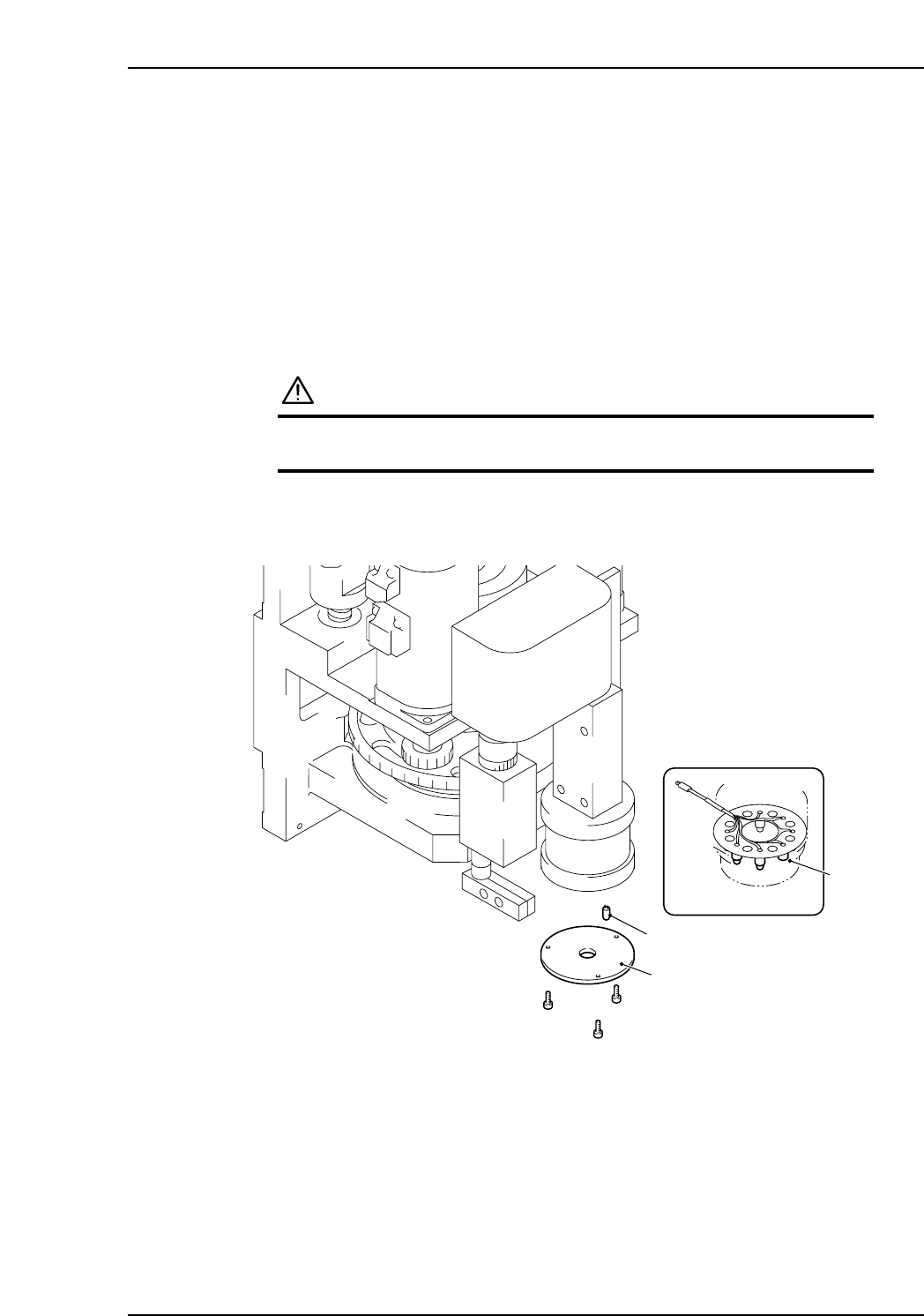
3.4 Replacing the Mark Camera Lamp
Point
The mark camera lamp should be replaced when it burns out, or when its brightness
dims.
Procedure
1. Detach the MFU if so equipped.
2. Press the EMERGENCY STOP button to turn the 200 V power off.
WARNING
Press EMERGENCY STOP button to cut power to the
machine before attempting this procedure.
3. Move the placing head by hand to the front of the machine.
4. Remove the dispersion plate.
5. Turn the output [ON] to check if any lamps are burnt out.
6. Remove the burnt lamp from the socket.
7. Insert a new lamp in the socket, then mount the dispersion plate.
Note: The replacement procedure is easier if a small mirror is used to verify the lamp and
socket positions.
XP1MR208E
Dispersion plate
Lamp
Socket
Part 3 Chapter 3 Replacing Consumable Parts
Edition 3.1 3-3-5 XP-142E Mechanical Reference
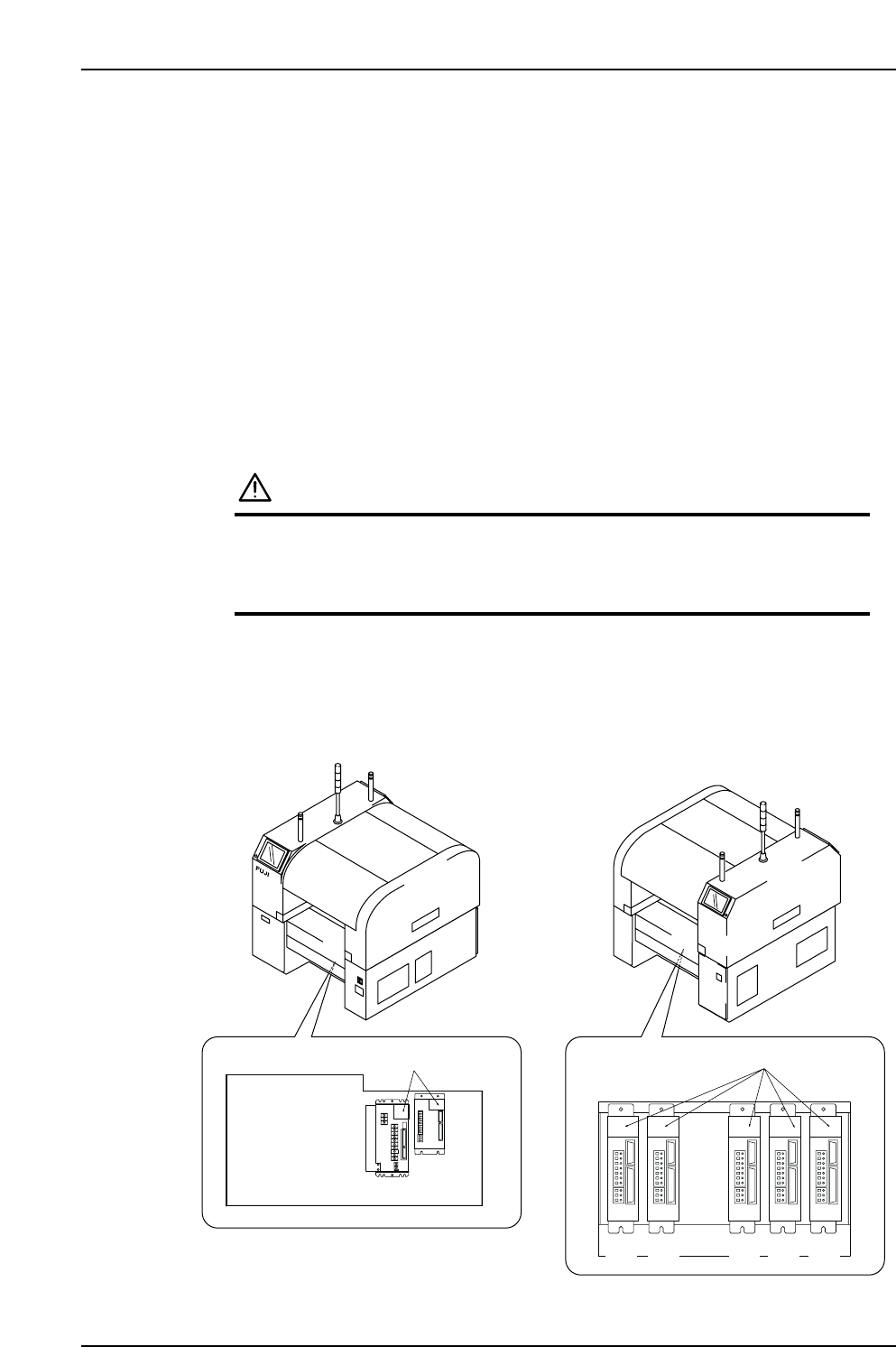
3.5 Replacing the Servo Amplifier Battery
Point
Because XP-Series machines use absolute encoder motors, the encoder data is constantly
stored at the servo amplifier. If this data is lost, the absolute encoder setup procedure
must be repeated, and the Proper data must be re-measured. To prevent the encoder
data from being lost at power off, the servo amplifier is equipped with an internal data
backup battery. This servo amplifier battery must be replaced when a "Servo Amplifier
Error" message displays on the machine's operation screen, with [AL A2] (X-axis) or
[A.830] (All axes other than X) displayed at the 7-segment LED display on the front of the
servo amplifier in question.
Procedure
CAUTION
1. Perform this procedure with the main switch (power
breaker) on.
2. Never remove the battery when the POWER LED is off,
because the absolute position encoder's data will be lost.
1. Verify that the "SYSTEM ON" lamp is on.
2. Press the EMERGENCY STOP button.
3. Locate the servo amplifier that has [AL A2] or [A.830] displayed at its 7-segment
LED display.
Servo box 1
Servo box 2
XP1MR206aE
Front (Side 1)
Rear (Side 2)
LED display
LED display
X-axis
Y-axis
G F R Q Z
Part 3 Chapter 3 Replacing Consumable Parts
Edition 3.1 3-3-6 XP-142E Mechanical Reference