LmrXP142机械手册.pdf - 第86页
1.1.1 X-Axis Servo Amplifier (Q Series) Parameter Check Procedure 1. The display cycles through the following modes when the Mode Key is pushed. XP1MA009E Status display Monitor T est/Adjust Basic System parameter edit P…
1. Servo Amplifier Adjustments
1.1 Servo Amplifier Parameters
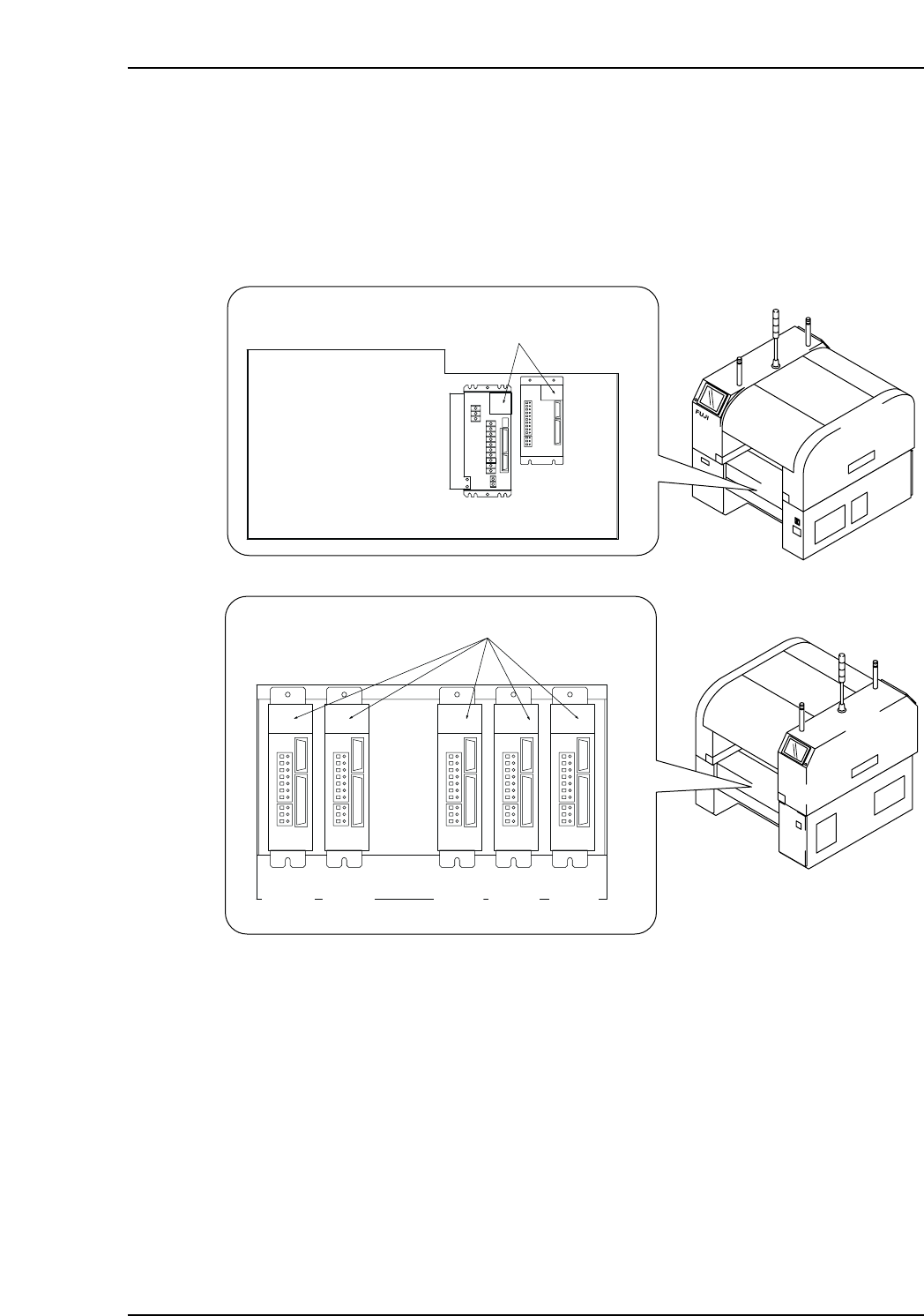
1. Check the servo amplifier parameters using the panel operator controls on the face
of the amplifier. Digital operator JUSP-OP05A can also be used to check the Y, G,
F, R, Q, and Z servo amplifier parameters.
XP1MA007aE
Front (Side 1)
Rear (Side 2)
Servo box 1
LED display
X-axis
Y-axis
Servo box 2
LED display
G-axis F-axis R-axis Q-axis Z-axis
Part 4 Chapter 1 Servo Amplifier Adjustments
Edition 3.0 4-1-1 XP-142E Mechanical Reference
1.1.1 X-Axis Servo Amplifier (Q Series) Parameter Check
Procedure
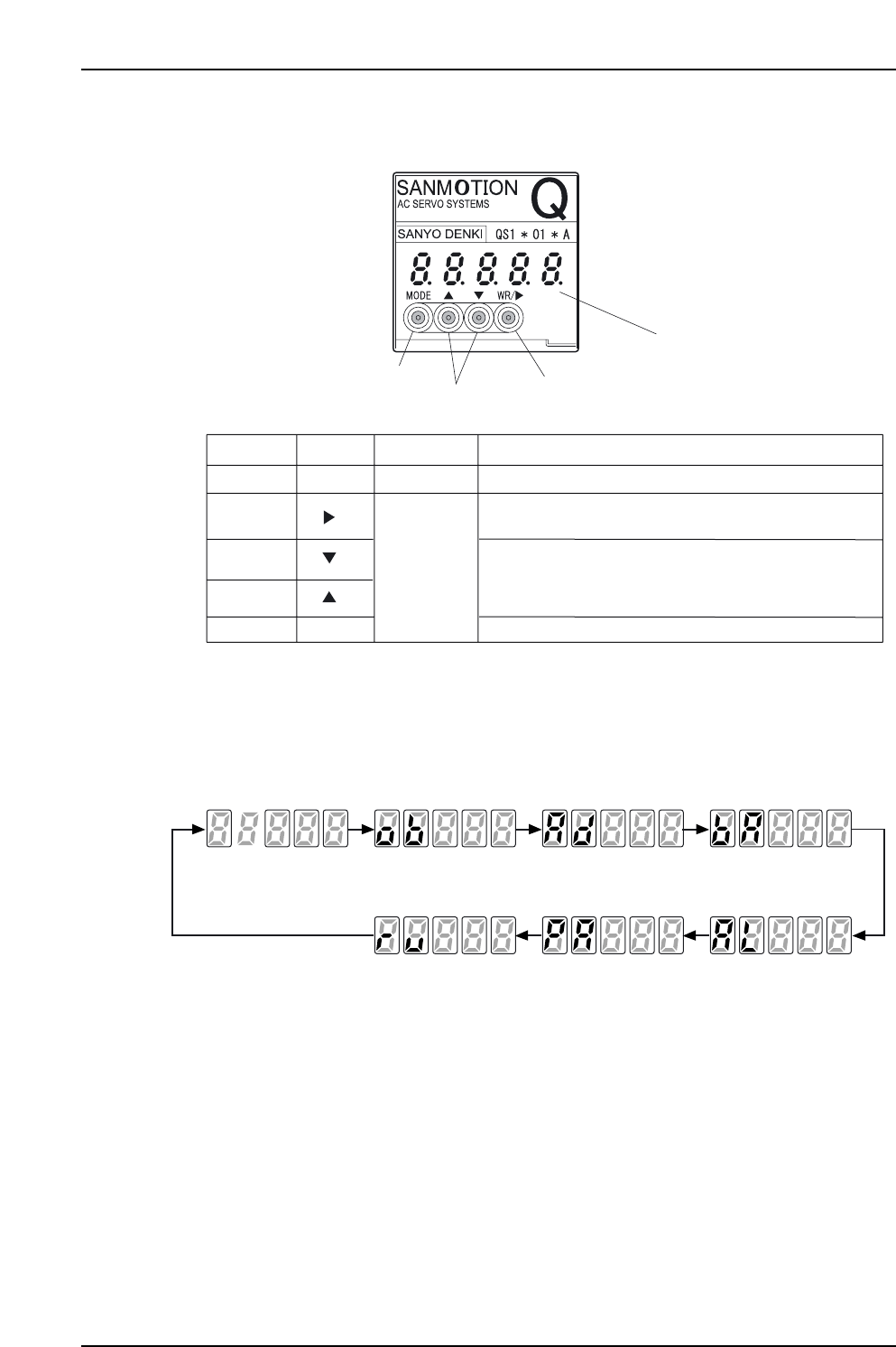
1. The display cycles through the following modes when the Mode Key is pushed.
XP1MA009E
Status display Monitor Test/Adjust Basic
System parameter edit Parameter edit Alarm trace
Mode Mode Mode Mode
Mode Mode Mode
XP1MA008E
Display: Five 7-segment digits
Key
WR Key WR
Mode
More than 1 s. Use to enter a selection and write-in edited data.
Cursor Key
Use to move the cursor. Push once to move to the next
selectable digit.
Mode Key
Push once to change the mode.
Up Key
Less than
1 second
Down Key
Push once to change the value of the digit where the
cursor is.
Hold in for more than 1 second to scroll among the select-
able values of the digit where the cursor is.
Display Time Held Function
Cursor/WR Key
Up/Down Key
Mode Key
Part 4 Chapter 1 Servo Amplifier Adjustments
Edition 3.0 4-1-2 XP-142E Mechanical Reference
Status display mode
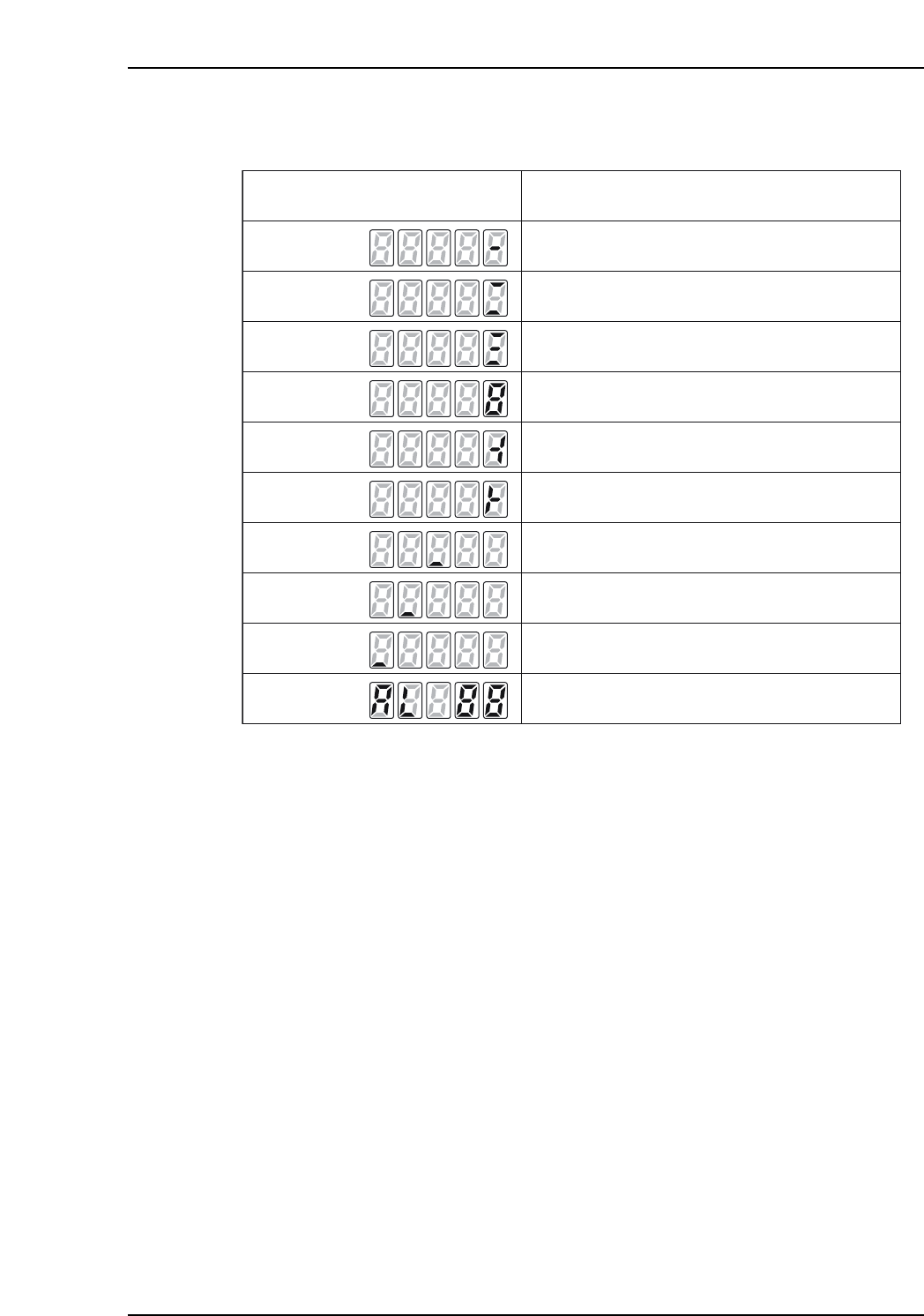
1. In this mode the servo amplifier status is displayed, as shown below.
Note: Under some conditions, excessive load, regenerative excessive load, and battery warning
status will be displayed when there is not an alarm.
XP1MA026E
7 segment LED
Display Status
Control power (r, t) has been confirmed, and
amplifier ready (RDY) is "ON".
7 segment LED
7 segment LED
Main power (R,S,T) is starting or being
confirmed, and the ready signal is "OFF".
Main power (R,S,T) has been confirmed, and the
ready signal is "ON".
Servo "ON" status.
Rotating in a figure 8 pattern.
Position or speed control standard rotation
overtravel status.
Position or speed control reverse rotation
overtravel status.
Overload warning status.
Regenerative overload warning status.
Battery warning status.
When an alarm occurs, "AL" and the alarm code
are displayed.
7 segment LED
7 segment LED
7 segment LED
7 segment LED
7 segment LED
7 segment LED
7 segment LED
Part 4 Chapter 1 Servo Amplifier Adjustments
Edition 3.0 4-1-3 XP-142E Mechanical Reference