LmrXP142机械手册.pdf - 第89页
Basic mode 1. To change to Basic mode, push the Mode Key several times until [bA] is displayed. 2. The display automatically changes to the page selection display screen shown below. 3. The page to be monitored is select…
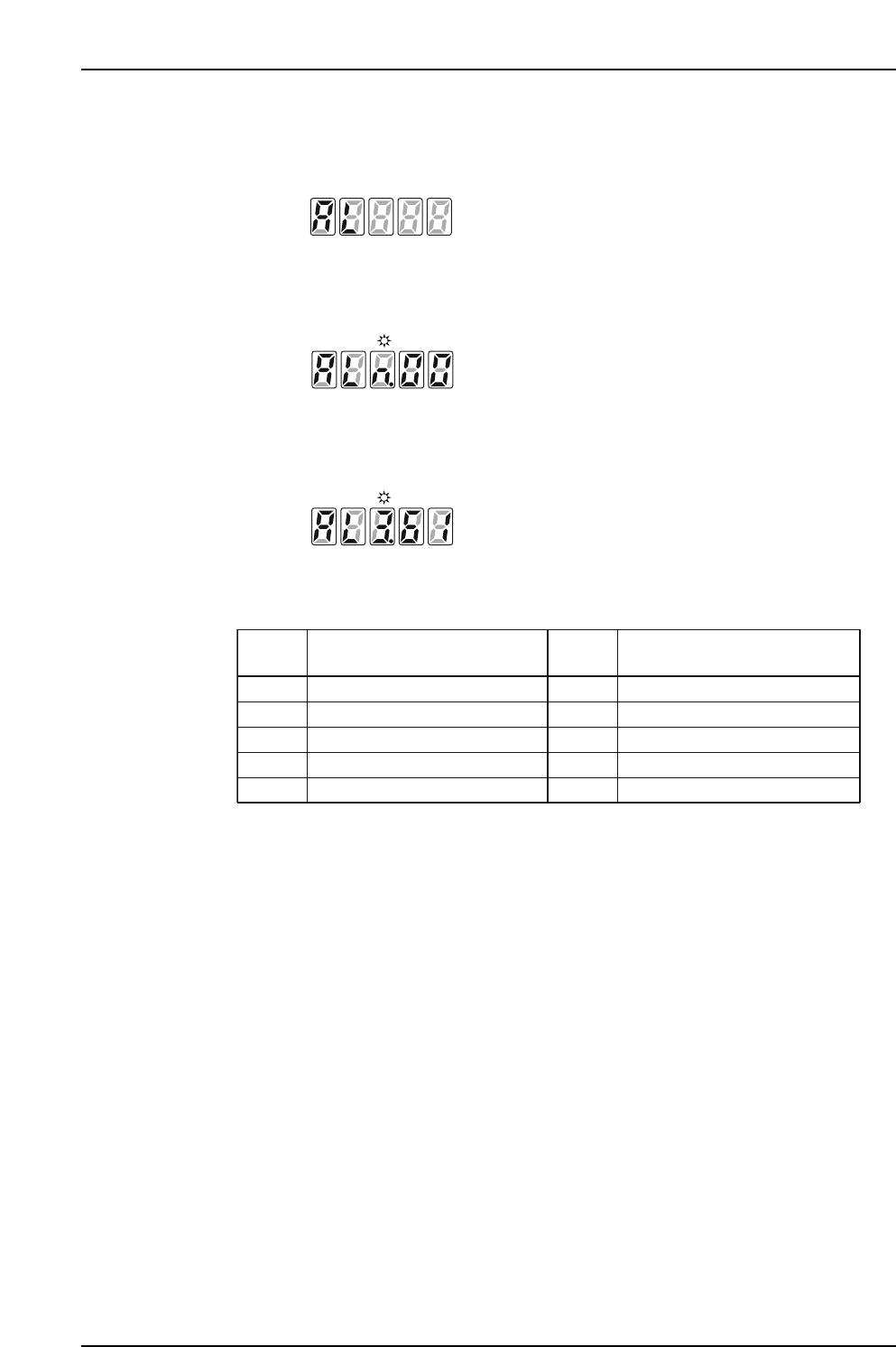
Alarm trace mode
1. To change to Alarm trace mode, push the Mode Key several times until [AL] is
displayed.
2. The display automatically changes to the page selection display screen shown
below.
3. The page to be monitored is selected by advancing with the [Up Key] and
returning with the [Down Key]. The 2 digits in the display are the alarm code. In
the figure below, the third previous error code was [61].
4. The most recent 7 alarm codes, the CPU version, and the alarm trace all clear
screen are displayed in the following order.
5. Push the [Mode Key] to return to the page selection display screen, and push it a
second time to advance to the next mode.
XP1MA013E
Current alarmn
Name
Select
Page
Name
Select
Page
1 alarm previous1
2 alarms previous2
3 alarms previous3
4 alarms previous4
5 alarms previous5
6 alarms previous6
7 alarms previous7
CPU Version
Alarm trace "All clear"
XP1MA012E
XP1MA011E
XP1MA010E
Part 4 Chapter 1 Servo Amplifier Adjustments
Edition 3.0 4-1-4 XP-142E Mechanical Reference
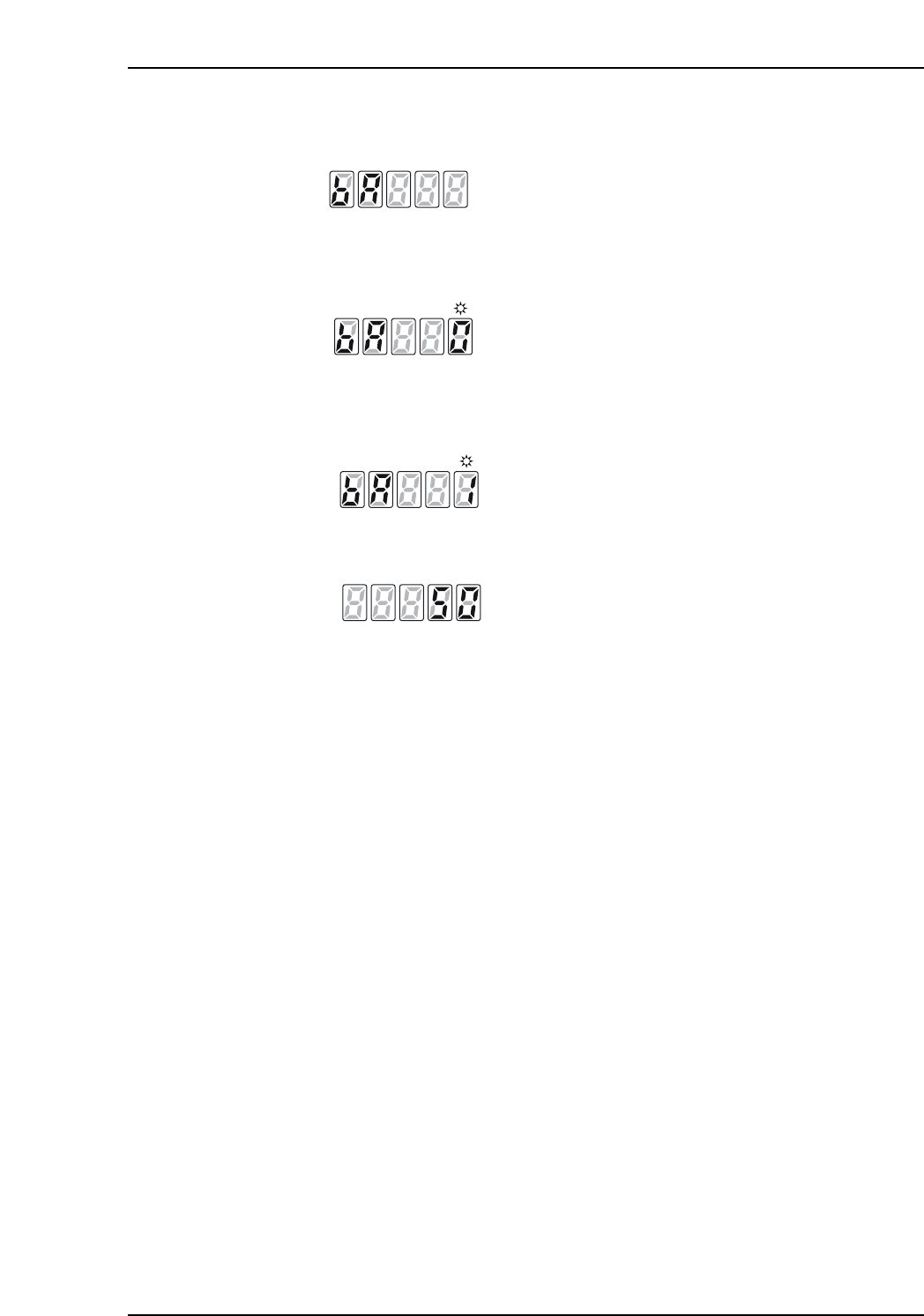
Basic mode
1. To change to Basic mode, push the Mode Key several times until [bA] is displayed.
2. The display automatically changes to the page selection display screen shown
below.
3. The page to be monitored is selected by advancing with the [Up Key] and
returning with the [Down Key]. The figure below shows [Page 1: Speed Loop
Proportional Gain 1].
4. Push the [WR Key] to display the data settings on the next page.
5. Push the [Mode Key] to return to the page selection display screen.
6. Push the [Mode Key] a second time to advance to the next mode.
XP1MA017E
[Setting data: 50Hz]
XP1MA016E
[Page 1: Speed loop proportional gain 1]
XP1MA015E
XP1MA014E
Part 4 Chapter 1 Servo Amplifier Adjustments
Edition 3.0 4-1-5 XP-142E Mechanical Reference
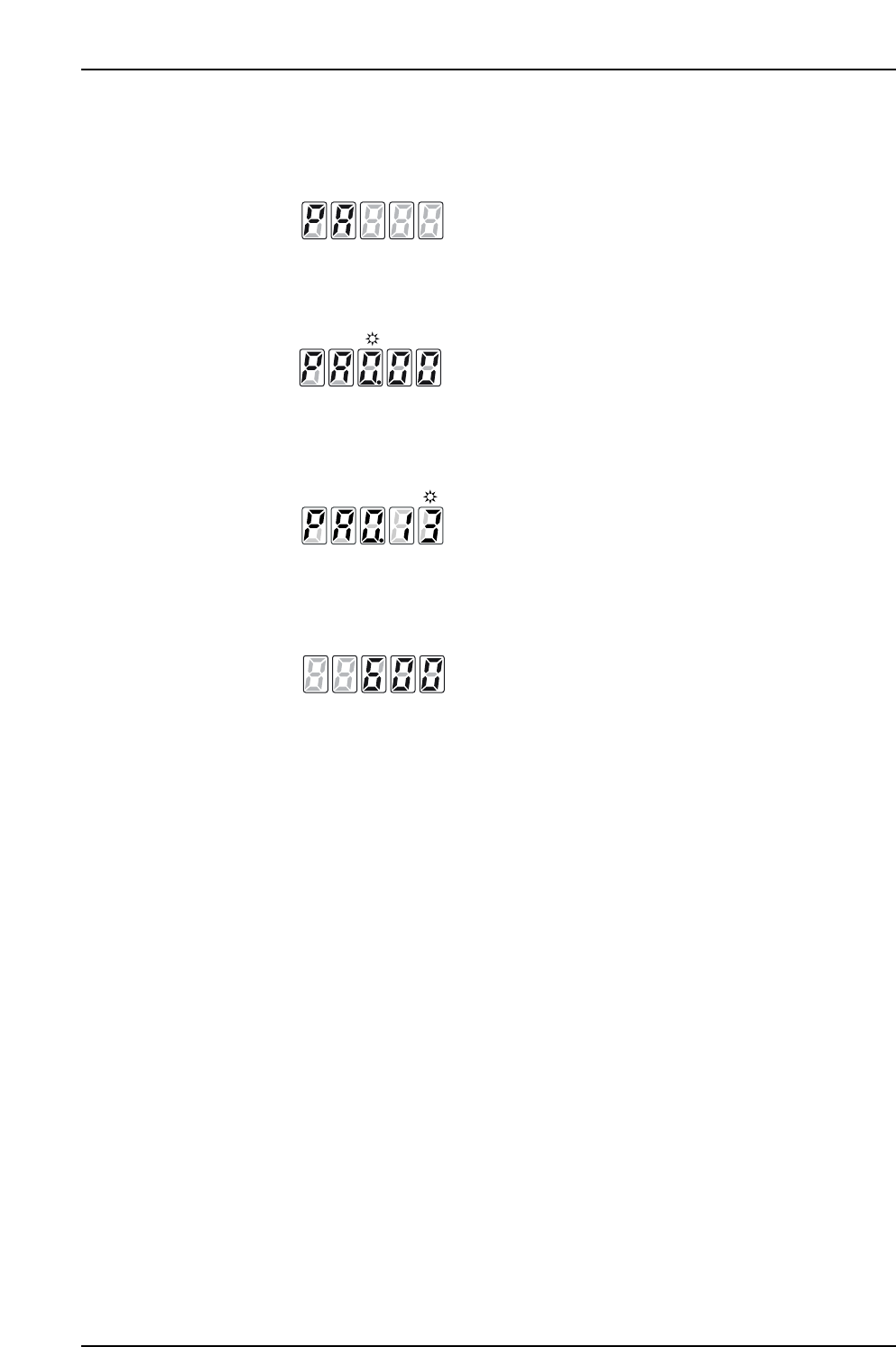
Parameter check mode
1. To change to Parameter check mode, push the Mode Key several times until [PA]
is displayed.
2. The display automatically changes to the page selection display screen shown
below.
3. The page to be monitored is selected by advancing with the [Up Key] and
returning with the [Down Key]. The figure below shows [Group: 0 Page 13:
Torque command filter].
4. Push the [WR Key] for more than one second to display the data settings on the
next page.
5. Push the [Mode Key] to return to the page selection display screen.
6. Push the [Mode Key] a second time to advance to the next mode.
XP1MA021E
[Setting data: 600Hz]
XP1MA020E
[Group 0 Page 13: Torque command filter 1]
XP1MA019E
XP1MA018E
Part 4 Chapter 1 Servo Amplifier Adjustments
Edition 3.0 4-1-6 XP-142E Mechanical Reference