LmrXP142机械手册.pdf - 第92页
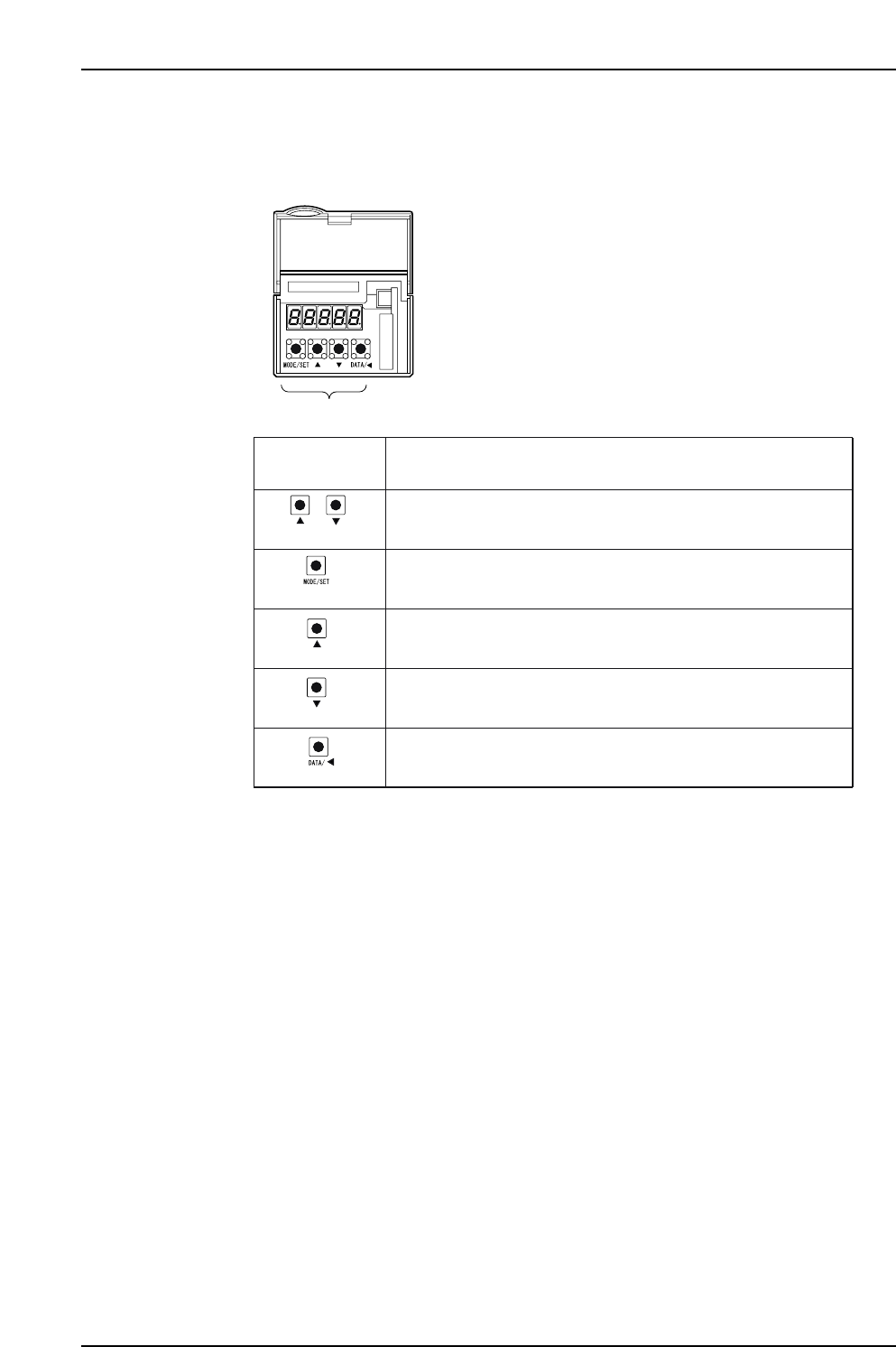
1.1.2 Y , Z, Q, R, F and G-axes Servo Amplifier (Sigma-III Series) Parameter Check The keys and functions are explained below. XP1MA027E Panel operator + (Push together) (DOWN) (DATA/SHIFT) (UP) (MODE/SET) Push both butt…
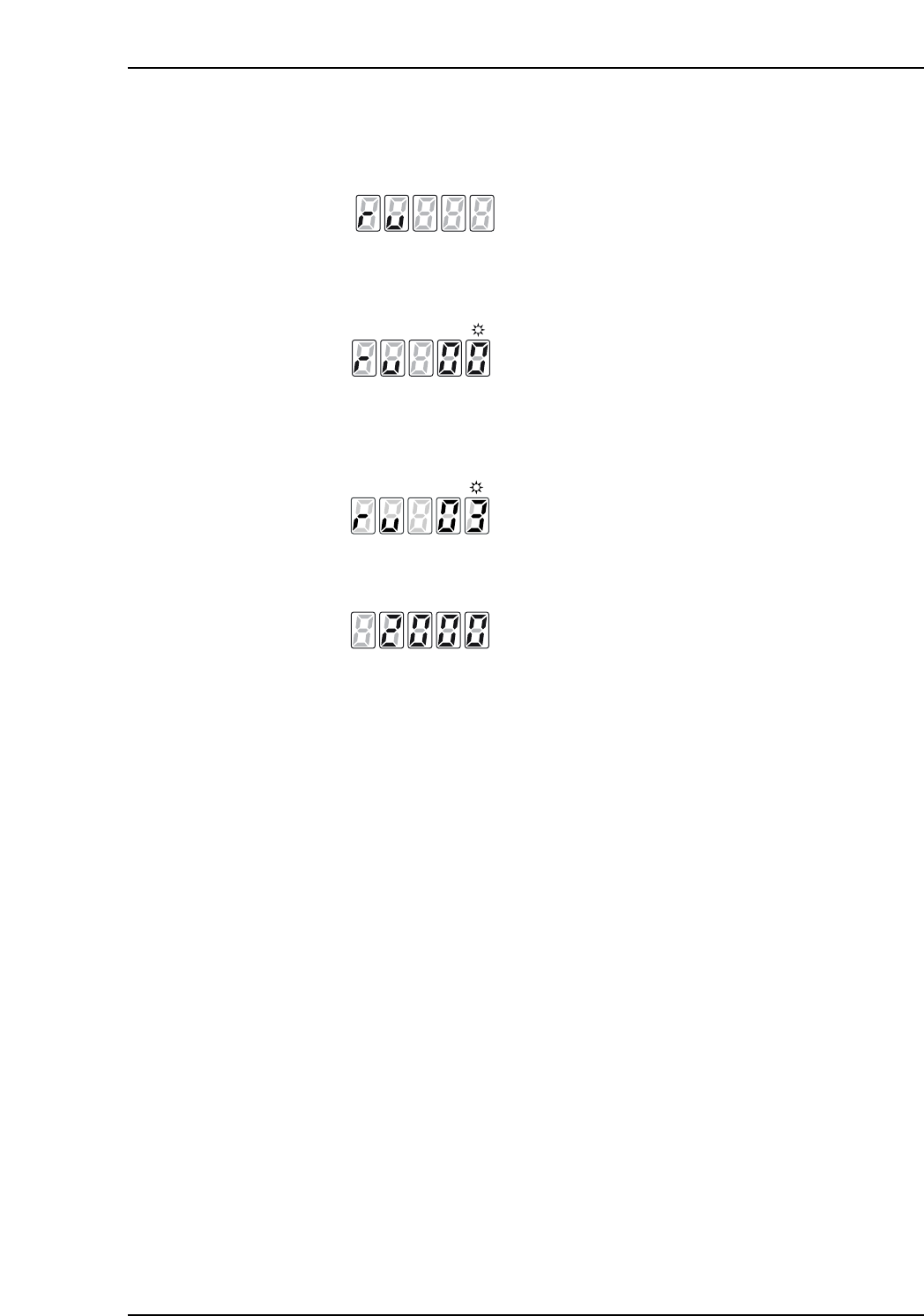
System parameter check mode
1. To change to System parameter check mode, push the Mode Key several times
until [ru] is displayed.
2. The display automatically changes to the page selection display screen shown
below.
3. The page to be monitored is selected by advancing with the [Up Key] and
returning with the [Down Key]. The figure below shows [Page 3: Incremental
resolution] function.
4. Push the [WR Key] to display the data settings on the next page.
5. Push the [Mode Key] to return to the page selection display screen.
6. Push the [Mode Key] a second time to advance to the next mode.
XP1MA025E
[Setting data: 2000P/R]
XP1MA024E
[Page 3: Incremental resolution]
XP1MA023E
XP1MA022E
Part 4 Chapter 1 Servo Amplifier Adjustments
Edition 3.0 4-1-7 XP-142E Mechanical Reference
1.1.2 Y, Z, Q, R, F and G-axes Servo Amplifier (Sigma-III Series)
Parameter Check
The keys and functions are explained below.
XP1MA027E
Panel operator
+
(Push together)
(DOWN)
(DATA/SHIFT)
(UP)
(MODE/SET)
Push both buttons together to reset the servo alarm.
Keys on
Panel Operator
Function
Push to change a basic mode (status display mode, utility function
mode, parameter setting mode, or monitor mode).
Push the UP key to increase the set value. For JOG operation, this
key is used as a Forward Run Start Key.
Push the DOWN key to decrease the set value. For JOG operation,
this key is used as a Reverse Run Start Key.
Push to set data.
Use to display parameter setting and set value.
Push to move the selected digit (flashing) to the left.
Part 4 Chapter 1 Servo Amplifier Adjustments
Edition 3.0 4-1-8 XP-142E Mechanical Reference
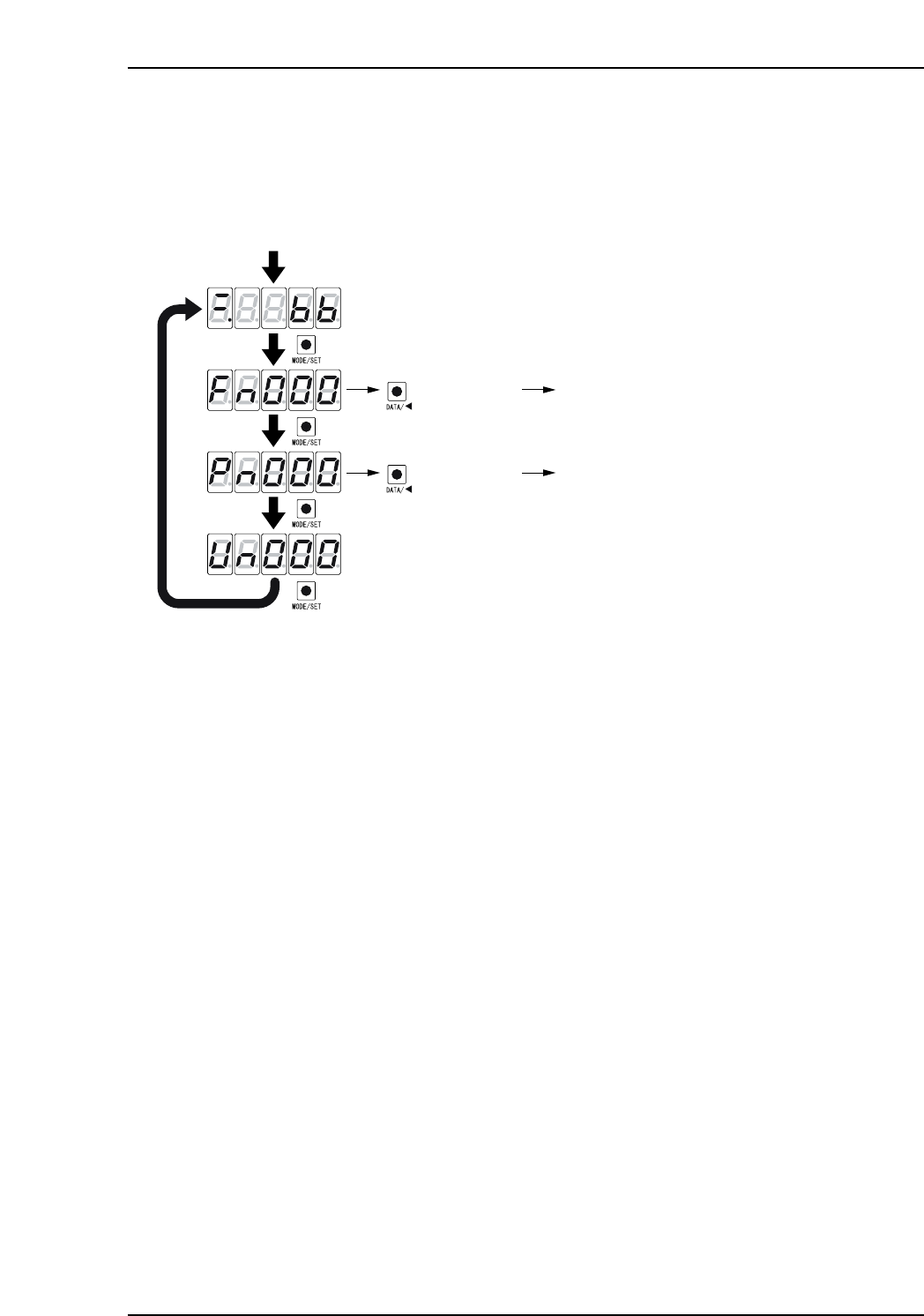
Basic mode selection and operation procedure
Alarm traceback display and Parameter check are two of the basic modes. Change the
basic mode at the panel operator to check operation status, parameters, or alarm
traceback display.
1. Push [MODE/SET] to select a basic mode in the following order.
2. Push [DATA/SHIFT] and [UP] or [DOWN] to select the desired parameter
number. In this status, push and hold [DATA/SHIFT] for more than 1 second to
display the contents of the selected parameter number in the selected mode.
XP1MA028E
Power ON
Push the MODE/SET key.
The basic mode is selected in the following order.
Status display mode
Push for more
than 1 sec.
Fn000
: Alarm traceback data
display mode
Push
Push
Push
Push
Push for more
than 1 sec.
Pn000 : Parameter setting mode
(DATA/SHIFT)
(DATA/SHIFT)
Part 4 Chapter 1 Servo Amplifier Adjustments
Edition 3.0 4-1-9 XP-142E Mechanical Reference