00196715-04_IM_SSW_704_03_SP1_DE_EN - 第48页
Station Software 704.03 SP1 / Installation Manual Ausgabe 10/2011 Edition 8 Uninstalling the SIPLACE software NOTICE You must be logged in as Administr ator to uninstall the software. ► Open the Start menu and select Pro…
Station Software 704.03 SP1 / Installation Manual Ausgabe 10/2011 Edition
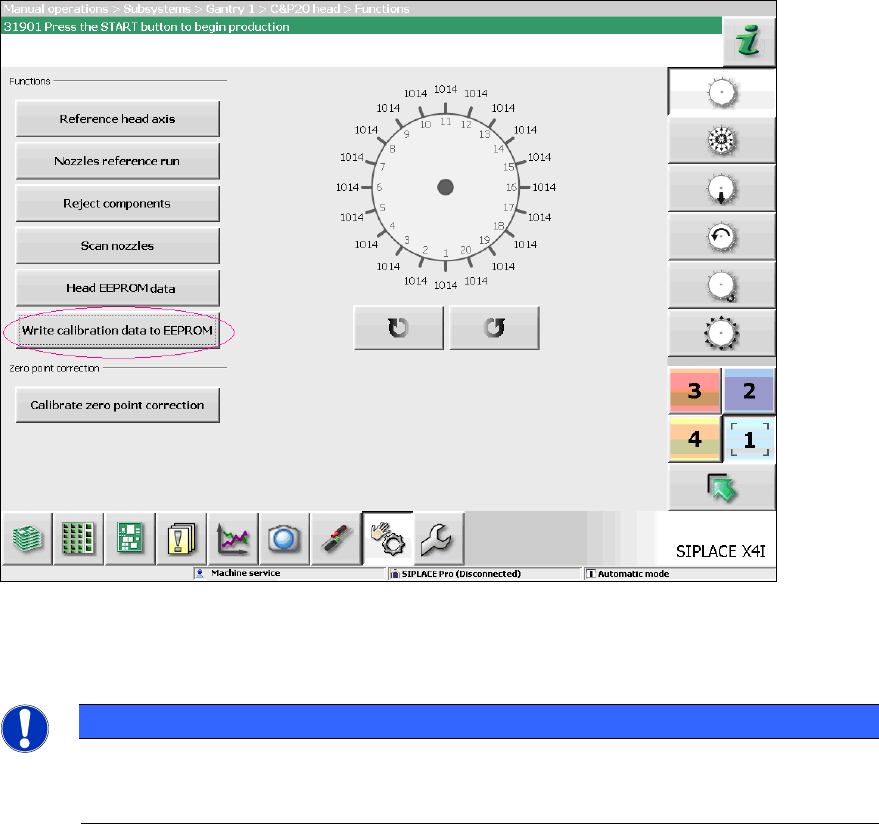
7.8 Storing calibration data in the EEPROM
In order to use the fast head exchange feature, the head specific calibration data has to be stored
in the EEPROM after upgrading from station software 701.xx. For placement heads with no head
specific calibration data stored within the EEPROM, the available data on the station computer will
be stored in the EEPROM of the respective placement head as follows.
Requirement:
– The eSW versions have been updated.
Figure 7-10: Storing calibration data in the EEPROM
► Perform the highlighted function for each placement head.
NOTICE
After the storing calibration data step, the message 37200 Changed heads
detected should disappear. Otherwise you will have to reboot the machine. If the
message still is displayed after rebooting, please inform the SIPLACE Service.
47
Station Software 704.03 SP1 / Installation Manual Ausgabe 10/2011 Edition
8 Uninstalling the SIPLACE software
NOTICE
You must be logged in as Administrator to uninstall the software.
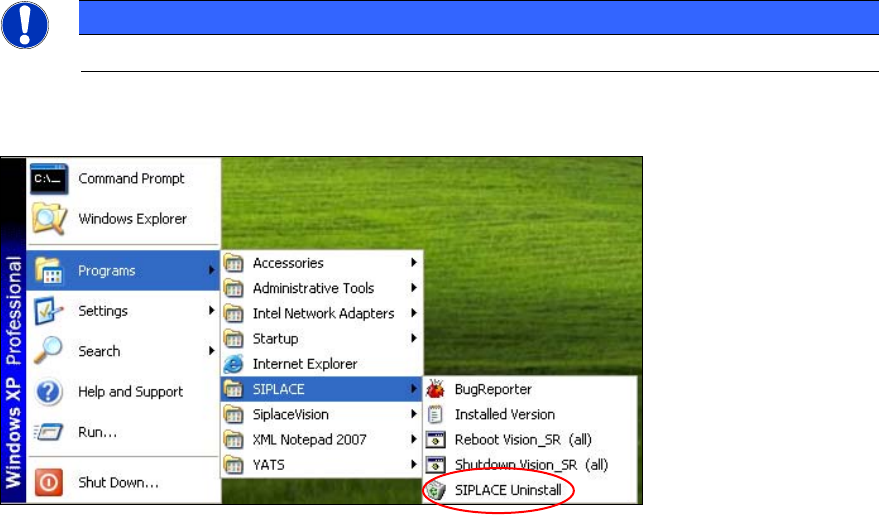
► Open the Start menu and select Programs Æ SIPLACE Æ SIPLACE Uninstall.
Figure 8-1: Starting uninstallation (alternative 1)
Or:
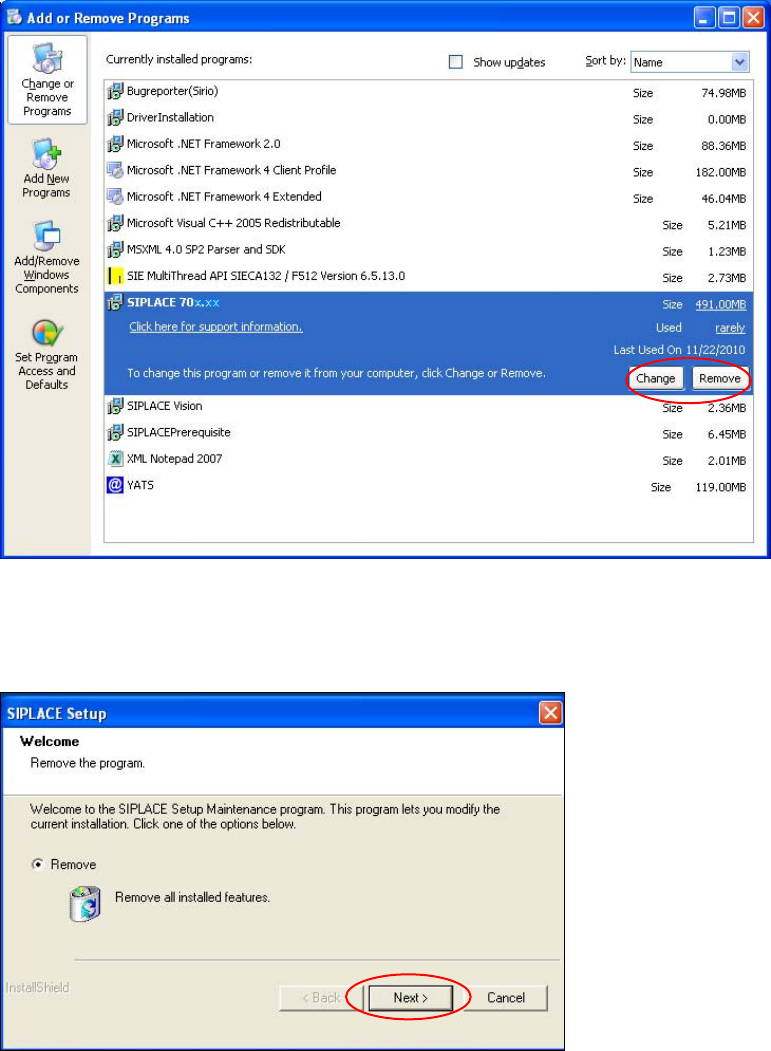
► Open the Start menu and select Settings Æ Control Panel.
► Double-click Add/Remove Programs.
48
Station Software 704.03 SP1 / Installation Manual Ausgabe 10/2011 Edition
Figure 8-2: Starting uninstallation (alternative 2)
► Select SIPLACE from the list of installed programs.
► Click the Change/Remove button.
Figure 8-3: Removing a program
► Click Next.
49