N7201A653E.pdf - 第312页
NPM- TT2 EJ M1EE-MB-13M-0 2 + 1 Plane calibratio n XY Plane calibr a tion XY (PC size conveyor) 1 Explains the method for calibrating the plane calibration XY. This operation procedur e is also shared by the 8- and 3-noz…
NPM-TT2 EJM1EE-MB-13M-02
13-2-2
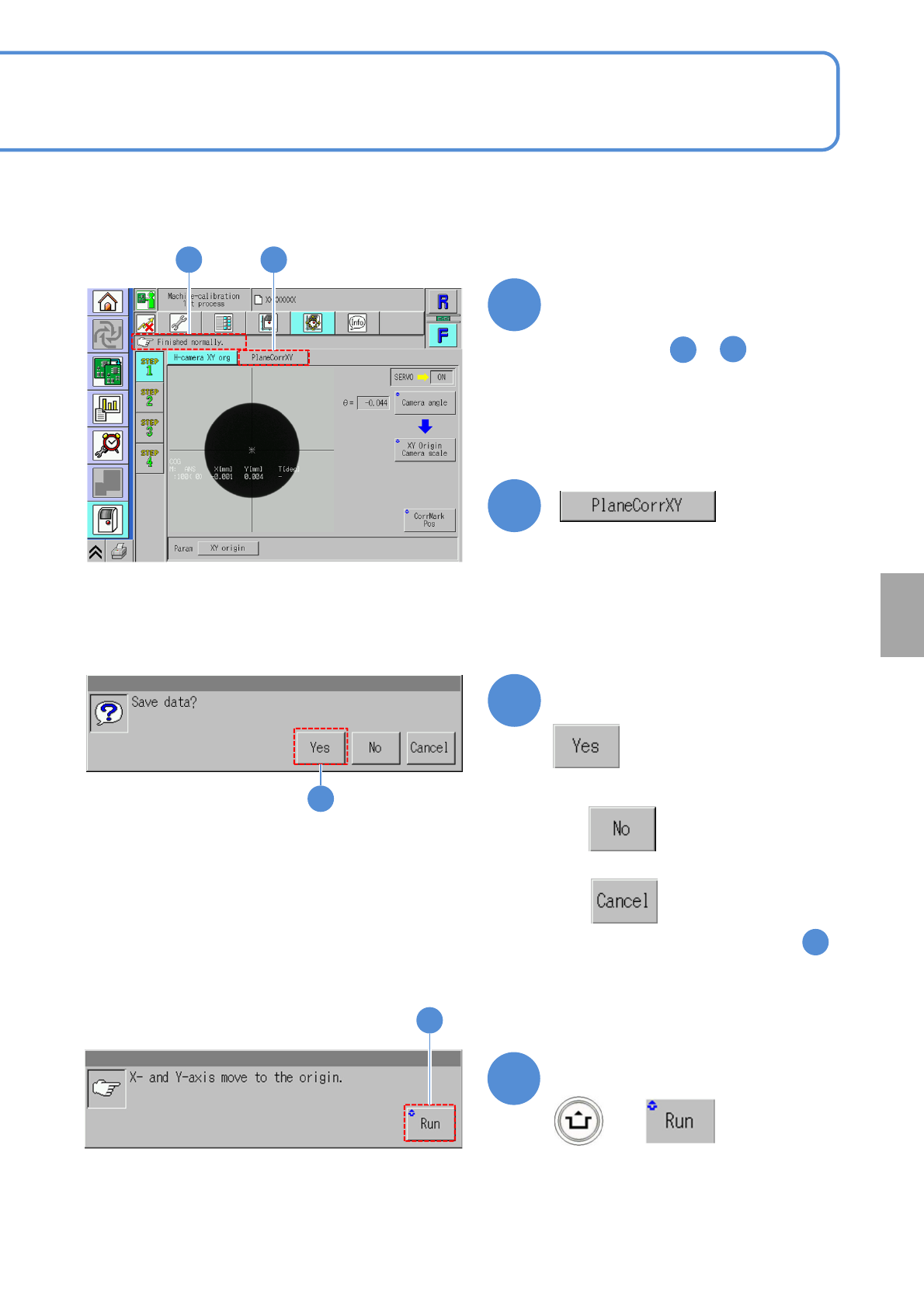
Confirm the message
6
6
●When you do not save the data
●To cancel
(The screen remains as it is in . )
5
Confirm the message
7
(XY unit moves to the origin)
+
7
Confirm that it has been
successfully completed
4
5
●Perform steps to for the
other table.
1
4
Calibration
4 5
NPM-TT2 EJM1EE-MB-13M-02
+
1
Plane
calibratio
n XY
Plane calibration XY
(PC size conveyor) 1
Explains the method for calibrating the plane calibration XY.
This operation procedure is also shared by the 8- and 3-nozzle heads.
●Place the plane calibration jig on the transfer conveyor to the left or right of the machine by hand and
operate it. (Two plane calibration jigs: N210141055AB)
●Perform calibration on lane 1 and 2 at once.
●Do not turn OFF the power of the machine during calibration.
●Remove all the PCB support pins before performing plane calibration.
●If you cannot set a plane calibration jig, manually load the PCB from the pre-process machine and set the
jig using the workbench (please prepare yourself).
Check that there are no PCBs
present inside the machine
●If ‘error’ message appears, remove all
the PCBs remaining inside the machine,
and try again.
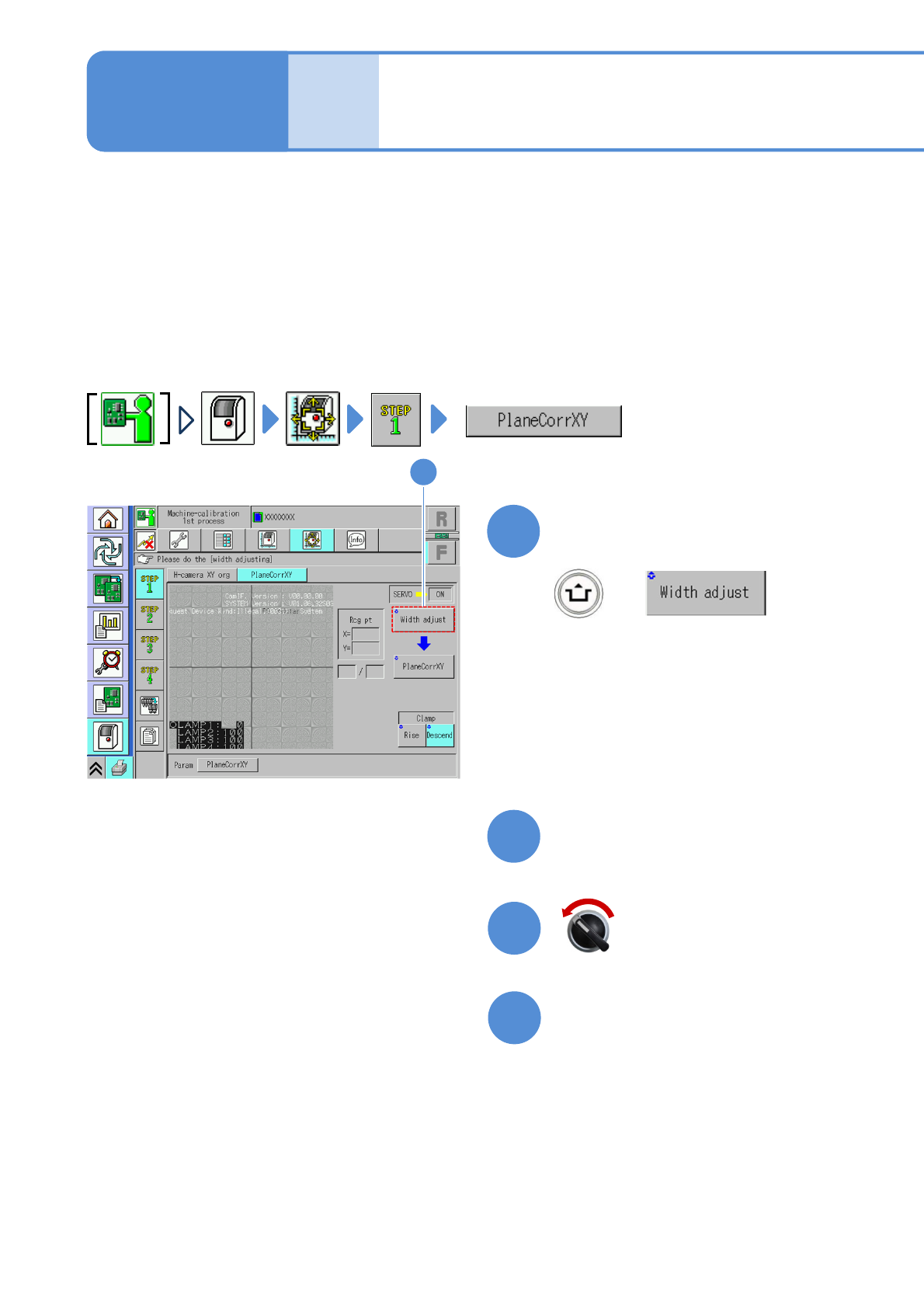
1
(The width is adjusted)
(The head moves to the retraction
position.)
Maintenance
13-3-1
2
Prepare for the first plane
calibration XY
4
3
Open the safety cover
Servo switch OFF
13-3-1-1
NPM-TT2 EJM1EE-MB-13M-02
5
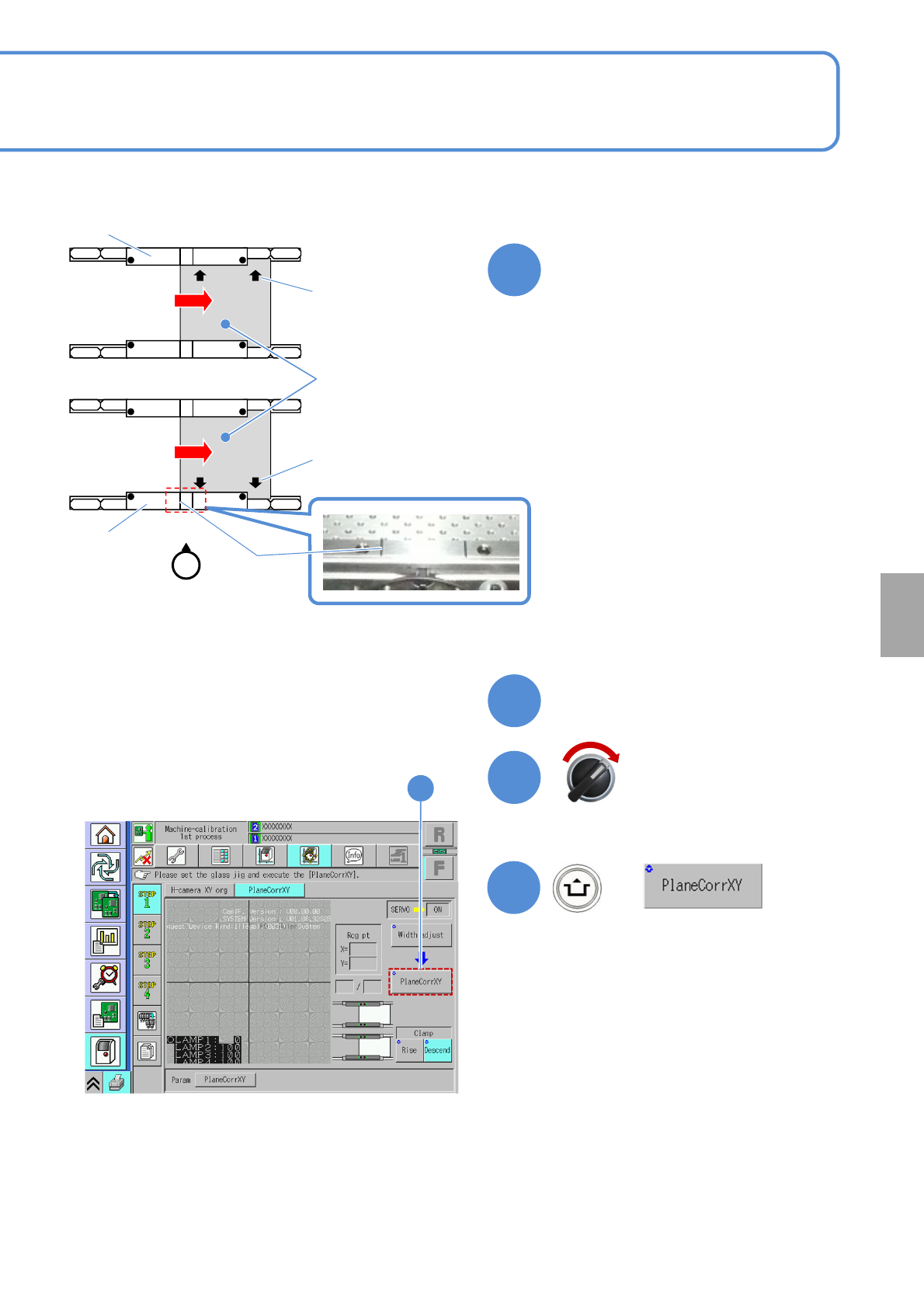
Set the plane calibration jig
①Manually move the calibration jig and
align the left end of the plane
calibration jig to the left side guide line
on the PCB conveyor upper surface.
(Both on lane 1 and 2. Common in
each PCB flow direction)
②Set the reference mark on the plane
calibration jig to the reference rail.
③Attach the plane calibration jig to the
reference rail.
Calibration
6
Close the safety cover
7
Servo switch ON
+
8
8
●If you cannot set a plane calibration jig,
manually load the PCB from the pre-
process machine and set the jig using
the workbench (please prepare
yourself).
Operator
Guide line
Reference mark
Reference mark
Reference rail
Reference rail
Lane 1
Lane 2
Plane
calibration jig
13-3-1-2
●You can also remove the feeder cart
and set a plane calibration jig.