N7201A653E.pdf - 第11页
NPM- TT2 EJM1EE-CT-01 N-01 S-1 1 T able of Contents 1 1 Confir mation -1 Safety precautio ns -2 W arning labels -3 Safety management -3-1 Safety switches / Key management / Maintenance warning sheet -3-2 Stopping specifi…
NPM-TT2 EJM1EE-BP-04N-01
Terms used in the button on the screen may differ from
the ones in explanation.
Remarks
● Homing axis
S-10
1
2
1
+
2
A
A
How to read operating instructions… 2
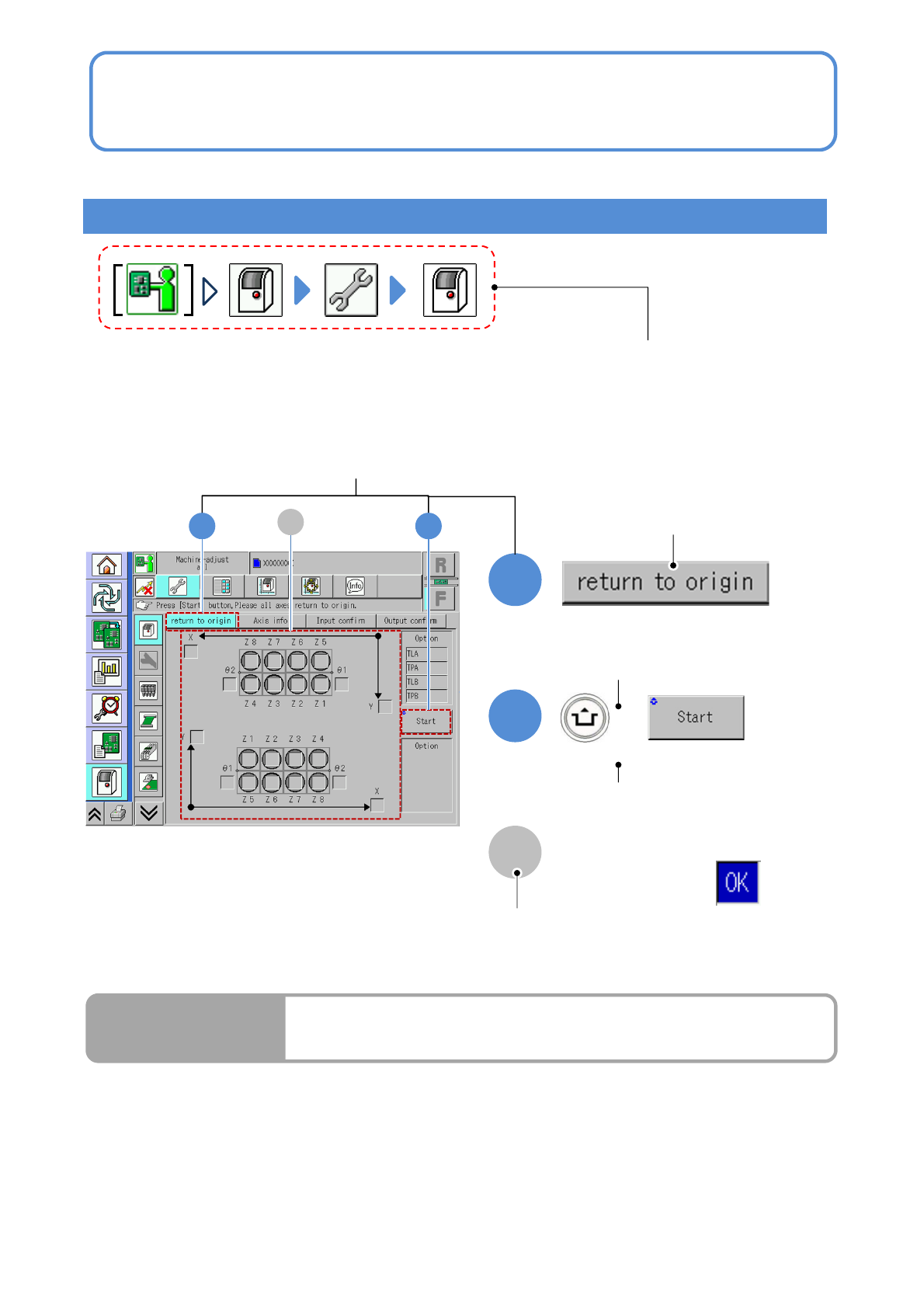
Visual procedure/operation by reading
Operation procedure
Operation mode button, press the button
that shows each level of operation.
Shows to push the
operation button.
Shows to push another button
while holding down the
ACTIVATION switch.
Shows the operation results.
(Completes continuous preparation.)
Run Results
Screen explanation

NPM-TT2 EJM1EE-CT-01N-01
S-11
Table of Contents
1
1
Confirmation
-1
Safety precautions
-2
Warning labels
-3
Safety management
-3-1
Safety switches / Key management /
Maintenance warning sheet
-3-2
Stopping specifications when coupled
-3-3
Connecting a device or a conveyor
prepared by custome
r
-4
Precautions
-5
Handling the SD card and the
product nameplate
-6
Disposing the gas spring
-7
Handling the used battery
-8
Repairs on or disposal of linear
motors
-9
Component names
-9-1
A
ppearance diagram/Operating units
-9-2
Operation switch
-9-3
Main units

NPM-TT2 EJM1EE-CT-01M-02
S-12
2
Overview
-1
Overview
-1-1
Maintenance overview
-1-2
Periodic inspection items by cycle
-1-3
Periodic inspection items by unit
-1-4
Periodic inspection items by applying grease
-1-5
Consumable parts
-1-6
Periodic inspection points by unit
-1-7
Component exchange due to limited-life
3
Tasks
related to
maintenance
-1
Greasing
-2
How to handle the feeder cart
(feeder cart (option))
-3
Detaching and attaching the
feeder table cover