N7201A653E.pdf - 第133页
NPM- TT2 EJ M1EE-MB-05M-0 3 ACTIVATION Every 140 hours Periodic Periodic Periodic inspection 5-2 -6 Checking the nozzle arrangement 13 ● Only if production data has been loaded, carry out opera tions after 13 15 16 17 Ch…
NPM-TT2 EJM1EE-MB-05M-03
Maintenance
5-2
Cleaning the nozzle
holder 3
(3-nozzle head (option))
5-2-5
10
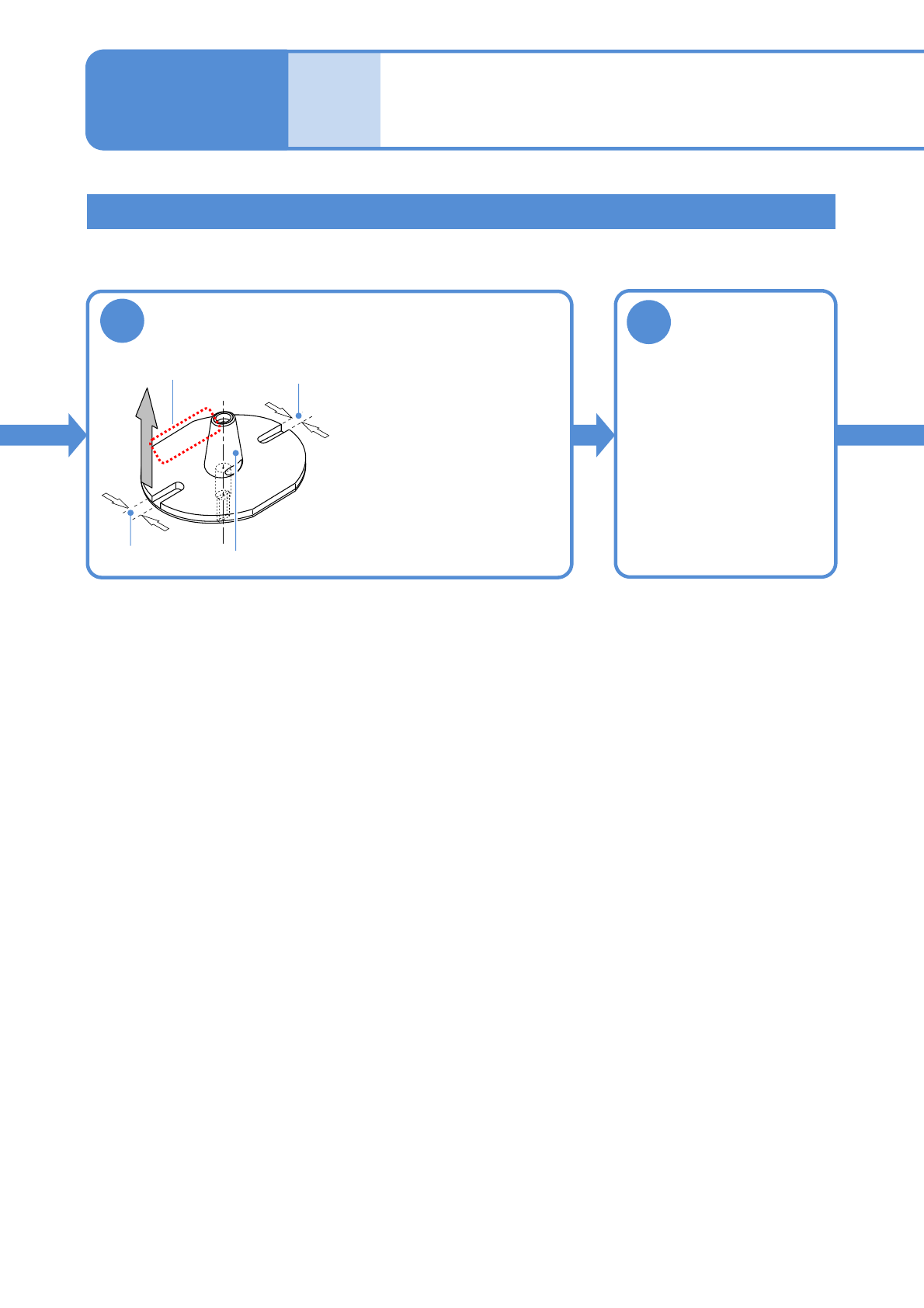
Attach the nozzle
∗∗∗∗∗
Inscription
(nozzle No.)
Narrow groove
Wide groove
Nozzle taper surface
●Align the narrow groove with
the θ -direction stopper and
lift the nozzle vertically.
●Check if it is grasped in
chuck.
●Make sure that the nozzle
attachment position is correct.
Attaching the nozzle
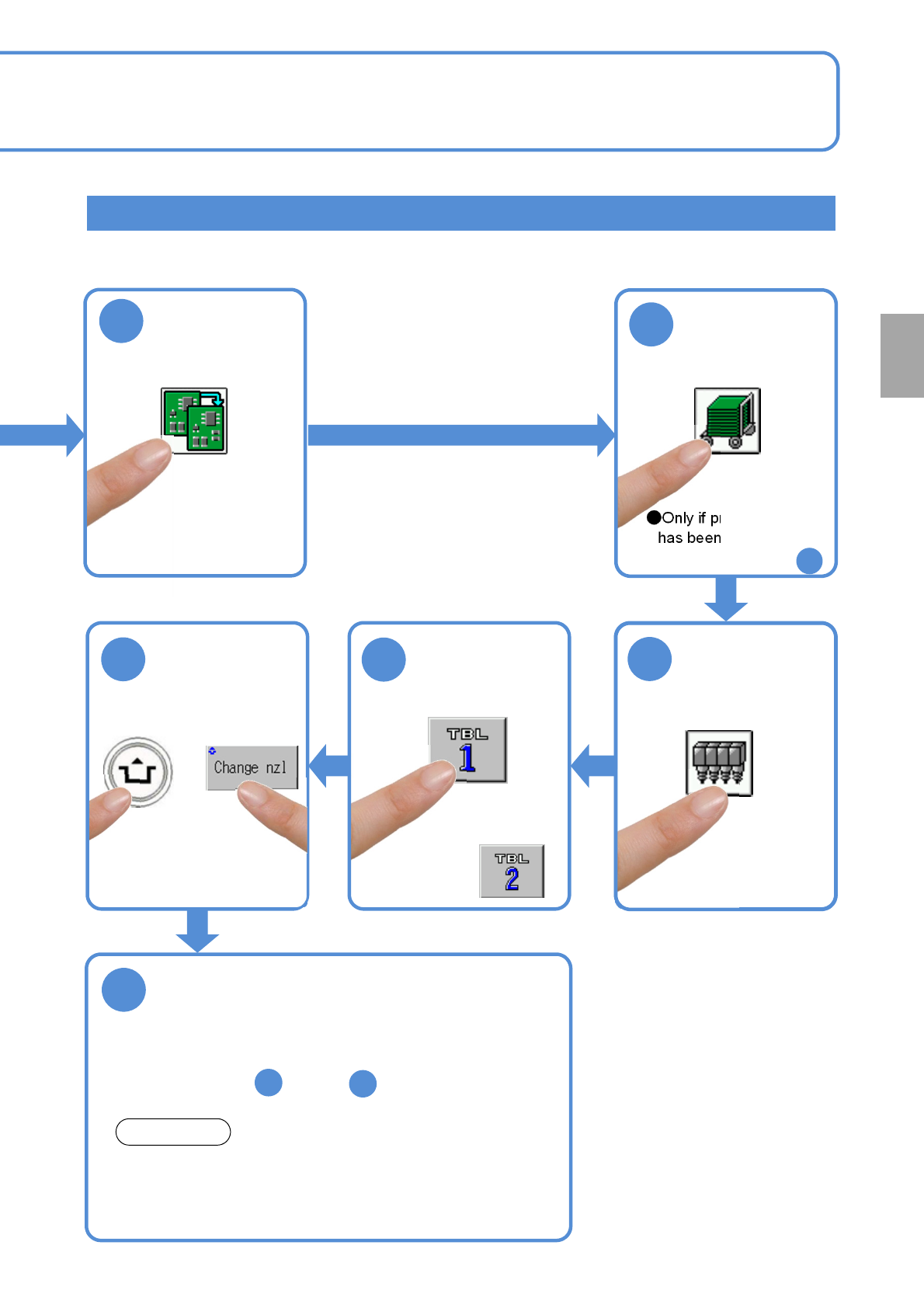
11
Attach the tray
feeder or the
feeder cart
●For a tray feeder
(→ P.14-8)
●For a feeder cart
(→ P.3-2)
NPM-TT2 EJM1EE-MB-05M-03
ACTIVATION
Every
140
hours
PeriodicPeriodicPeriodic
inspection
5-2-6
Checking the nozzle arrangement
13
●Only if production data
has been loaded, carry
out operations after
13
15
16
17
Check the nozzle arrangement
The dimensions of nozzle bases are measured in this
operation. Nozzles that have the same dimensions but differ
in nozzle type are not identified. So visually check for the
nozzle type when attaching nozzles.
14
12
NOTICE
●For the rear,
●Check the screen for the nozzle arrangement of each
nozzle position.
●If the wrong nozzle is set, replace it with the correct one
after the step , and do .
11
2
NPM-TT2 EJM1EE-MB-05M-03
Cleaning
the PCB-
support
blocks
Describes cleaning of the PCB-support block.
●If a foreign body such as dust is present in the PCB-support block and the PCB holder, it could cause
attachment problems with the PCB-support block, thus damaging PCBs.
●Tasks for the PCB support block (for automatic change) (option) are also the same.
Tool used: Lint free cloth, brush Time required: 10 minutes
Maintenance
5-3-1
CAUTION
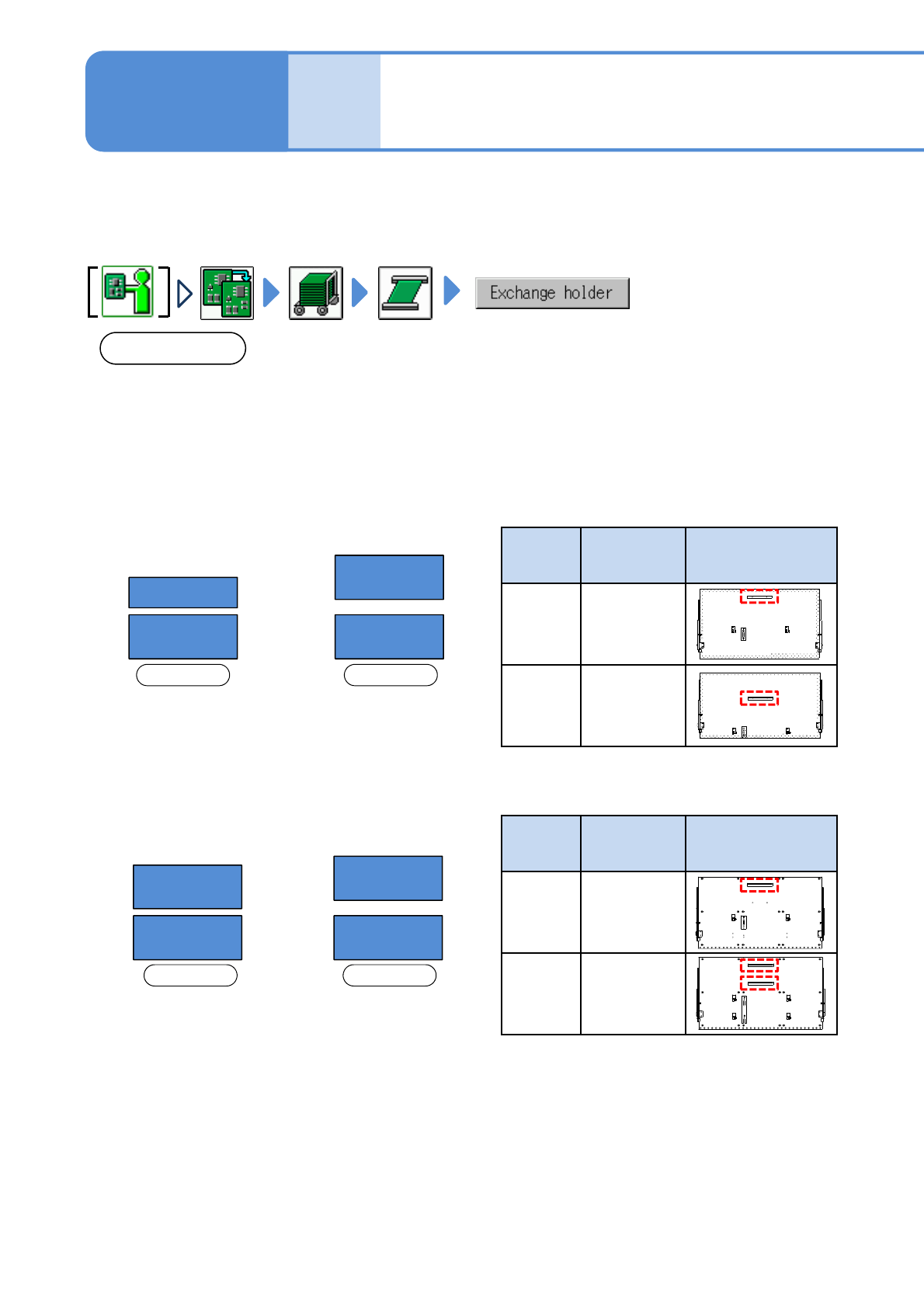
The type and arrangement of the PCB support block on the rear side vary between single lane mode and dual
lane mode. (See below)
When lane mode is changed, the layout of the support blocks must be changed as well.
Make sure to use the support block suitable for each lane mode; otherwise the machine does not operate
properly.
■Arrangement on
single lane mode
■Arrangement on
dual lane mode
Front side Front side
B
A A
A
■Arrangement on
single lane mode
■Arrangement on
dual lane mode
Front side Front side
D
C C
D
PCB
support
block
Product No. PCB support block
arrangement
(rear side)
C
N610144183AD
D
N610144184AD
●For PCB support block (for automatic change) (option)
* If you wrongly install the PCB support block of C with D,
you cannot change to the arrangement in single lane
mode.
●For PCB support block (standard)
PCB
support
block
Product No. PCB support block
arrangement
(rear side)
A
N610136590AA
B
(option)
N610136589AA
5-3-1-1
Cleaning the PCB-
support blocks
( PC size conveyor ) 1