N7201A653E.pdf - 第227页
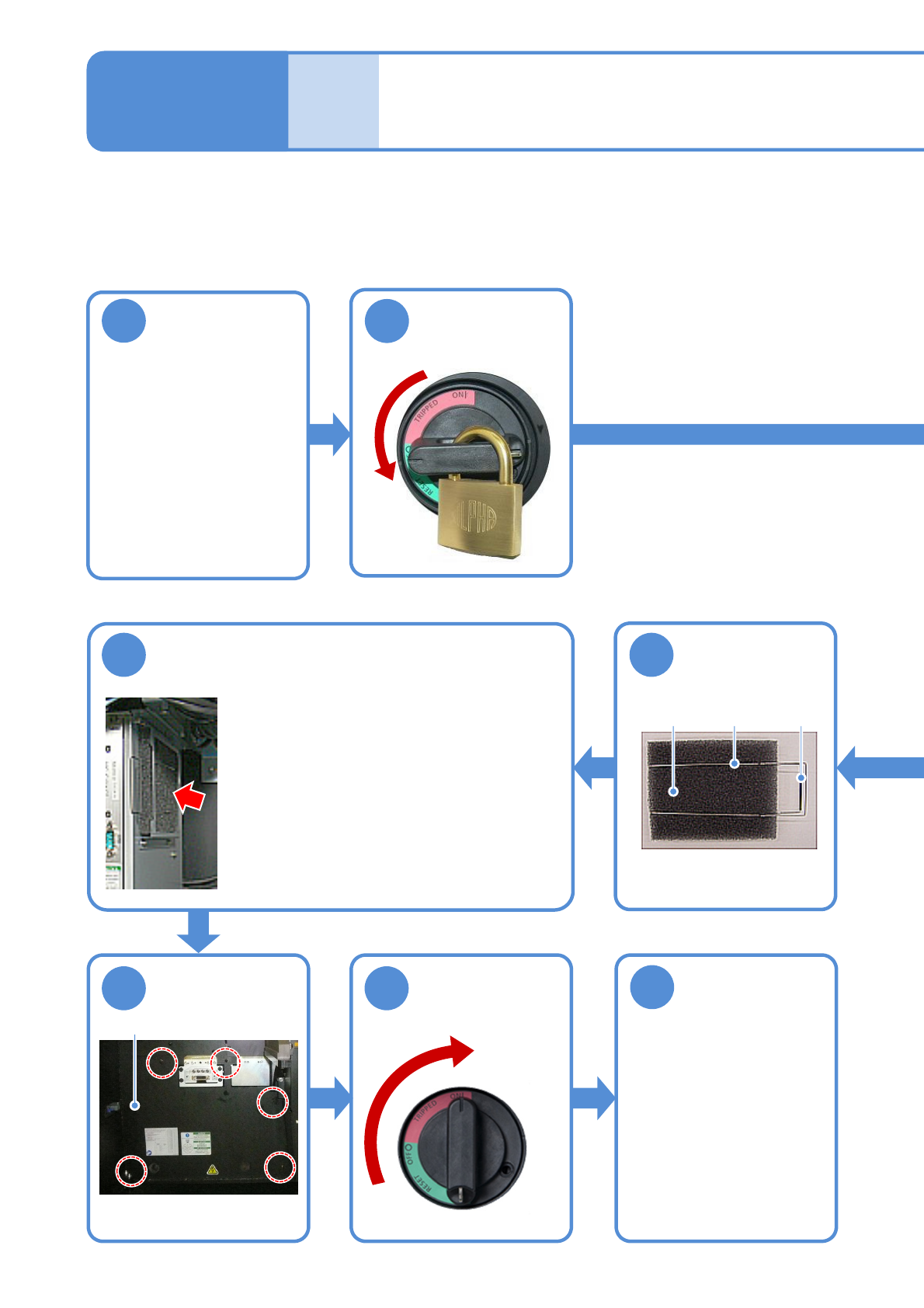
NPM- TT2 EJM1EE-MB-08 M-01 Remove the filter Main controller Handle ● Pull it forward with holding the projection A. Projection A 8-1 -2 4 Every 3000 hours Periodic Periodic Periodic Periodic Periodic inspection Remove t…
NPM-TT2 EJM1EE-MB-08M-01
8-1-1
Tool used: Phillips screwdriver (No.2) and vacuum cleaner Time required: 20 minutes
Cleaning the filter
(main controller)
Maintenance
8-1
Detach the tray
feeder or the
feeder cart on the
rear side
●For a tray feeder
(→ P.14-8)
●For a feeder cart
(→ P.3-2)
1
4
2
OFF
6
Attach the filter
●Put the filter between the springs.
●Hold the handle of the spring and push it
all the way into until the projection A is hooked.
5
Remove dust
attached to
the filter
Spring
Filter
Handle
7
Attach the
cover
● Five screws
8
(Front side)
ON
Unlock the
machine and
Cover
9
Attach the tray
feeder or the
feeder cart on the
rear side
●For a tray feeder
(→ P.14-8)
●For a feeder cart
(→ P.3-2)
Turn OFF the
power and lock
the machine
●Remove the filter, and clear
dust from the filter with a
vacuum cleaner.
NPM-TT2 EJM1EE-MB-08M-01
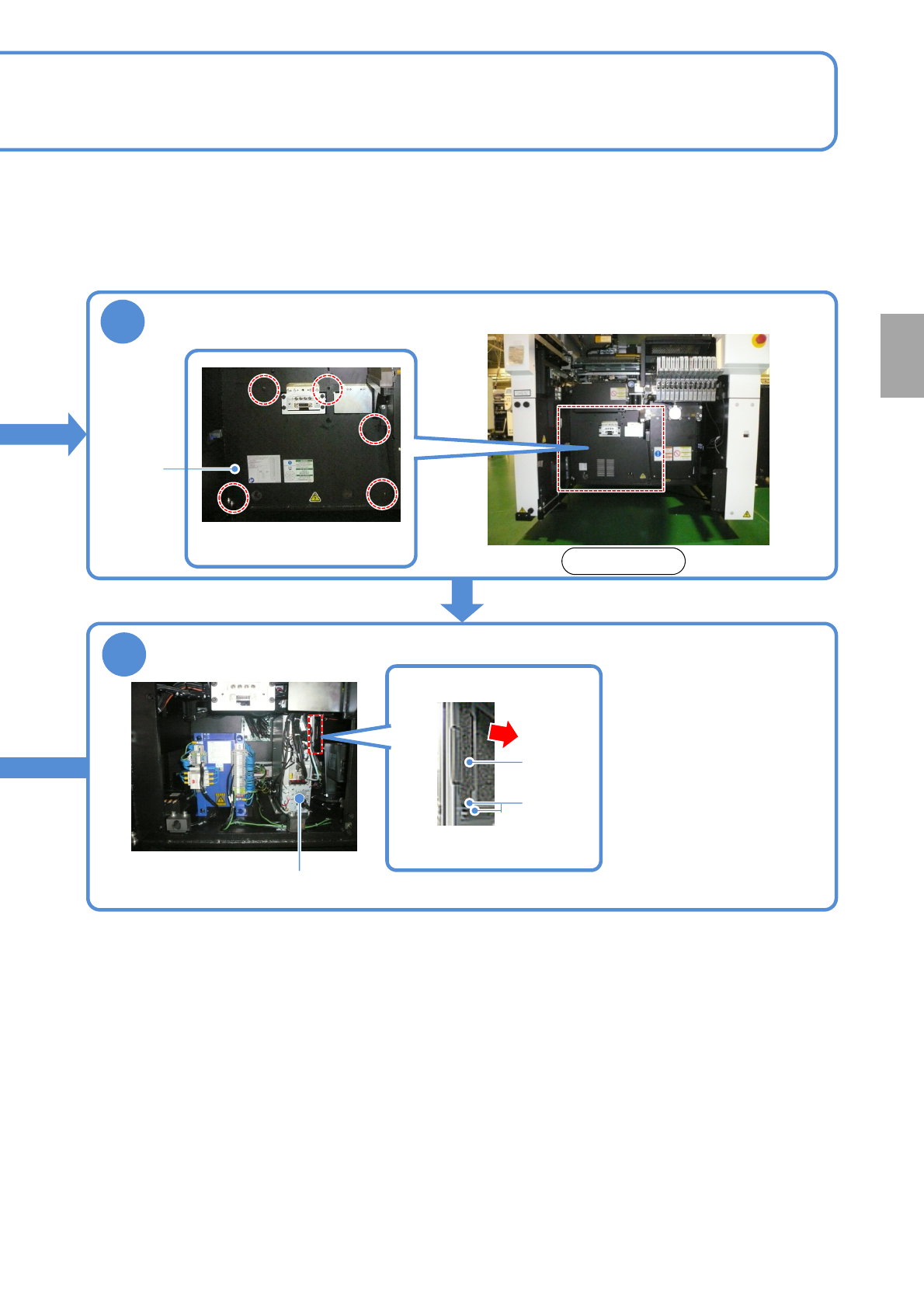
Remove the filter
Main controller
Handle
●Pull it forward with holding
the projection A.
Projection
A
8-1-2
4
Every
3000
hours
PeriodicPeriodicPeriodicPeriodicPeriodic
inspection
Remove the cover
●Five screws
Cover
3
Front side
NPM-TT2 EJM1EE-MB-08M-01
1
Rear side of FA PC
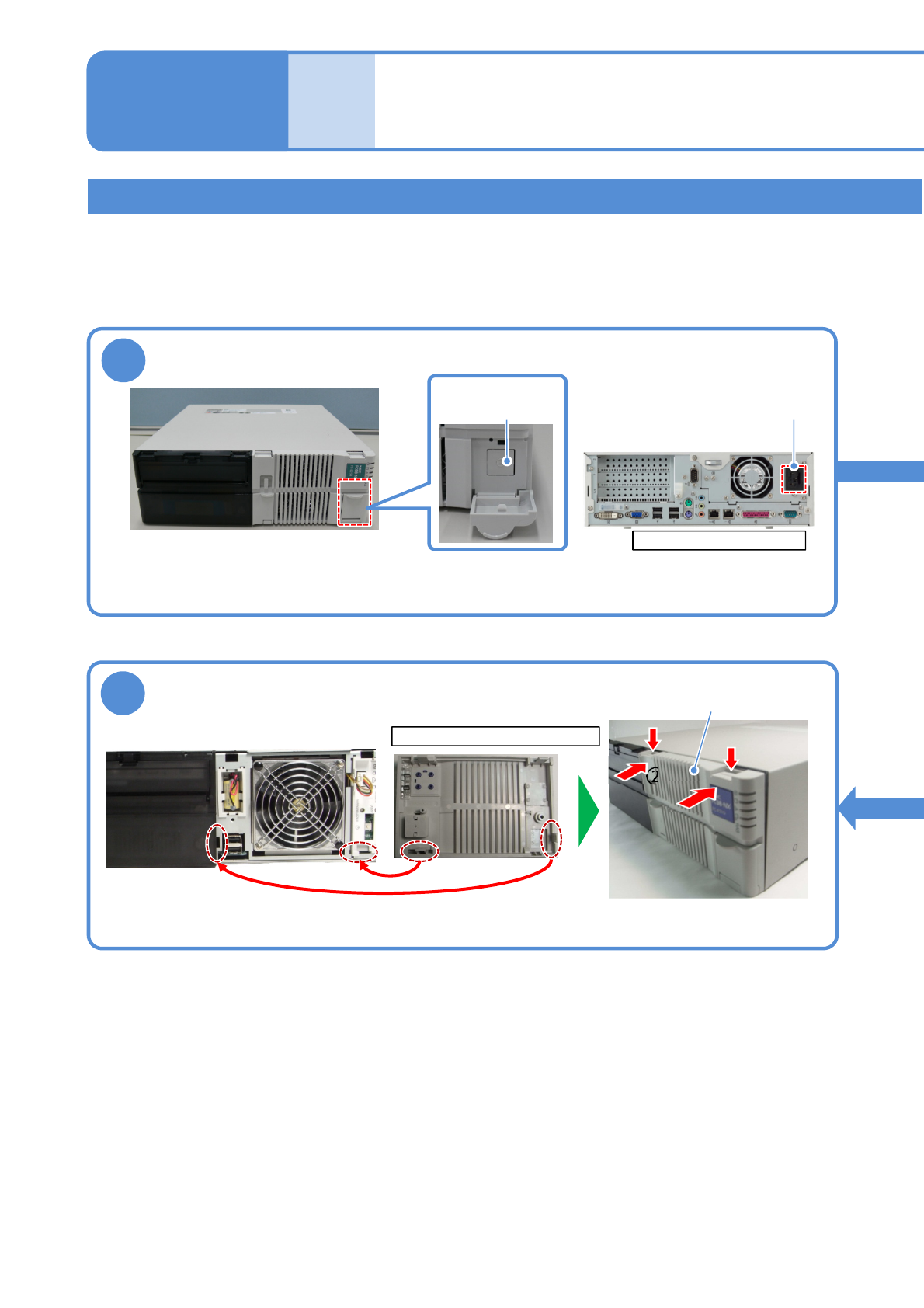
Cleaning the filter of the FA computer
8-2-1
Cleaning the filter of
the FA computer 1
(LNB(option))
Main power
supply switch
●To end production, turn OFF the main power supply switches on the machine and then on the LNB.
(→”[LNB] 2.1 Operating Instructions of the Main Power Supply Switch at Production Start/End”)
Turn OFF the power of the FA PC
AC power
connector
Maintenance
8-2
6
Rear side of the front cover
①
①
②
②
Front cover
●Align claws on the front cover with holes in the PC.
●Push down the tip of the claws
and push the front cover .
Attach the front cover
Describes how to clean the filter set on the FA computer
Tool used: vacuum cleaner Time required: 15 minutes
●The FA PC model may look different than the images used in this manual. Perform operation or
maintenance based on your FA PC model.