N7201A653E.pdf - 第229页
NPM- TT2 EJ M1EE-MB-08M-0 1 8-2 -2 Every 3000 hours Periodic Periodic Periodic Periodic Periodic inspection 2 3 Remove the filter holder ● Remove claws from four grooves. ① ① ② ② ③ Front cover ● Remove the filter attache…
NPM-TT2 EJM1EE-MB-08M-01
1
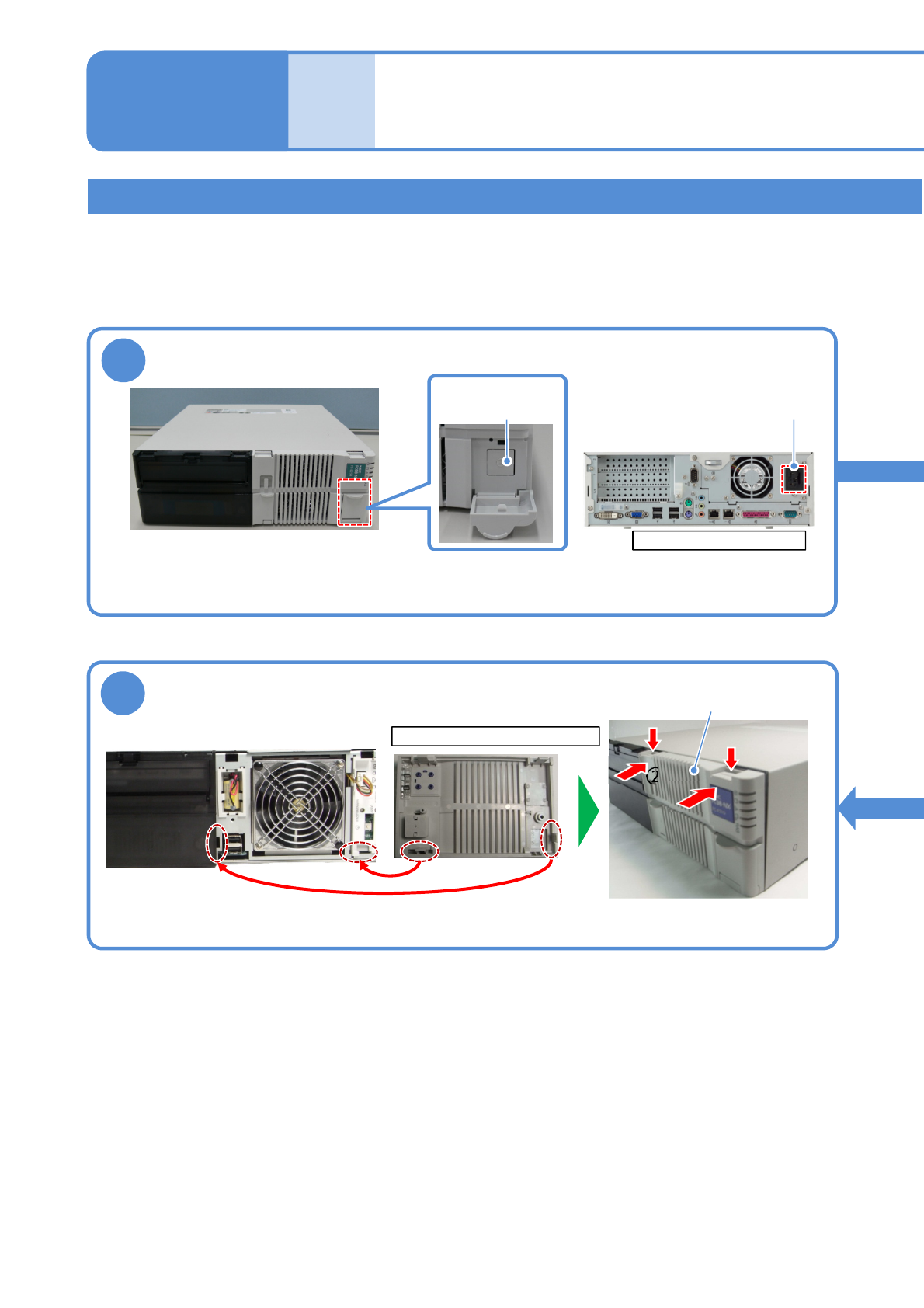
Rear side of FA PC
Cleaning the filter of the FA computer
8-2-1
Cleaning the filter of
the FA computer 1
(LNB(option))
Main power
supply switch
●To end production, turn OFF the main power supply switches on the machine and then on the LNB.
(→”[LNB] 2.1 Operating Instructions of the Main Power Supply Switch at Production Start/End”)
Turn OFF the power of the FA PC
AC power
connector
Maintenance
8-2
6
Rear side of the front cover
①
①
②
②
Front cover
●Align claws on the front cover with holes in the PC.
●Push down the tip of the claws
and push the front cover .
Attach the front cover
Describes how to clean the filter set on the FA computer
Tool used: vacuum cleaner Time required: 15 minutes
●The FA PC model may look different than the images used in this manual. Perform operation or
maintenance based on your FA PC model.
NPM-TT2 EJM1EE-MB-08M-01
8-2-2
Every
3000
hours
PeriodicPeriodicPeriodicPeriodicPeriodic
inspection
2 3
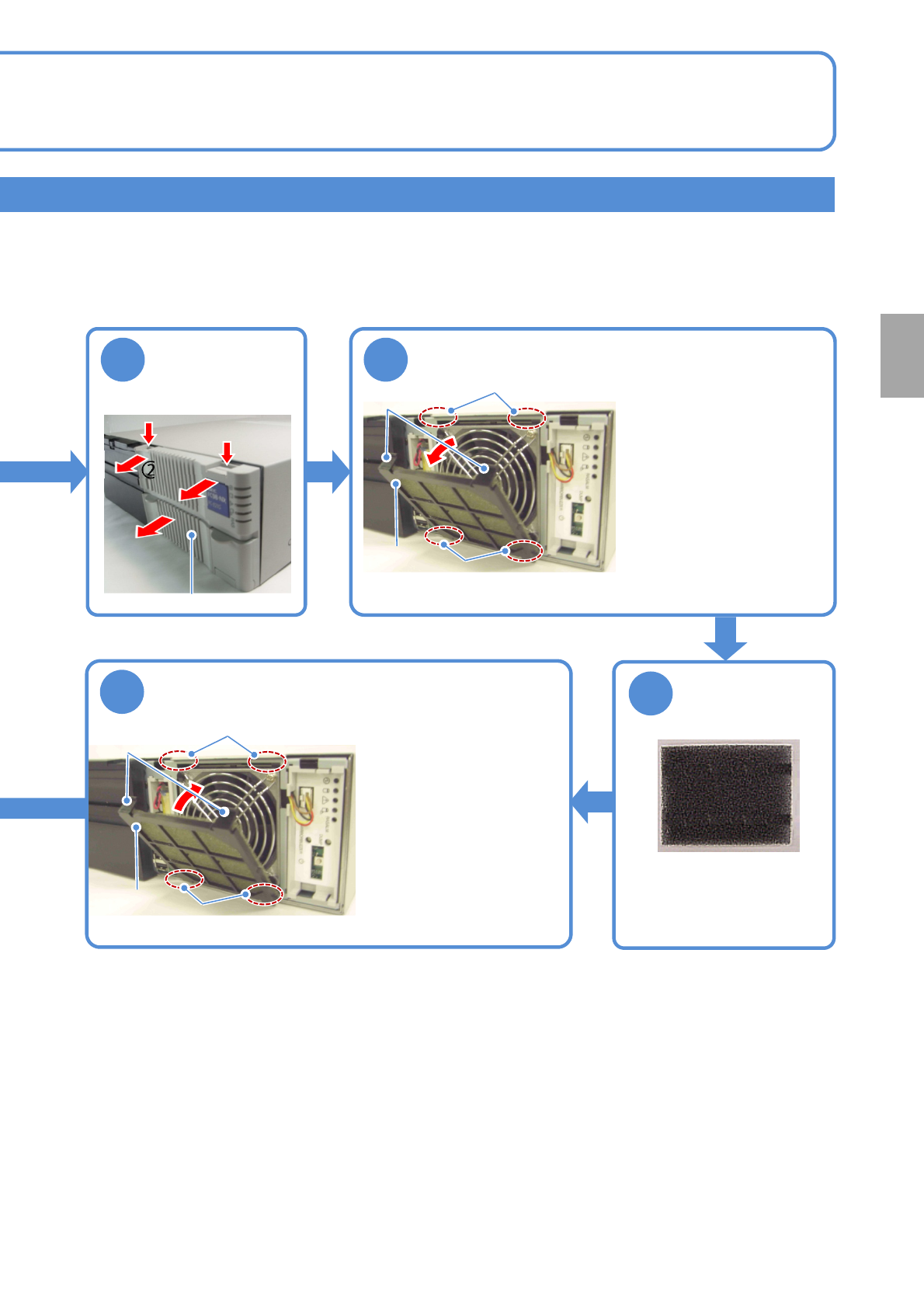
Remove the filter holder
●Remove claws from four
grooves.
①
①
②
②
③
Front cover
●Remove the filter attached
to the filter holder.
●Remove dust with a
vacuum cleaner.
4
5
●Install the filter to the filter
holder.
●Insert claws into four
grooves.
Groove
Groove
Claw
Filter holder
Groove
Groove
Claw
Remove the front
cover from the FA
PC
Attach the filter holder
Filter holder
Remove dust
attached to
the filter
NPM-TT2 EJM1EE-MB-08M-01
8-2-3
Describes how to clean the filter set on the FA computer of the inspection box.
Tool used: Allen wrench, vacuum cleaner Time required: 15 minutes
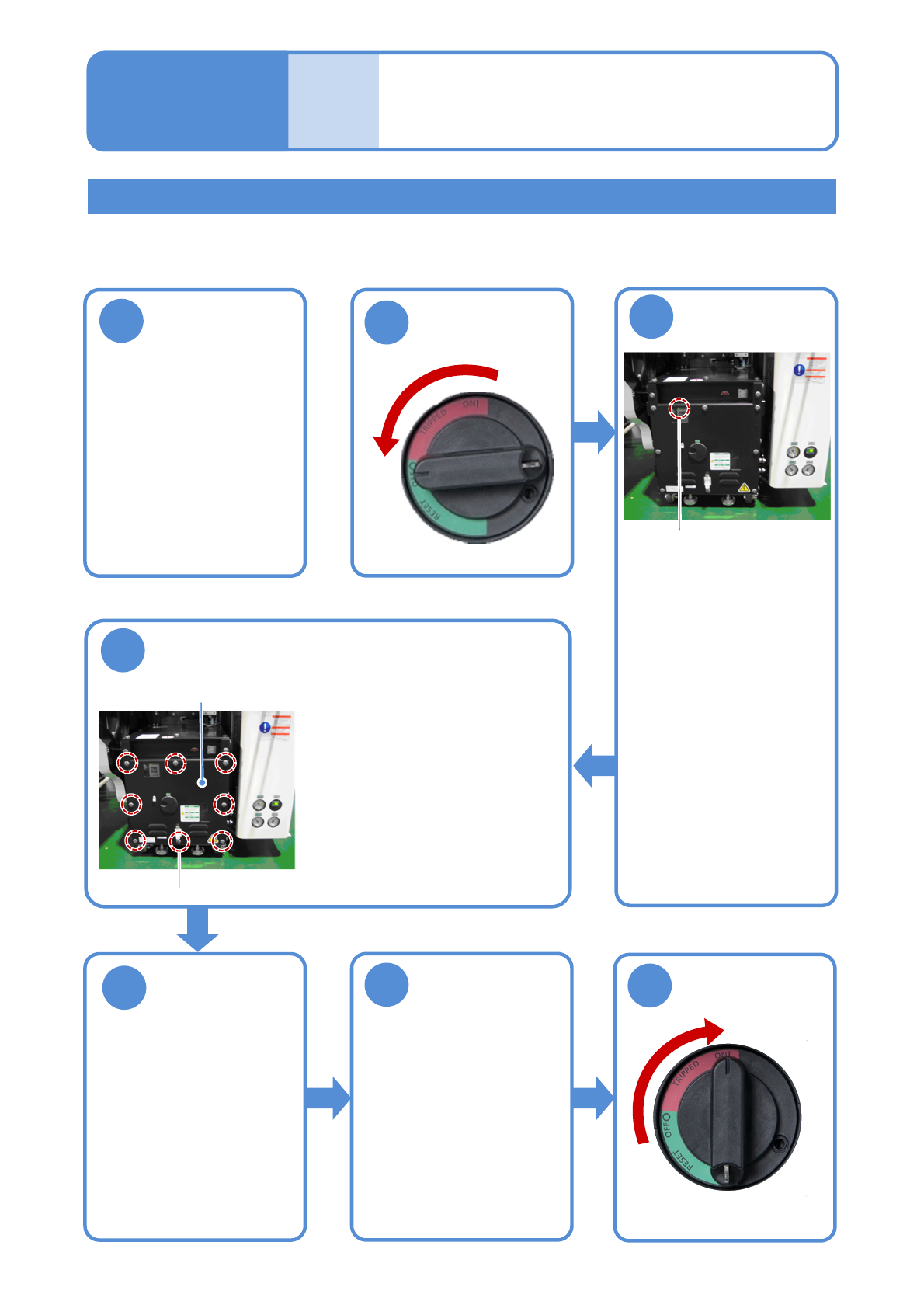
Shut down the
inspection box
1
2
Cleaning the filter of
the FA computer 2
(LNB(option))
Maintenance
8-2
OFF
Cleaning the filter of the FA computer of the inspection box
3
Confirm that the
UPS has stopped
●Confirm that the UPS of the
FA computer in the
inspection box has stopped.
●Confirm that the power
lamp of the FA computer
turns off.
Even if it is turned ON, in
about one minutes after the
power supply switch of the
machine is turned OFF, the
UPS stops and the power
lamp goes out.
Power lamp
4
Remove the front cover of the inspection box
●Open the front cover of
the inspection box with
an Allen wrench.
●The front cover is
secured with eight
screws.
Fixing screw
Front cover
Remove a filter
and clean the
filter
5
(→P.8-2-1)
6
7
ON
Attach the front
cover of the
inspection box
●Attach the front cover of
the inspection BOX with
an Allen wrench.
●Secure the front cover
with eight screws.