N7201A653E.pdf - 第250页
NPM- TT2 EJM1EE-MB-11 M-02 11 - 1 -11 Maintenance 11 - 1 Head and no zzle c h anger r eplacement 6 Old type head The old type head is fixed with three bolts. (For the curre nt h ead, use four bolts to fix.) For details o…
NPM-TT2 EJM1EE-MB-11M-02
11-1-10
Replacement
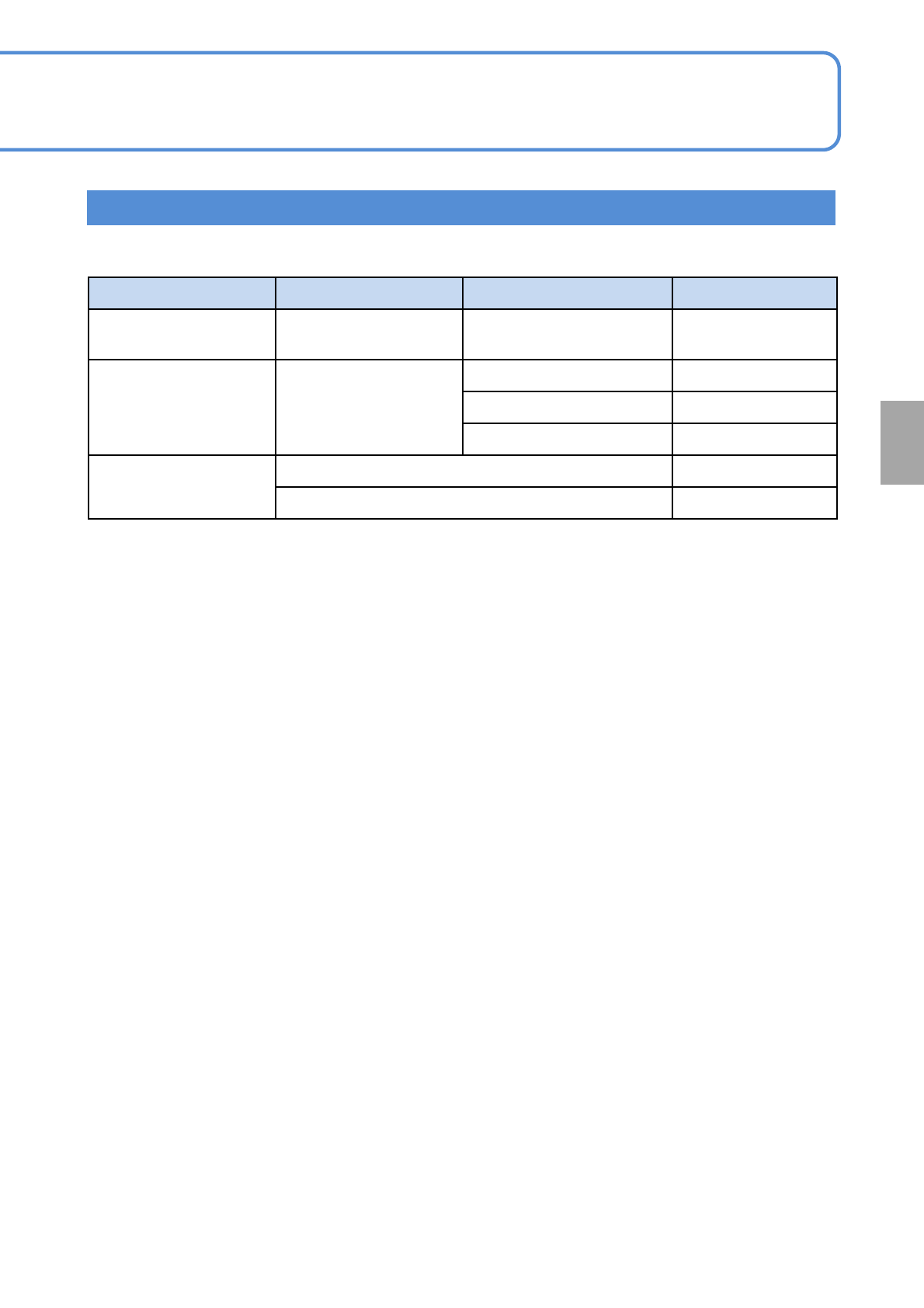
After replacing the head, it is necessary to perform calibration and accuracy verification.
STEP Item Action Reference
STEP2
Head/Placement
Correction Z
Height measurement
(→P.13-1-2、13-4)
STEP3 Jig station
Scan position
(→P.13-1-2、13-10)
Nozzle changer height
(→P.13-1-2、13-10)
Head offset
(→P.13-1-2、13-10)
Accuracy
verification
Placement accuracy Reflection
(→P.13-1-2、13-15)
Placement accuracy verification
(→P.13-1-2、13-15)
Calibration
NPM-TT2 EJM1EE-MB-11M-02
11-1-11
Maintenance
11-1
Head and nozzle
changer replacement 6
Old type head
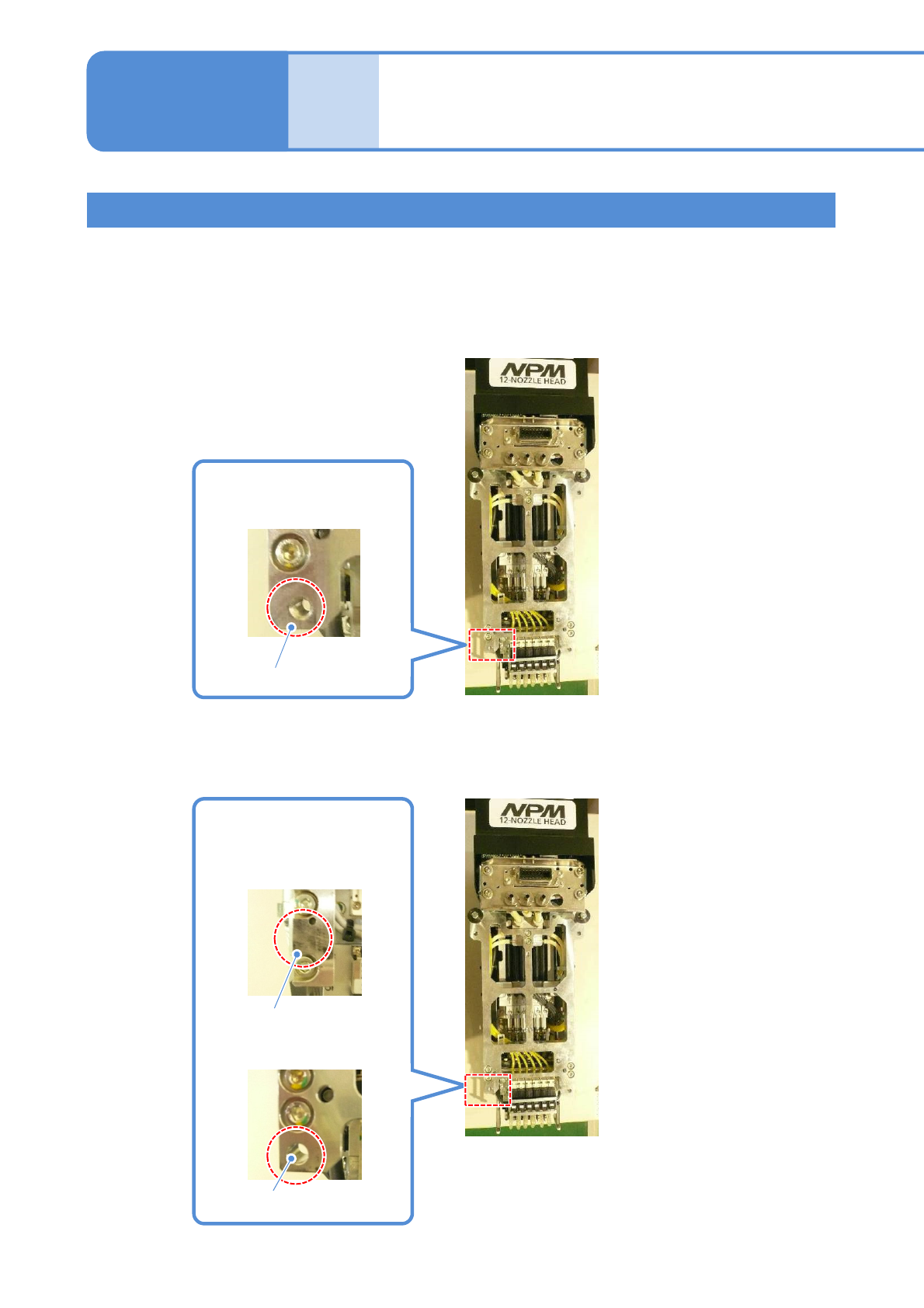
The old type head is fixed with three bolts. (For the current head, use four bolts to fix.)
For details of the difference of the current head and old type head, see below.
When the old type head is attached on NPM-TT2, you need to remove the unused fixing bolts.
For details, see the subsequent pages.
■For current head
■For old type head
Screw hole which locates the
lower left part viewed from the
head attachment face
No hole or circular hole
which locates the lower
left part viewed from the
head attachment face
Circular hole
No hole
Screw hole
NPM-TT2 EJM1EE-MB-11M-02
11-1-12
Replacement
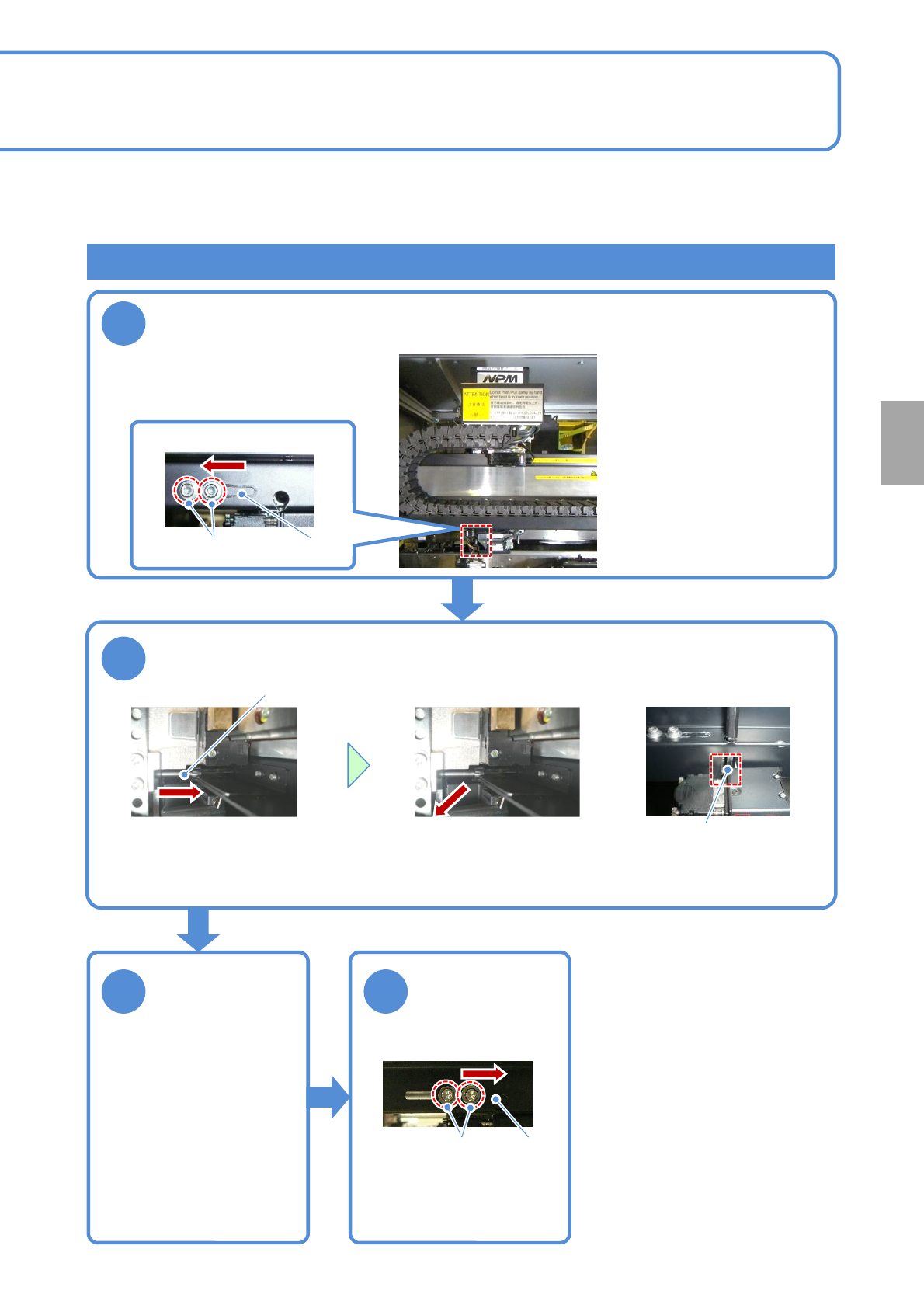
Attaching the old type head (Removing fixing bolts)
1
2
3 4
When the old type head is attached to NPM-TT2, remove the unused fixing bolts before performing step 4 in
“Attaching a head” (→P.11-1
-7) and fix the removed bolts to the storage place in the machine. The operations
are described here.
Tool used: Allen wrench (5mm and 2.5mm) Time required: 3 minutes
Open the shutter and move the head to the position where you can
see the bolt. (Align the center of the head to the one of the line
camera)
Lower left of a head
Shutter
Remove a fixing bolt
Fixing bolt
●Using the Allen wrench,
turn the bolt and pull it
toward you.
●Remove the fixing bolt
from the plate groove.
Plate groove
Close the shutter
Shutter
X-axis bottom surface
Tighten the bolt
Loosen the bolt
Store the
removed fixing
bolt
●You need to carry out the
operation that the fixing bolts are
removed from the storage
position and put them back to the
original position. After the old type
head is removed, put the fixing
bolts back to the original position
in the reverse order by referring
to the operation to remove the
fixing bolts described in this page.
■When the old type head is
removed and the current head
is attached