N7201A653E.pdf - 第256页
NPM- TT2 EJ M1EE-MB-11M-0 2 1 1-2-1 -5 1 3 + (The message of removing the support pin unit is displayed) 4 Detach the feeder cart Confirm the message 2 + (→P.3-2) Confirm the message 6 5 Open the safety cover 7 Open the …

NPM-TT2 EJM1EE-MB-11M-02
11-2-1-4
Replacement
NPM-TT2 EJM1EE-MB-11M-02
11-2-1-5
1
3
+
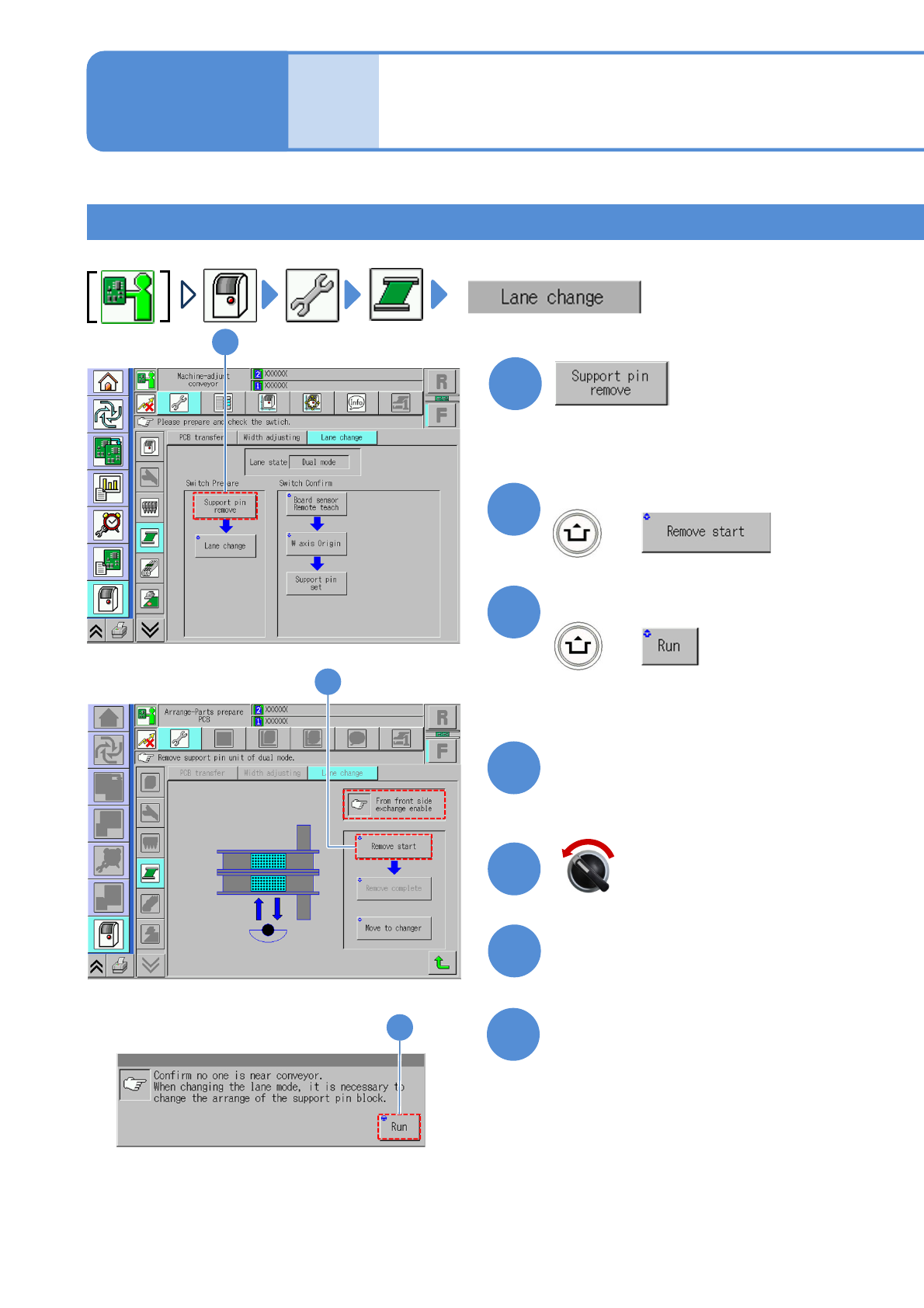
(The message of removing the support
pin unit is displayed)
4
Detach the feeder cart
Confirm the message
2
+
(→P.3-2)
Confirm the message
6
5
Open the safety cover
7
Open the feeder table cover
Mode
switch
Maintenance
11-2-1
Switching to the single
lane mode 3
For Specification for feeder cart on either the front or rear 1
Perform switching operation on the feeder cart side.
(The PCB-support blocks in lanes 1
and 2 go up so that they are ready
to be removed)
Servo switch OFF
1
2
3
NPM-TT2 EJM1EE-MB-11M-02
11-2-1-6
Replacement
8
10
11
9
Close the safety cover
Close the feeder table cover
Servo switch ON
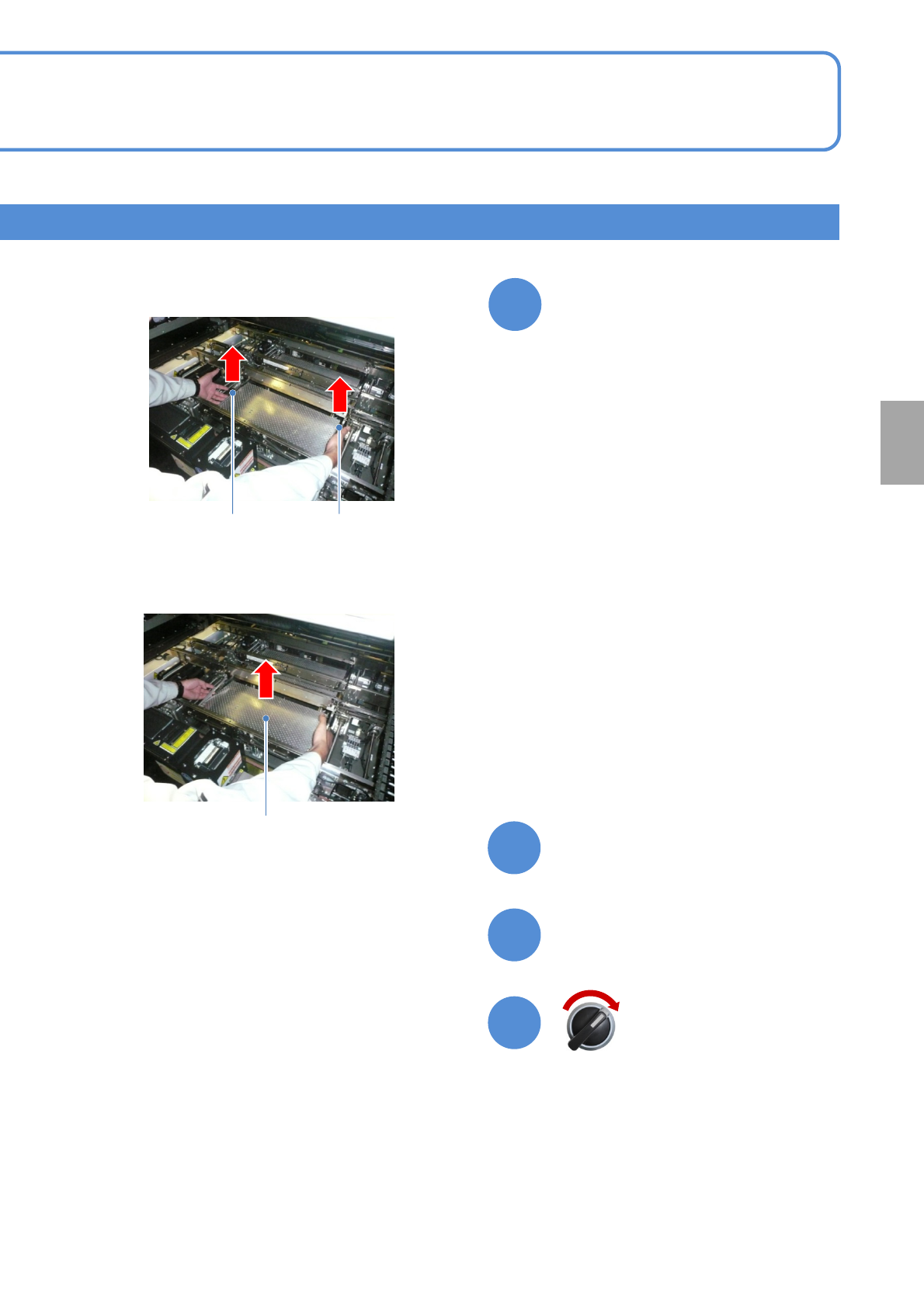
Remove the PCB support block
(Both lane 1 and 2)
PCB support block
②Pull out the PCB support block.
①From the operator side, lift the right and
left levers.
Removal lever
Removal lever
●Draw it out slowly with both hands.
●Be careful not to drop a foreign body
on the Multi-recognition camera
(LED lighting) or bump it.