N7201A653E.pdf - 第263页
NPM- TT2 EJ M1EE-MB-11M-0 2 1 1-2-1 -12 + 17 (The messag e to shu t down the powe r is displayed) Replacement T urn OFF the main power sw itch OFF 18 17
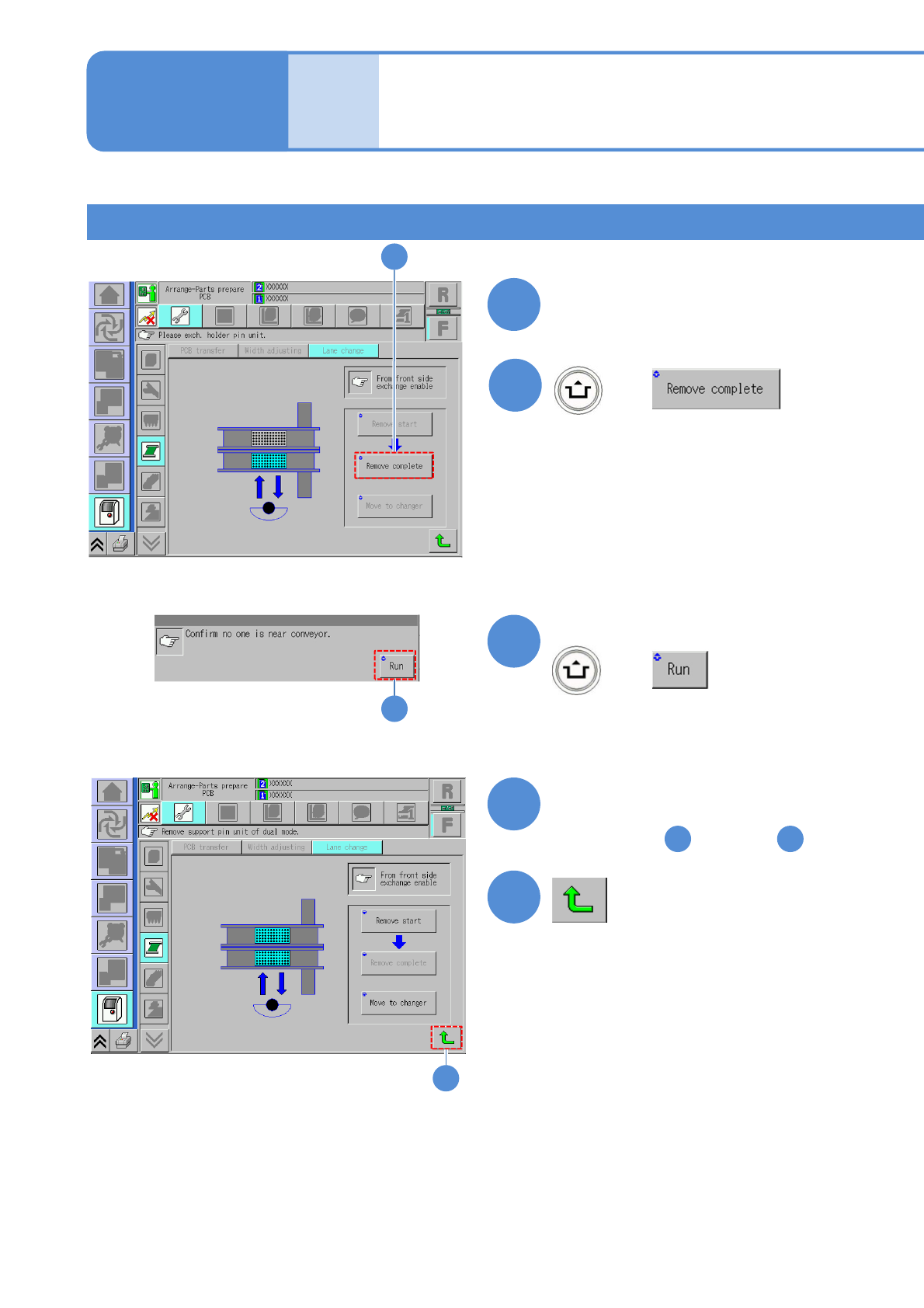
NPM-TT2 EJM1EE-MB-11M-02
11-2-1-11
Mode
switch
Maintenance
11-2-1
Switching to the single
lane mode 6
Feeder carts on both front and rear sides 2
13
14
15
12
16
+
Confirm the message
+
(Returns to the lane switch screen)
Attach the feeder cart
(→P.3-2)
(The PCB holders go down)
Remove the PCB support block
from the other side according
to the steps through
1 14
13
16
14
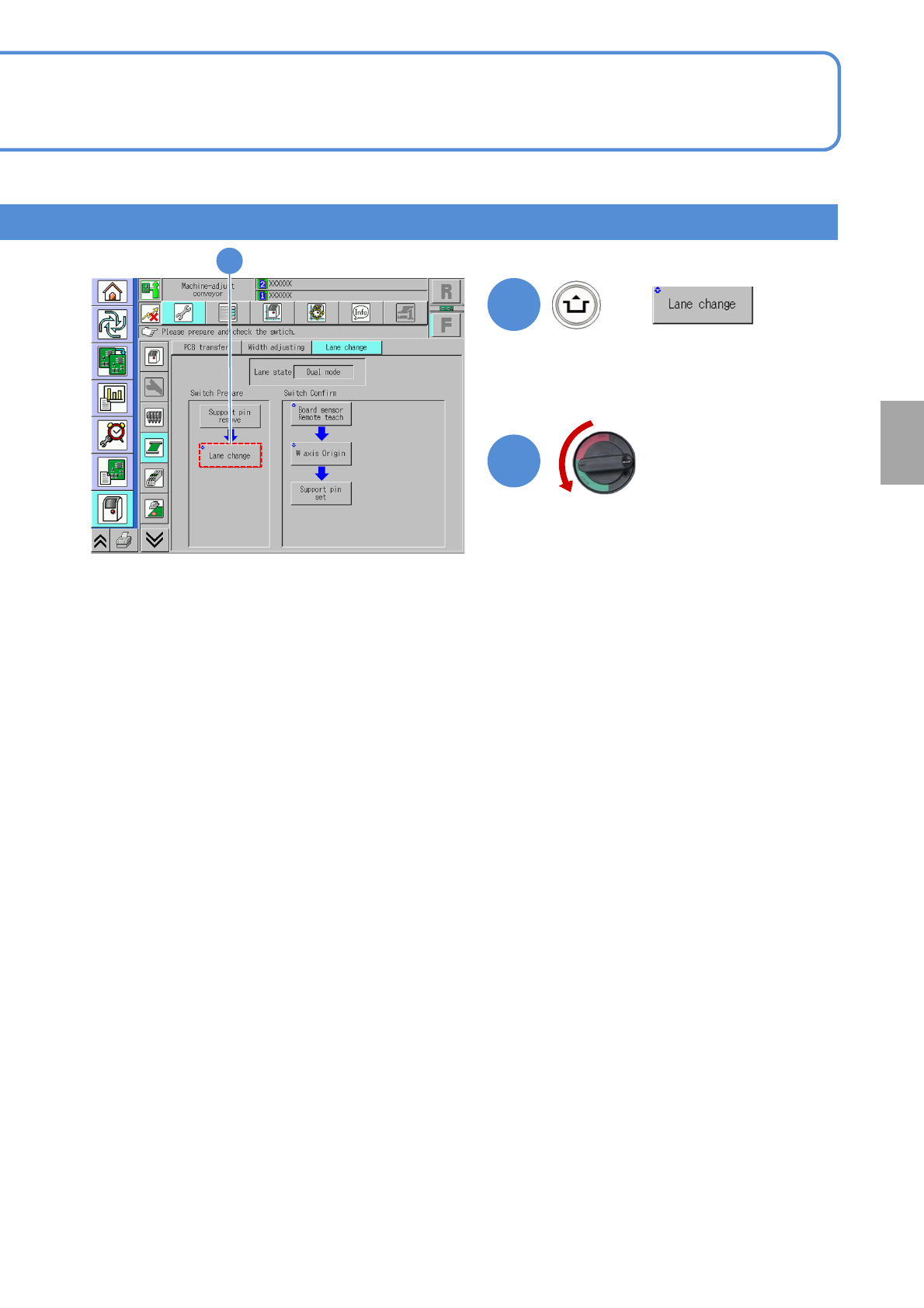
NPM-TT2 EJM1EE-MB-11M-02
11-2-1-12
+
17
(The message to shut down the power
is displayed)
Replacement
Turn OFF the main
power switch
OFF
18
17
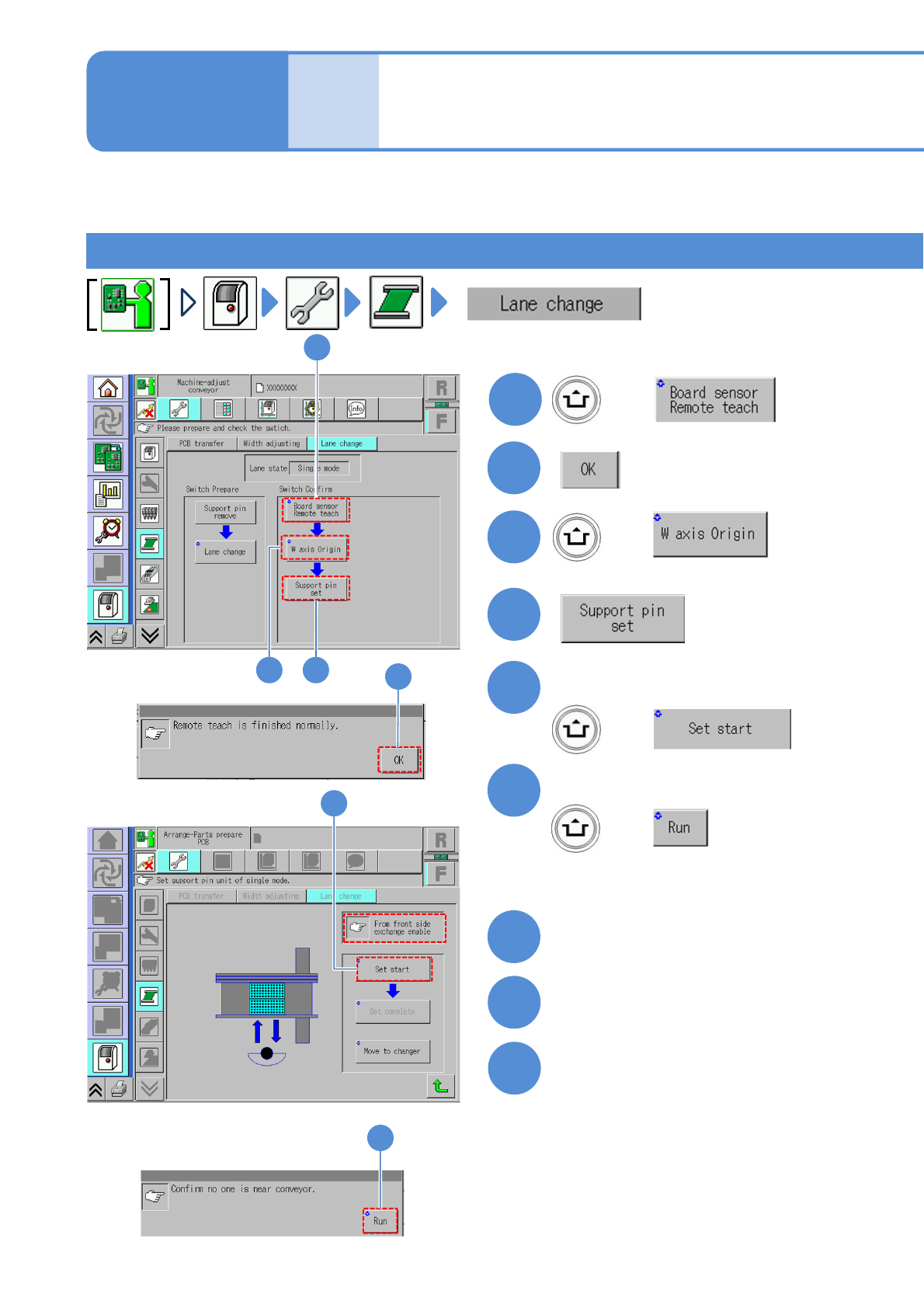
NPM-TT2 EJM1EE-MB-11M-02
11-2-2-1
1
3
+
4
2
+
2
5
+
6
+
Confirm the message
5
6
Confirm the message
Mode
switch
Maintenance
11-2-2
Confirming switch 1
7
9
8
Turn OFF the main power switch
Detach the tray feeder
(→P.14-8)
Open the safety cover
1
3 4
(The holders in lanes 1 and 2 go
up so that they are ready to be
removed)
Describes how to confirm on the single conveyor after switching the mode. It varies depending on component
supply specification. Please switch according to each procedure.
Tray feeders on both front and rear sides