N7201A653E.pdf - 第265页
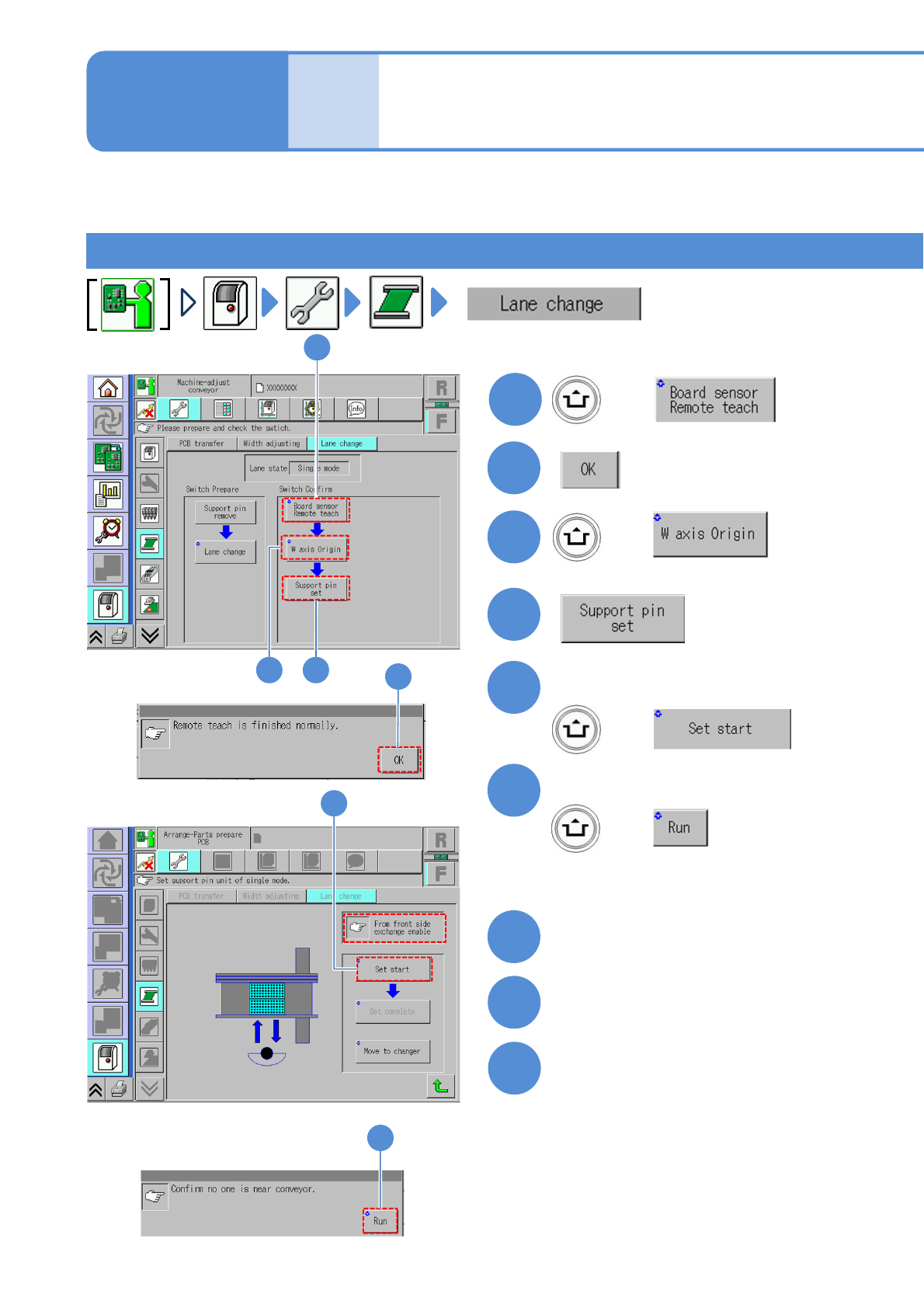
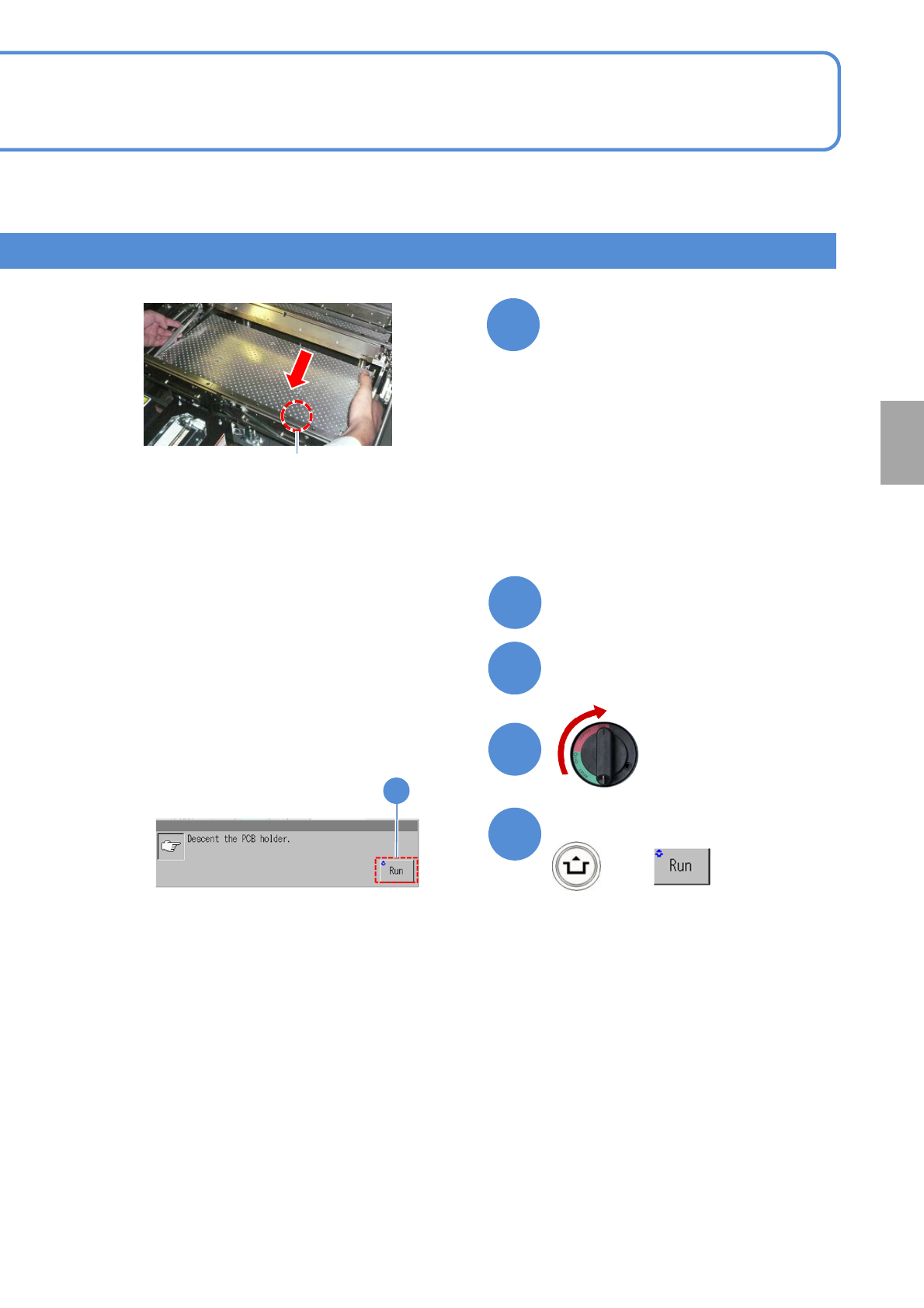
NPM- TT2 EJ M1EE-MB-11M-0 2 1 1-2-2 -2 Close the safety cover T urn ON the main power sw itch + (The PCB support block lowers) Confirm the message 14 Attach the tray feeder ( → P.14-8) Replacement ON 13 14 12 11 10 Guide…
NPM-TT2 EJM1EE-MB-11M-02
11-2-2-1
1
3
+
4
2
+
2
5
+
6
+
Confirm the message
5
6
Confirm the message
Mode
switch
Maintenance
11-2-2
Confirming switch 1
7
9
8
Turn OFF the main power switch
Detach the tray feeder
(→P.14-8)
Open the safety cover
1
3 4
(The holders in lanes 1 and 2 go
up so that they are ready to be
removed)
Describes how to confirm on the single conveyor after switching the mode. It varies depending on component
supply specification. Please switch according to each procedure.
Tray feeders on both front and rear sides
NPM-TT2 EJM1EE-MB-11M-02
11-2-2-2
Close the safety cover
Turn ON the main
power switch
+
(The PCB support block lowers)
Confirm the message
14
Attach the tray feeder
(→P.14-8)
Replacement
ON
13
14
12
11
10
Guide pin
Install the PCB support block
(Both lane 1 and 2)
●Adjust the guide pins on the main unit
to the holes on the PCB support
block.
●Replace the PCB support block or
change the layout. For the product
number and the layout of the PCB
support block, see “5-3 Cleaning the
PCB-support blocks.”
NPM-TT2 EJM1EE-MB-11M-02
11-2-2-3
1
3
+
4
2
+
1
2
3
4
5
+
6
+
Confirm the message
5
7
Detach the feeder cart
(→P.3-2)
9
8
Open the safety cover
10
Open the feeder table cover
6
Confirm the message
Mode
switch
Maintenance
11-2-2
Confirming switch 2
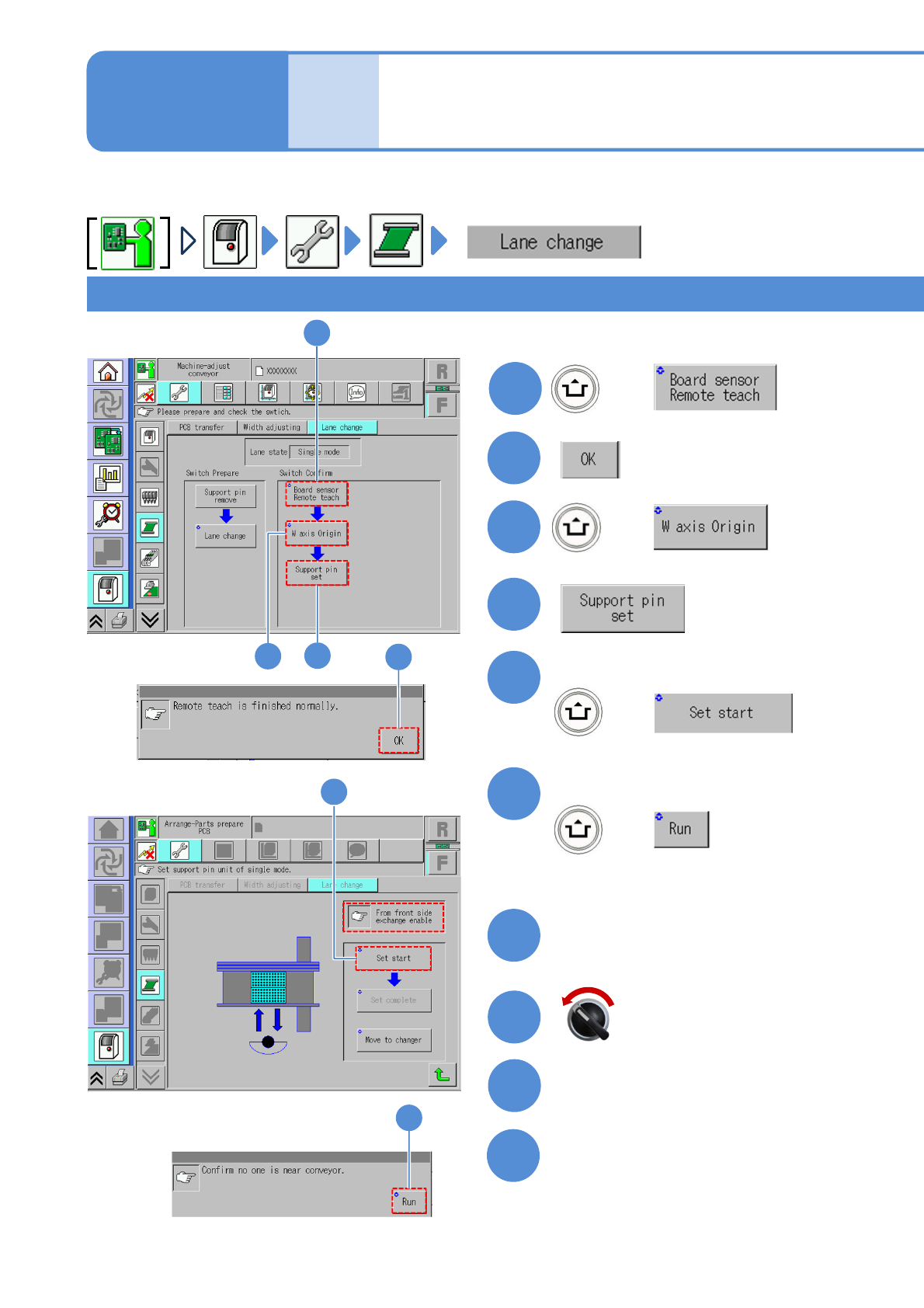
(The PCB-support blocks in lanes 1
and 2 go up so that they are ready
to be removed)
For specification for feeder cart(s) on either the front or rear,
Servo switch OFF