N7201A653E.pdf - 第271页
NPM- TT2 EJM1EE-MB -12M-04 12-1 -2 Remove the belt ■ 6 belts on each lane Movable side Fixed side Movable side Fixed side Lane 1 Lane 2 To Consumable parts replacement 8 9 7 Loosen screw s on the plate and slide the plat…
NPM-TT2 EJM1EE-MB-12M-04
Replacing the transfer belt of
the PCB transfer conveyor 1
Describes the procedure for replacing the transfer belt of the PCB transfer conveyor system on the front of the
machine.
Tool used: Allen wrench (2 mm) Time required: 30 to 60 minutes
Maintenance
12-1
12-1-1
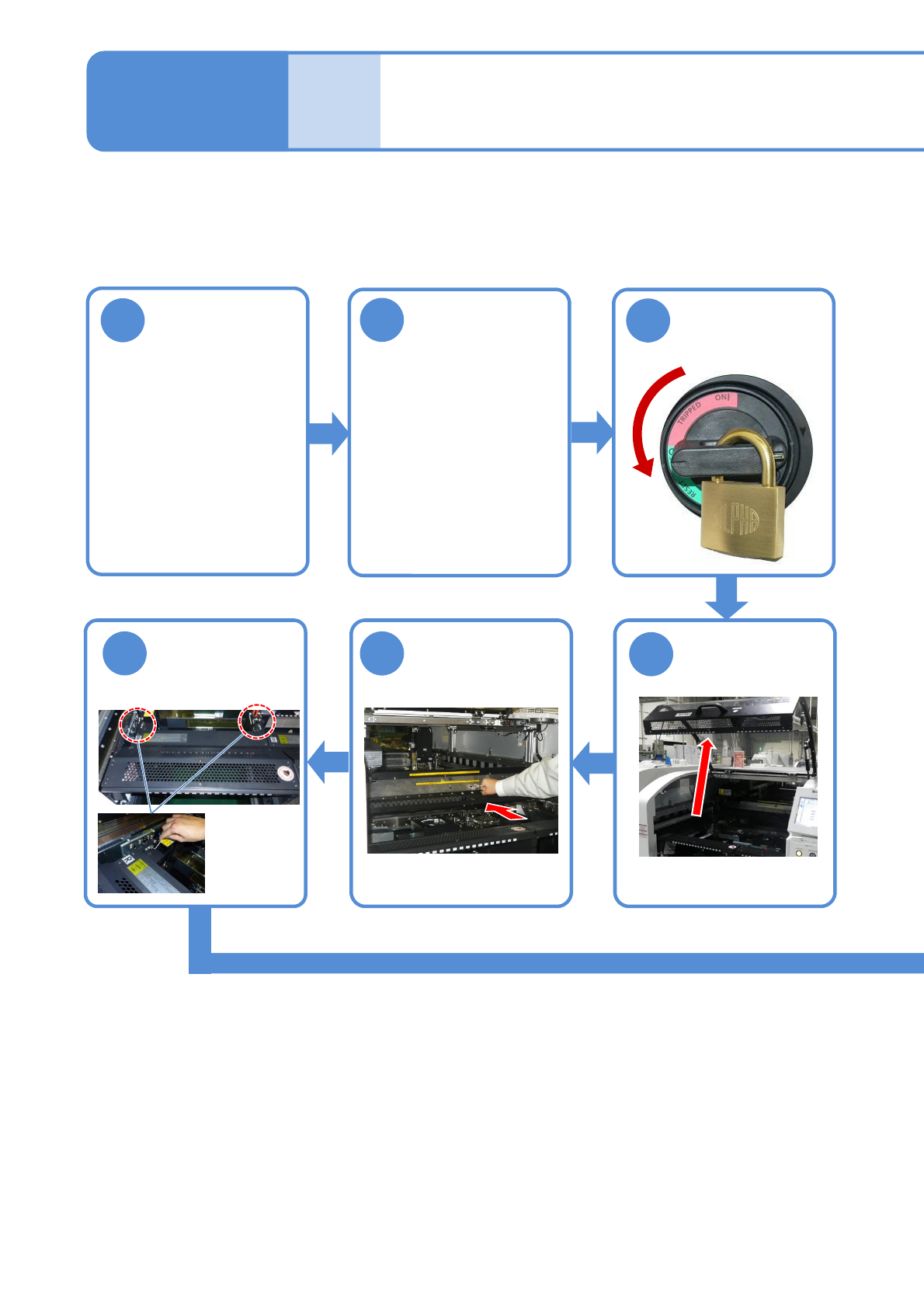
1
2
Set the conveyor
width to 150 mm
(To improve
workability)
Detach the tray
feeder or the
feeder cart
●For a tray feeder
(→ P.14-8)
●For a feeder cart
(→ P.3-2)
3
OFF
Turn OFF the
power and lock
the machine
4
5
Push the X-axis
inward
(→[ Operating
Procedure] P. 2-5-4)
6
●Two
Screws:
M4
Remove the
feeder table
cover (→P.3-3)
NPM-TT2 EJM1EE-MB-12M-04
12-1-2
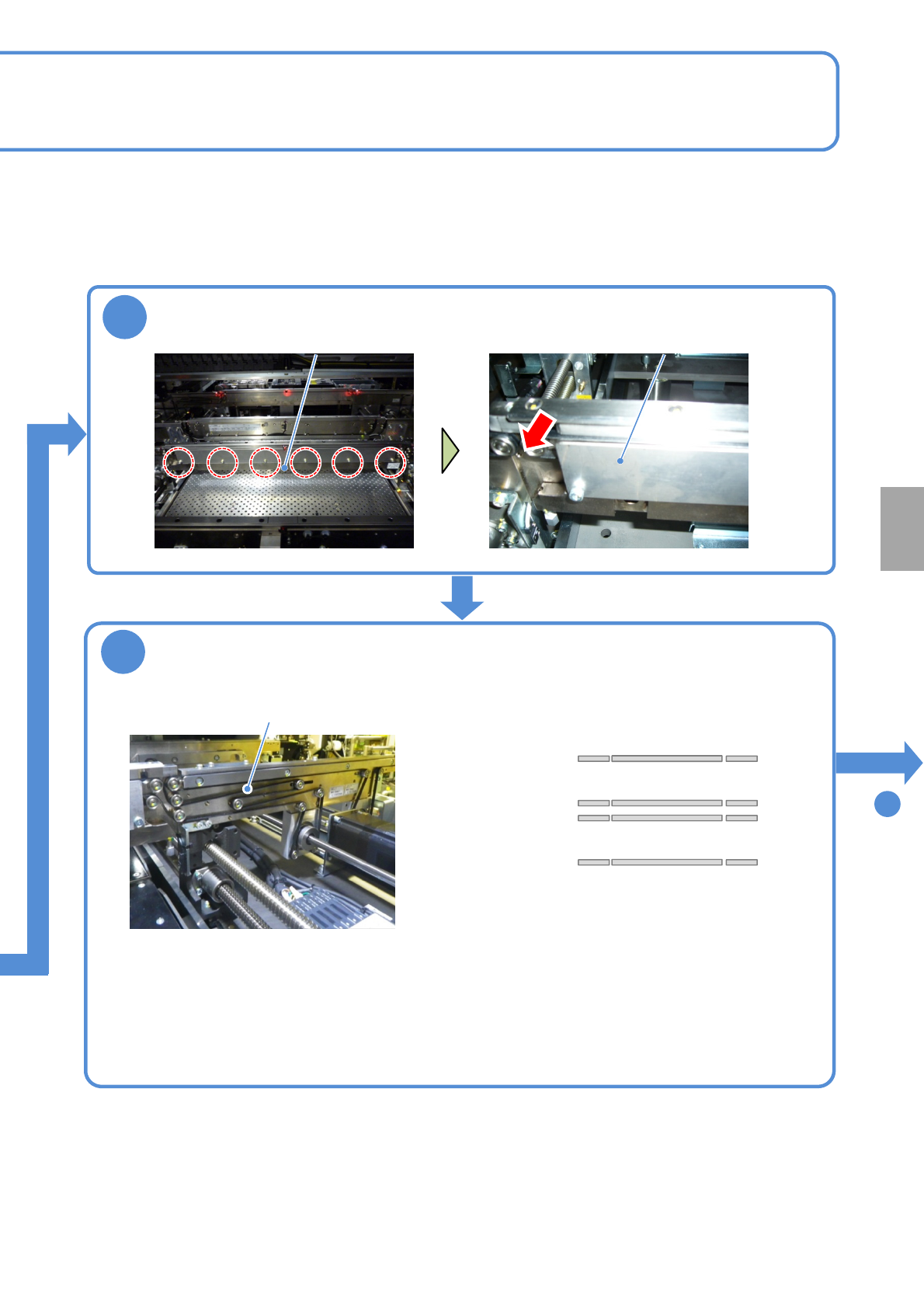
Remove the belt
■6 belts on each lane
Movable side
Fixed side
Movable side
Fixed side
Lane 1
Lane 2
To
Consumable parts
replacement
8
9
7
Loosen screws on the plate and slide the plate
Plate Plate
●Six screws ●Do not remove the plate.
●Remove it, pulling out towards you.
●If disposing of the belt, you may
cut it with a wire cutter or nippers
to remove.
Belt
NPM-TT2 EJM1EE-MB-12M-04
Replacing the transfer belt of
the PCB transfer conveyor 2
Maintenance
12-1
12-1-3
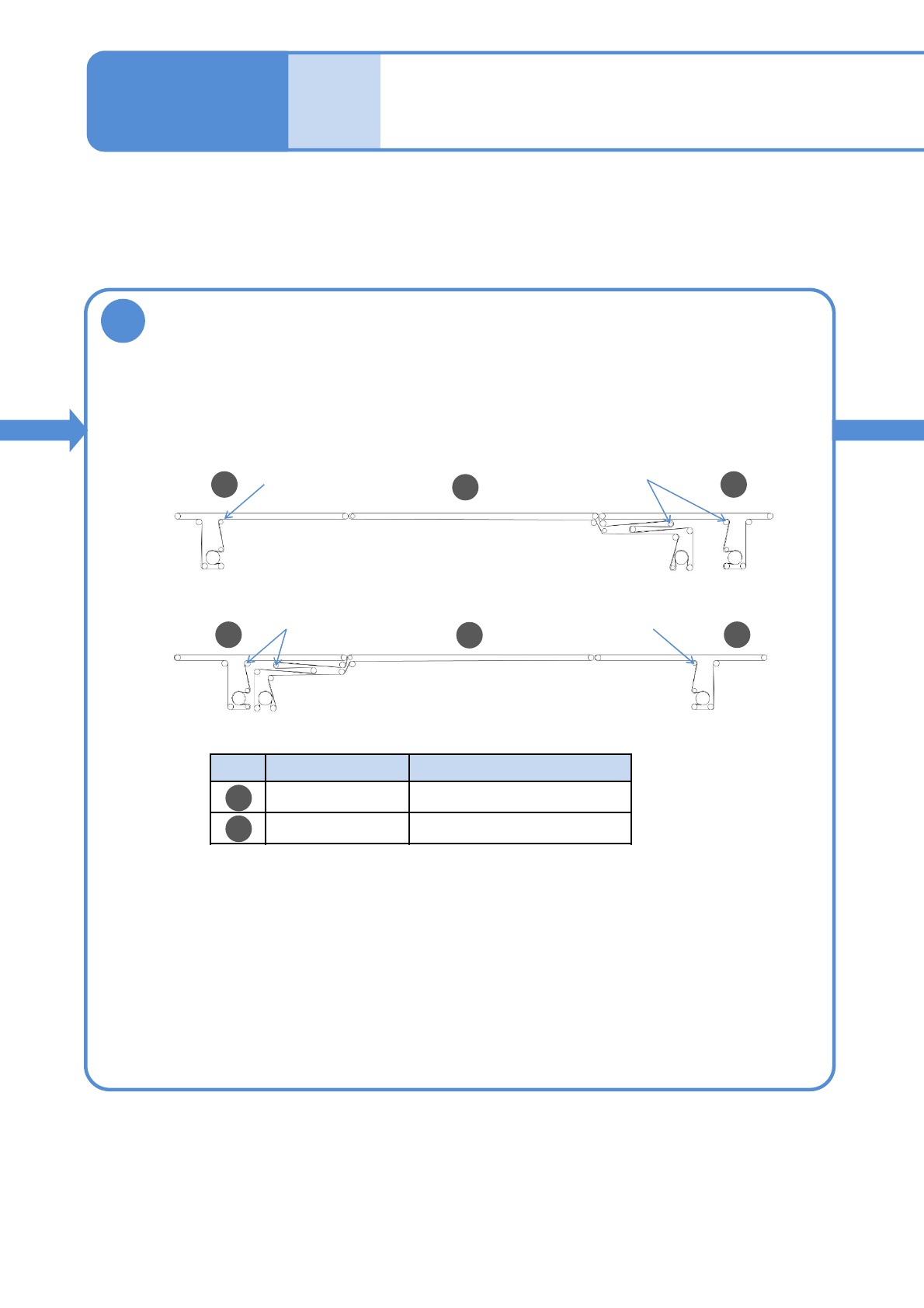
9
A
B
●Loosen screws of the tension pulley in advance. (Three on each)
Tension pulley
Tension pulley
Tension pulley Tension pulley
●About the front and rear sides of the belt
Front side: No letter printed
Rear side: Letters are printed
●Install the belt so the belt front side shall be the PCB transfer side.
■6 belts on each lane
Lane 1
Lane 2
Hook a new belt
No. Belt length [mm] Product No.
1050 MTNK002604AA
1980 MTNK002584AA
A A
B
A A
B