N7201A653E.pdf - 第284页
NPM- TT2 EJM1EE-MB -12M-04 12-3 -7 Replacing the batteries for the jig station 2 1 ■ Front face ■ Rear f ace 3 ● Replace all 8 AA size batteries (4 batteries x 2 boxes) ● Be carefu l of the (+) and (-) marks inside the b…
NPM-TT2 EJM1EE-MB-12M-04
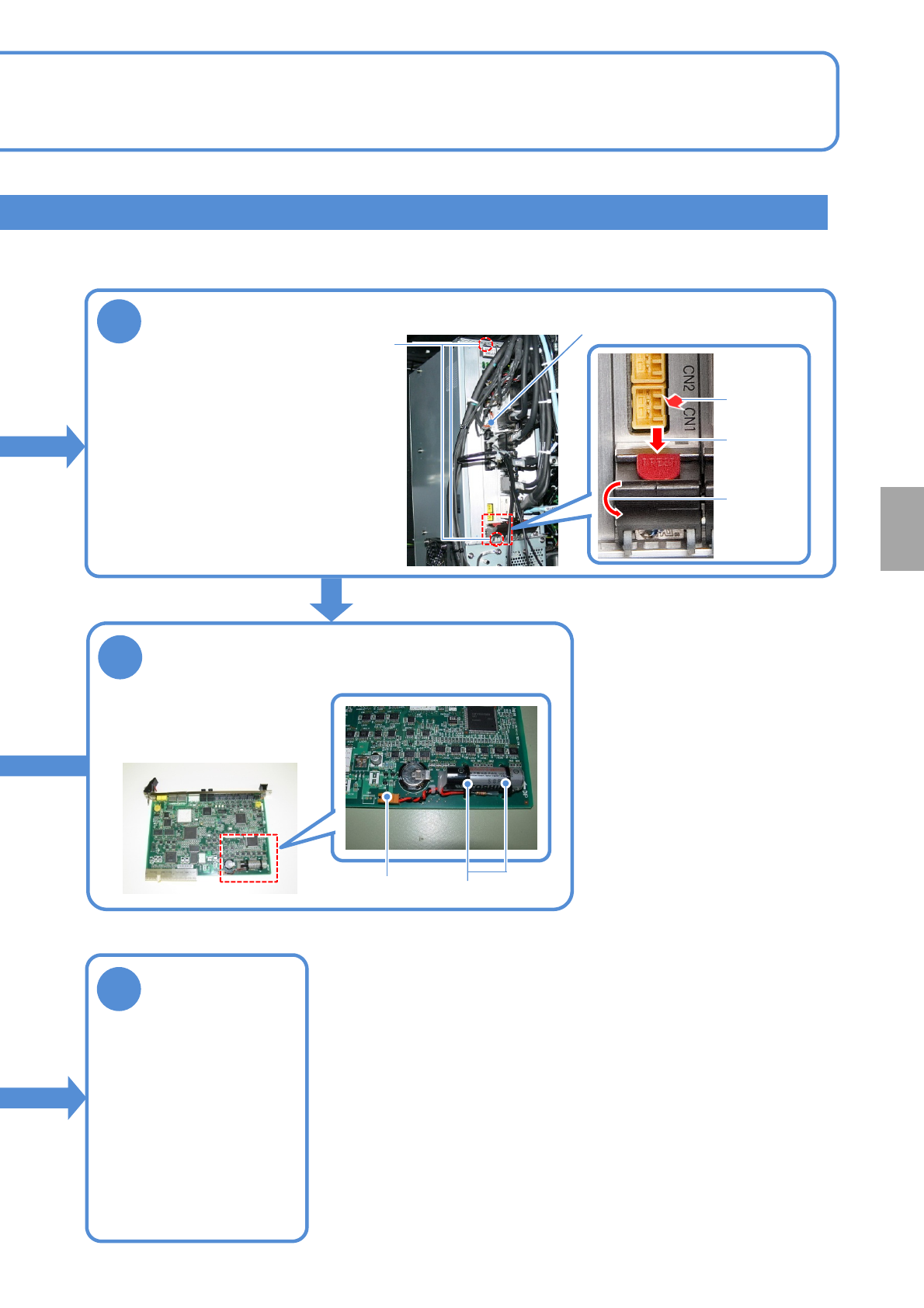
NCIO board
3
●Disconnect the cable.
●Loosen the screws securing
the NCIO board.
●Pull out the board while
holding down the red lock
release buttons (PRESS) of
the levers at the top and the
bottom of the board and
moving the lever down.
Remove the NCIO board
12-3-6
Screws (2)
8
4
Remove the battery
●Disconnect the battery
connector.
●Cut the tie wraps (2) to
remove the battery.
Tie wraps
Connector
Press
Move the
lever down
Pull out the
board
Attach the tray
feeder or the
feeder cart
on the front
●For a tray feeder
(→ P.14-8)
●For a feeder cart
(→ P.3-2)
Consumable parts
replacement
NPM-TT2 EJM1EE-MB-12M-04
12-3-7
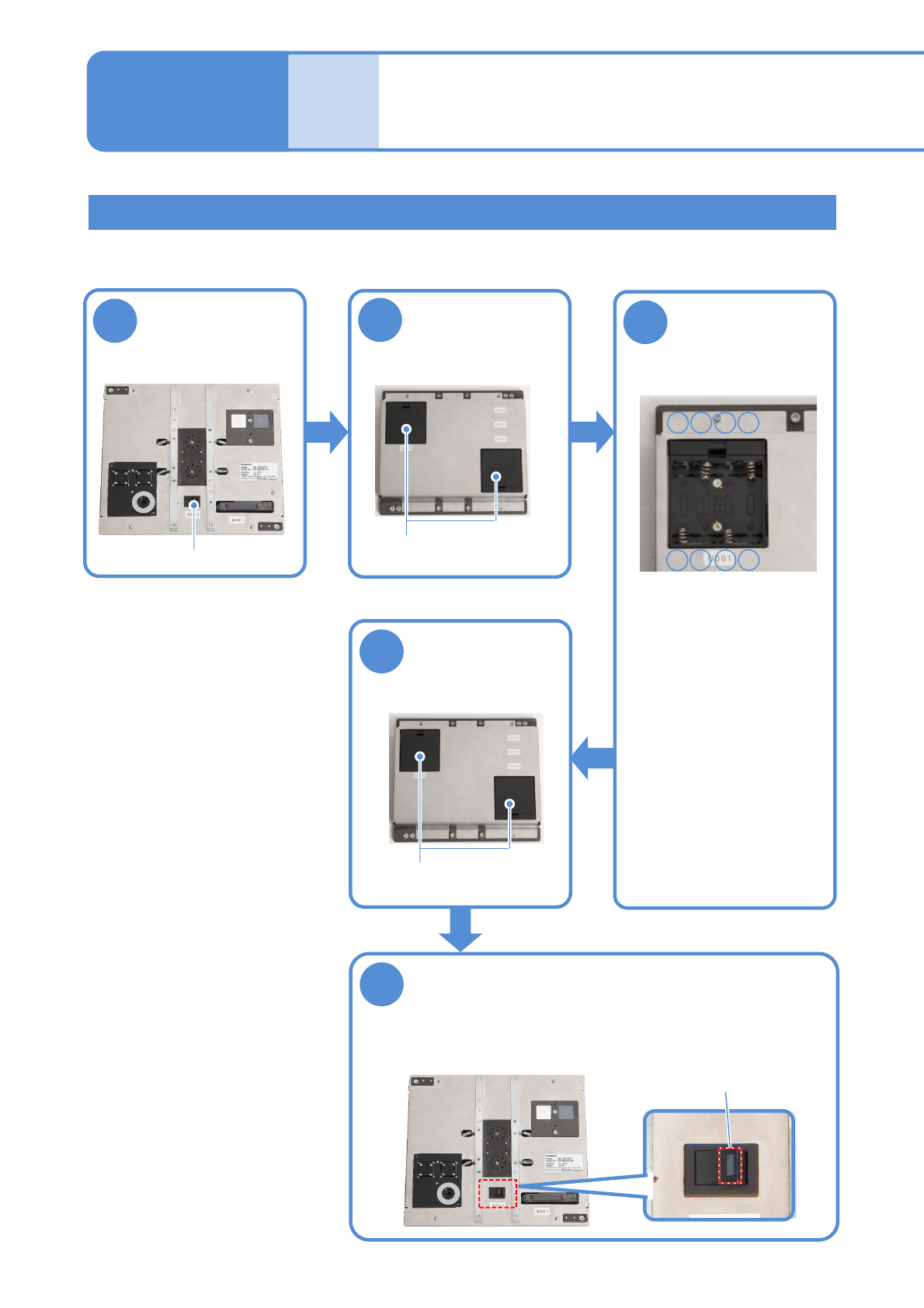
Replacing the batteries for the jig station
2
1
■Front face
■Rear face
3
●Replace all 8 AA size
batteries (4 batteries x 2
boxes)
●Be careful of the (+) and
(-) marks inside the
battery box when
replacing the batteries.
●Do not use new batteries
and used batteries or
different types of batteries
all together.
5
4
●Ensure that the LED lamp for the
power supply switch illuminates.
■Front face
Turn OFF the
power supply
switch
Open the battery
box covers
Replace the
batteries with
new ones
Close the battery
box covers
Turn ON the power supply switch
Battery boxes
-+-
■Inside of the battery box
+
+--+
■Rear face
Battery boxes
Replacing the
batteries 4
Power supply switch
LED lamp
Maintenance
12-3
●Althoughmanganesedioxidebatteriesareacceptable,alkalinebatteriesarerecommended.
●BatteriesarenotincludedwithJigstation.Pleasehaveyourbatteriesready.
Time required: 2 minutes

NPM-TT2 EJM1EE-MB-12M-04
12-3-8
Replacing the calendar battery in FA PC(LNB)
● Special skills such as BIOS settings are required for replacing the calendar battery. Please contact us.
Consumable parts
replacement