N7201A653E.pdf - 第320页
NPM- TT2 EJ M1EE-MB-13M-0 2 Plane calibratio n XY 9 Prepare for the second plane calibration XY 11 10 Open the safety cover 12 Set the plane calibration jig Maintenance 13-3-2 ① Manually m ove the calibration jig and ali…
NPM-TT2 EJM1EE-MB-13M-02
5
Set the plane calibration jig
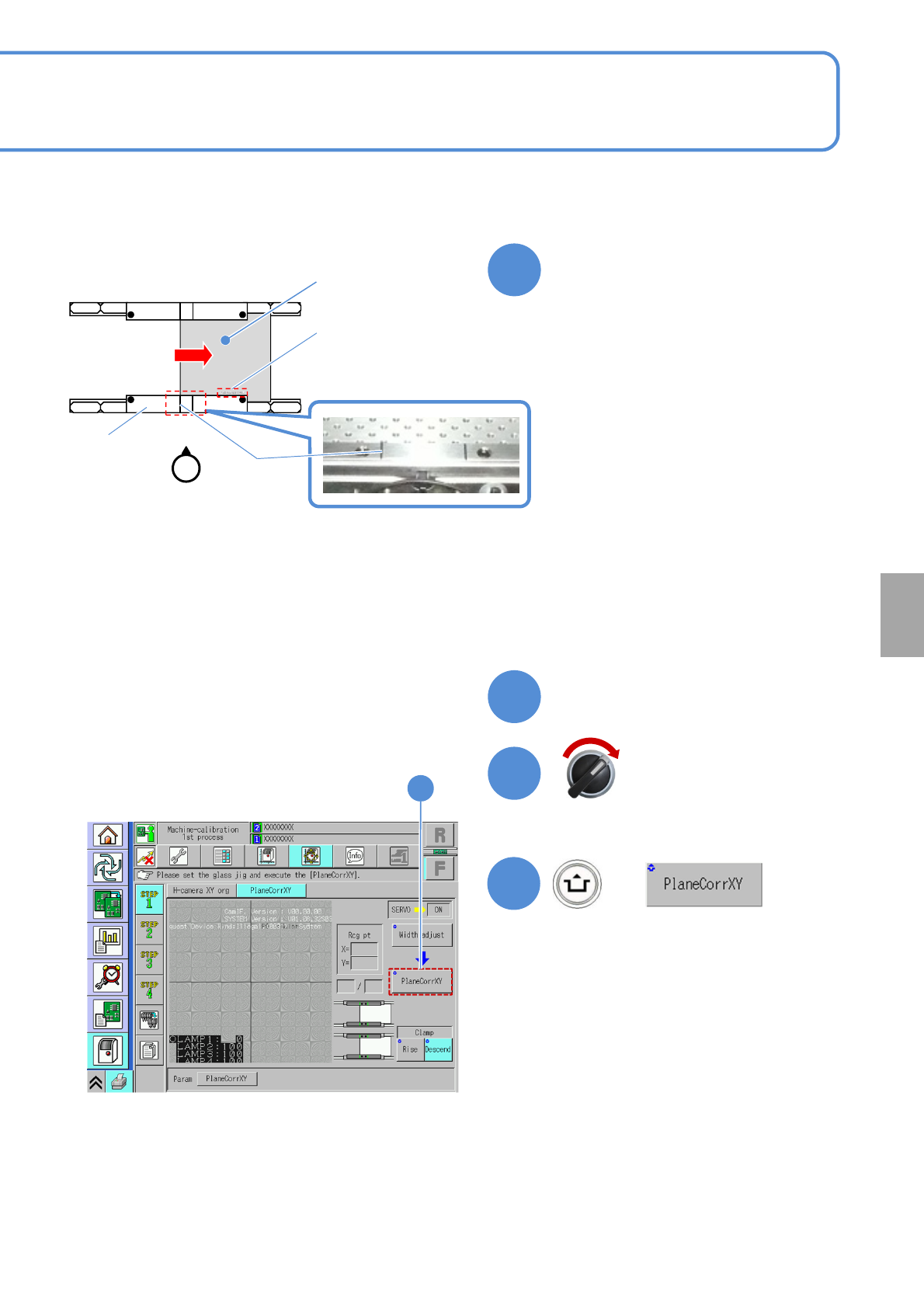
①Manually move the calibration jig and
align the left end of the plane
calibration jig to the left side guide line
on the PCB conveyor upper surface.
(Common in each PCB flow direction)
②Set the reference mark on the plane
calibration jig to the reference rail.
③Attach the plane calibration jig to the
reference rail.
Calibration
6
Close the safety cover
7
Servo switch ON
+
8
8
●If you cannot set a plane calibration jig,
manually load the PCB from the pre-
process machine and set the jig using
the workbench (please prepare
yourself).
13-3-2-2
Plane
calibration jig
Reference mark
‘FIXED RAIL SIDE(TYPEA)’
Guide line
Operator
Reference rail
●You can also remove the feeder cart
and set a plane calibration jig.
NPM-TT2 EJM1EE-MB-13M-02
Plane
calibratio
n XY
9
Prepare for the second plane
calibration XY
11
10
Open the safety cover
12
Set the plane calibration jig
Maintenance
13-3-2
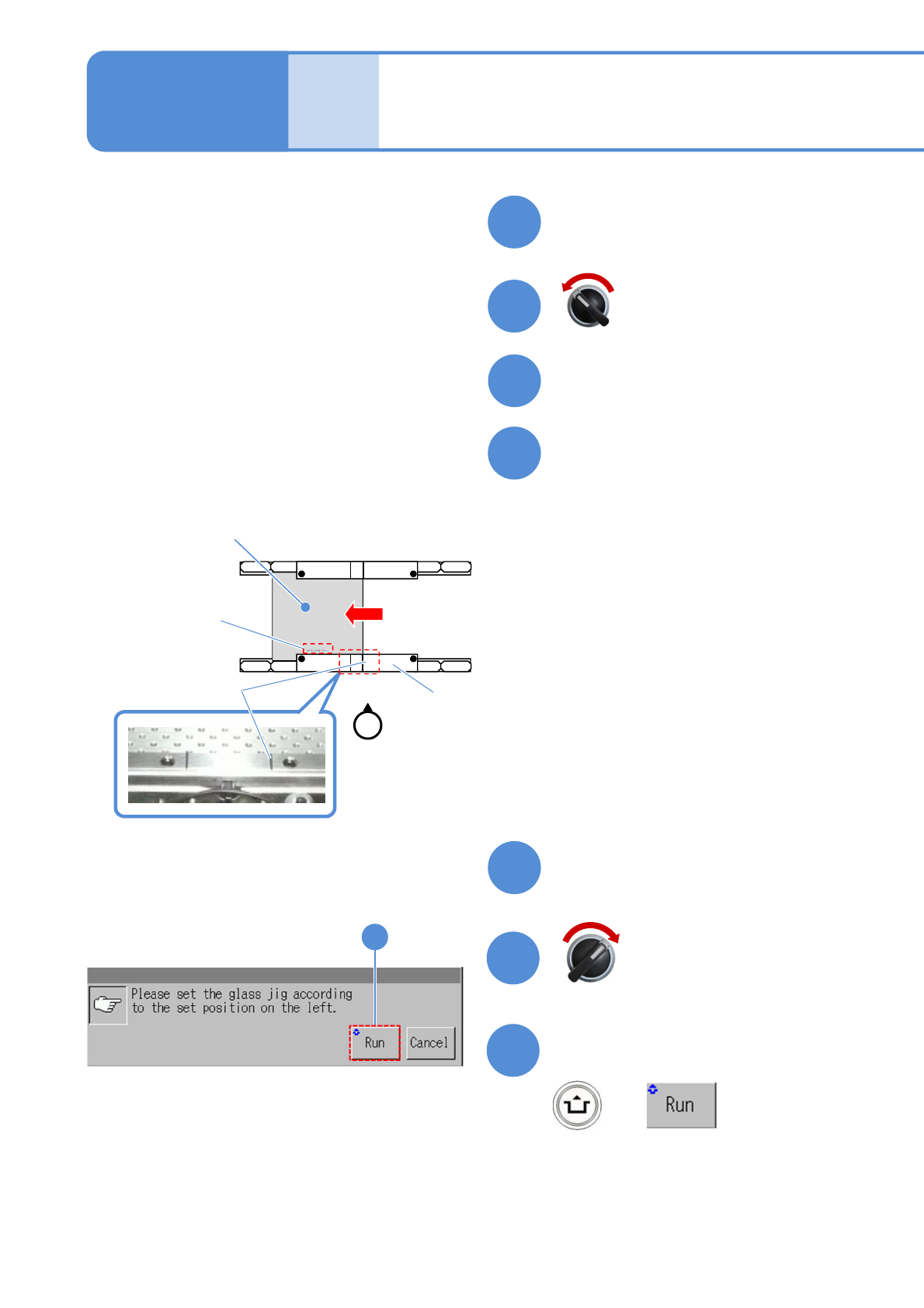
①Manually move the calibration jig and
align the right end of the plane
calibration jig to the right side guide
line on the PCB conveyor upper
surface. (Common in each PCB flow
direction)
②Set the reference mark on the plane
calibration jig to the reference rail.
③Attach the plane calibration jig to the
reference rail.
13
Close the safety cover
14
15
Confirm the message
+
15
Servo switch OFF
Servo switch ON
Operator
●If you cannot set a plane calibration jig,
manually load the PCB from the pre-
process machine and set the jig using
the workbench (please prepare
yourself).
13-3-2-3
Plane
calibration jig
Reference mark
‘FIXED RAIL SIDE(TYPEA)’
Guide line
Reference rail
Plane calibration XY
(M size conveyor) 2
●You can also remove the feeder cart
and set a plane calibration jig.
(Plane calibration XY is measured on the
front head and rear head, in that order)
(After measurement, the head moves to the
retraction position)
NPM-TT2 EJM1EE-MB-13M-02
16
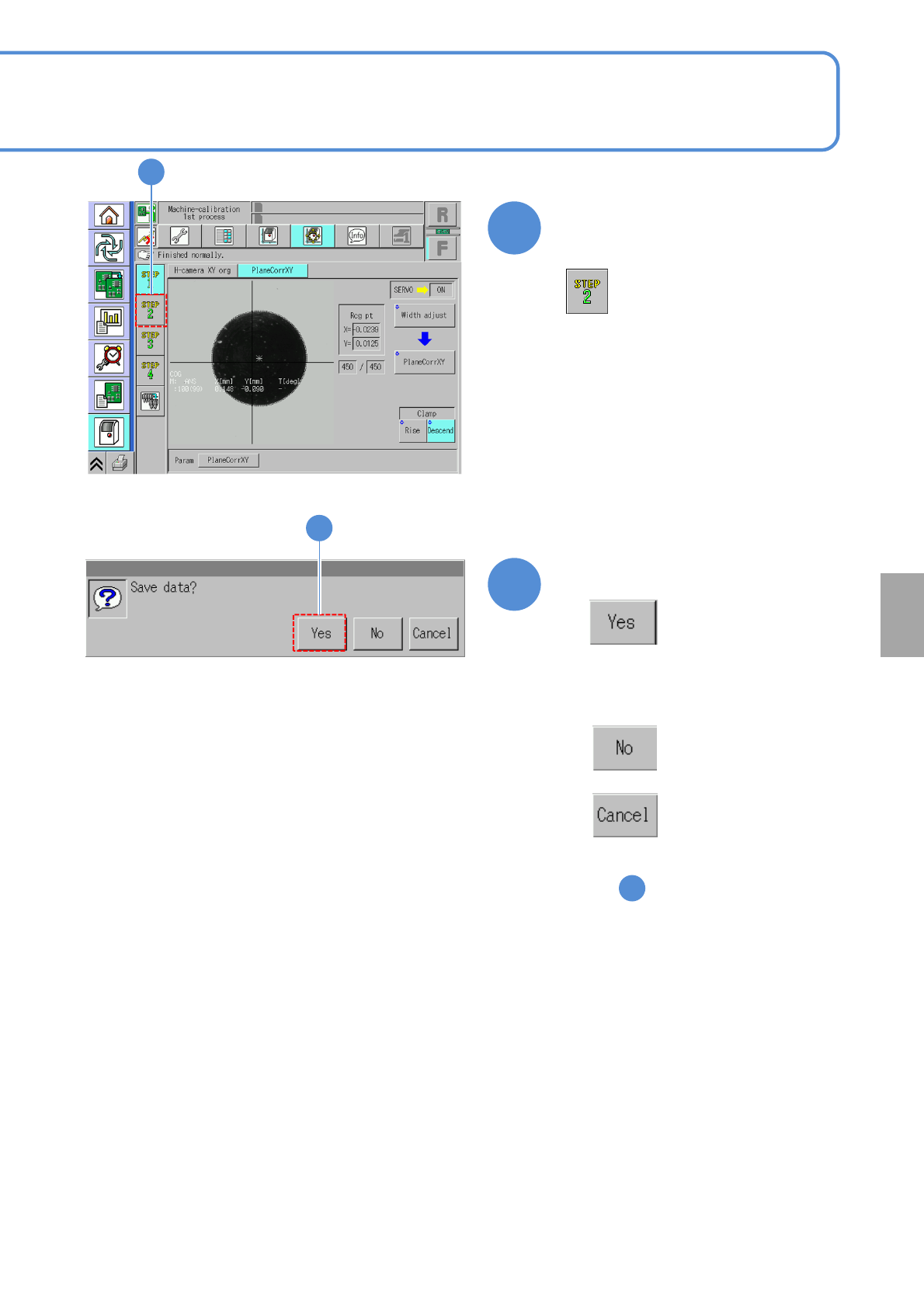
Confirm that it has been
successfully completed
16
Calibration
17
Confirm the message
(The plane calibration XY data is saved)
●When you do not save the data
●To cancel
(The screen remains as it is
in )
16
17
13-3-2-4
●If error occurs, check that the plane
correction jig is dirty. In addition,
correctly install it again.