N7201A653E.pdf - 第327页
NPM- TT2 EJ M1EE-MB-13M-0 2 21 Confirm that it has been successfully completed, and choose the other table for plane calibration Z and then repeat steps fro m to 21 19 2 20 13-4 -4 17 18 Close the safety cover + Confirm …
NPM-TT2 EJM1EE-MB-13M-02
12
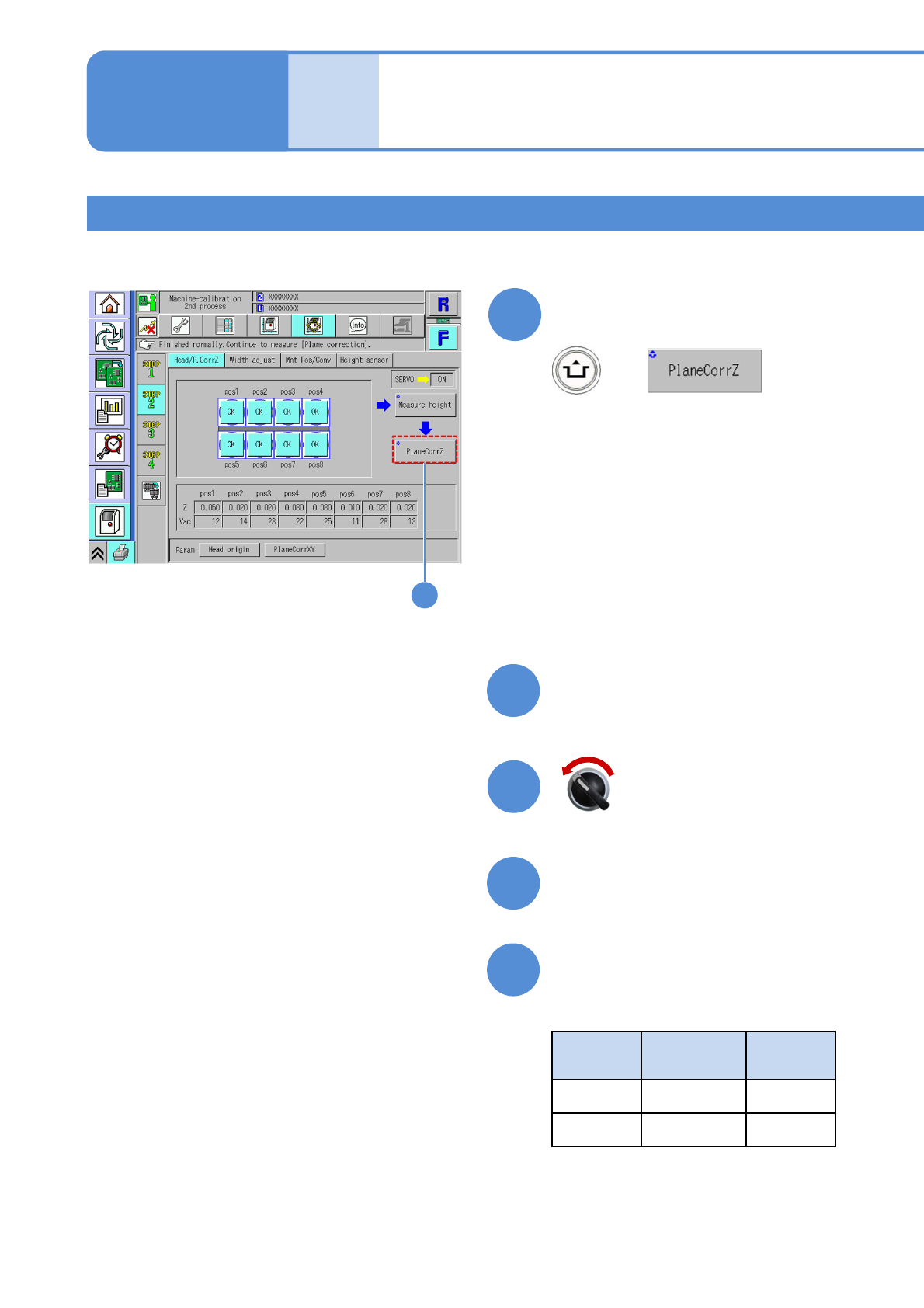
Confirm that it has been
successfully completed
●If it has been successfully completed,
the display of each nozzle position is
changed from '-' to 'OK'.
(The head moves to the work position)
12
+
Placement head 2
13-4-3
Head / Plane calibration
Z 2
13
Prepare for plane calibration Z
14
Open the safety cover
15
16
Check the nozzle installation
positions
●Nozzle used
Head
type
Nozzle
position
Nozzle
type
8 No. 3 230C
3 No. 2 1002
Maintenance
13-4
Servo switch OFF
NPM-TT2 EJM1EE-MB-13M-02
21
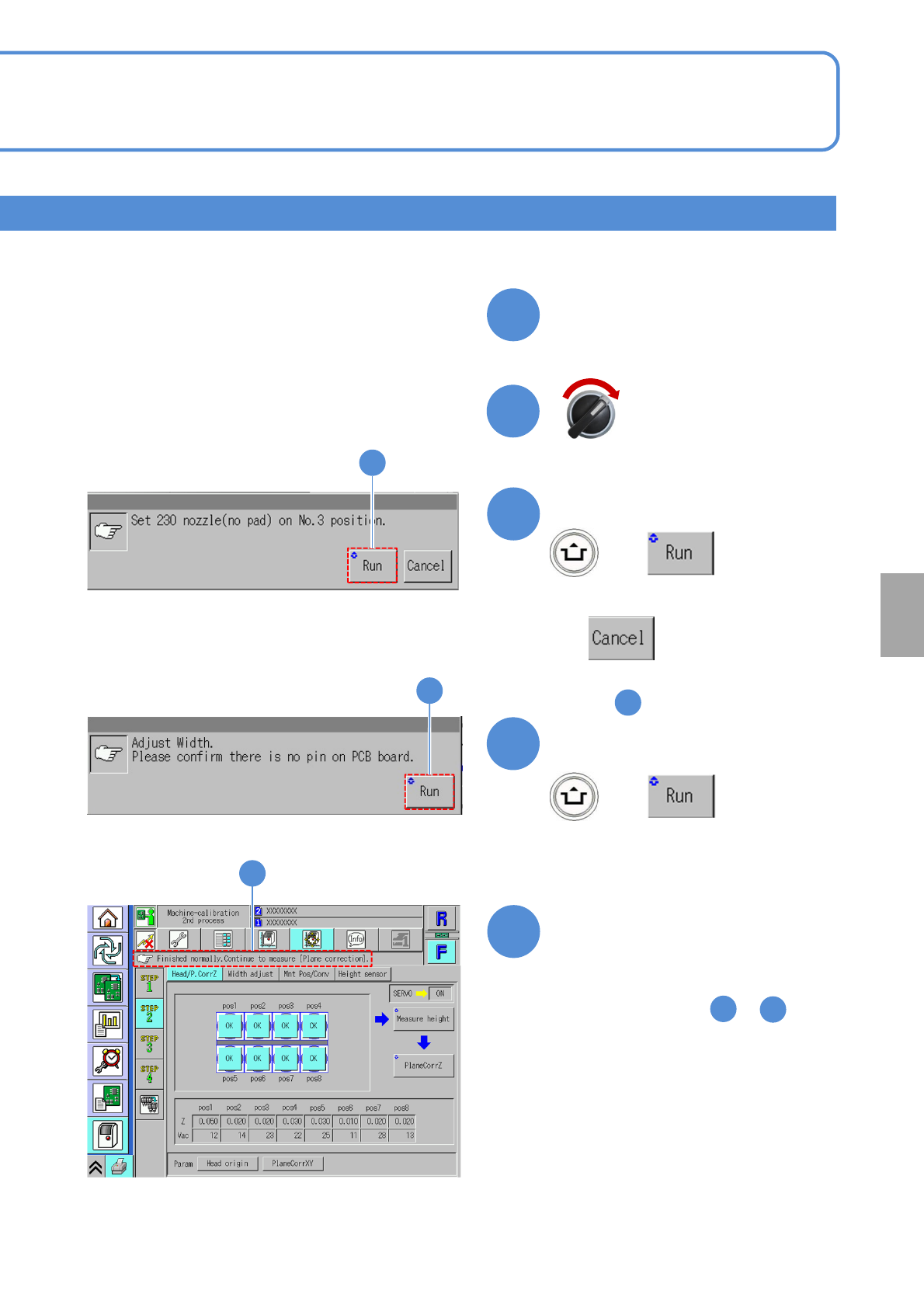
Confirm that it has been
successfully completed, and
choose the other table for
plane calibration Z and then
repeat steps from to
21
19
2
20
13-4-4
17
18
Close the safety cover
+
Confirm the message
■To cancel
(The screen remains as it is
in )
13
19
Calibration
(The plane correction Z is calibrated)
Servo switch ON
20
Confirm the message
20
+
NPM-TT2 EJM1EE-MB-13M-02
Placement head 3
Head / Plane calibration
Z 3
13-4-5
22
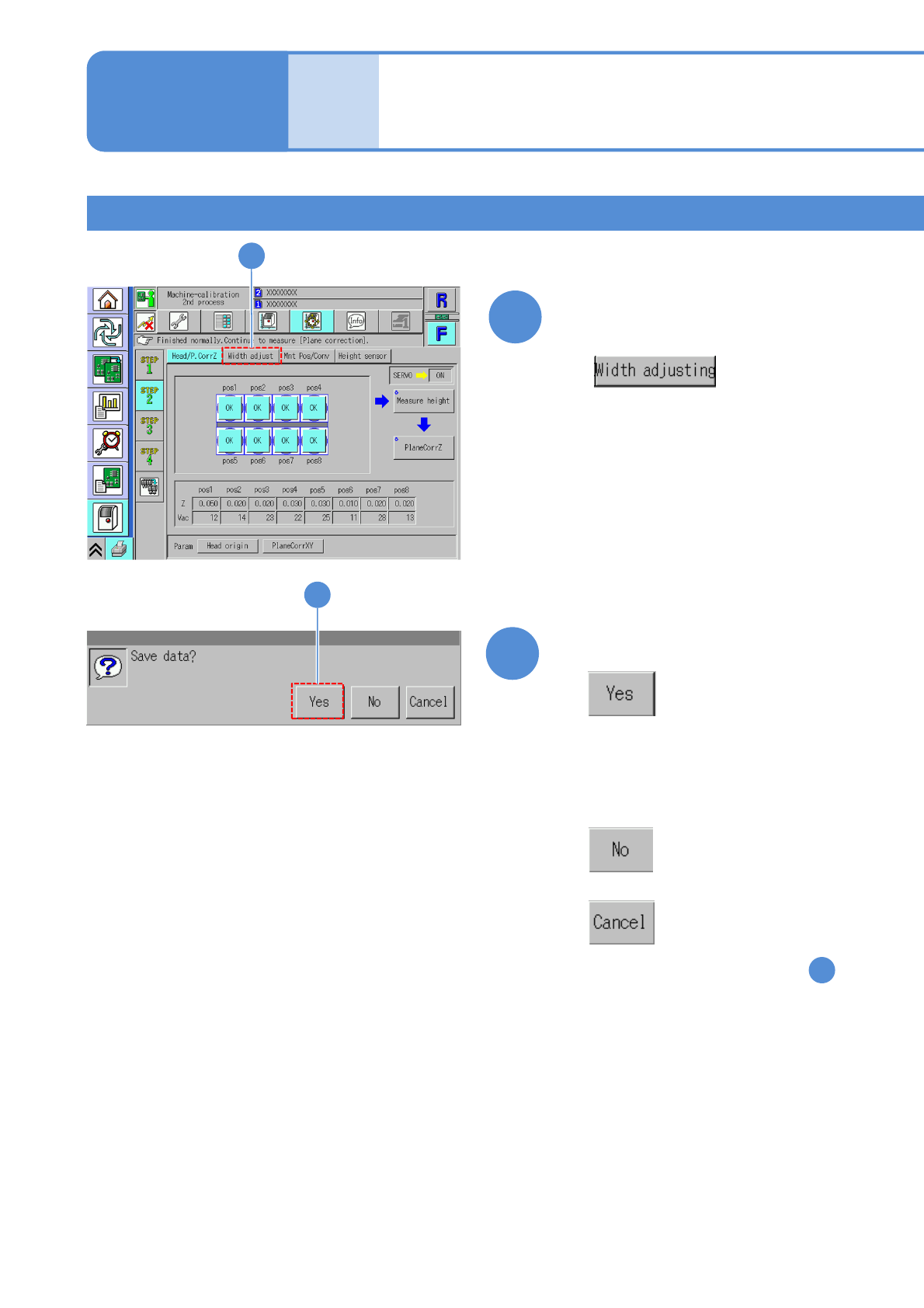
Confirm that it has been
successfully completed
23
Confirm the message
(The plane calibration Z data is saved)
(The head moves to the work position)
■When you do not save the data
■To cancel
(The screen remains as it is in )
22
23
Maintenance
13-4
22