N7201A653E.pdf - 第347页
NPM- TT2 EJ M1EE-MB-13M-0 2 Install nozzles 18 Close the safety cover 17 ● Install them to the nozzle positions to be measu r ed. (Use 100 3 nozzle) 19 13-8-1 -4 Calibration ● Reads a stable numerical value being measur …
NPM-TT2 EJM1EE-MB-13M-02
Place-
ment
load
11
13-8-1-3
Placement load 2
+
11
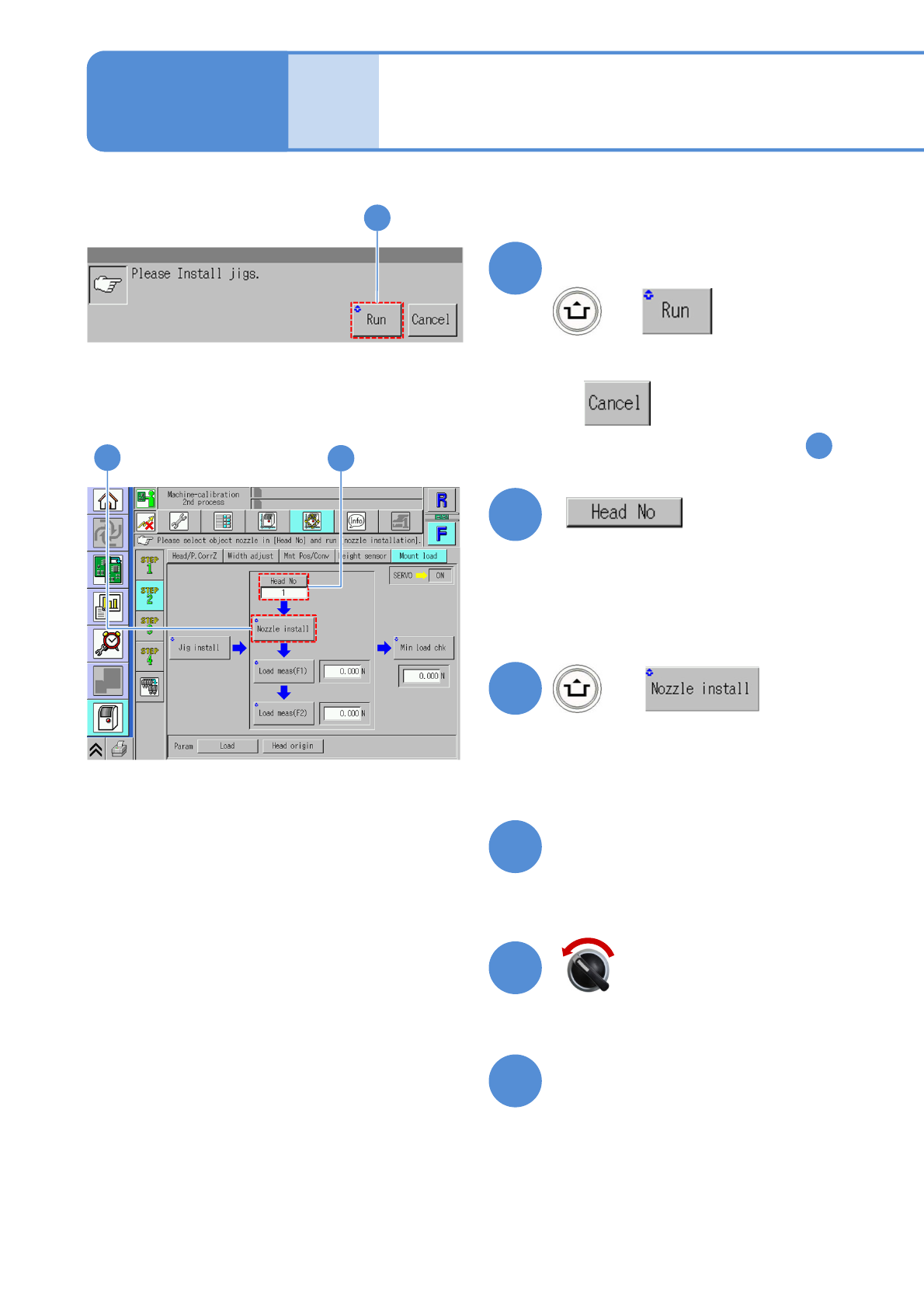
Confirm the message
●To cancel
(The screen remains as it is in )
1
(Each time you press it, the nozzle
position № changes)
●Choose the position to perform
calibration.
+
12
12
13
13
Maintenance
13-8-1
15
16
Open the safety cover
(The head moves to the work position)
14
Prepare to install nozzles
Servo switch OFF
NPM-TT2 EJM1EE-MB-13M-02
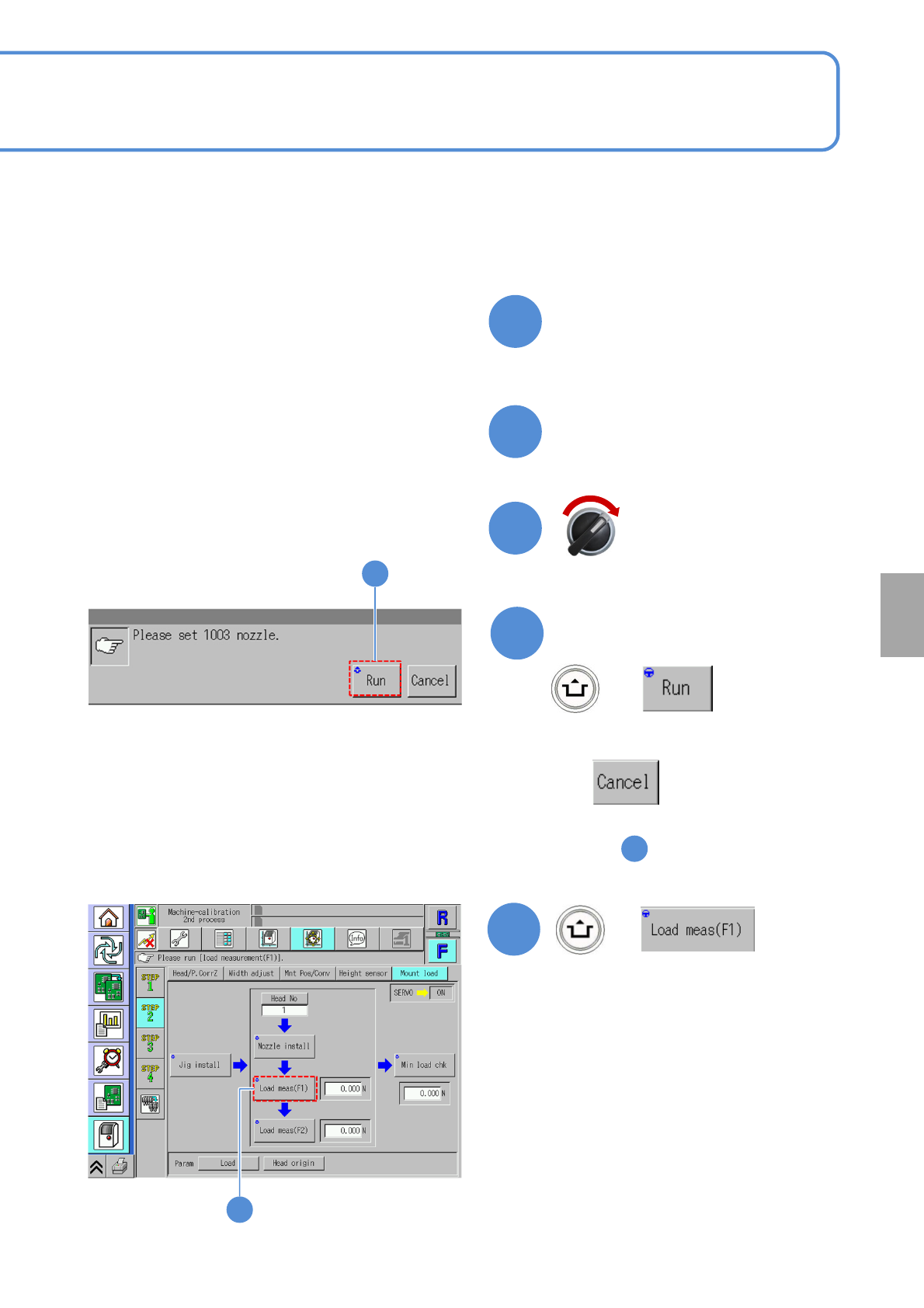
Install nozzles
18
Close the safety cover
17
●Install them to the nozzle positions to
be measured.
(Use 1003 nozzle)
19
13-8-1-4
Calibration
●Reads a stable numerical value being
measured.
Load meas displays the standardized
value rather than the maximum value
since the numerical value goes up
momentarily when the nozzle and the
jig come in contact with each other so
that it becomes difficult to read the
measurement value accurately.
●How to change the load cell meter
display. (→P.13-8-2)
+
(Calibration is carried out)
21
21
+
20
Confirm the message
●To cancel
(The screen remains as it is
in )
1
20
Servo switch ON
NPM-TT2 EJM1EE-MB-13M-02
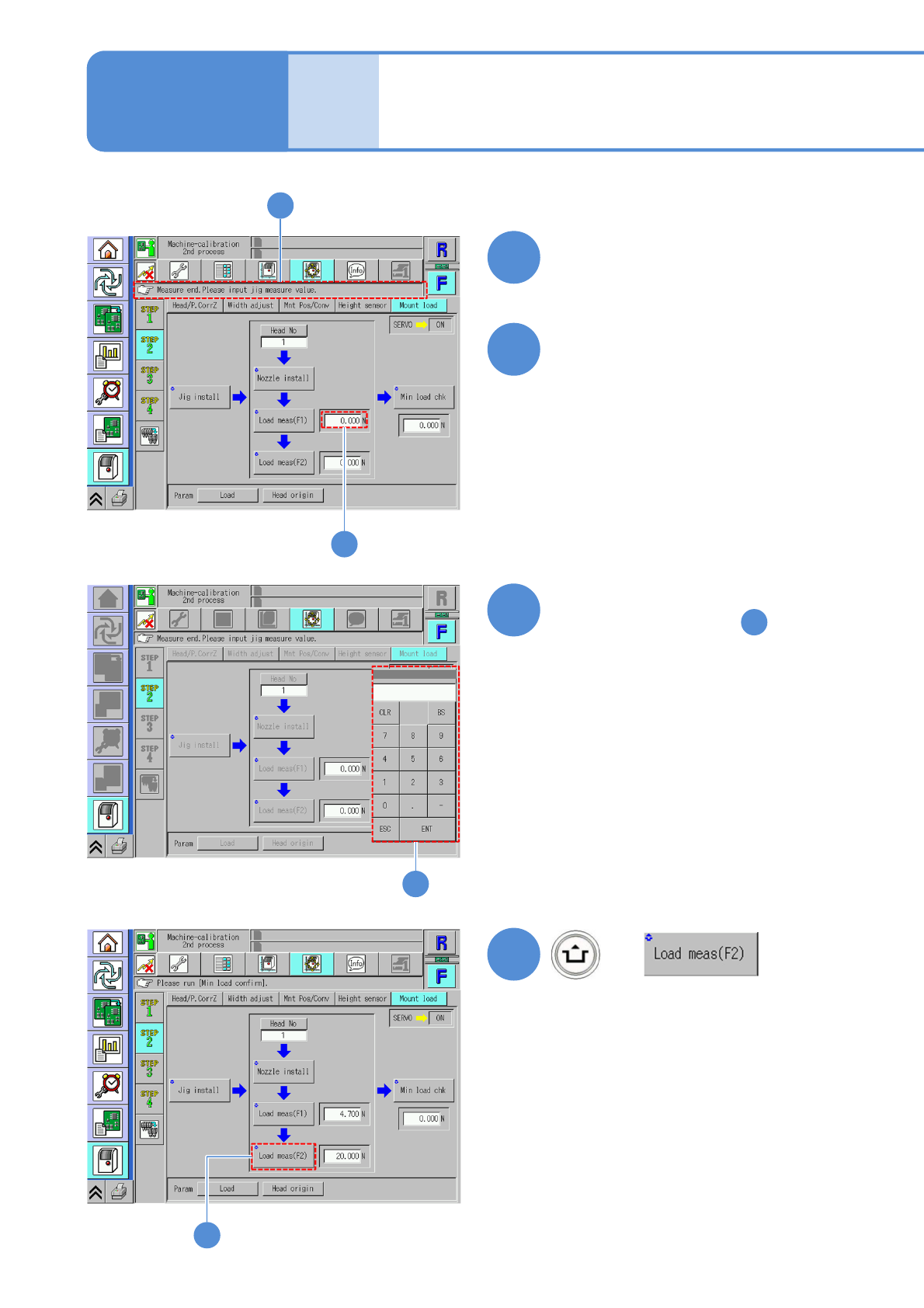
Confirm that it has been
successfully completed
Press the numerical part
(The numerical keypad appears)
22
23
23
13-8-1-5
Place-
ment
load
Placement load 3
Maintenance
13-8-1
24
Enter the measured value
●Enter the value read in .
Input range: 3.2 to 6.2 N
24
21
●Reads a stable numerical value being
measured.
Load meas displays the standardized
value rather than the maximum value
since the numerical value goes up
momentarily when the nozzle and the
jig come in contact with each other so
that it becomes difficult to read the
measurement value accurately.
●How to change the load cell meter
display (→P.13-8-2)
25
+
(Calibration is carried out)
25
22