N7201A653E.pdf - 第359页
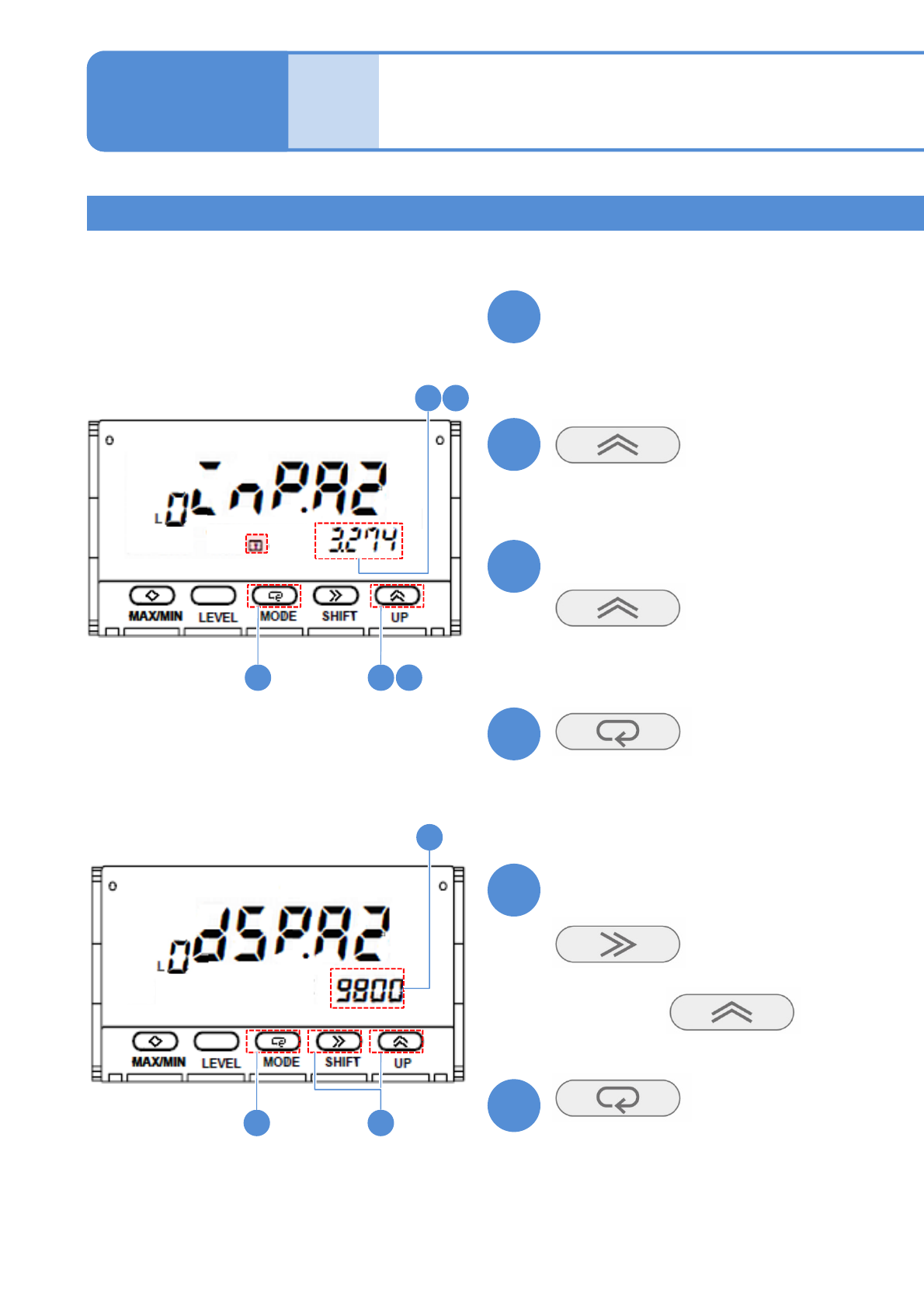
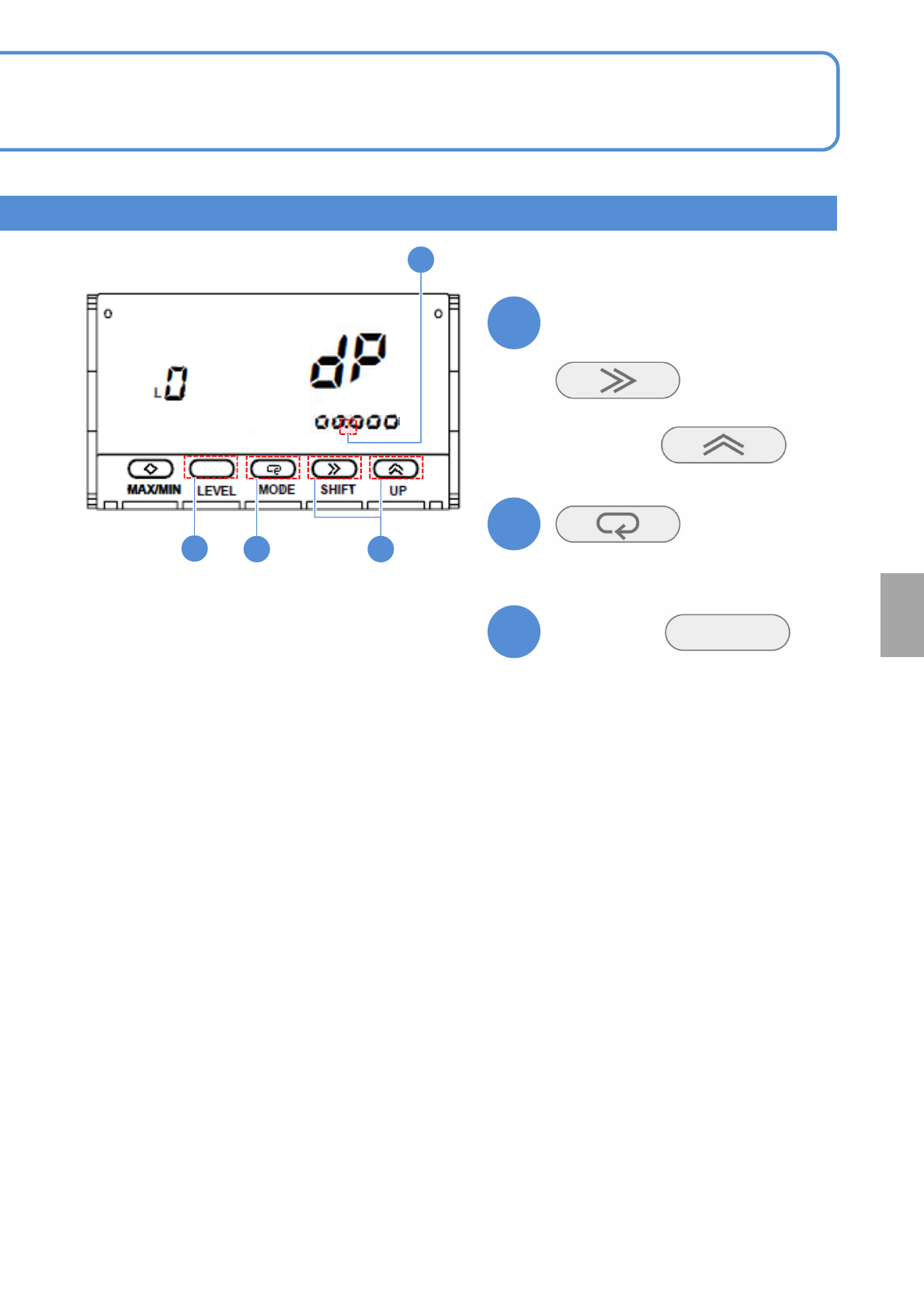
NPM- TT2 EJ M1EE-MB-13M-0 2 13-8-2 -6 19 19 20 21 19 20 21 Confirm the decimal point position (The decimal point position is set) ■ To chang e (The screen display flash es) Hold dow n for at least a second (Returns to th…
NPM-TT2 EJM1EE-MB-13M-02
Place-
ment
load
Maintenance
13-8-2
Put a 1 kg weight on the load
cell
(The value is displayed, and the lamp
flashes)
(Teaching is complete and then the lamp
changes from flashing to illumination)
Confirm that the display value
becomes stable
(The input value 2 is set)
Confirm the display value
(The display value 2 is set)
■If the screen display differs
(The display flashes)
Choose it with
14
151410
15
17
1718
13
14
15
16
17
18
Calibration method 2
13-8-2-5
How to use placement
load measurement jig
(option)3
NPM-TT2 EJM1EE-MB-13M-02
13-8-2-6
19
19
20
21
1920
21
Confirm the decimal point position
(The decimal point position is set)
■To change
(The screen display flashes)
Hold down
for at least a second
(Returns to the operation level)
Choose it with
Calibration
NPM-TT2 EJM1EE-MB-13M-02
13-9-1
Maintenance
13-9
Multi-recognition
camera 1
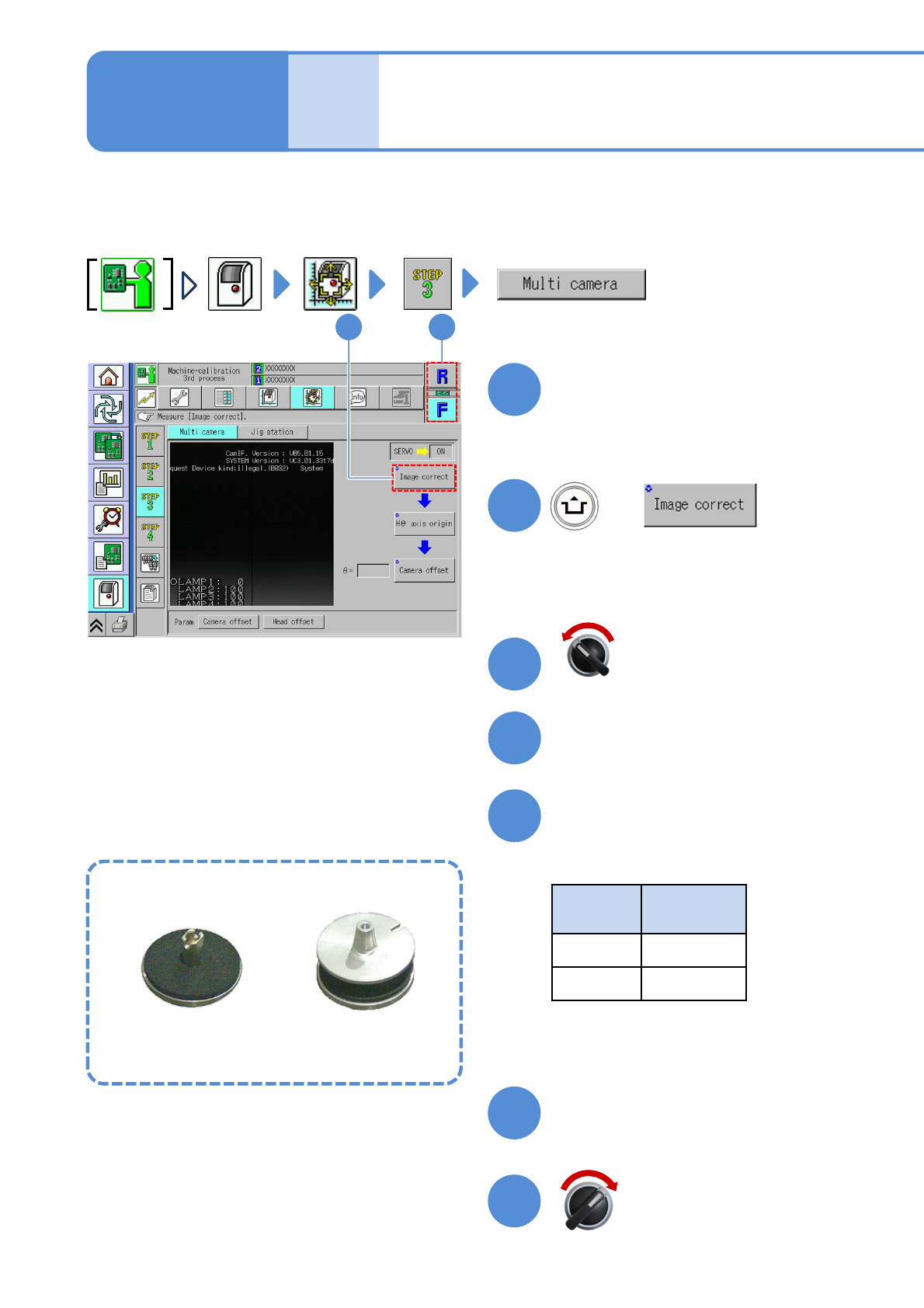
Taking an example of 8-nozzle head, it describes the operation method of multi-recognition camera.
Remove the feeder, if any, from the table you are going to calibrate beforehand.
Choose a head
+
●Choose the head you want to calibrate.
12
2
1
(The head moves to the work position)
Open the safety cover
Install the multi-recognition
camera jig
●Nozzles used
Head
type
Nozzle
position
8 No. 3
3 No. 2
Servo switch OFF
3
4
5
Close the safety cover
Servo switch ON
6
7
Multi-recognition camera jig
For 8-nozzle head For 3-nozzle head