N7201A653E.pdf - 第361页
NPM- TT2 EJ M1EE-MB-13M-0 2 13-9 -2 Calibration + Confirm the message ■ To cancel (The screen remains as it is in ) 8 1 + 9 (The head moves to the work position) 9 Confirm that it has been successfully completed 8 Prepar…
NPM-TT2 EJM1EE-MB-13M-02
13-9-1
Maintenance
13-9
Multi-recognition
camera 1
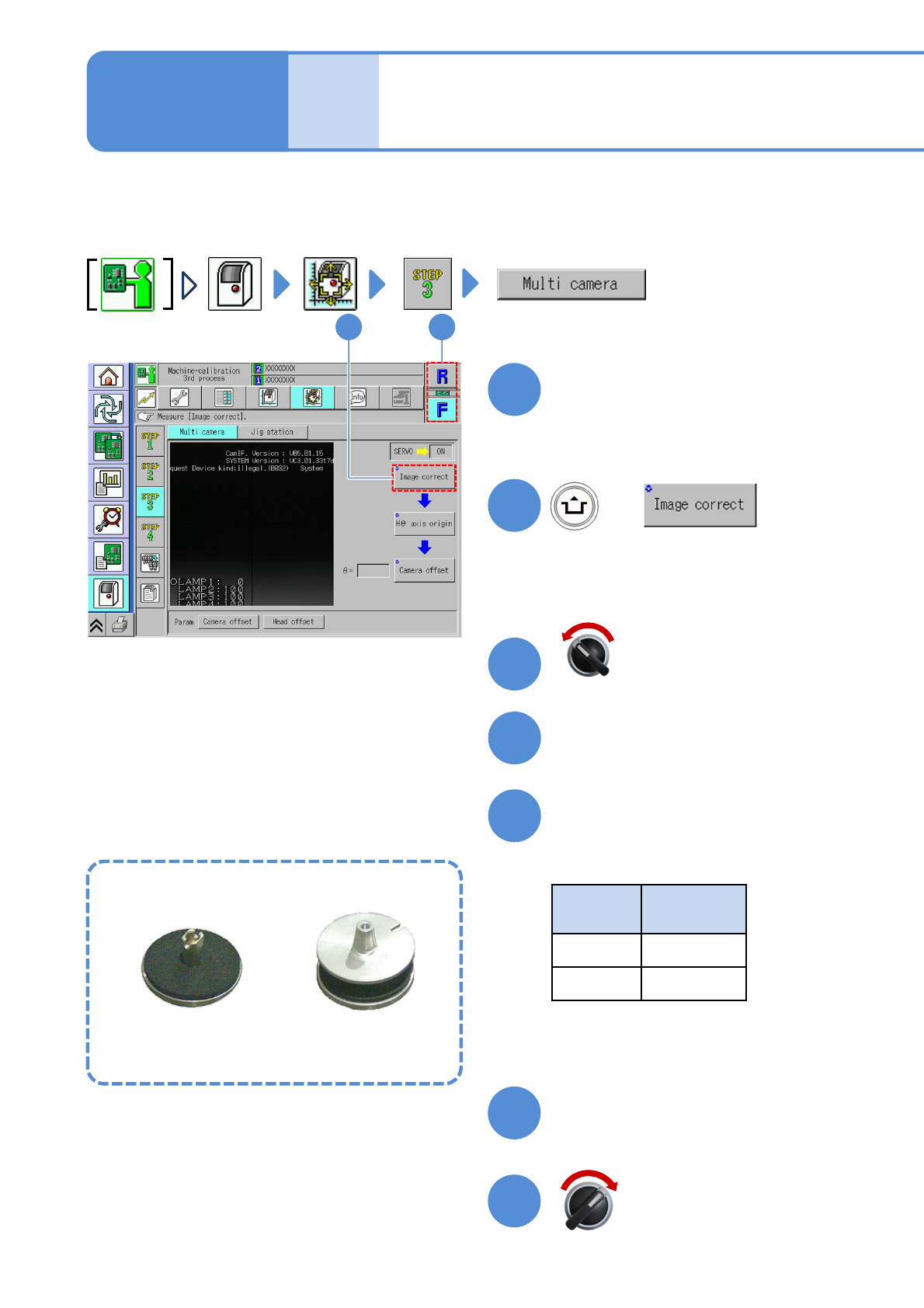
Taking an example of 8-nozzle head, it describes the operation method of multi-recognition camera.
Remove the feeder, if any, from the table you are going to calibrate beforehand.
Choose a head
+
●Choose the head you want to calibrate.
12
2
1
(The head moves to the work position)
Open the safety cover
Install the multi-recognition
camera jig
●Nozzles used
Head
type
Nozzle
position
8 No. 3
3 No. 2
Servo switch OFF
3
4
5
Close the safety cover
Servo switch ON
6
7
Multi-recognition camera jig
For 8-nozzle head For 3-nozzle head
NPM-TT2 EJM1EE-MB-13M-02
13-9-2
Calibration
+
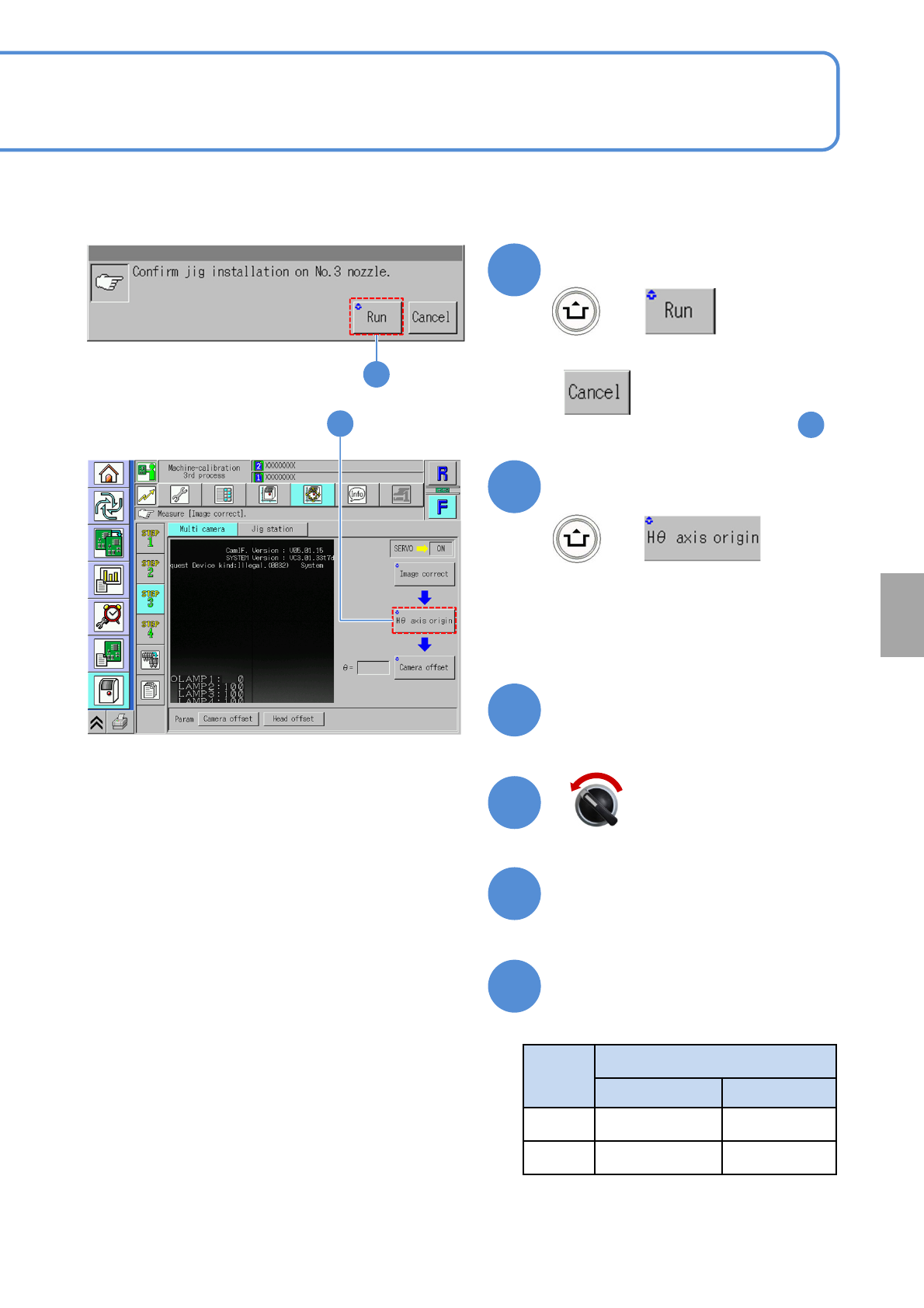
Confirm the message
■To cancel
(The screen remains as it is in )
8
1
+
9
(The head moves to the work position)
9
Confirm that it has been
successfully completed
8
Prepare to attach the jig
Servo switch OFF
Open the safety cover
Head
type
Nozzle position
Before replace After replace
8 No. 3 No. 6
3 No. 2 No. 1
10
11
12
13
Replace the multi-recognition
camera jig
●Nozzles that you confirm
NPM-TT2 EJM1EE-MB-13M-02
13-9-3
Maintenance
13-9
Multi-recognition
camera 2
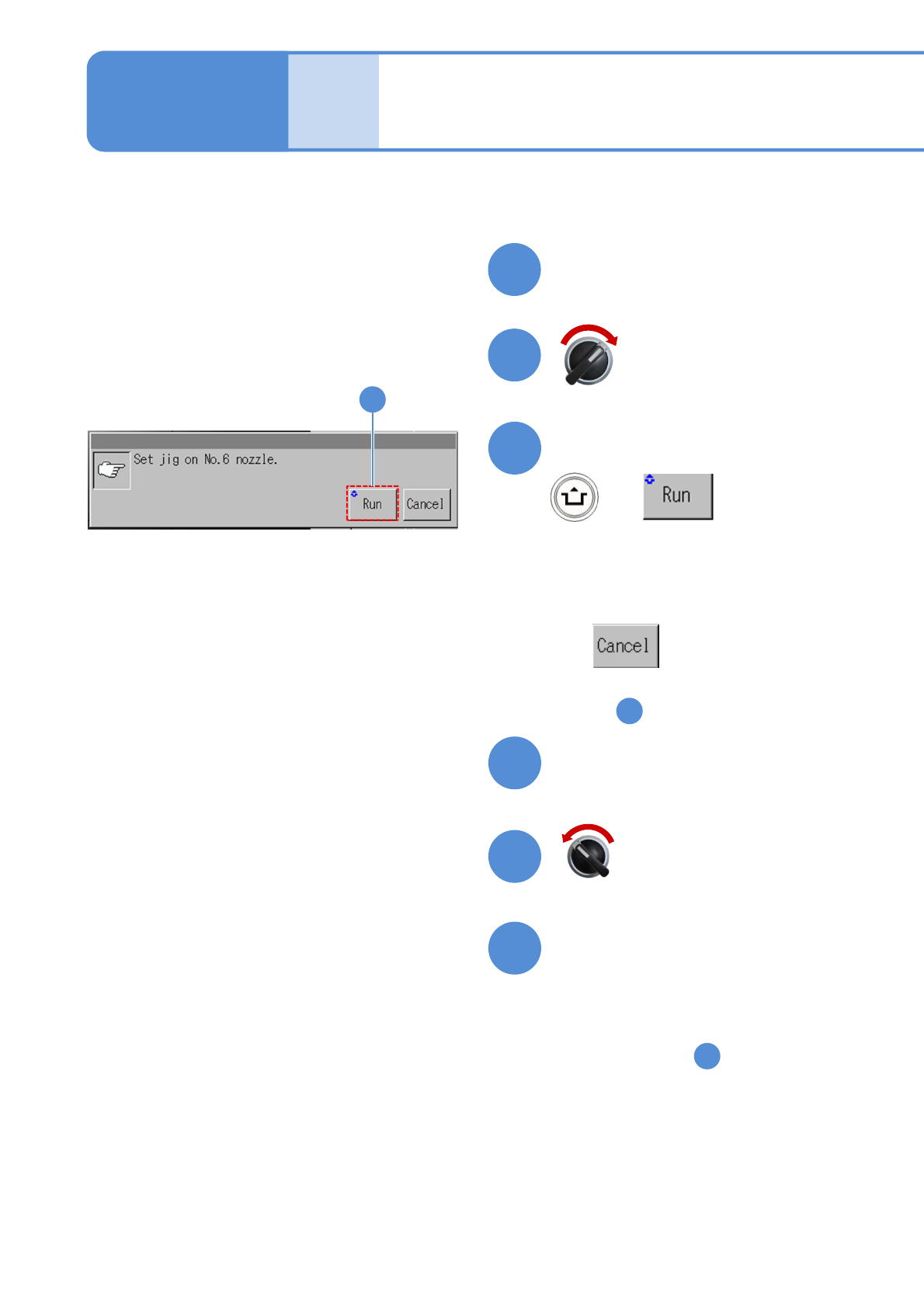
Servo switch ON
Close the safety cover
15
14
+
Confirm the message
■To cancel
(The screen remains as it is
in )
Servo switch OFF
Prepare to install the jig
Open the safety cover
(The multi-recognition camera is
calibrated)
1
Perform steps after .
■ For other than 3-nozzle head
■ For 3-nozzle head
Perform steps after this.
18
17
19
16
26
16
(The head moves to the work position)