N7201A653E.pdf - 第393页
NPM- TT2 EJ M1EE-MB-13M-0 2 Confirm the message ■ When you do not save the data ■ To cancel (The screen remains as it is in ) 13-13 -4 Confirm the message ■ To calibrate the tray again + (The nozzle is stored to the nozz…
NPM-TT2 EJM1EE-MB-13M-02
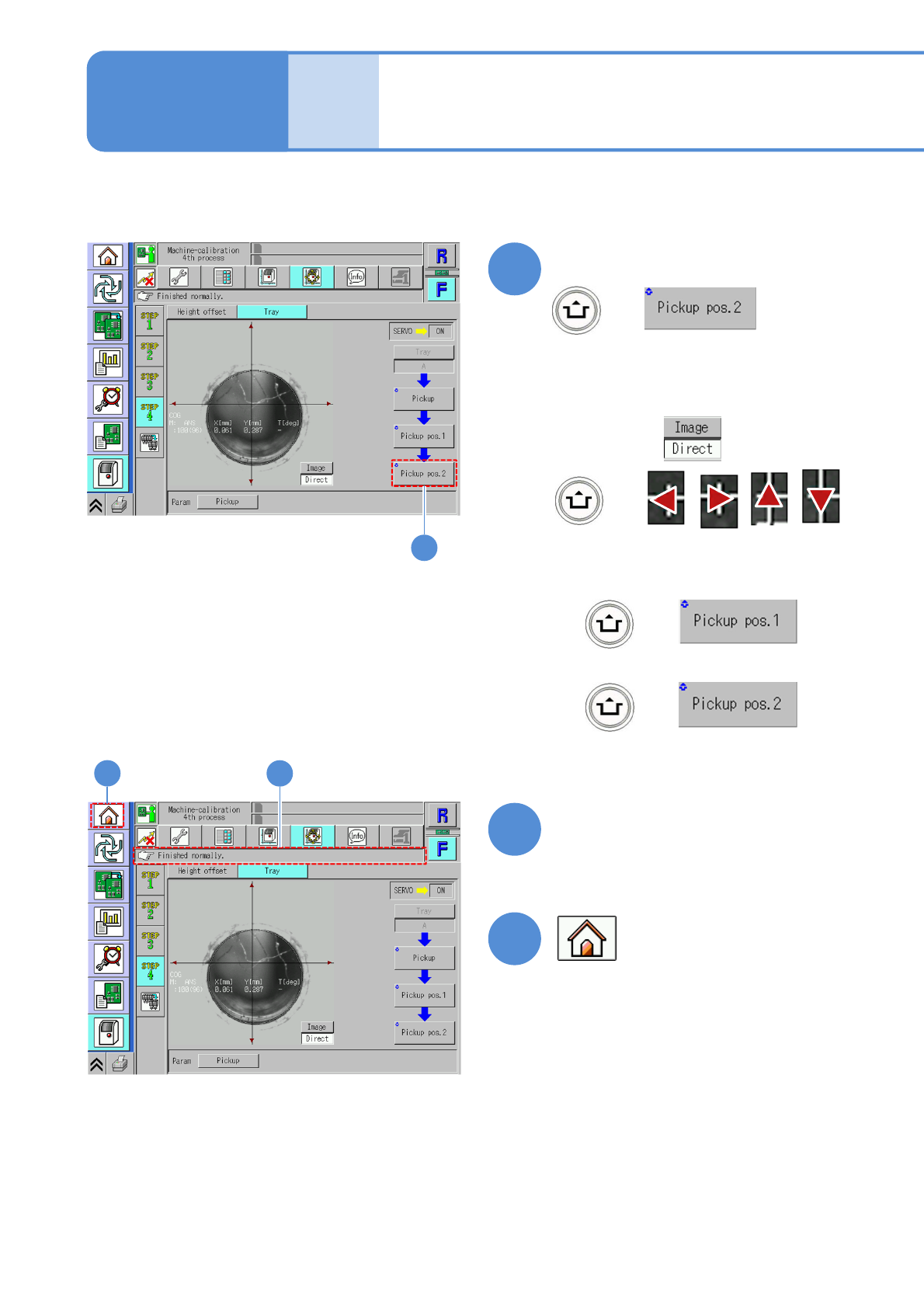
(Pickup position 2 is calibrated)
Confirm that it has been
successfully completed
+
●For a recognition error,
13-13-3
Tray 2
or
+
+
Confirm that it has been
successfully completed
Change to
+
Maintenance
13-13
Using the above buttons, move the
recognition image near the center.
Then, press
10
10
11
11
12
12
NPM-TT2 EJM1EE-MB-13M-02
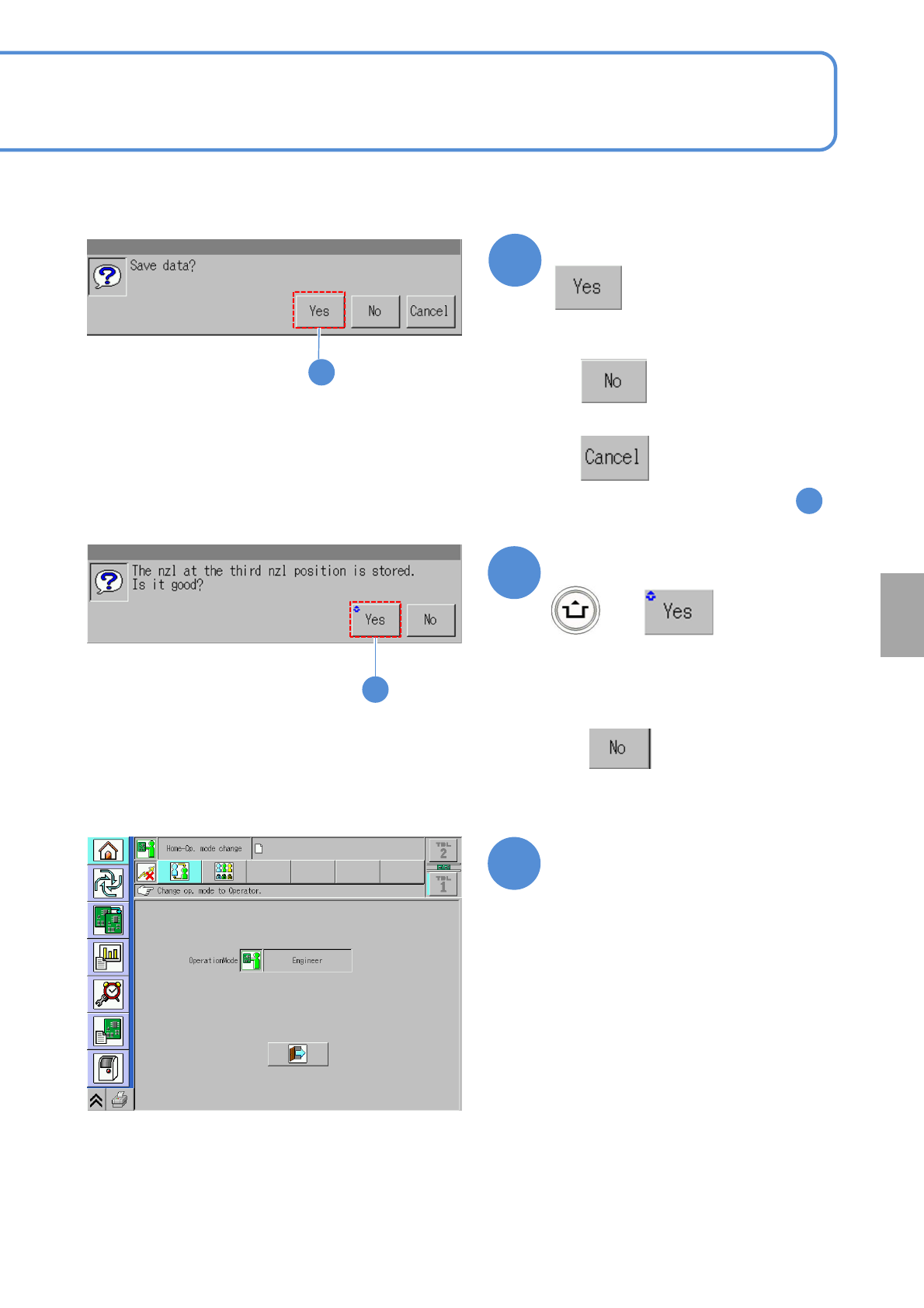
Confirm the message
■When you do not save the data
■To cancel
(The screen remains as it is in )
13-13-4
Confirm the message
■To calibrate the tray again
+
(The nozzle is stored to the nozzle
changer No.11)
13
11
13
14
14
Calibration
Confirm that it is Home screen,
and prepare to remove the
nozzles from the nozzle
changer
15
NPM-TT2 EJM1EE-MB-13M-02
13-13-5
Tray 3
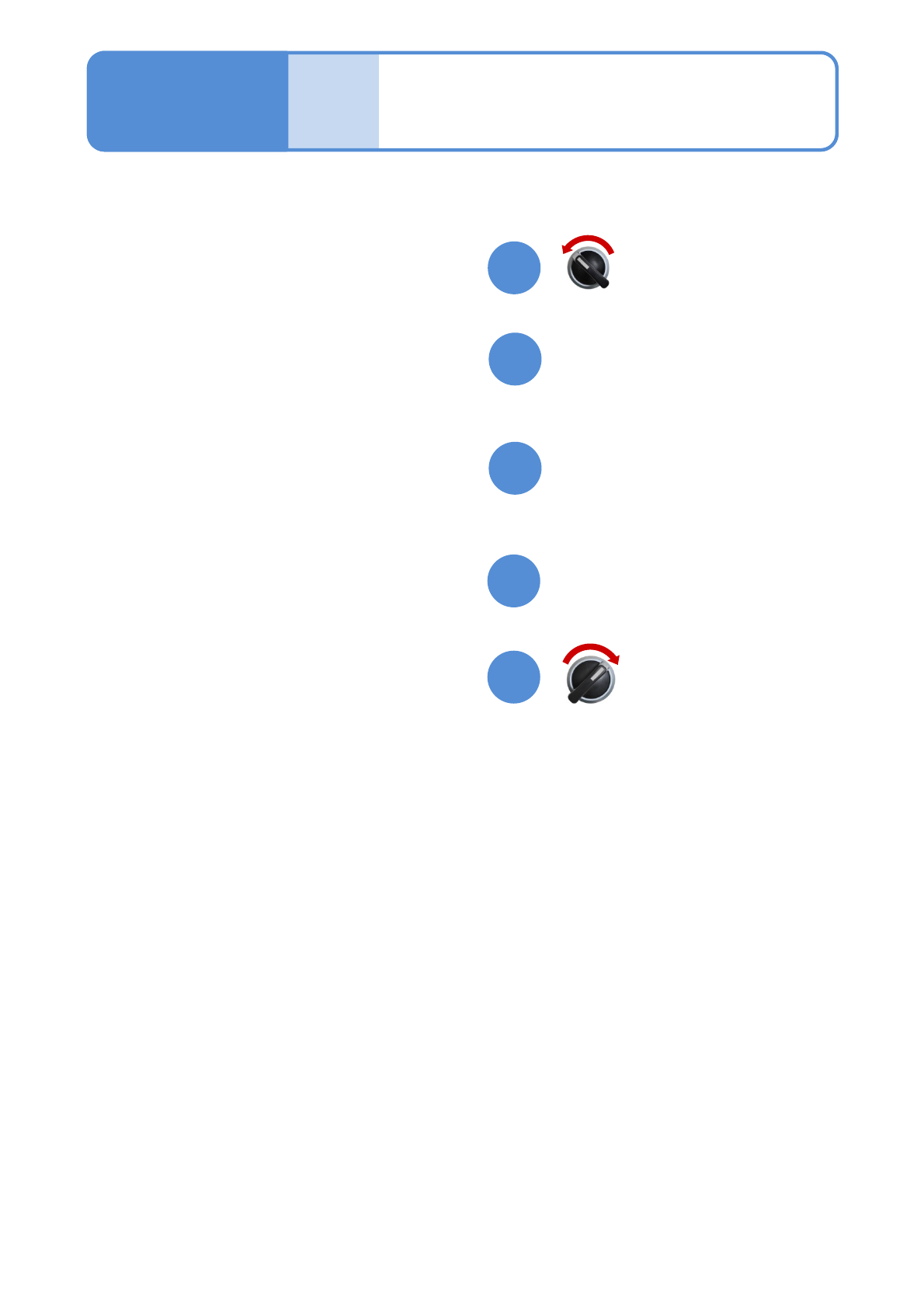
Open the safety cover
Remove the nozzles from the
nozzle changer No.11
Close the safety cover
Maintenance
13-13
17
18
16
20
19
Servo switch OFF
Servo switch ON