N7201A653E.pdf - 第405页
NPM- TT2 EJM1EE-MB-13 M-02 13-15-1 -6 Calibration
NPM-TT2 EJM1EE-MB-13M-02
MCDATA (Production program)
●There are two types of heads. (8-/3-nozzle head)
●The supply units locate on the front and rear side.
Front side: Single tray feeder (T) or tape / stick feeder (F)
Rear side: Single tray feeder (T) or tape / stick feeder (F)
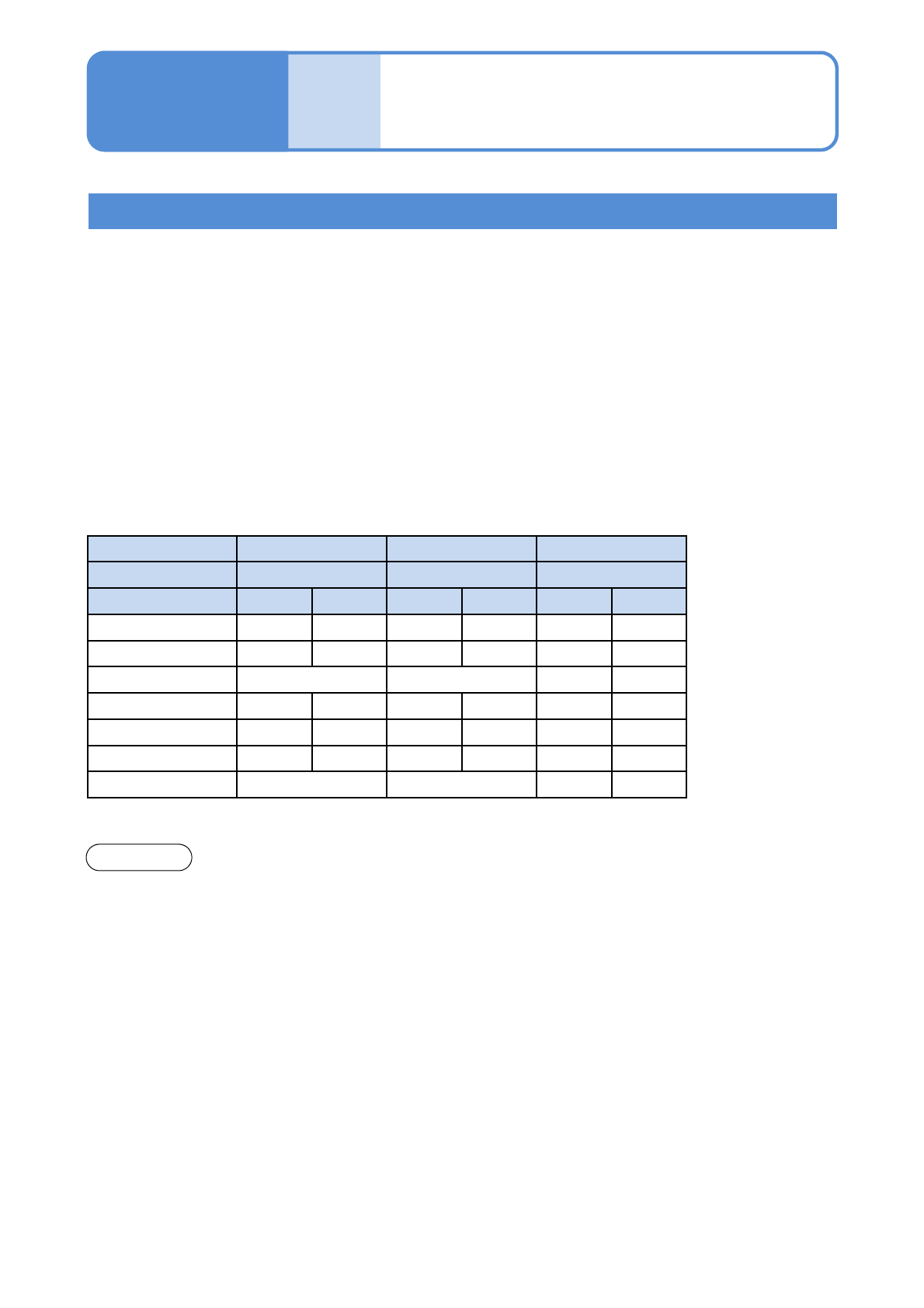
●In the head pattern, for example, 8F-8F shows the front: 8 nozzles, feeder-supply section, the rear: 8
nozzles, feeder-supply section. Likewise, 3T-3T shows the front: 3 nozzles, tray-supply section, the rear:
3 nozzles, tray-supply section.
●For better workability, heads on both front and rear sides are used for the machine installing 8-nozzle
head.
13-15-1-5
Overview 3
Accuracy
verifica-
tion
Maintenance
13-15-1
Offset Chip Micro General-purpose
Component to use 1005JIG chip 0402R JIG_BGA
Head pattern Front Rear Front Rear Front Rear
8T-3T 8 3 8 --- 8 3
3T-3T 3 3 --- --- 3 3
8T-8T 88
3F-3T 3 3 --- --- 3 3
3F-3F 3 3 --- --- 3 3
8F-3F 8 3 8 --- 8 3
8F-8F 88
The MCDATA (Production program) is contained in the DVD-ROM (Machine system /
Recognition / LNB system disk) that comes with the machine.
Refer to the MCDATA sheet included in the DVD-ROM, select the target MCDATA according to
the machine type. Copy it to an SD card once and load it to the machine.
An SD card should be prepared by the customer.
If MCDATA which has been read by this machine is overwritten in the SD card, the corresponding MCDATA
in the SD card will not be functioned. If you wrongly overwrite the data, copy it from DVD-ROM.
If you must perform accuracy verification by the configuration which is not in the MCDATA list such as head
change, please contact us.
NOTICE
The table below is the major configuration of heads and supply sections.
(example of major configuration)
○ : Placing by front and rear heads
Head designation: Placing by designated head only
F: Tape / Stick feeder specifications
T: Tray feeder specifications

NPM-TT2 EJM1EE-MB-13M-02
13-15-1-6
Calibration
NPM-TT2 EJM1EE-MB-13M-02
Accuracy
verifica-
tion
Detailed process 1
13-15-2-1
Maintenance
13-15-2
2
3
2
1
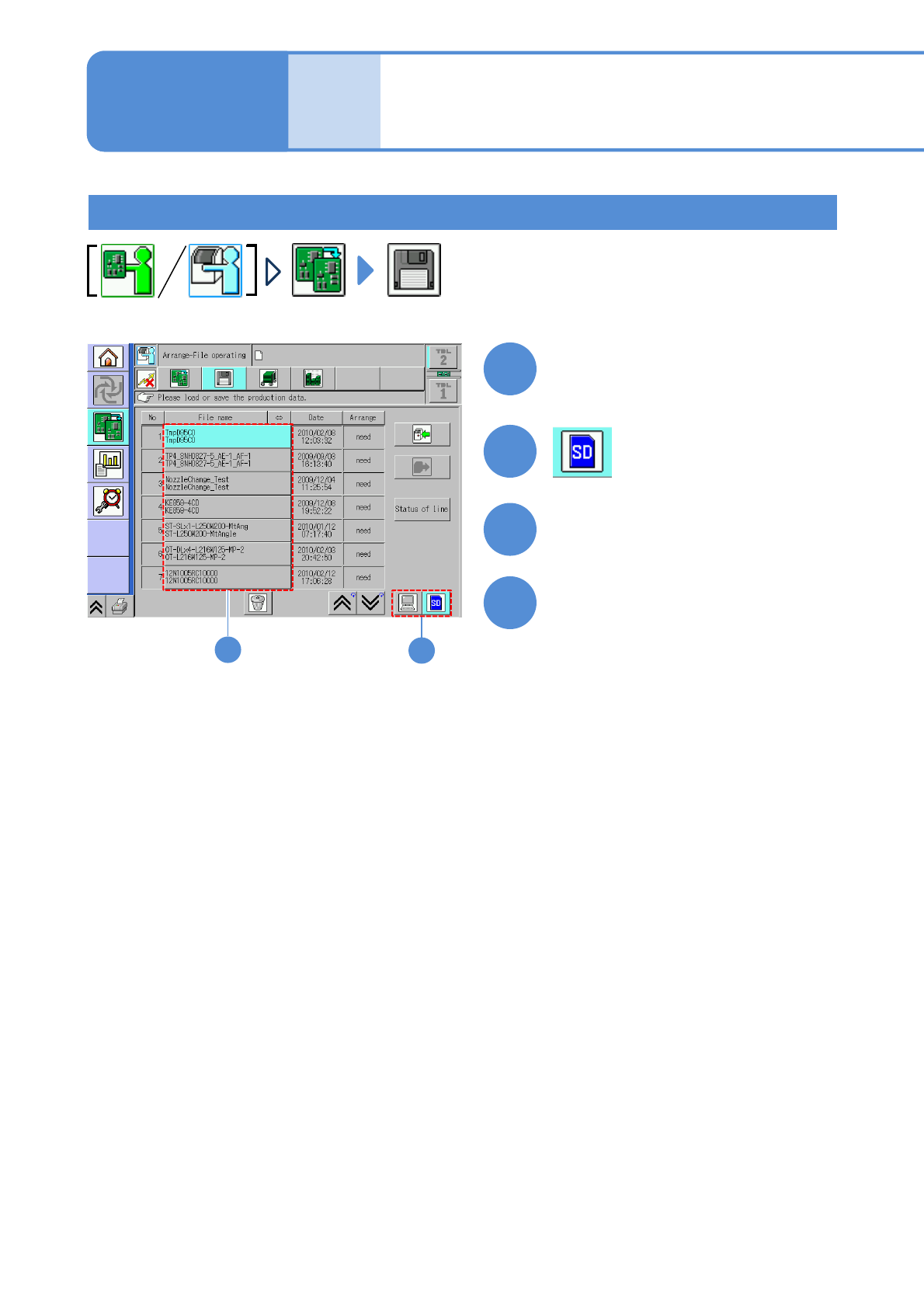
Set the SD card which MCDATA
has been copied
3
●Load the data as same way as the
normal production data.
4
Choose MCDATA
Load MCDATA
Production preparation 1 (Loading MCDATA: Production program)
(→ P.13-15-1-1 ‘■MCDATA type’)