N7201A653E.pdf - 第436页
NPM- TT2 EJM1EE-MB-14 M-02 Peripher- al device connec- tion Ca ble length 14-6-4 Maintenance 14-6-4 Items that need to be connected: ● Line signal (insulat ed) 1) ● AC (alte rnating current) power source 1) The machi…
NPM-TT2 EJM1EE-MB-14M-02
Peripher-
al device
connec-
tion
Ethernet cables
LWS
(line work station)
14-6-3
Maintenance
14-6-3
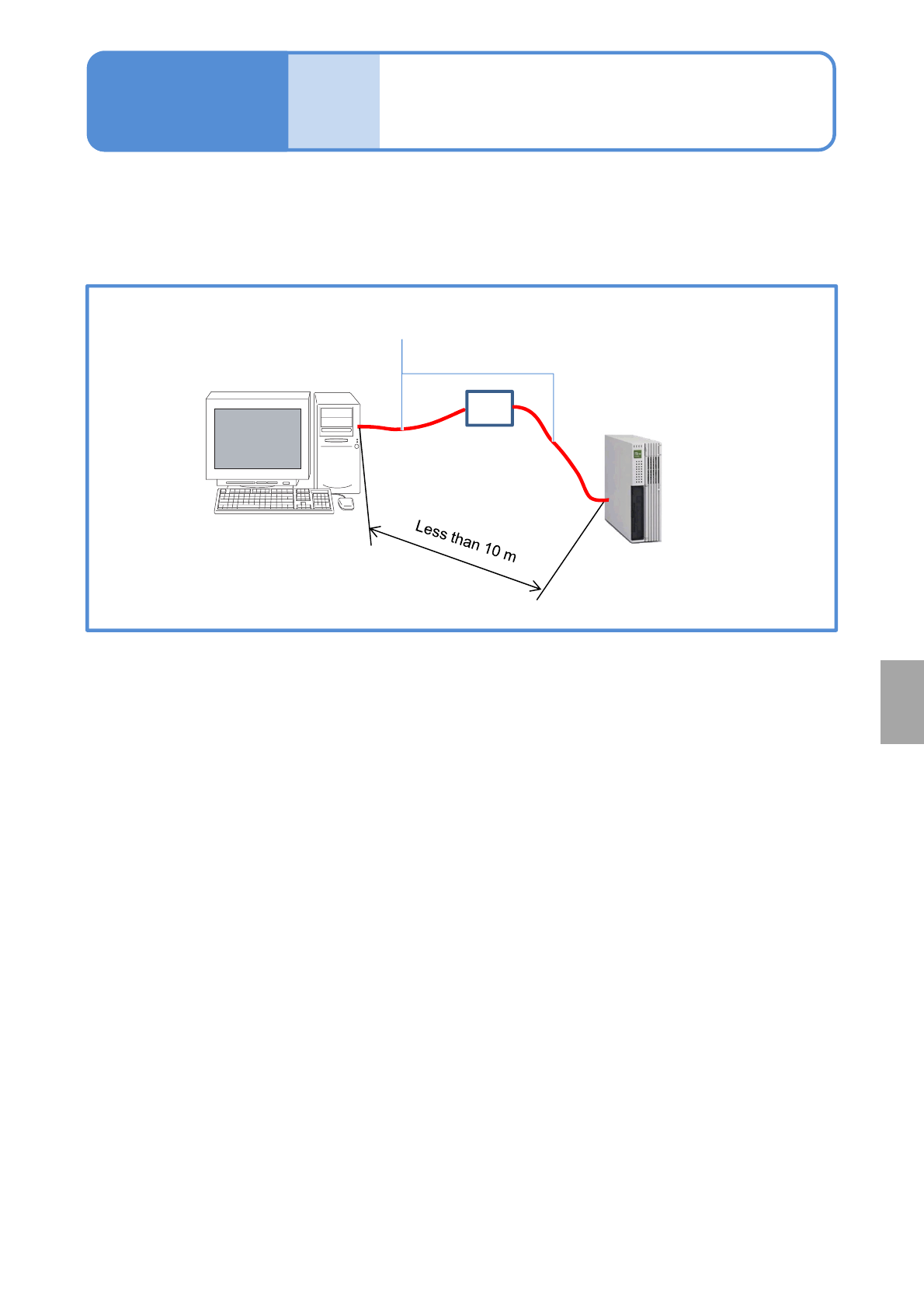
The result data accumulated in LNB can be displayed on LWS (Line Work Station) by establishing an
Ethernet cable connection between your PC and a PC intended for LNB use. No installation of dedicated
software is required for the PC, but Web browser is required. For details, please refer to the LNB instruction
manual.
Ethernet cable
If the cable is longer
than 10 m, contact us.
PC (LWS)
FA PC for LNB
HUB
Installation
NPM-TT2 EJM1EE-MB-14M-02
Peripher-
al device
connec-
tion
Cable length
14-6-4
Maintenance
14-6-4
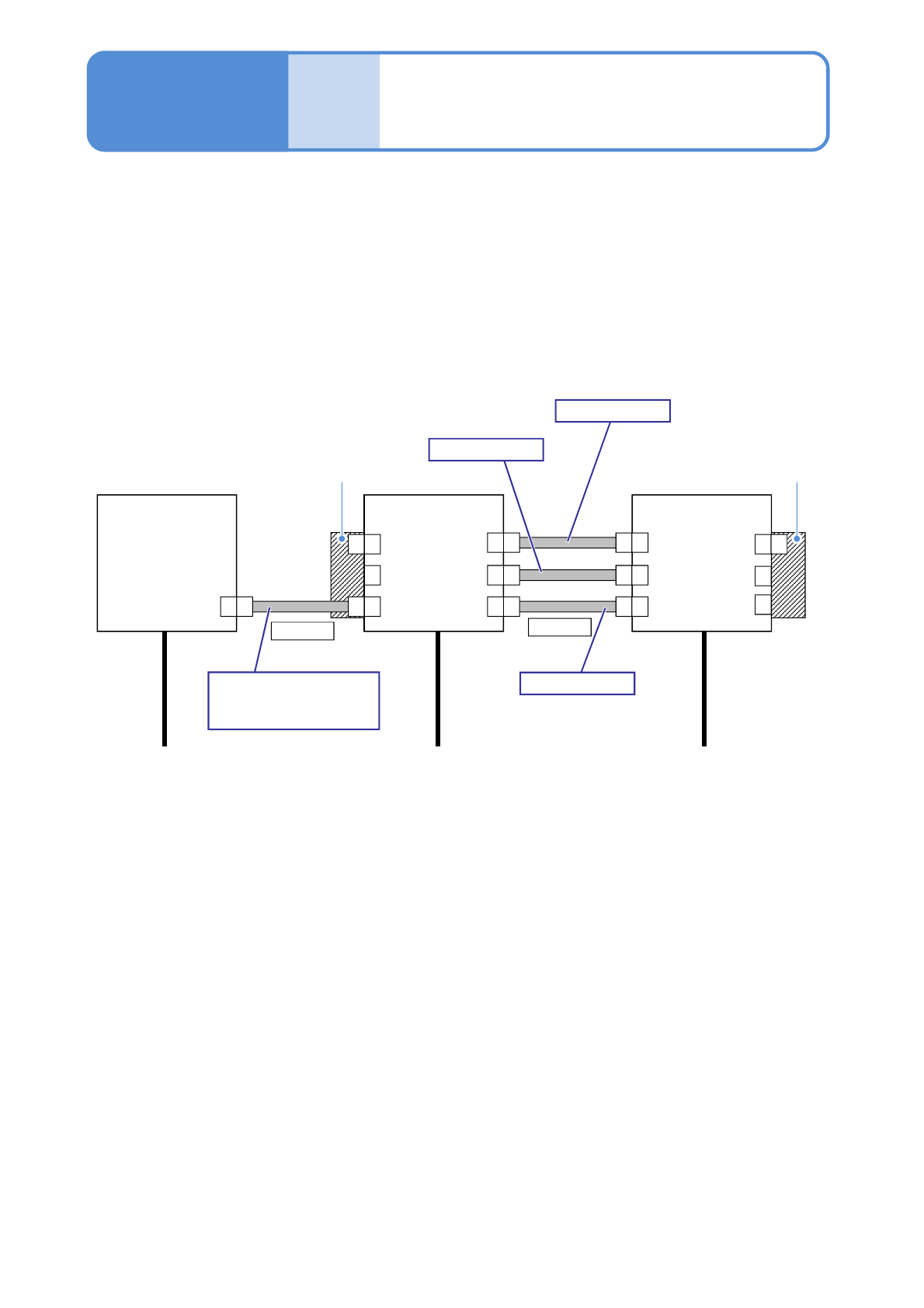
Items that need to be connected:
●Line signal (insulated)
1)
●AC (alternating current) power source
1) The machine system and the system of ancillary equipment are already insulated.
The power source or the line signal cables that correspond to line configuration can vary depending on
your specifications. So, please contact us.
■Line configuration Example: conventional machine support
FM MF
F
F
SMEMA
Power
L1,L2,L3,PE
Power
L1,L2,L3,PE
Power
L1,L2,L3,PE
Conventional
machine
NPM-TT2
NPM-TT2
2 m
Regarding connection
other than the NPM-TT2,
please ask us.
SMEMA
FM MF
FM MF
FM MF
-XP -XS
CNDUS
CNEXR
-XP
CNDUP
CNEXL
-XS
N610129393AB
2 m
N610129395AB
2 m
N610129394AB
Extension conveyor Extension conveyor
MF
F
MF
NPM-TT2 EJM1EE-MB-14M-02
Peripher-
al device
connec-
tion
Settings when
connected to LNB
14-6-5
Maintenance
14-6-5
1
2
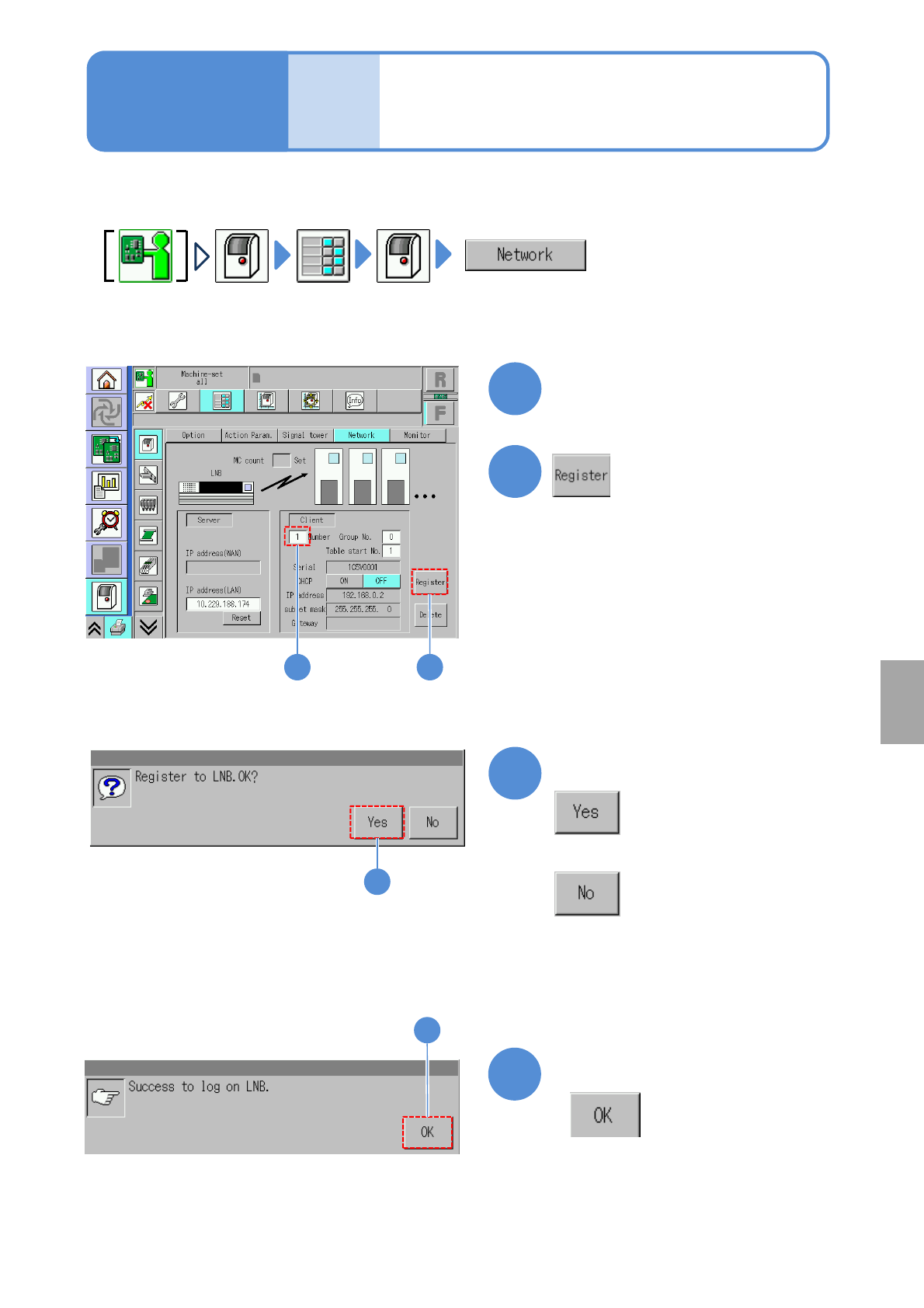
Enter the number of in-line
machines after the first
machine (what number)
3
■If it should not be registered to LNB
4
Confirm the message
When the machine is connected to LNB, configure the settings on the machine side.
3
Confirm the message
4
Installation
1 2