N7201A653E.pdf - 第437页
NPM- TT2 EJM1EE-MB-14 M-02 Peripher- al device connec- tion Settings w hen connected to LNB 14-6-5 Maintenance 14-6-5 1 2 Enter the number of in-line machines after the first machine (what number) 3 ■ If it should not be…
NPM-TT2 EJM1EE-MB-14M-02
Peripher-
al device
connec-
tion
Cable length
14-6-4
Maintenance
14-6-4
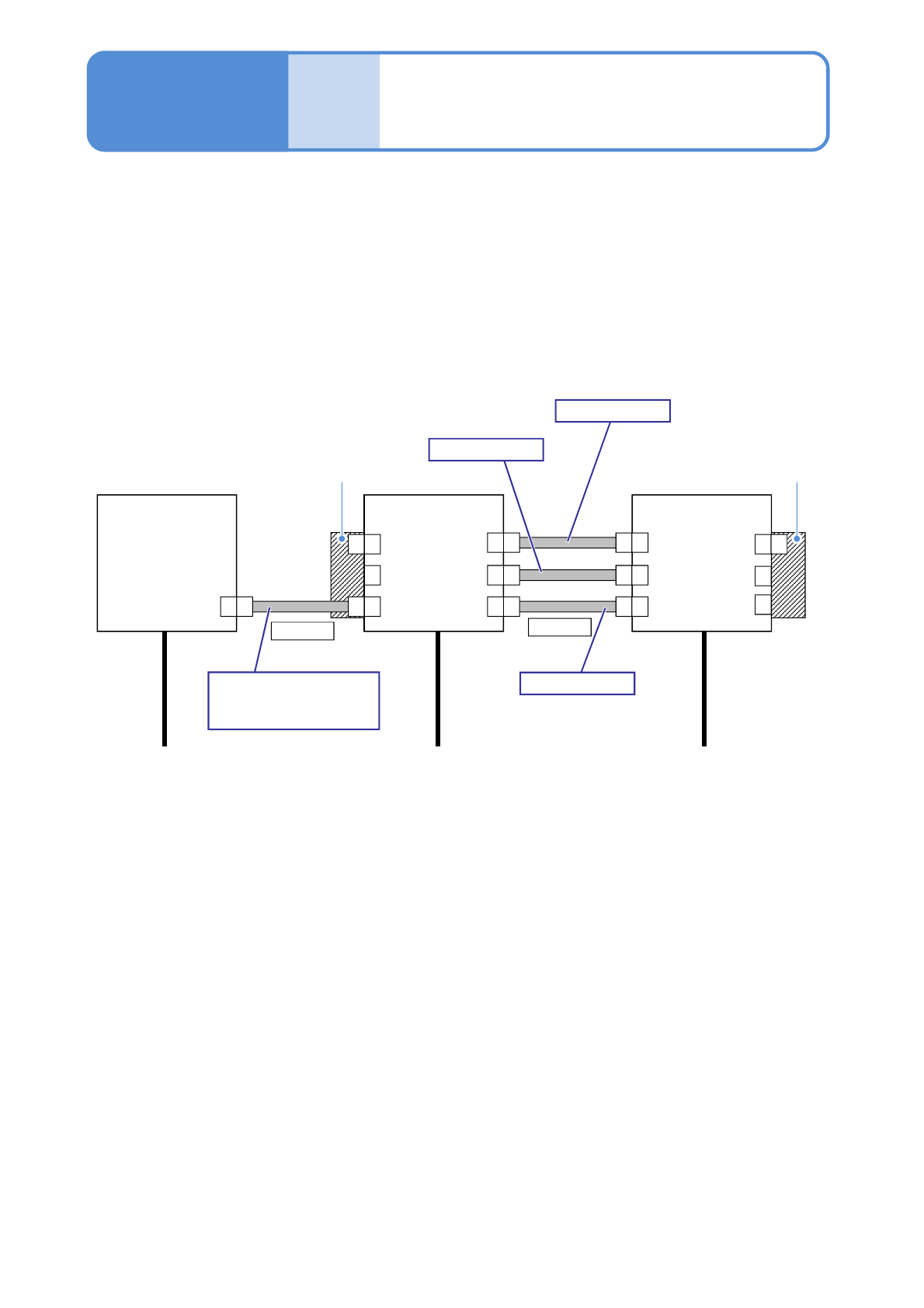
Items that need to be connected:
●Line signal (insulated)
1)
●AC (alternating current) power source
1) The machine system and the system of ancillary equipment are already insulated.
The power source or the line signal cables that correspond to line configuration can vary depending on
your specifications. So, please contact us.
■Line configuration Example: conventional machine support
FM MF
F
F
SMEMA
Power
L1,L2,L3,PE
Power
L1,L2,L3,PE
Power
L1,L2,L3,PE
Conventional
machine
NPM-TT2
NPM-TT2
2 m
Regarding connection
other than the NPM-TT2,
please ask us.
SMEMA
FM MF
FM MF
FM MF
-XP -XS
CNDUS
CNEXR
-XP
CNDUP
CNEXL
-XS
N610129393AB
2 m
N610129395AB
2 m
N610129394AB
Extension conveyor Extension conveyor
MF
F
MF
NPM-TT2 EJM1EE-MB-14M-02
Peripher-
al device
connec-
tion
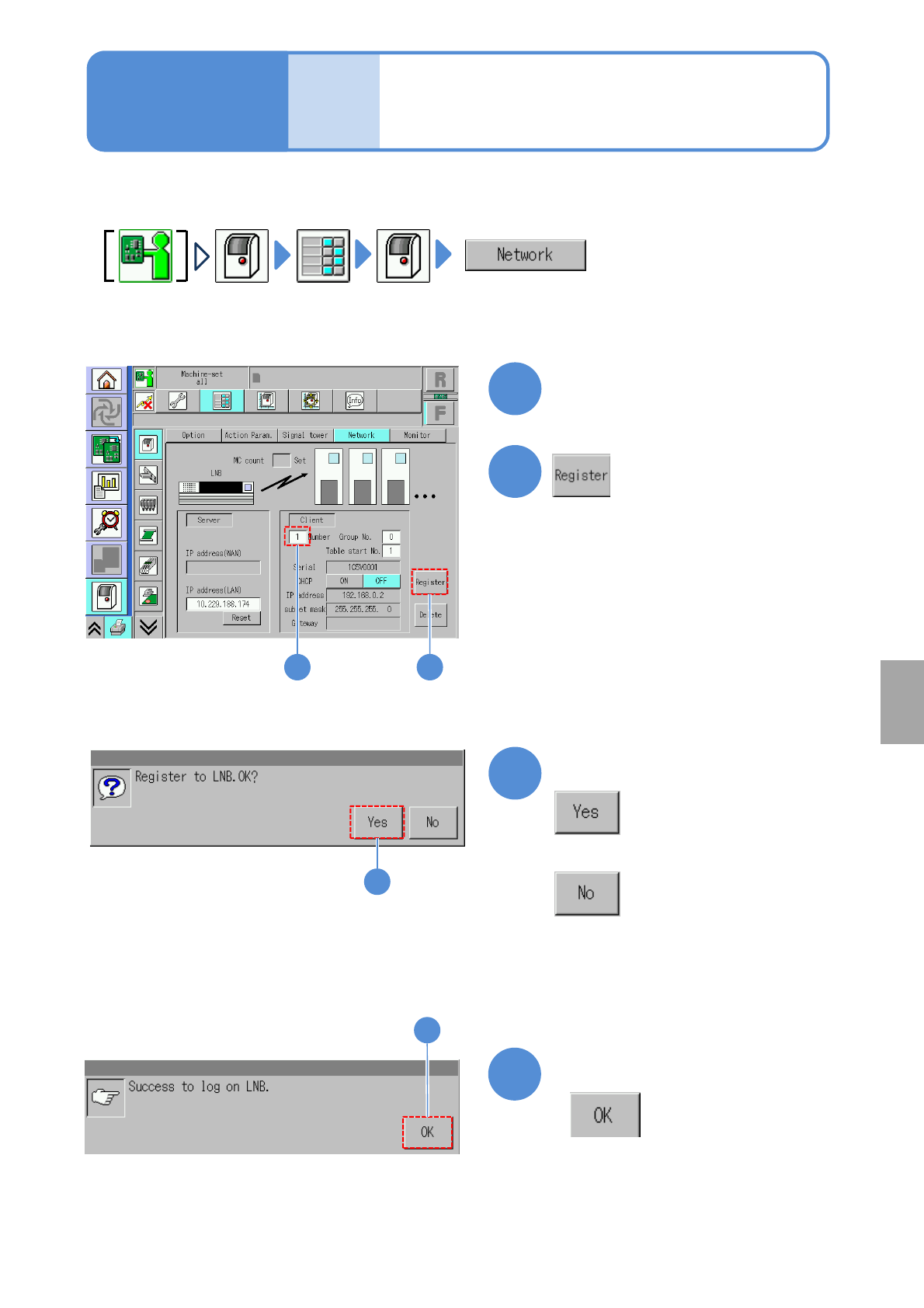
Settings when
connected to LNB
14-6-5
Maintenance
14-6-5
1
2
Enter the number of in-line
machines after the first
machine (what number)
3
■If it should not be registered to LNB
4
Confirm the message
When the machine is connected to LNB, configure the settings on the machine side.
3
Confirm the message
4
Installation
1 2
NPM-TT2 EJM1EE-MB-14M-02
14-7-1
PCB transfer settings
(when connected to non-NPM-TT2
equipment)
Maintenance
14-7
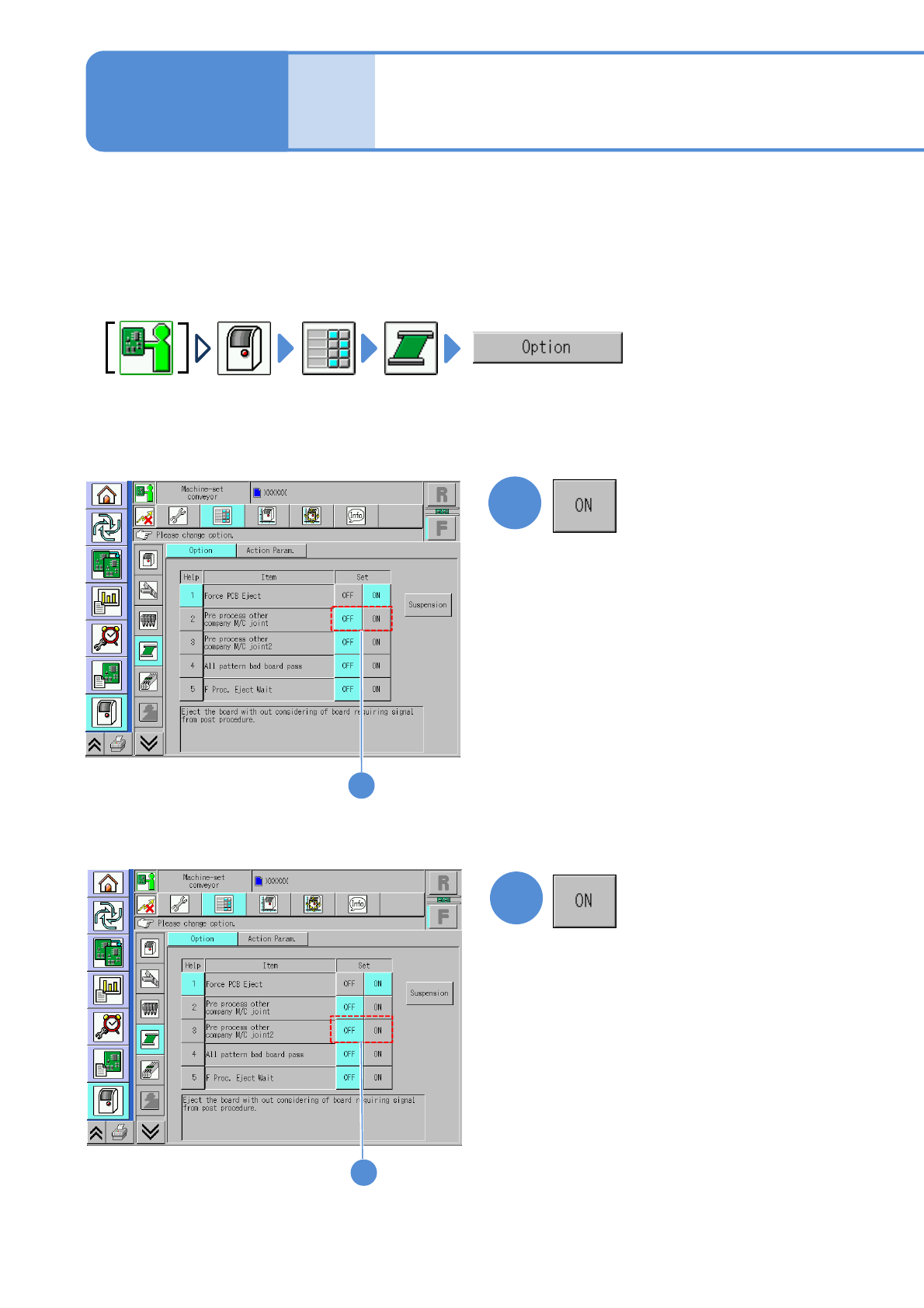
When establishing a line connection with non-NPM-TT2 equipment, it could cause double PCB transport and
others to malfunction depending on the timing of when the upstream machine transfers PCB request signals.
So, make sure that you change NPM-TT2’s PCB transfer settings.
●This explains how to configure PCB transfer settings when flow is [from left to right]. Configure the
settings on NPM with an extension conveyor installed on the right side, if flow is [from right to left].
■Option set
To turn “ON” the [Pre process other
company M/C joint] setting
1
■Option set
To turn “ON” the [Pre process
other company M/C joint2] setting
2
1
2