N7201A653E.pdf - 第445页
NPM- TT2 EJM1EE-MB-14 M-02 14-8 -6 Installation Checking the air pressure A A 1 2 Check the air pressure ● Air pressure: 0.30 to 0.35 MPa If it is outside the specified range, adjust the air pressure by turning the regul…
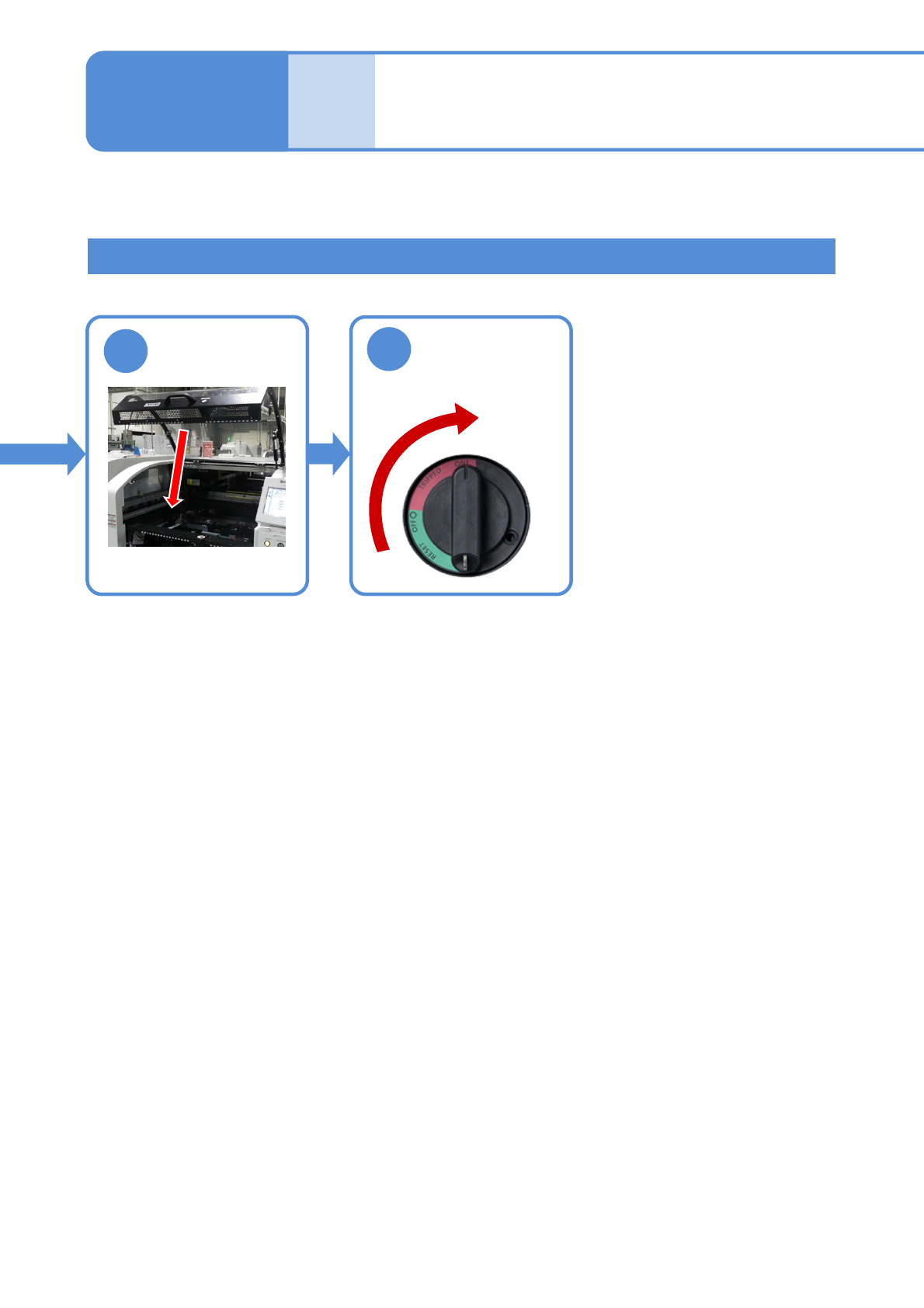
NPM-TT2 EJM1EE-MB-14M-02
14-8-5
How to handle the tray
feeder
(option) 3
Maintenance
14-8
How to attach 2
9
10
Unlock the
machine and
ON
NPM-TT2 EJM1EE-MB-14M-02
14-8-6
Installation
Checking the air pressure
A
A
1
2
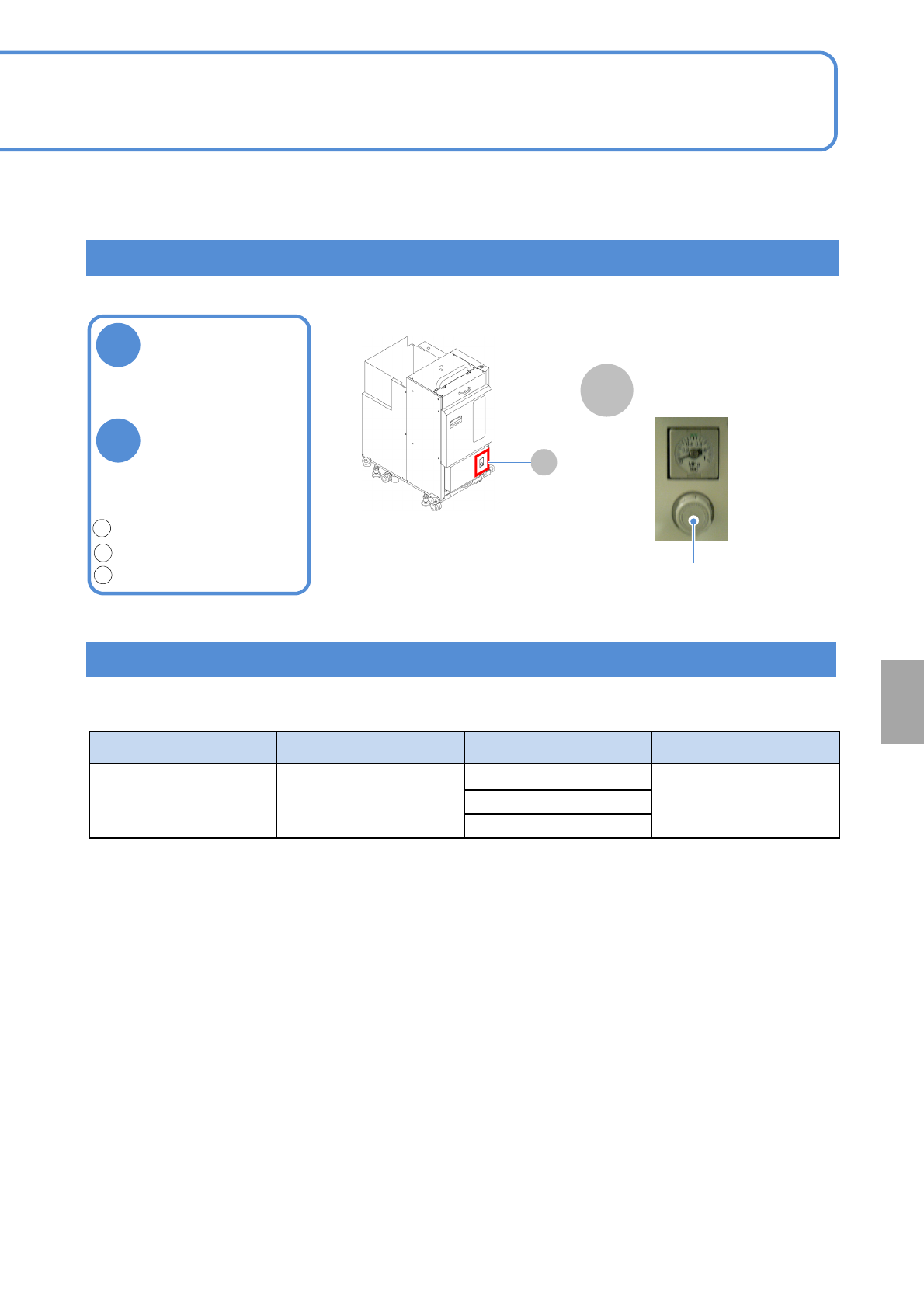
Check the air
pressure
●Air pressure:
0.30 to 0.35 MPa
If it is outside the
specified range,
adjust the air
pressure by
turning the
regulator knob
1
2
3
Regulator
■Single tray feeder
Air pressure gauge
Calibration
STEP Item Action Reference
STEP4 Tray
Pickup height
(→P.13-1-2、13-13)
Pickup position 1
Pickup position 2
If the tray feeder is removed or installed, calibration must be performed.
Unlock.(pull it forward)
Adjust the pressure.(rotate)
Lock.(push it rearward)
NPM-TT2 EJM1EE-MB-14M-02
14-9-1
Maintenance
14-9
How to switch the 17-slot
feeder cart and the single
tray feeder 1
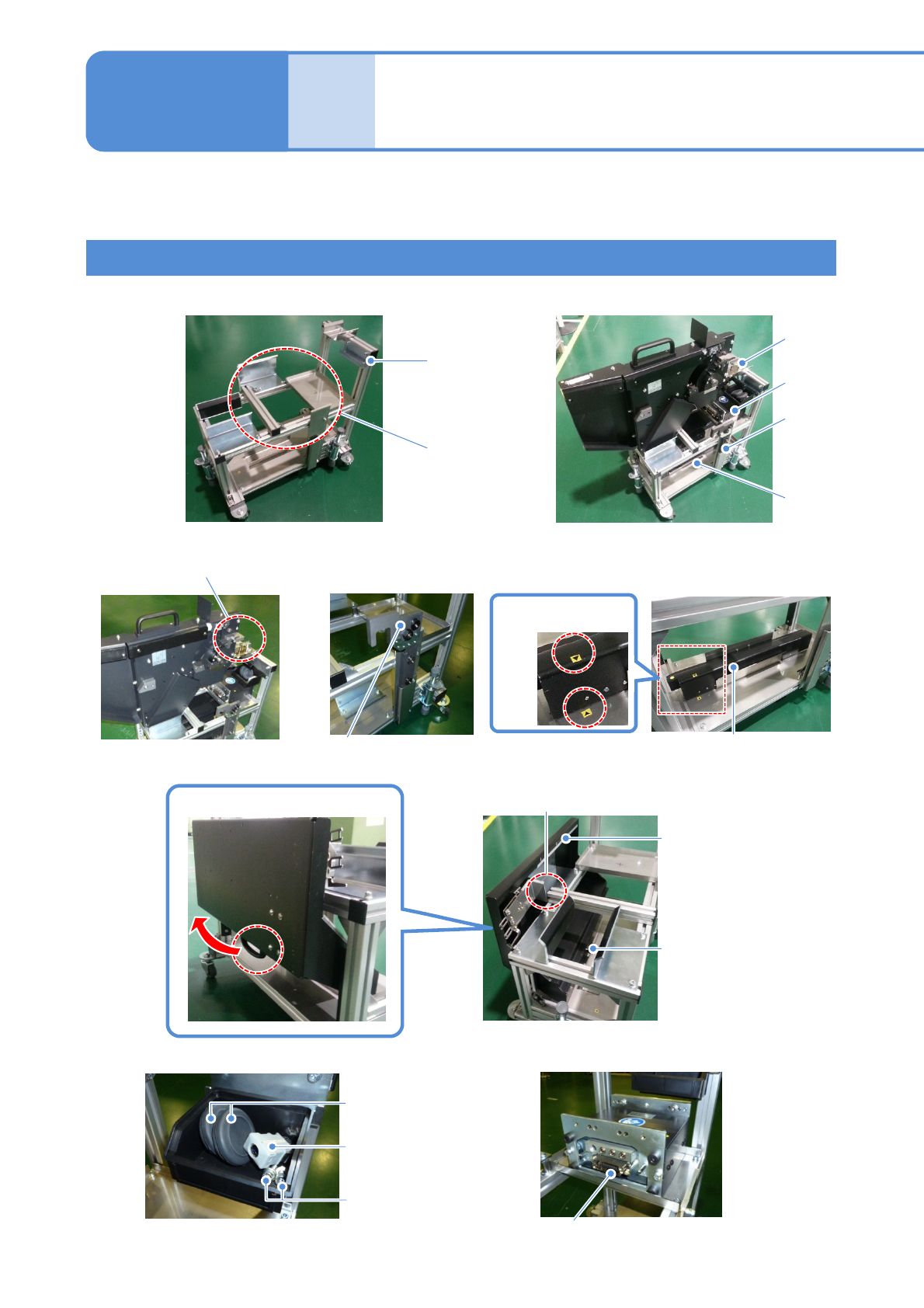
Unit name and storage location
(e) Extension drawer
(Feeder cart)
●Grommet (2 pieces)
(Feeder cart)
● Short connector
(Tray feeder)
(b) Drive guide (Feeder cart)
(c) Cart guide (Feeder cart)
(d) Safety cover
(Feeder cart)
Switch cart
(a) Cart drive unit (Feeder cart)
Be careful not to pinch the
wire and pipe
Be careful that the metal fitting does not come
into contact with the frame
The state that switch units are
stored in the switch cart
●Screw: M6 (2 pieces)
(Tray feeder)
This explains unit names used for switching and their storage location.
(f) Others
(a)
(b)
(c)
(d)
(e)
(f)
Hook it
Attach to the magnet
Align the position of
seals
Lift up the handle to remove