N7201A653E.pdf - 第467页
NPM- TT2 EJM1EE-MB-15 M-00 15-2-2 -2 1 V ersion history 1 2 ■ If an update has failed Confirm the message 5 5 (The names and updat e dates of versions update d in the past are displayed) 2 ■ T o change the firmware type …
NPM-TT2 EJM1EE-MB-15M-00
15-2-2-1
Update
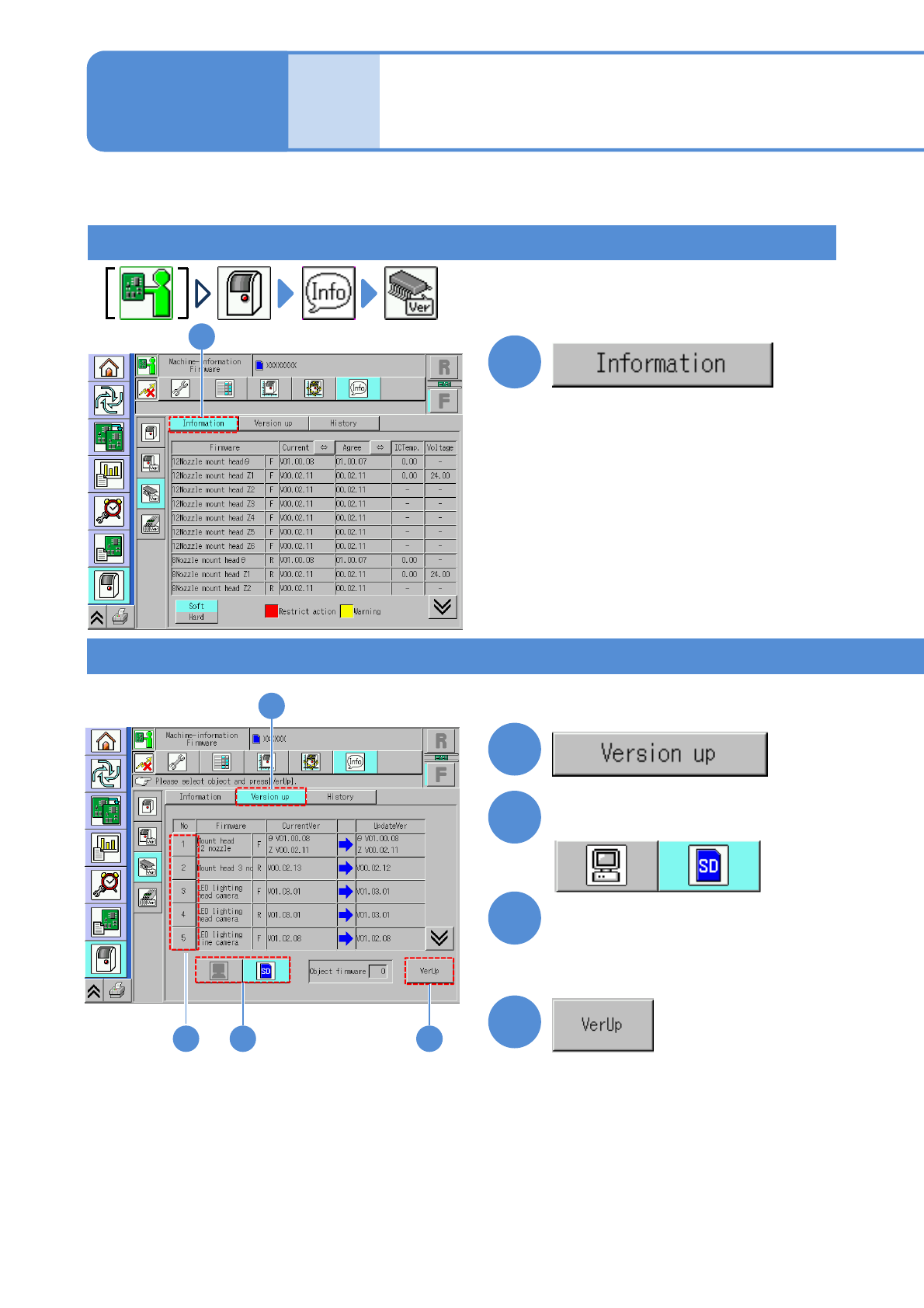
Updating the firmware
(Firmware’s name, position, version,
IC temperature and voltage are
displayed. '--' is displayed if
information is not available.)
2
Select the source of firmware
to be updated
3
Select firmware to be
updated
2
●You cannot select any button if
there is no applicable firmware
3
4
4
(Version up begins)
●If Version up has completed
successfully, a message appears
notifying you of successful
completion of Version up, then
allowing you to select a firmware
program.
Version information
Version update
1
1
1
Describes how to update firmware.
Maintenance
15-2-2
1
NPM-TT2 EJM1EE-MB-15M-00
15-2-2-2
1
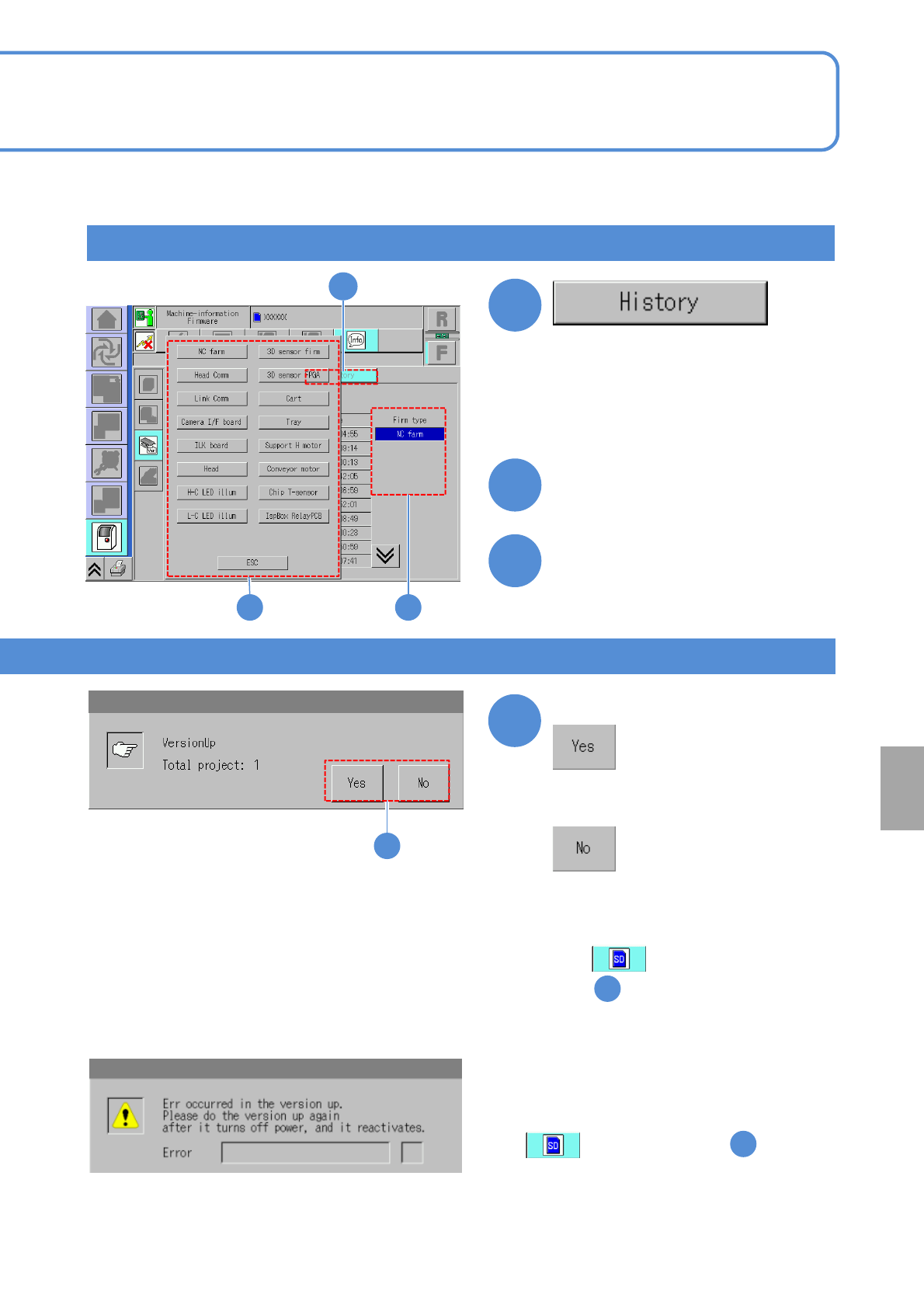
Version history
1
2
■If an update has failed
Confirm the message
5
5
(The names and update dates of
versions updated in the past are
displayed)
2
■To change the firmware type
Touch the screen
(The input window appears)
3
Choose a firmware program
3
●If Version up is interrupted, a message
appears prompting you to restart the
machine. Try again after turning off the
power and turning it on again.
●If has been selected in ,
retrieve the SD card from the machine and
then turn on the power.
■If you do not upgrade
●A message appears prompting you
to restart the machine. Turn off
power once and turn it on again.
●If has been selected
in , retrieve the SD card from
the machine and then turn on the
power.
2
2
Others
NPM-TT2 EJM1EE-MB-15M-00
15-3-1
A
Item
1
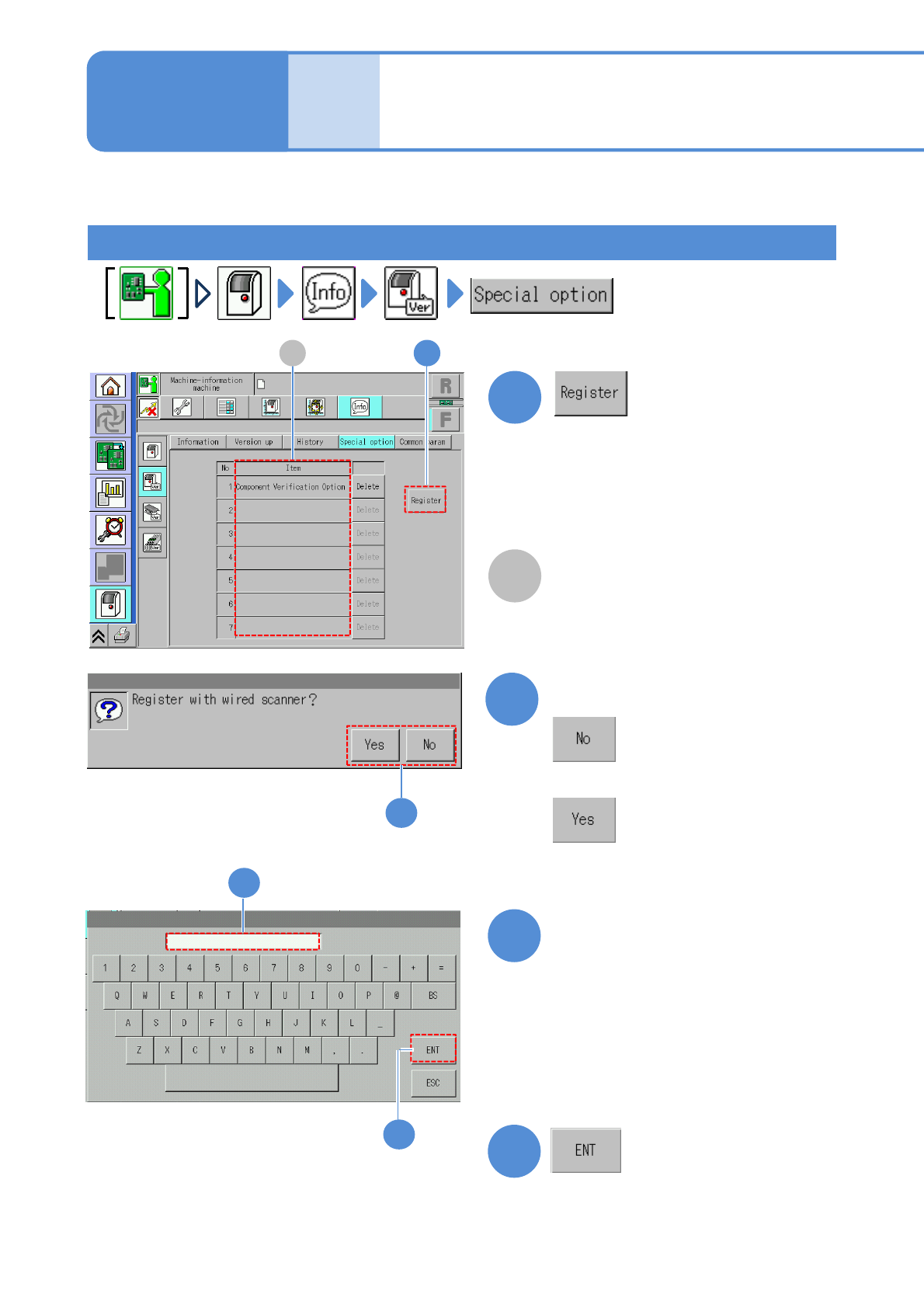
How to register the option license
Describes how to register and delete the option license.
Any option licenses registered in the
machine are displayed.
A 1
Confirm the message
2
4
(The registered option is displayed)
A confirmation message appears, asking
whether to be registered with the wired
scanner or not.
●With the wired scanner:
●Without the wired scanner:
2
■With the wired scanner
Enter the option number
3
3
4
●Enter the "Option Number" written on
the option sheet.
●An option number cannot be
registered if the serial number written
on the option sheet is not the same
as that on the product nameplate
affixed to the machine.
Maintenance
15-3
Option license 1