N7201A653E.pdf - 第469页
NPM- TT2 EJM1EE-MB-15 M-00 ● Keep the option s heet inclu ded with the machine in a sa fe place. Option number 15-3 -2 NOTICE Others 5 5 The registered option appears
NPM-TT2 EJM1EE-MB-15M-00
15-3-1
A
Item
1
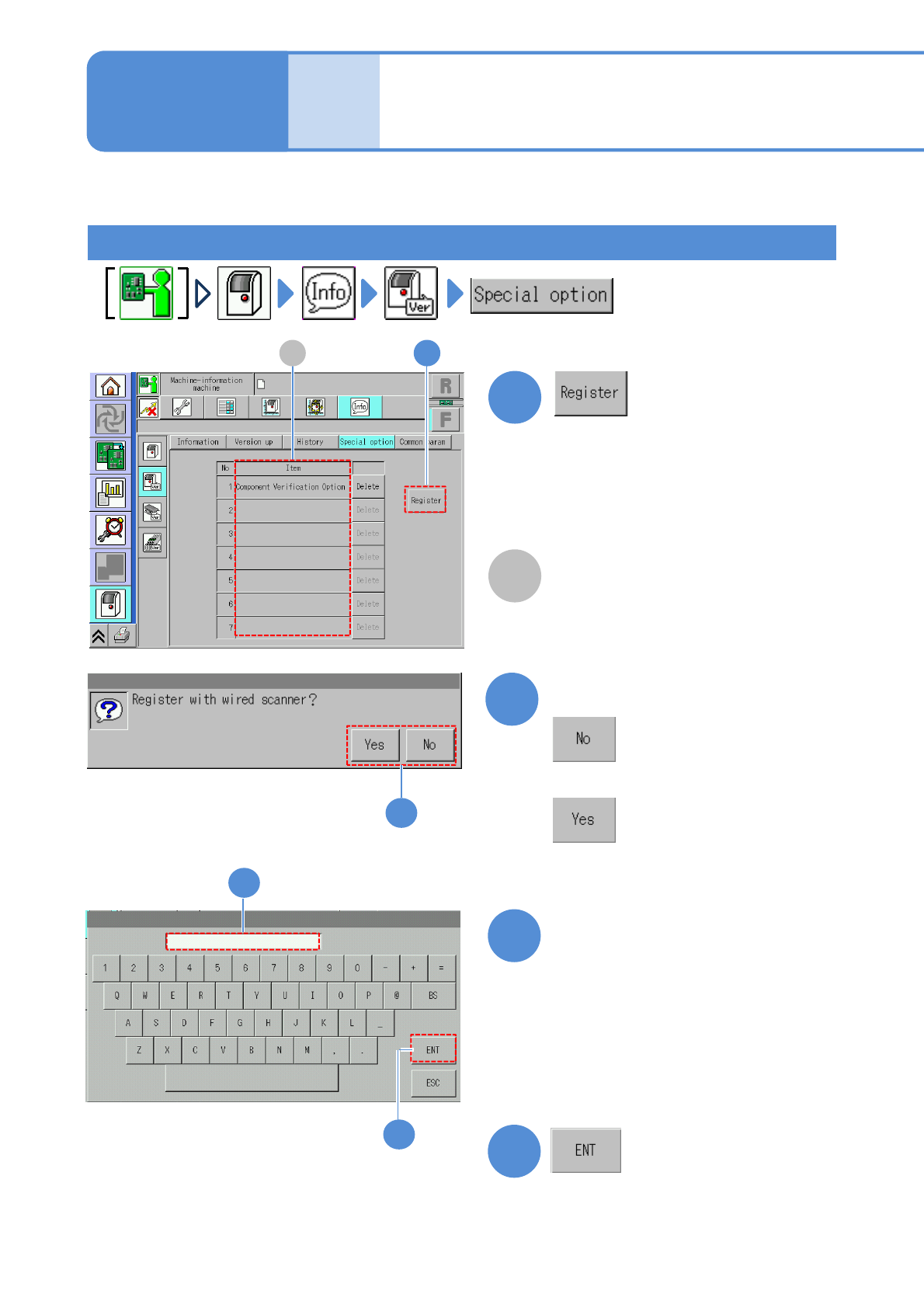
How to register the option license
Describes how to register and delete the option license.
Any option licenses registered in the
machine are displayed.
A 1
Confirm the message
2
4
(The registered option is displayed)
A confirmation message appears, asking
whether to be registered with the wired
scanner or not.
●With the wired scanner:
●Without the wired scanner:
2
■With the wired scanner
Enter the option number
3
3
4
●Enter the "Option Number" written on
the option sheet.
●An option number cannot be
registered if the serial number written
on the option sheet is not the same
as that on the product nameplate
affixed to the machine.
Maintenance
15-3
Option license 1
NPM-TT2 EJM1EE-MB-15M-00
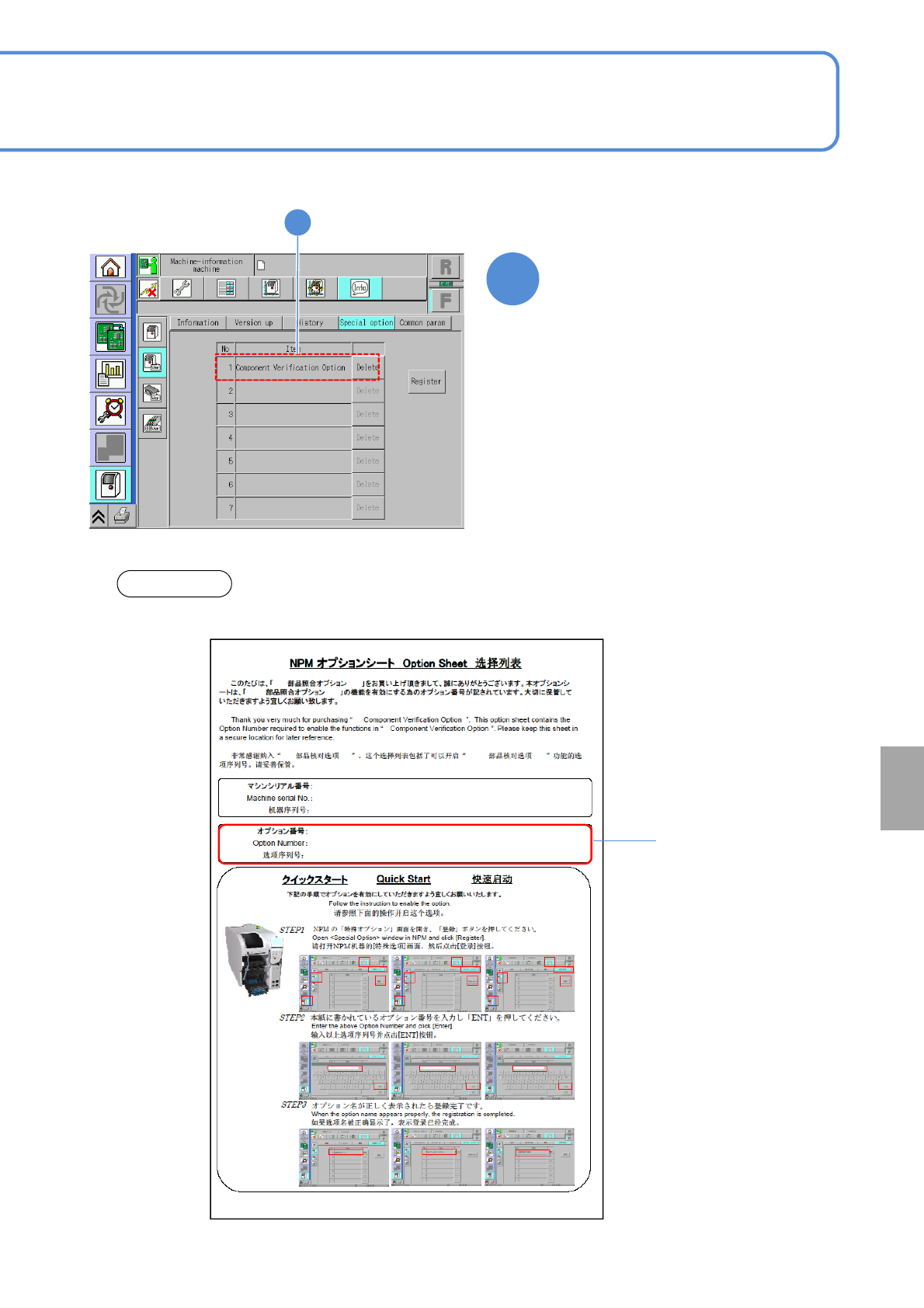
●Keep the option sheet included with the machine in a safe place.
Option number
15-3-2
NOTICE
Others
5
5
The registered option appears
NPM-TT2 EJM1EE-MB-15M-00
1
2
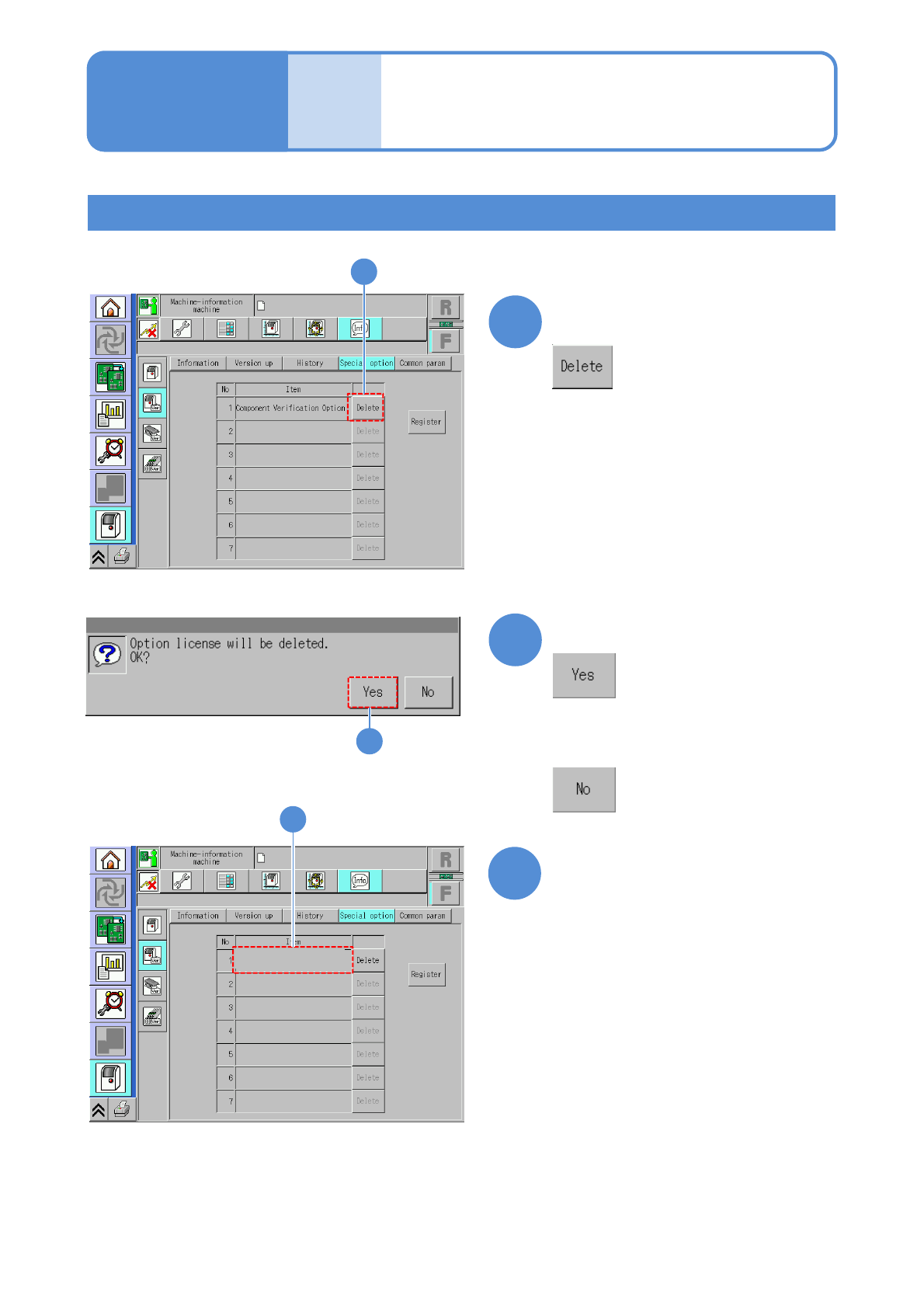
Confirm that the item has
been deleted
1
3
■Registration of the data creation system (NPM-DGS)
How to delete the option license
15-3-3
2
Confirm the message
3
Choose the item you want to
delete
●To use the data creation system (NPM-DGS) being connected to the machine, you need to register
the license on the NPM-DGS side.
For details, refer to the Instruction manual for NPM-DGS.
■If you do not delete any option
license registered
Maintenance
15-3
Option license 2