N7201A653E.pdf - 第471页
NPM- TT2 EJM1EE-MB-15 M-00 15-3 -4 Others
NPM-TT2 EJM1EE-MB-15M-00
1
2
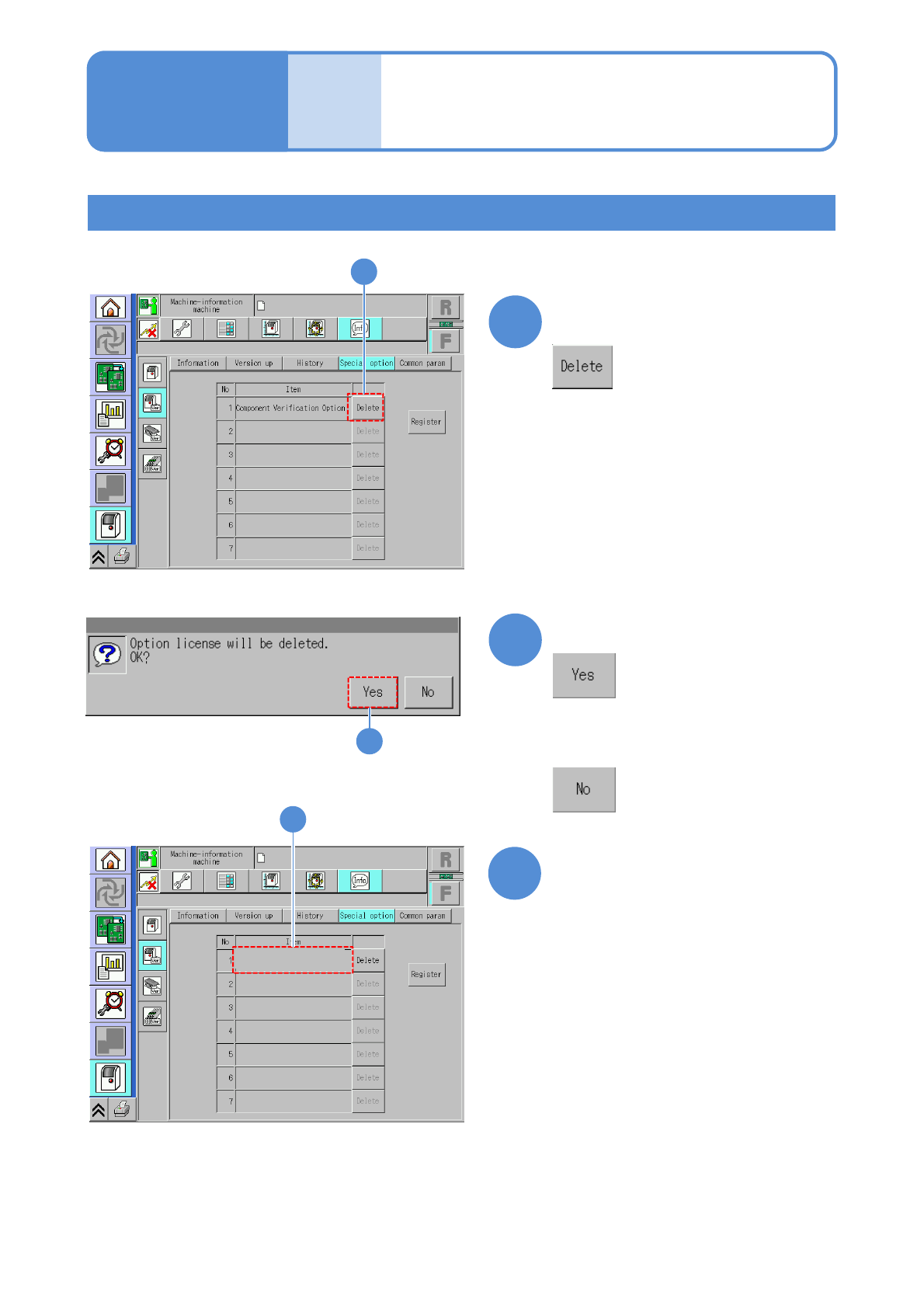
Confirm that the item has
been deleted
1
3
■Registration of the data creation system (NPM-DGS)
How to delete the option license
15-3-3
2
Confirm the message
3
Choose the item you want to
delete
●To use the data creation system (NPM-DGS) being connected to the machine, you need to register
the license on the NPM-DGS side.
For details, refer to the Instruction manual for NPM-DGS.
■If you do not delete any option
license registered
Maintenance
15-3
Option license 2

NPM-TT2 EJM1EE-MB-15M-00
15-3-4
Others
NPM-TT2 EJM1EE-MB-15M-00
15-4-1
Maintenance
15-4
Common parameters
A
Parameter
Press [NO]
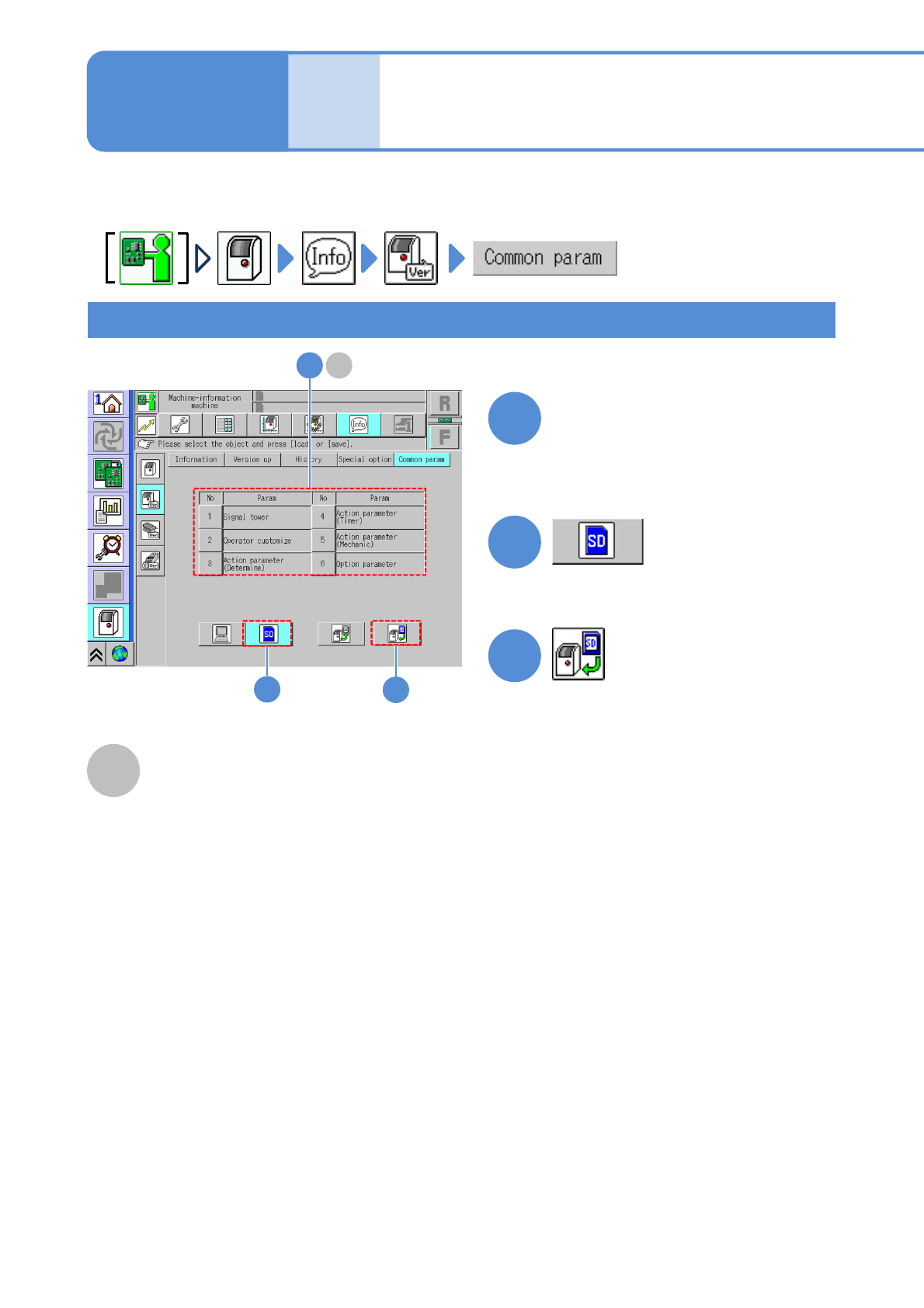
●Select a desired parameter.
Selected parameters can be loaded from an SD card and all parameters can be saved in an SD card.
How to select and load a parameter from an SD card
A
3
2
1
Signal tower, Operator customize, Action
parameter (Determine), Action parameter
(Timer), Action parameter (Mechanical) or
Option parameter can be loaded or saved.
2
3
●Load the selected parameter from
the SD card.
1