N7201A653E.pdf - 第492页
NPM- TT2 EJM1 EE-MB-17M-00 Switc h fr om the single tr ay feeder to the 17-slot f eeder car t 1 Maintenance 17-4 Remove the cables and screw Release the safety sw itch T urn OFF the power ( → P .17-2-1) Pull out the meta…
NPM-TT2 EJM1EE-MB-17M-00
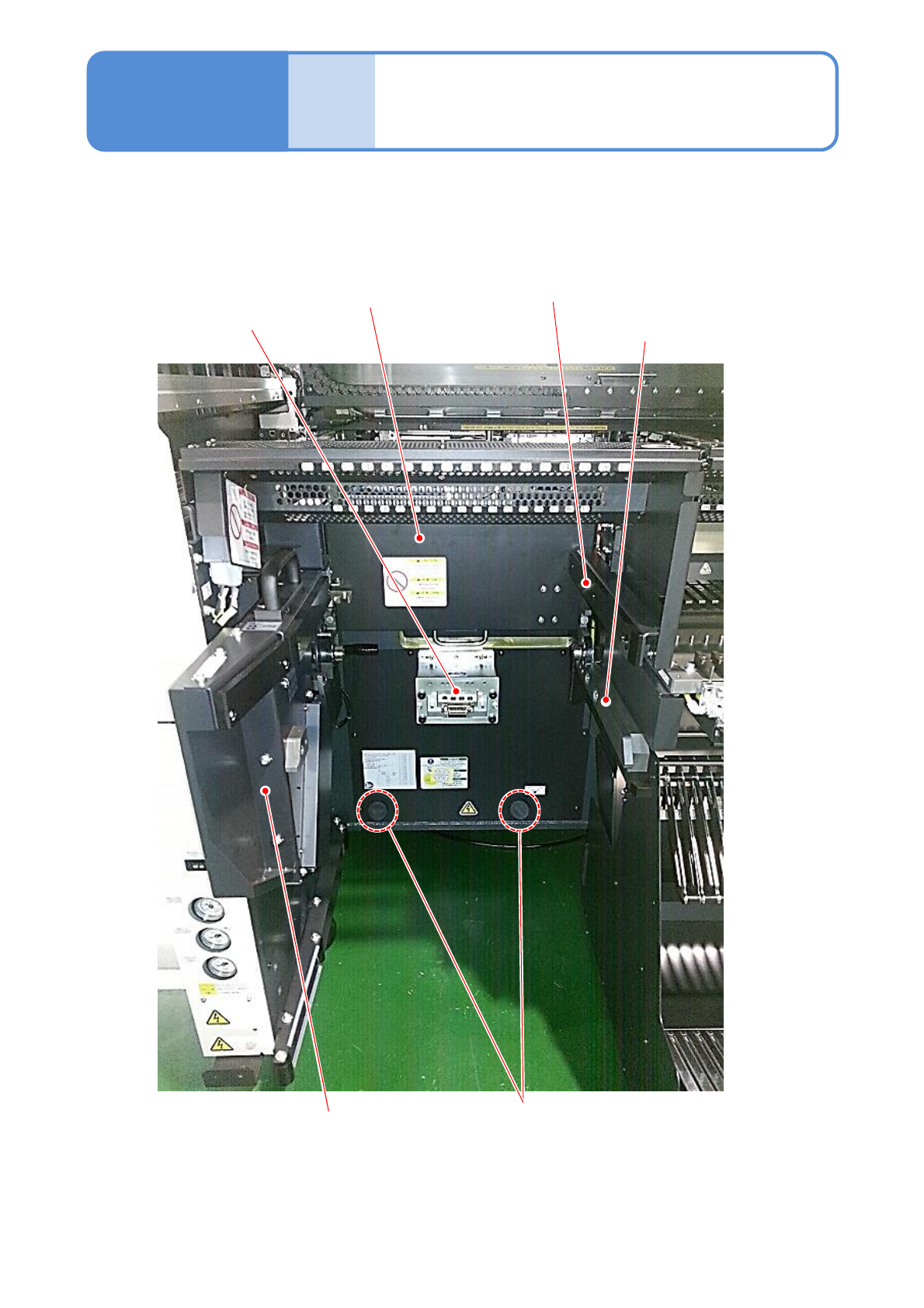
Name
and
layout
Parts layout when the 17-
slot feeder cart is used
(a) Cart drive unit
(f)Grommet
Maintenance
17-3-3
17-3-3
(e) Extension
drawer
(d) Safety cover
(b) Drive guide
(c) Cart guide
Describes the procedure of the common items for switching between the 17-slot feeder cart and tray feeder.
NPM-TT2 EJM1EE-MB-17M-00
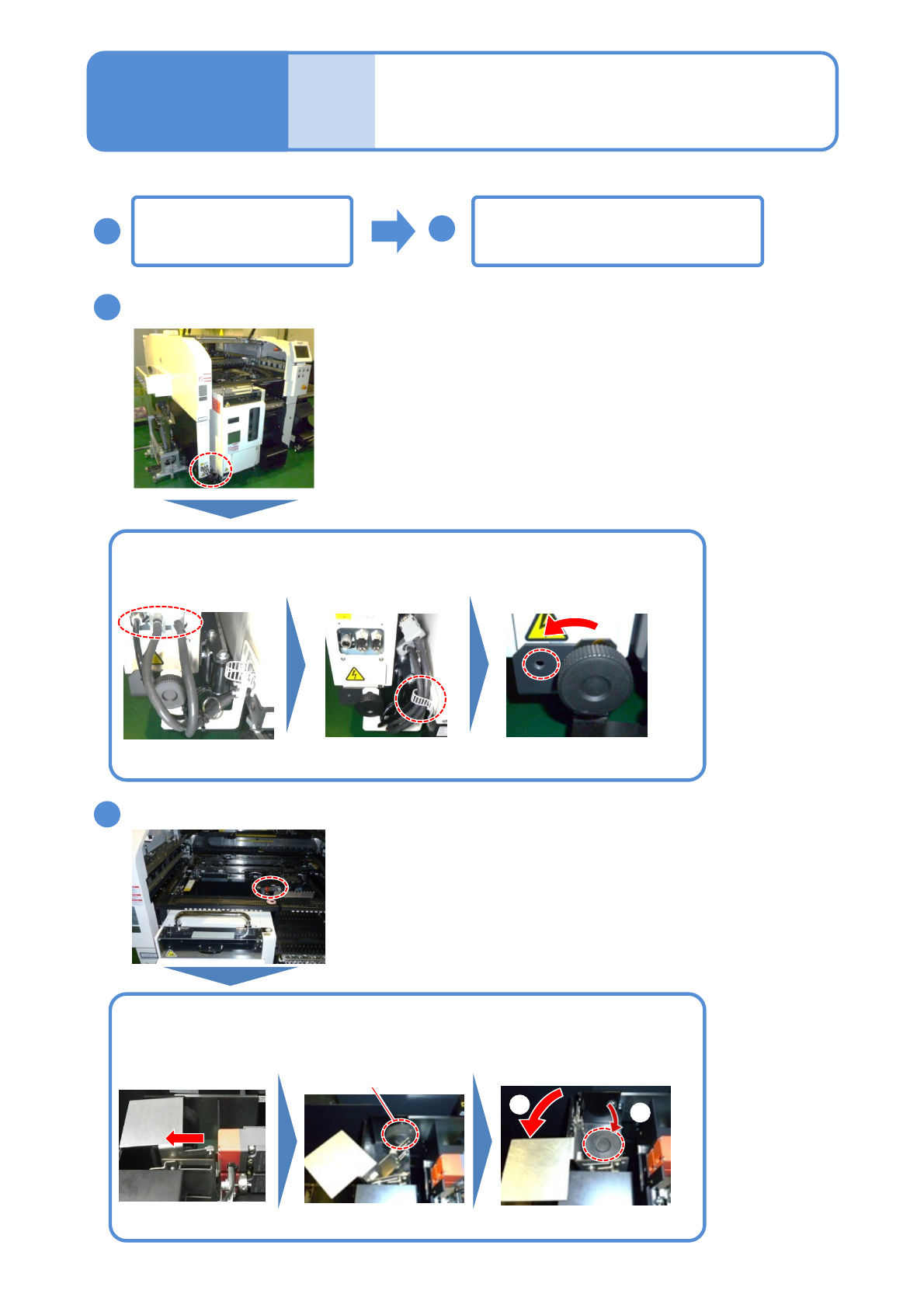
Switch from the single
tray feeder to the 17-slot
feeder cart 1
Maintenance
17-4
Remove the cables and screw
Release the safety switch
Turn OFF the power
(→ P.17-2-1)
Pull out the metal
part
Remove the
connection screw
① Rotate the metal part in a
counterclockwise
②Attach the connection
screw under it
Attach the connection
screw on the left side
Remove the three
connectors
Bundle the three
cables
Open the cover and push the
X-axis inward (→P.17-2-2)
①
②
17-4-1
2
1
3
4
Describes the procedure for switching from the tray feeder to the 17-slot feeder cart.
NPM-TT2 EJM1EE-MB-17M-00
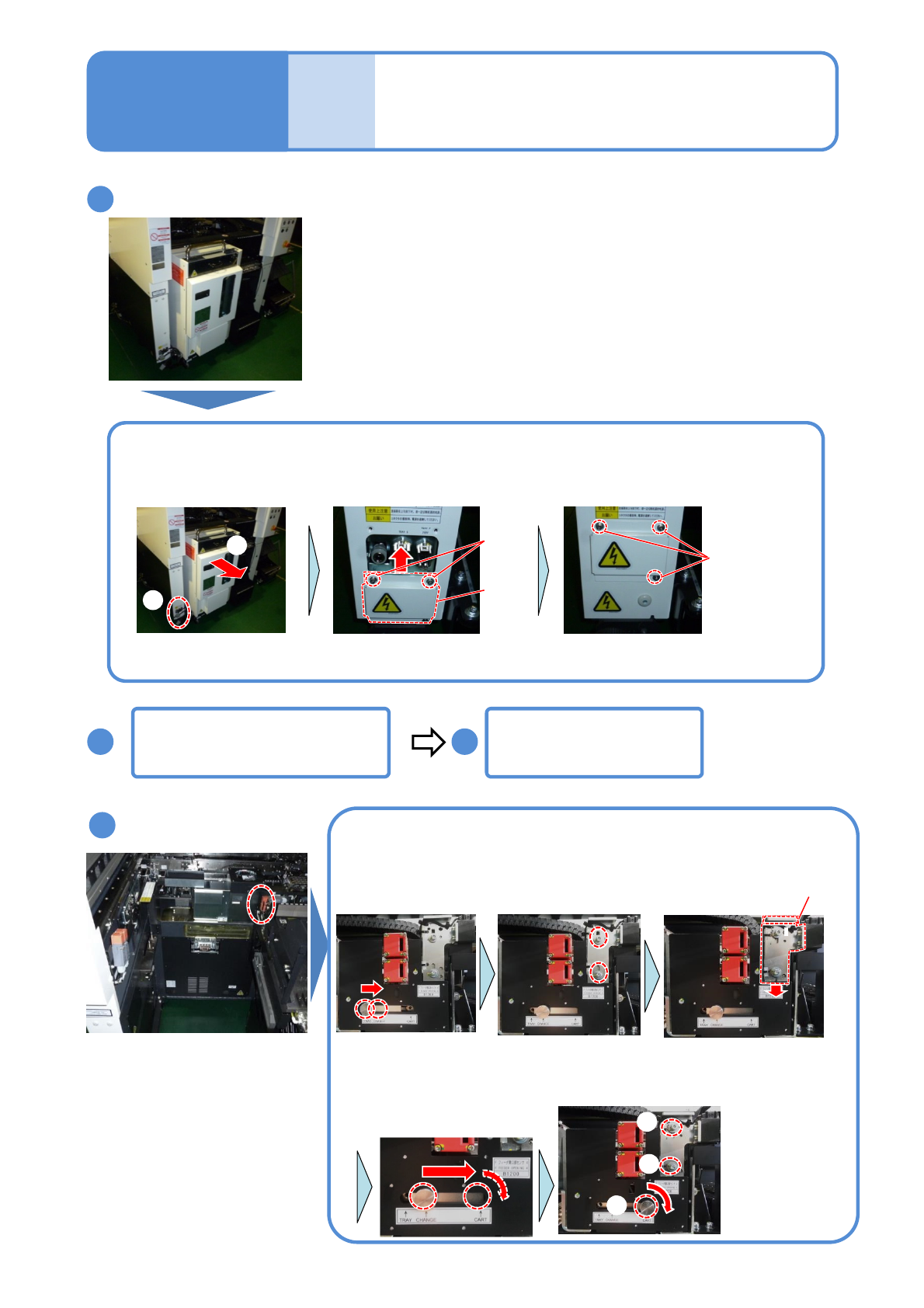
Detach the tray feeder
Switch the sensor
①Detach the tray feeder ②Remove the cover and install in such a way that the connectors are
covered (3 mm Allen wrench)
Loosen the knob and
fix it at the CHANGE
position
Loosen screws all the
way (3 mm Allen
wrench)
Hold the bracket knob
and lower it approx. 10
mm
①
②
Detach the feeder table
cover(→ P.17-2-3)
Loosen the knob and
temporarily fix it at the
CART position
①Tighten the
screws (3 mm
Allen wrench)
①
②
②Finally
tighten the
knob
①
Attach the grommet
(→P.17-2-4)
●2 locations
●2 locations
17-4-2
5
6 7
Screw
(2)
Cover
Screw(3)
8
Knob
Switch from the single
tray feeder to the 17-slot
feeder cart 2
Maintenance
17-4