MAN00000772_SI-G200BB_SVCPDFA.pdf - 第110页
Install Tray Unit (Including machine modification) SHEET 71/73 WKGB-10104-03 Installing Tray Unit (Including machine modification) 9 Close the XY Axis motion menu and display the H Axis motion menu. 10 Lower the end of t…
Install Tray Unit (Including machine modification)
SHEET
70/73
WKGB-10104-03
Installing Tray Unit
(Including machine modification)
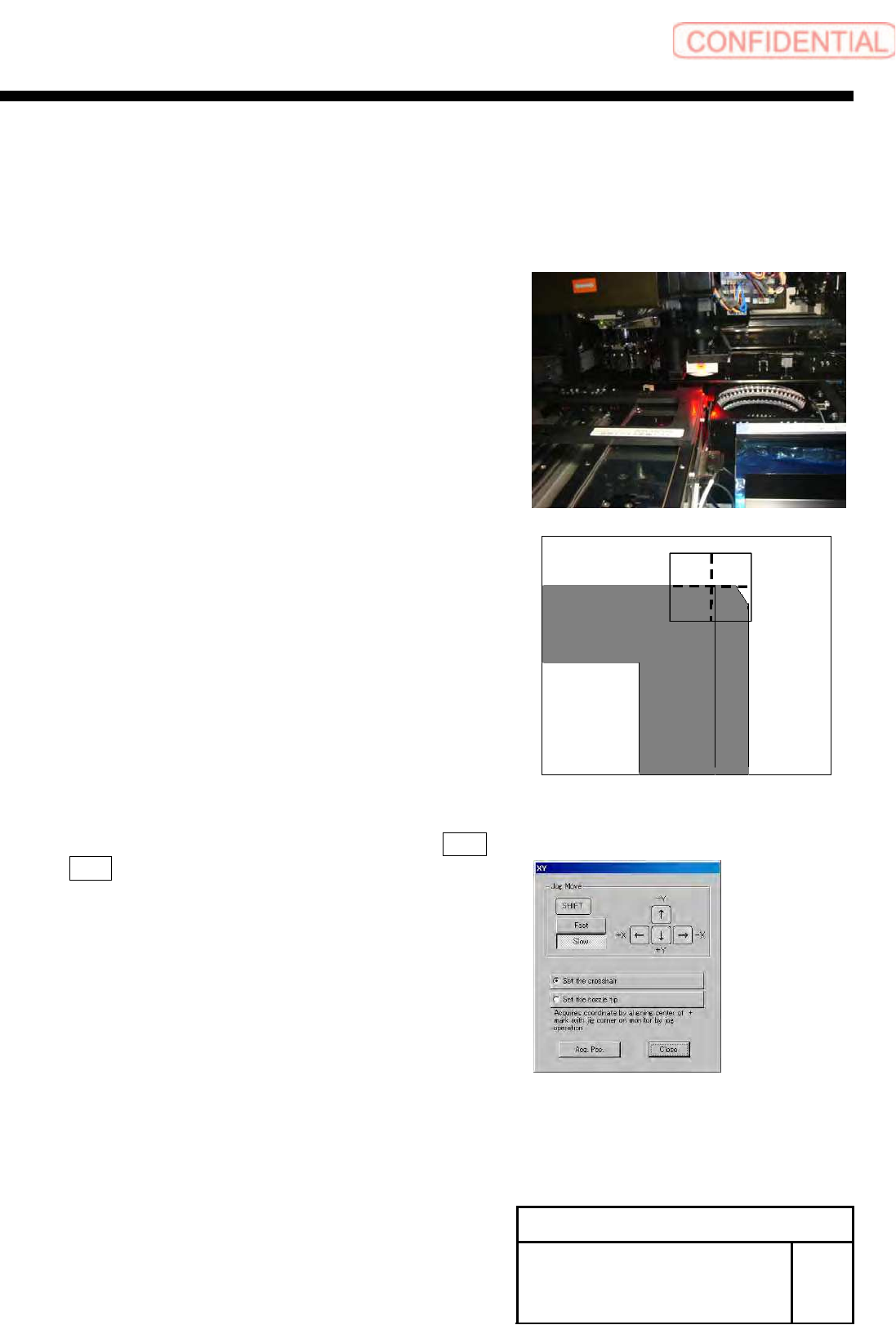
5 Set the tray pickup position teaching jig to
the S axis chuck.
6 Press the XY button to move the PWB
camera to the jig corner.
7 Check that set the crosshair to white ball
center button is selected, and press the Acq.
Pos. button.
8 Move the nozzle onto the tray pickup
position teaching jig.
Install Tray Unit (Including machine modification)
SHEET
71/73
WKGB-10104-03
Installing Tray Unit
(Including machine modification)
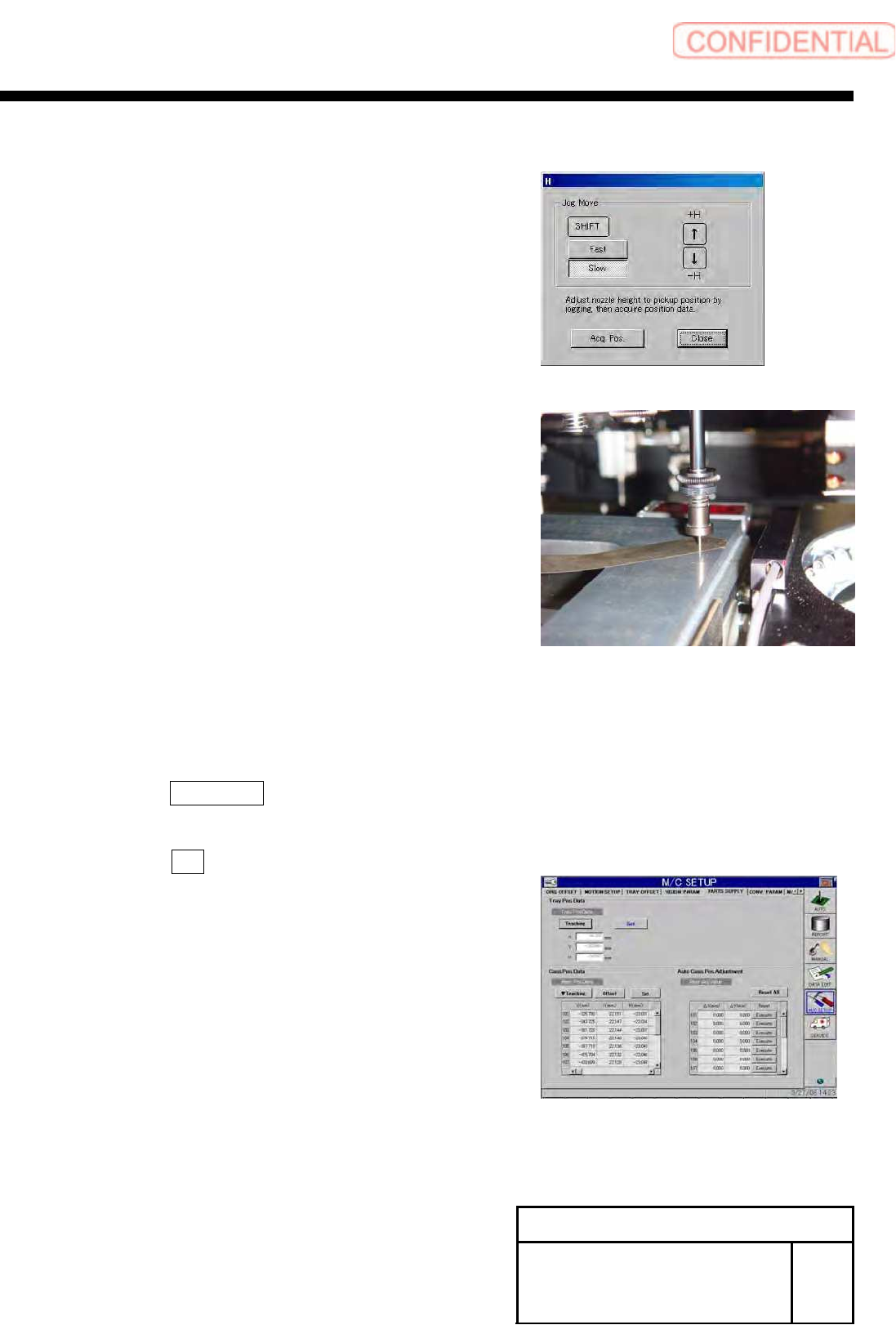
9 Close the XY Axis motion menu and display
the H Axis motion menu.
10 Lower the end of the nozzle down to
0.03[mm] from the jig by the H Axis motion
menu.
11 Remove the thickness gauge and lower the
H axis by 0.03[mm].
12 Press the Acq. Pos. button to close the H
Axis motion screen.
13 Press the Set button on the Parts Supply
screen.
Install Tray Unit (Including machine modification)
SHEET
72/73
WKGB-10104-03
Installing Tray Unit
(Including machine modification)
14 Press the emergency stop button to turn
OFF the servo.
15 Remove the jig nozzle and tray pickup
position teaching jig.