MAN00000772_SI-G200BB_SVCPDFA.pdf - 第123页
Install Tray Unit (Re-setup after tray unit moved) SEET 11 / 1 9 WKGB-10105-02 Installing Tray Unit (Re-setup after tray unit moved) 12 Fix the mount bracket to tray unit with CP12x20. 13 Fix the mount bracket to tray un…
Install Tray Unit (Re-setup after tray unit moved)
SEET
10/19
WKGB-10105-02
Installing Tray Unit
(Re-setup after tray unit moved)
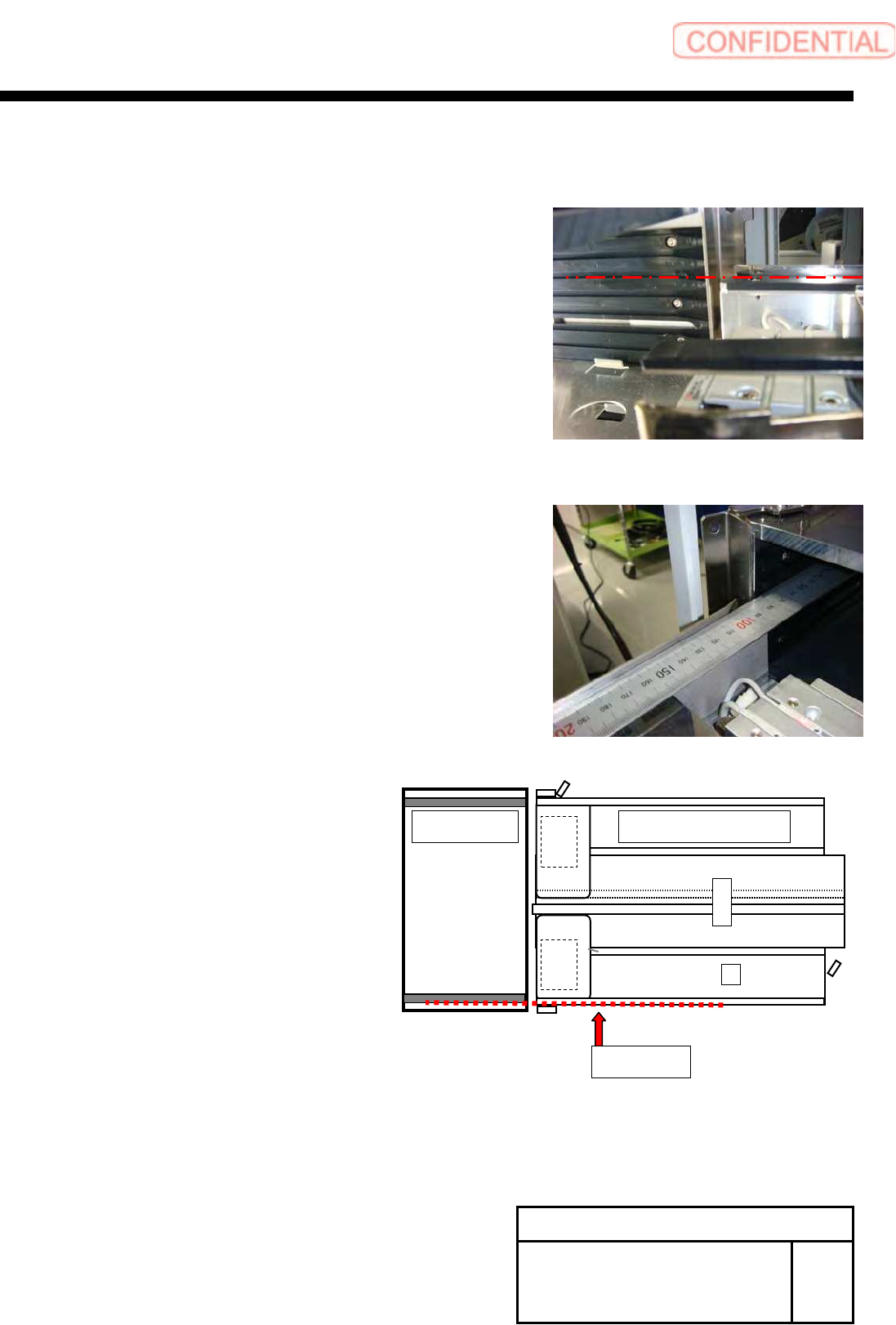
11 Adjust and confirm the straight of the
tray rack and S axis unit.
1. Move the concave part of the side plate of tray rack to
the same height of S axis rail.
2. Open shutter by the hand, and check straight side plate
of tray rack and pallet guide of S-axis.
3. If it is not straight, do fine adjust position of tray unit.
Base side
Tray unit S axis unit
Install Tray Unit (Re-setup after tray unit moved)
SEET
11/19
WKGB-10105-02
Installing Tray Unit
(Re-setup after tray unit moved)
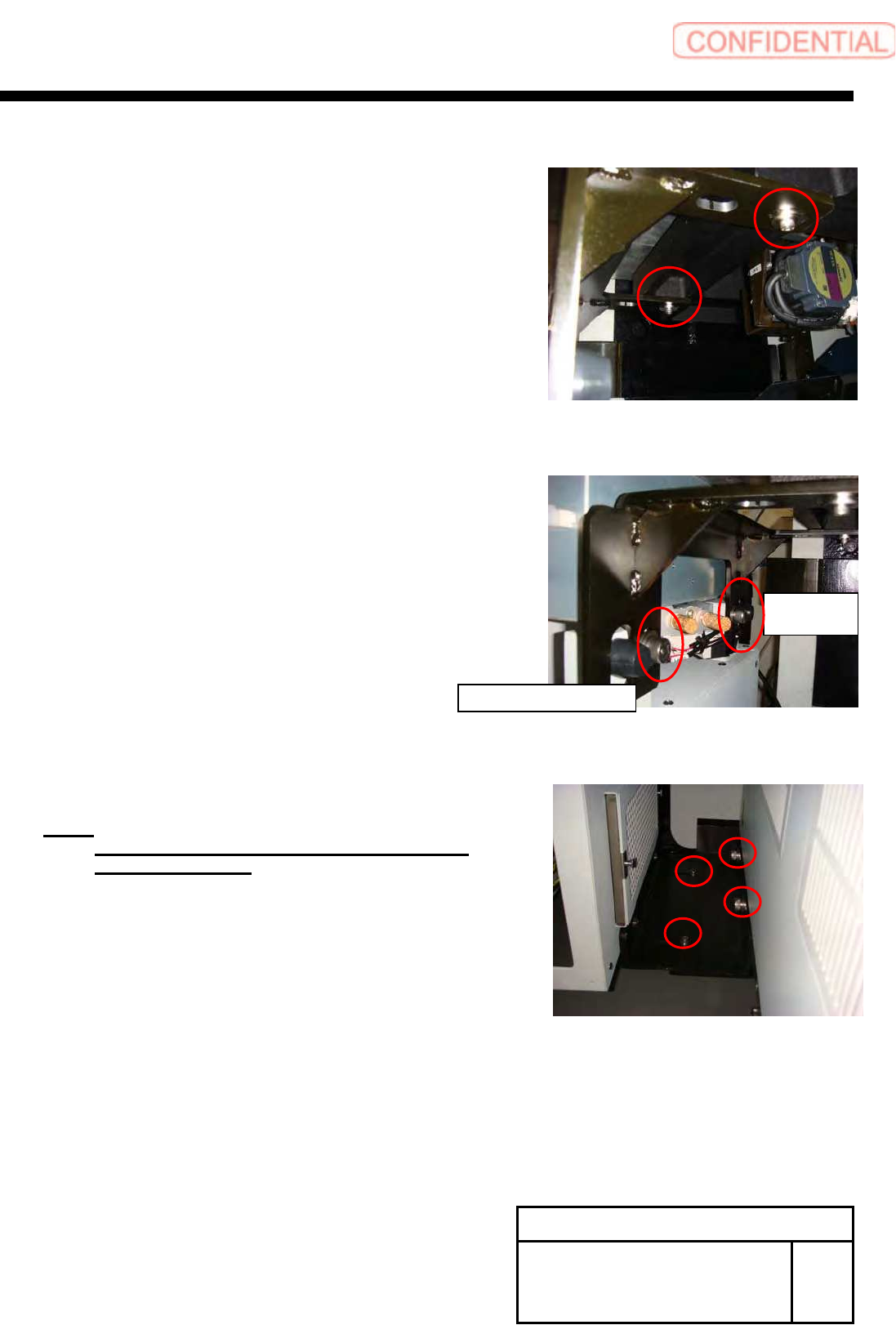
12 Fix the mount bracket to tray unit with
CP12x20.
13 Fix the mount bracket to tray unit with
CP12x20.
14 Fix joint block(1) and block(2) with
CP6x14 and CP12x20.
NOTE:
Fix joint block(1) and joint block(2) after
bumped to tray unit.
Main body
side
Tray unit side
Install Tray Unit (Re-setup after tray unit moved)
SEET
12/19
WKGB-10105-02
Installing Tray Unit
(Re-setup after tray unit moved)
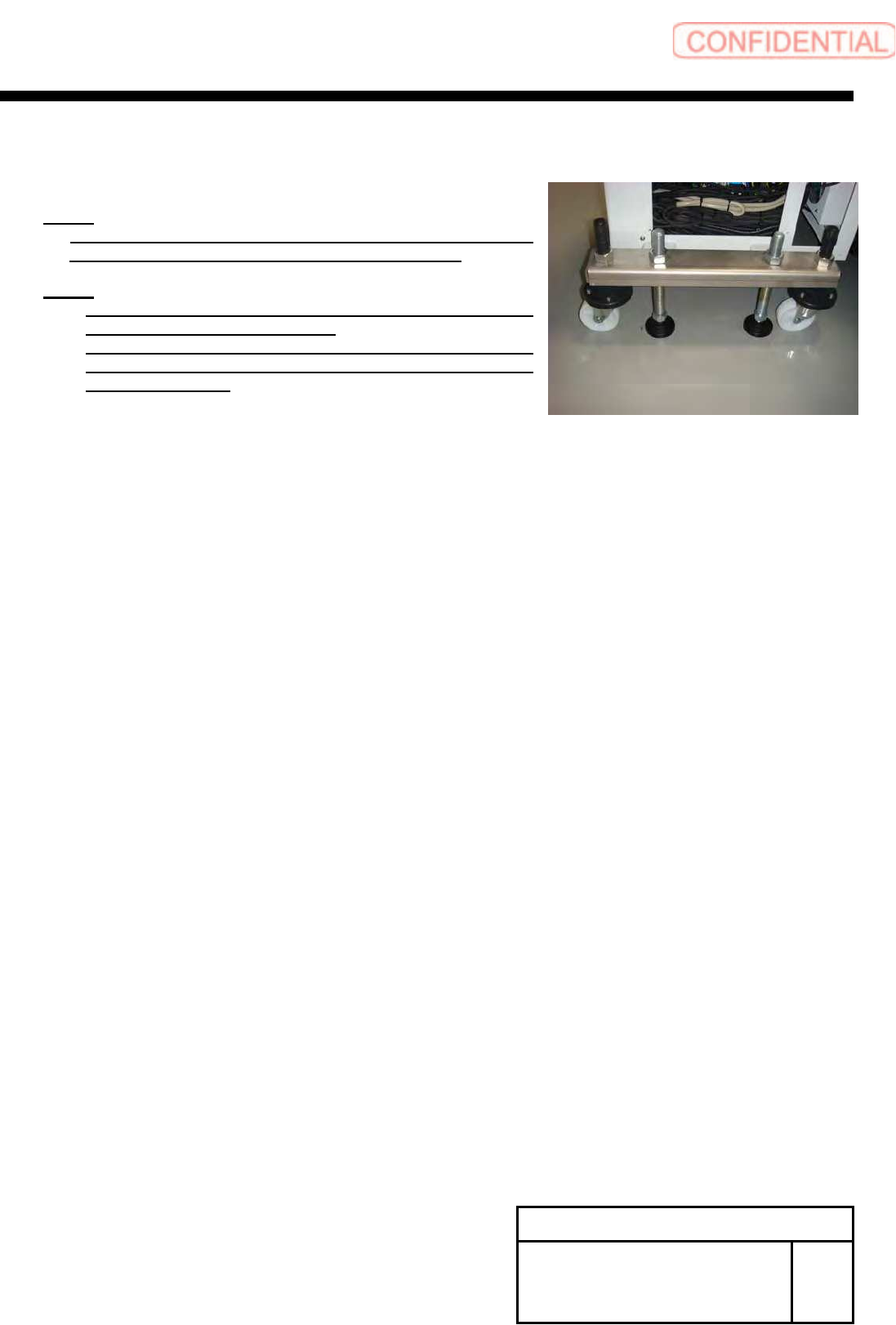
15 Adjust the height of the caster until
lightly getting to the floor.
NOTE:
If you changed shutter sensor position or shutter roller
position until this step, please adjustment it again.
NOTE:
For re-adjustment shutter roller, refer to “Adjustment
shutter roller [HLGB-10430-01]”.
For re-adjustment shutter closing detect sensor, refer to
“adjustment shutter closing detect sensor
[HLGB-10431-02]”.