MAN00000772_SI-G200BB_SVCPDFA.pdf - 第130页
Install Tray Unit (Re-setup after tray unit moved) SEET 18/19 WKGB-10105-02 Installing Tray Unit (Re-setup after tray unit moved) [Adjustment of p ath line sensor] 1 Remove front cover of tray unit. 2 Store the tray p al…
Install Tray Unit (Re-setup after tray unit moved)
SEET
17/19
WKGB-10105-02
Installing Tray Unit
(Re-setup after tray unit moved)
20. Select “01~05” from the dropdown list.
21. Press the SET #1 button to open the VU Axis
screen.
22. Relative-move by 12[mm] from the supply No. 505.
20. Perform setup from Z506 to Z515 by the same
procedure.
Reference (Moving amount on each stage):
Z501(1 ST SET)
~ Z505(2 ND SET) 48[mm]
Z505(1 ST SET)
~ Z506(2 ND SET) 12[mm]
Z506(1 ST SET)
~ Z510(2 ND SET) 48[mm]
Z510(1 ST SET)
~ Z511(2 ND SET) 12[mm]
Z511(1 ST SET)
~ Z515(2 ND SET) 48[mm]
4 After M/C org. Perform setup for supply
height of VL axis similarly to the VU axis.
Install Tray Unit (Re-setup after tray unit moved)
SEET
18/19
WKGB-10105-02
Installing Tray Unit
(Re-setup after tray unit moved)
[Adjustment of path line sensor]
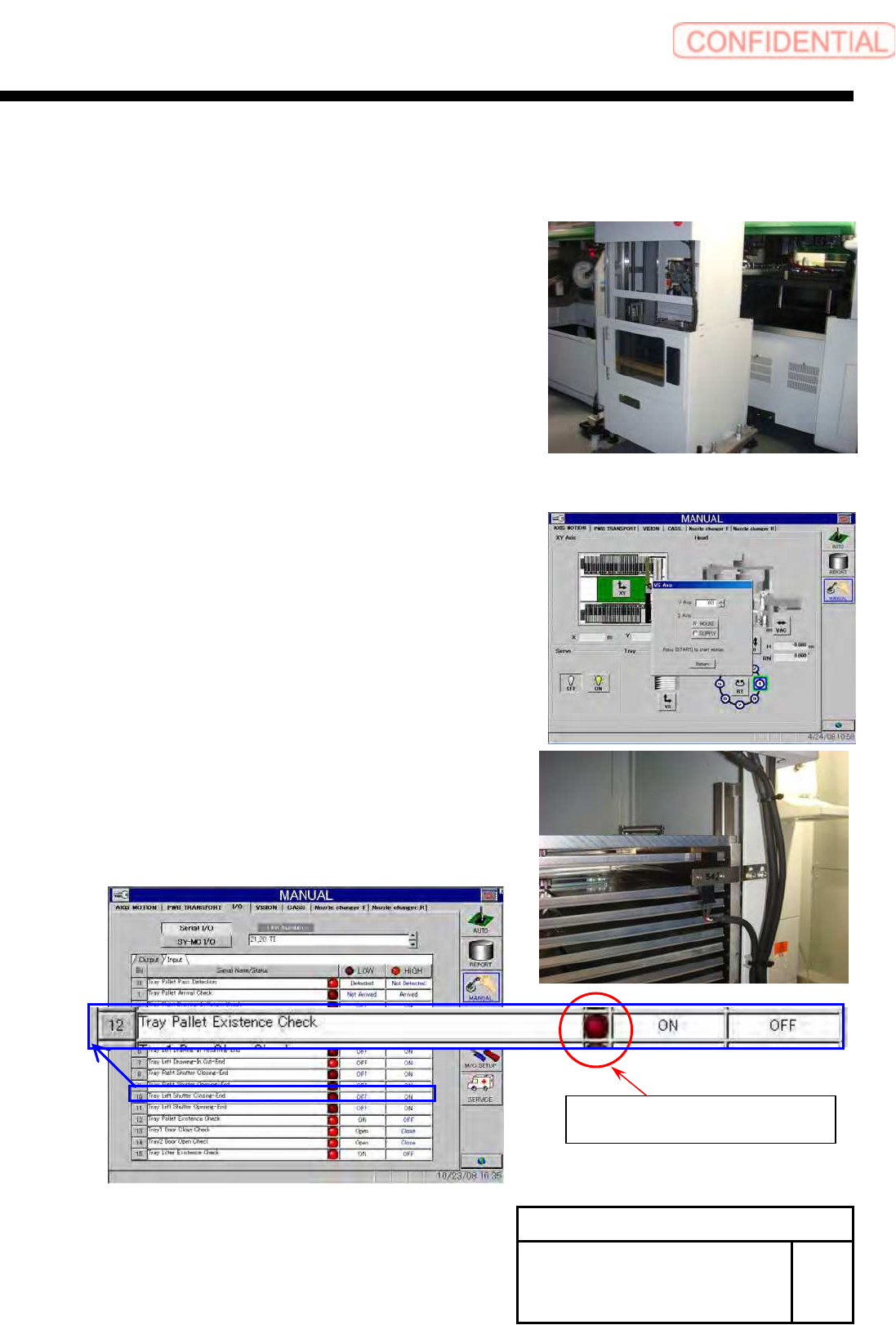
1 Remove front cover of tray unit.
2 Store the tray pallet into the Z501.
3 Move the VU axis to the Z501 by manual
operation.
4 Adjust sensor position, and check that it is
turned ON in the presence of tray pallet and
turned OFF in the absence of tray pallet.
5 Install the removed cover to the previous
state.
There is a palette :Light
There is not palette :Dark
I/O screen of Manual mode (Input 21,20 TI)
Install Tray Unit (Re-setup after tray unit moved)
SEET
19/19
WKGB-10105-02
Installing Tray Unit
(Re-setup after tray unit moved)
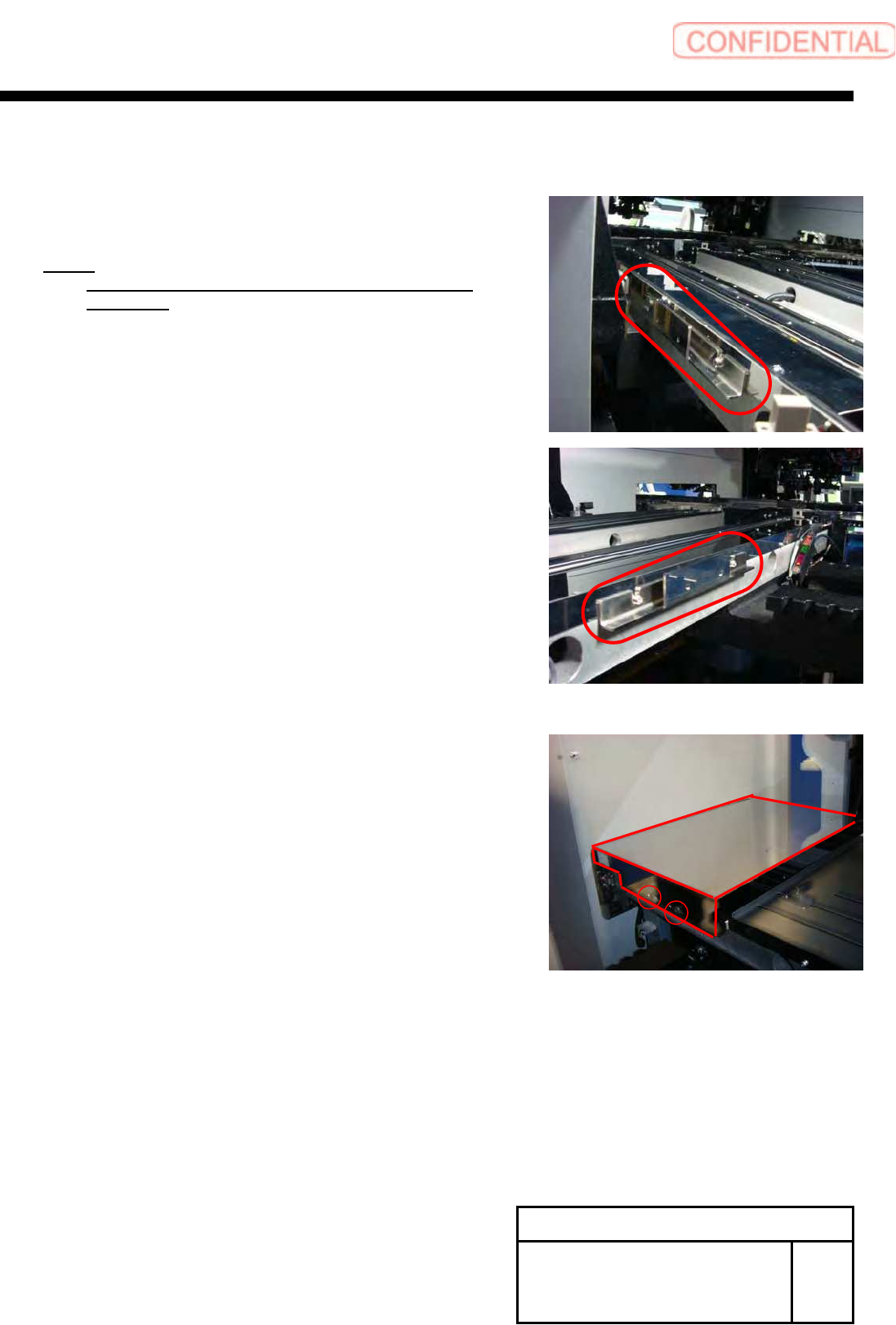
[Installation of hood]
1 Install the hood bracket with the 2-CP3x10
to S axis unit.
NOTE:
Commonly use the screws fixing the guide for the
S Axis rail.
2 Install the hood with the +T4x8.