MAN00000772_SI-G200BB_SVCPDFA.pdf - 第135页
System software clear installation process WKGB-10109-01 System software clear installation process 4/1 1 System installation (for Front PC) 1. Connect local PC to the mach ine front PC via network. 2. Make double click …
System software clear installation process
WKGB-10109-01
System software clear installation process
3/11
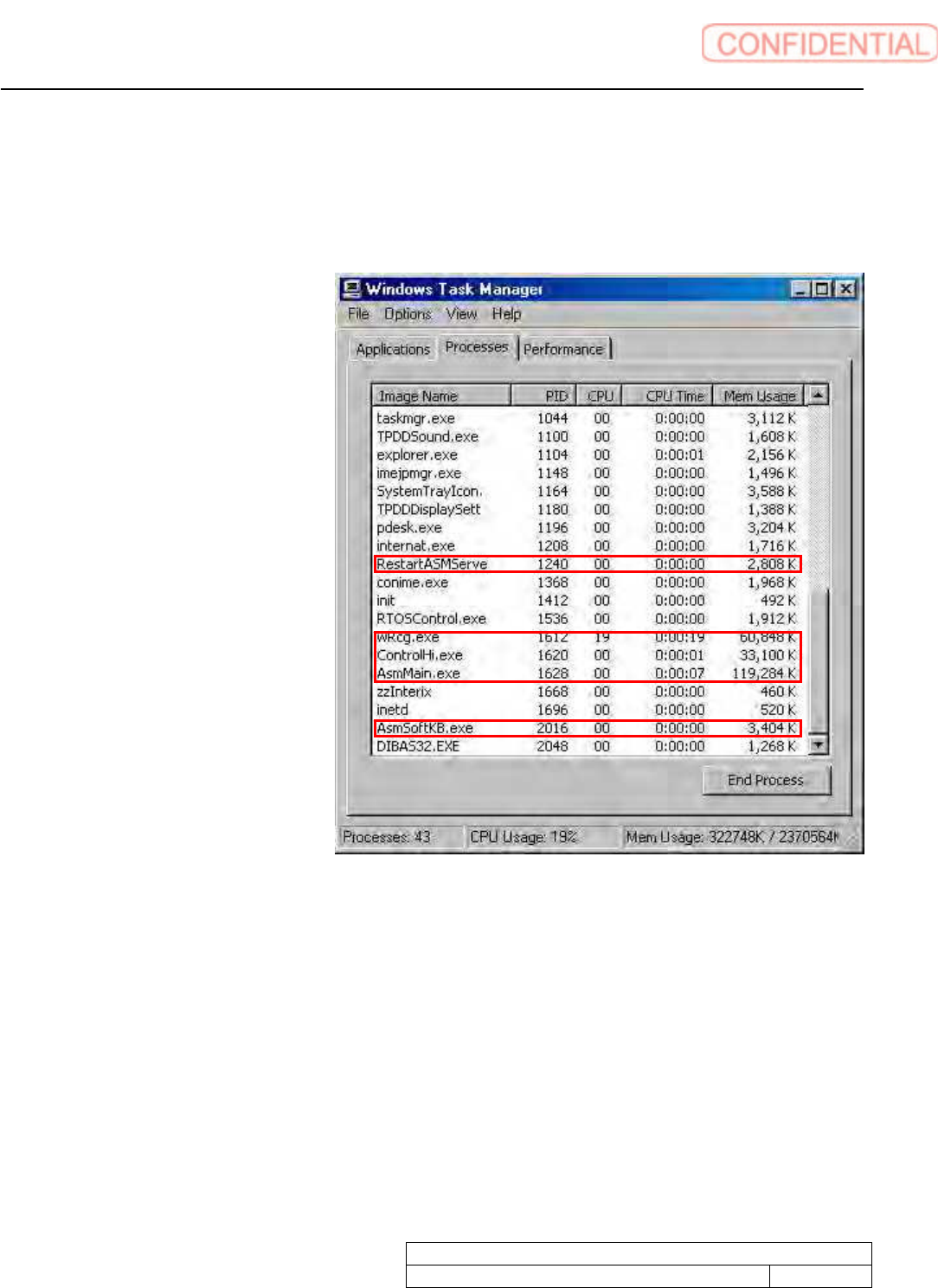
Start up task manager
1. Open WINDOWS folder to open system32 folder of front
PC C drive. Make double click on
taskmgr.exe
2. Quit below software.
RestartASMServe
wRcg.exe
ControlHi.exe
AsmMain.exe
AsmSoftKB.exe
3. Change folder names for system installation failure.
Change below folder names.
C drive asm folder
C drive vision folder
Take a memo of folder names before and after change to recover.
System software clear installation process
WKGB-10109-01
System software clear installation process
4/11
System installation (for Front PC)
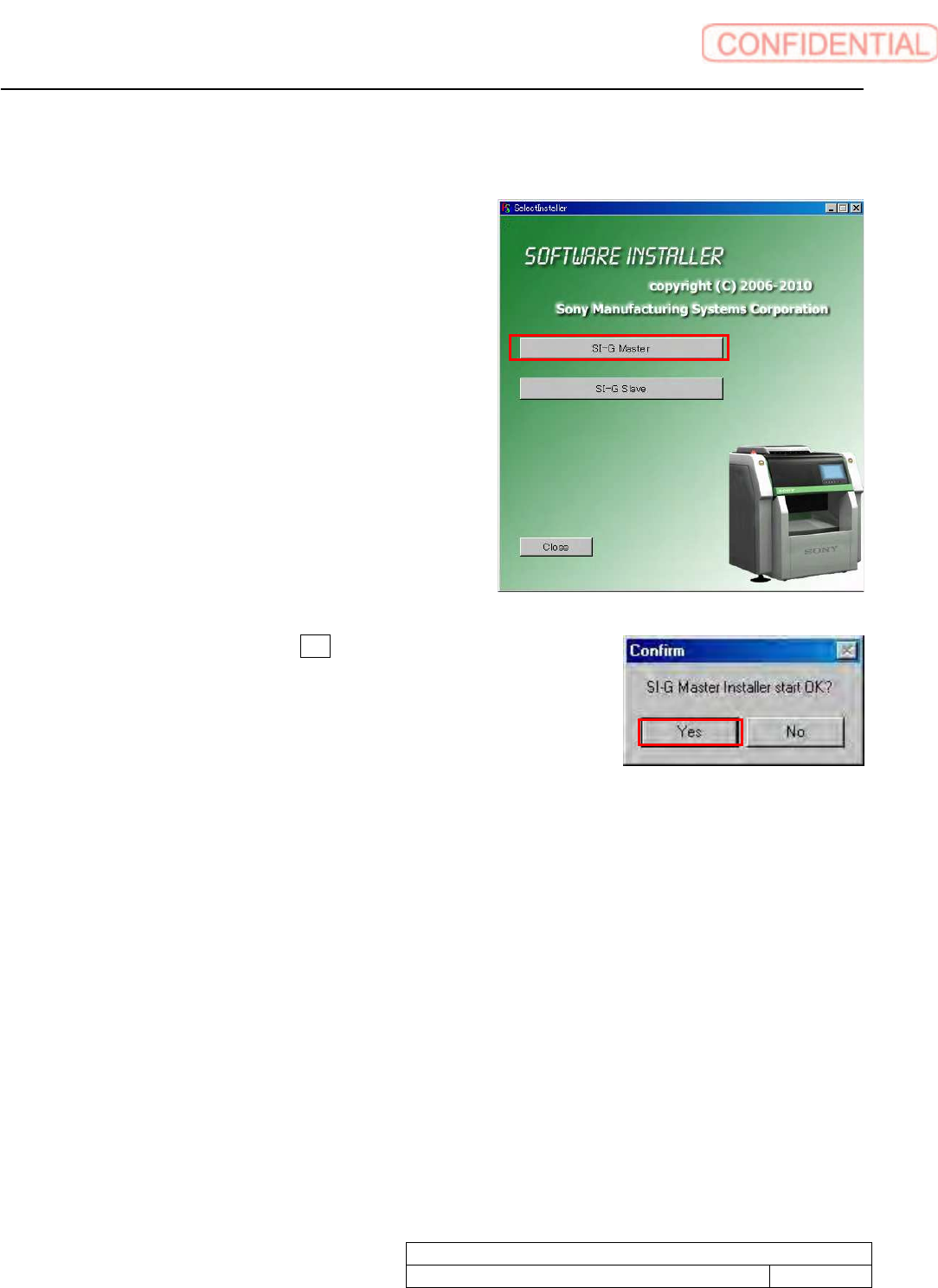
1. Connect local PC to the machine front PC via network.
2. Make double click on SelectInstaller.exe to start
installer. Click SI-G Master button.
3. Confirm screen appears. Click Yes button.
System software clear installation process
WKGB-10109-01
System software clear installation process
5/11
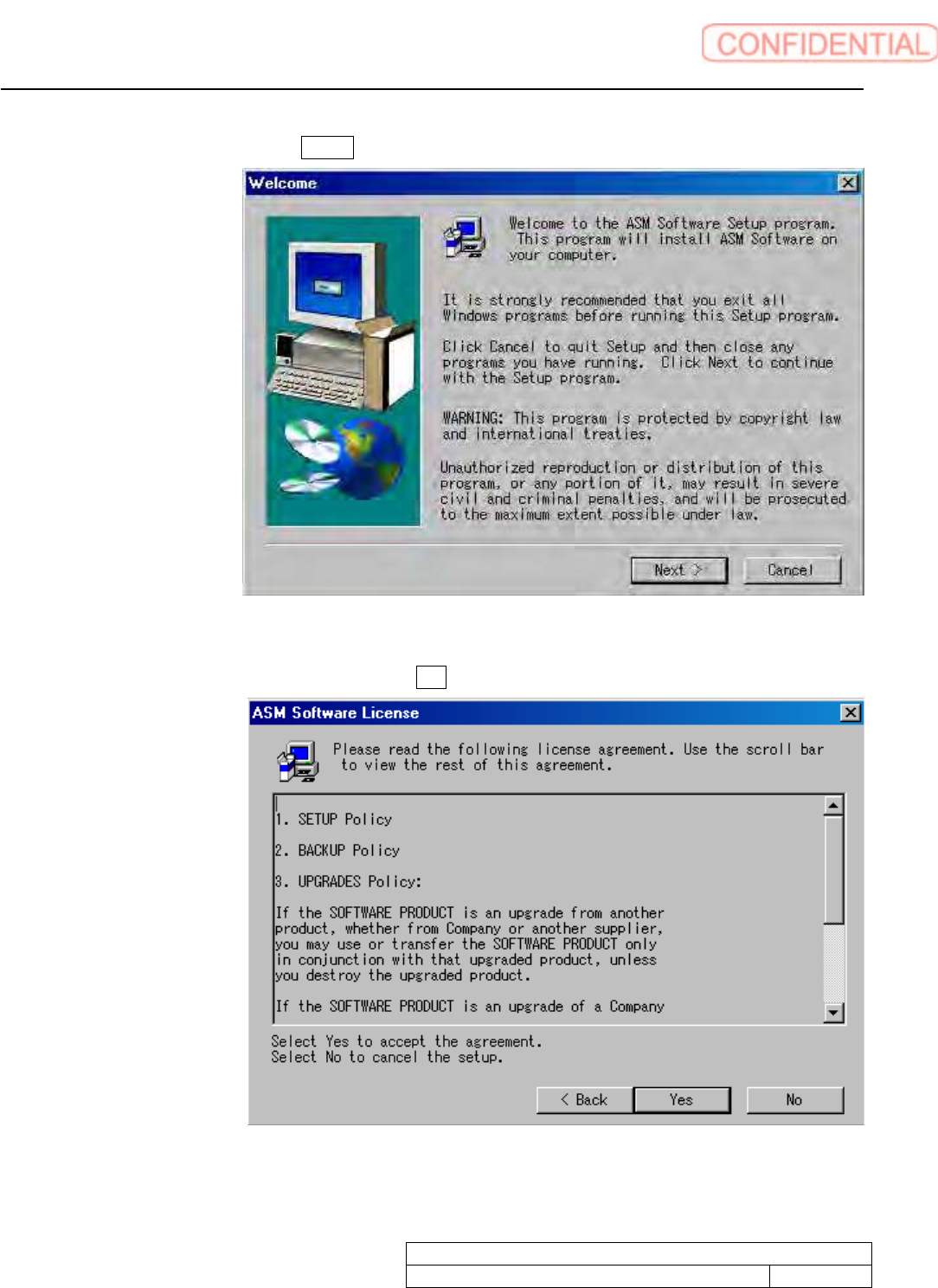
4. Welcome screen appears. Click Next> button to go next screen.
5. ASM Software License screen appears. Click Yes button.